Better BetaReborn
Java modpack listed for Minecraft 1.18–1.19. Downloads from the MC Java Mods app on Android.
I don't know my version or loader
So you would like to play one of the newer Minecraft versions, but have problems with performance? You have seen this other Modpack called "BetaReborn" but it's 7 months out of date? Then this Modpack is for you! You don't want to set up an annoying server, like the old times, but you're friends do not live in the same house as you? Then this fixes that!
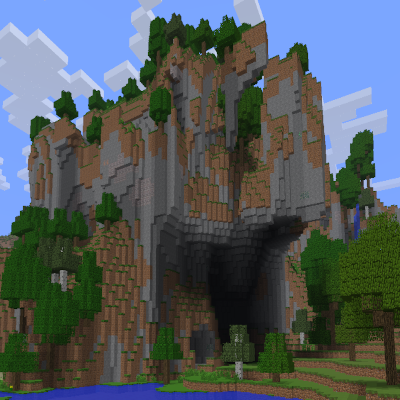
This recreates old Minecraft, with it's skillfull Health System and delightful Lighting, and it combines it with new Minecraft. Resultingly you get the best of both Worlds!
This Modpack was created out of the frustration of seeing big Youtubers use the old "BetaReborn" even though it's pitifully small and nearly every single mod it includes have strived forward to new greats.
These improvements are as follows: No Experimental Generation Screen, Photo Mode, Old "Round-Robin" Chunk Updates, Custom Food Stack Sizes, Old Infinite Fire, Minecart Boosting, Old Passive Mob Spawning and so much more.
Mod List:
- Fabric API (by modmuss50)
- Indium (by comp500)
- Modern Beta (by b3spectacled)
- Lithium (by jellysquid3_)
- Cloth Config API (by shedaniel)
- Fabrication (by unascribed)
- Phosphor (by jellysquid3_)
- Mod Menu (by ProspectorDev)
- Nostalgic Tweaks (by Adrenix_Live)
- Sodium (by jellysquid3_)
- Colormatic (by kwerti)
- Custom Entity Models (by dorianpb)
- Custom Spawns (by b3spectacled)
- Custom Stars (by b3spectacled)
- Essential (by ModCore Inc)
- Here be no Dragons! (by parzivail)
- Parry (by FoundationGames)
- Simple Voice Chat (by Max Henkel)*ClassiCombat and HungerRemover were removed because they were made redundant and Renewable Tools was removed because it did not feel Beta-ly enough.
- Edition: Minecraft Java
- File type: .jar
- Minecraft versions listed: 1.19.4, 1.18.2
- How to install: Install the matching mod loader (Forge, Fabric or NeoForge) for your Minecraft version. → Download the .jar. → Put it in the .minecraft/mods folder and launch that loader profile.
- Where to get it: Opens on CurseForge — not every file is mirrored on our own servers.
Install steps are the general flow for this file type — How to install Minecraft Java mods & modpacks walks through it step by step.
- Downloads as 1.19.4 - Nostalgia-1.0.4.zip
- Download size: 3.8 MB
- Download link checked 27 Sept 2026 — working
These come from our own check of the pack file, not from the source page.