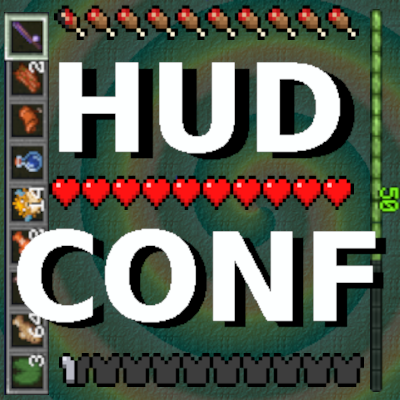
Giacomo's HUD Overlays Configurator
Java mod listed for Minecraft 1.20. Download on the author's site.
⬇ Download on CurseForgeIf you have overlapping mod overlays or simply want to modify the HUD layout, this mod is for you!
It allows configuring position, rotation, and scale of HUD overlays in-game by activating 'HUD Configuration Mode' with the 'up' key, customizable in the key binds menu.
It's a client only mod. Don't install on server.
Actions:
'up' key (or the designated key of your choice) to enter/exit the hud overlay configuration mode.
'o' key to show/hide the overlays selection list.
Ctrl-z and Ctrl-Shift-z undo and redo selection or transform.
Ctrl-a select all.
Left mouse to translate.
Middle mouse to rotate.
Right mouse to scale.
Space key to reset selected overlays to default or loaded settings.
Instructions:
Press the 'up' key to enter HUD Configuration Mode.
Press the 'o' key to show the overlays list.
Select the overlays that you want to modify from the list on the left.
Press the 'o' key to hide the overlays list.
Drag with left mouse button to change the position.
Press the middle mouse button and drag around the clicked point to rotate the selected overlays. Holding down the Shift key will produce continuous angles.
Press the right mouse button and drag around the clicked point to scale the selected overlays.
Finally, press the 'up' key to return to the game.
Suggestions and feedback are welcome!
Have fun!
- Edition: Minecraft Java
- File type: .jar
- Minecraft versions listed: 1.20.4, 1.20.2, 1.20.1
- How to install: Install the matching mod loader (Forge, Fabric or NeoForge) for your Minecraft version. → Download the .jar. → Put it in the .minecraft/mods folder and launch that loader profile.
- Where to get it: Opens on CurseForge — not every file is mirrored on our own servers.
Install steps are the general flow for this file type — How to install Minecraft Java mods & modpacks walks through it step by step.
Giacomo's HUD Overlays Configurator is a free Minecraft Java mod. Compatible with Minecraft 1.20.4, 1.20.2, 1.20.1. Downloaded 303,123 times (via CurseForge). Download it and open it directly in the game.