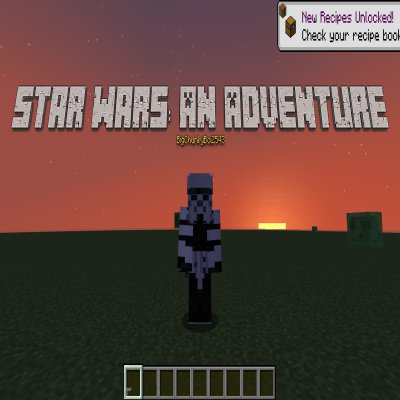
Star Wars: An Adventure
Java mod listed for Minecraft 1.19. Downloads from the MC Java Mods app on Android.
⬇ Download on CurseForgeThe author built this one for Minecraft 1.19.4 on Forge. On other versions it may install and then do nothing.
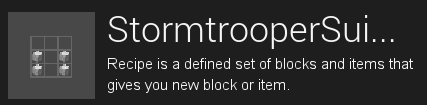

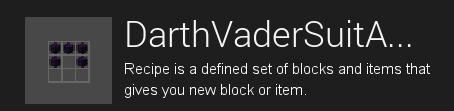
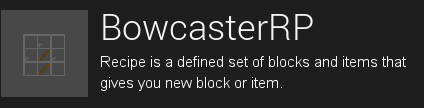
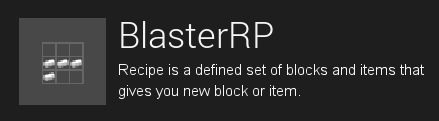
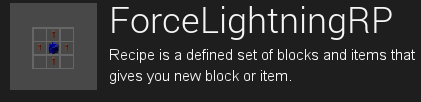


This mod adds all of the Star Wars elements, such as kyber crystals, lightsabers, weapons, characters and biomes. Enjoy.
Biomes:
- Naboo
- Tatooine
- Coruscant
- Kamino
- Geonosis
- Utapau
- Mustafar
- Kashyyyk
- Alderaan
- Yavin 4
- Hoth
- Dagobah
- Bespin
- Endor
- Jakku
- D'Qar
- Takodana
- Illum
- Ach-To
- Cantonica
- Crait
- Ajan Kloss
- Pasaana
- Kijimi
- Kef Bir
- Exegol
Entities:
- Wampa
- Tauntaun
- R2-D2
- Bantha
- Palpatine
- Obi-Wan Kenobi
- C-3PO
- Luke Skywalker
- Anakin Skywalker
- Princess Leia
- Chewbacca
- Han Solo
- Jabba the Hutt
- Battle Droid
Lightsabers:
- Blue Lightsaber
- Green Lightsaber
- Red Lightsaber
- Purple Lightsaber
- Yellow Lightsaber
- Orange Lightsaber
- White Lightsaber
- Darksaber
- Pink Lightsaber
Projectile Weapons:
- Blaster
- Bowcaster
Force Powers:
- Force Lightning
Kyber Crystals:
- Blue Kyber Crystal
- Green Kyber Crystal
- Red Kyber Crystal
- Purple Kyber Crystal
- Yellow Kyber Crystal
- Orange Kyber Crystal
- White Kyber Crystal
- Black Kyber Crystal
- Pink Kyber Crystal
Ores:
- Blue Kyber Crystal Ore
- Green Kyber Crystal Ore
- Red Kyber Crystal Ore
- Purple Kyber Crystal Ore
- Yellow Kyber Crystal Ore
- Orange Kyber Crystal Ore
- White Kyber Crystal Ore
- Black Kyber Crystal Ore
- Pink Kyber Crystal Ore
This mod is great for survival as it allows the player to explore the world of Star Wars and defeat Bosses as well as the Ultimate Boss, Palpatine.
This also works for Multiplayer as well.
For the Mod to work, it MUST have the GeckoLib Plugin installed. The version of it has to be 1.18.2, 1.19.2 and 1.19.4.
Enjoy the Mod.
- Edition: Minecraft Java
- File type: .jar
- Minecraft version listed: 1.19.4
- How to install: Install the matching mod loader (Forge, Fabric or NeoForge) for your Minecraft version. → Download the .jar. → Put it in the .minecraft/mods folder and launch that loader profile.
- Where to get it: Opens on CurseForge — not every file is mirrored on our own servers.
Install steps are the general flow for this file type — How to install Minecraft Java mods & modpacks walks through it step by step.
- Ships as Star Wars An Adventure 1.1.0.jar — drop this file into the mods folder
- Download size: 5.6 MB
- Download link checked 17 Oct 2026 — working
These come from our own check of the pack file, not from the source page.