Immersive Chess
Java mod listed for Minecraft 1.19–1.20. Downloads from the MC Java Mods app on Android.
I don't know my version or loader
Immersive Chess
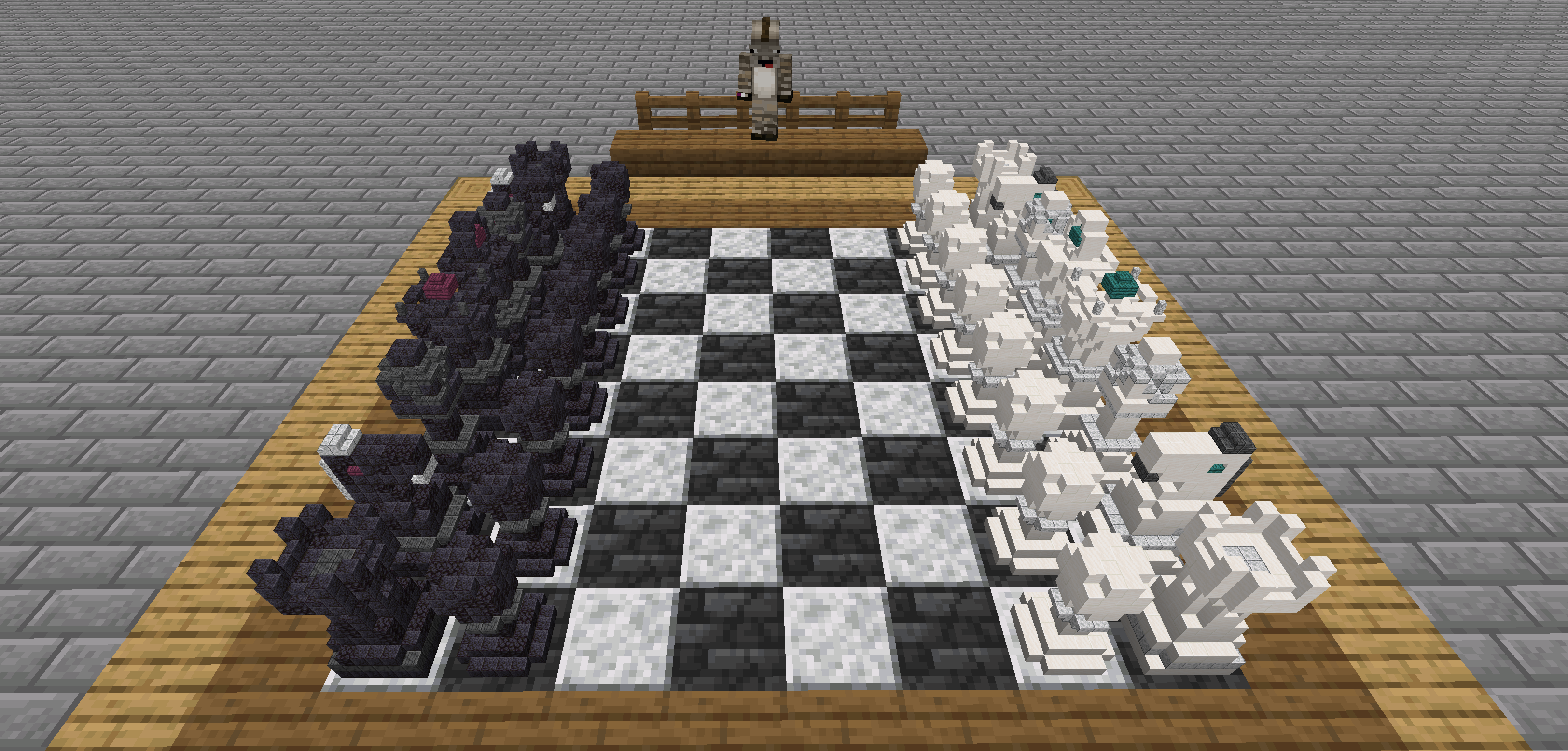
A Minecraft mod to play chess with your own pieces.
Features
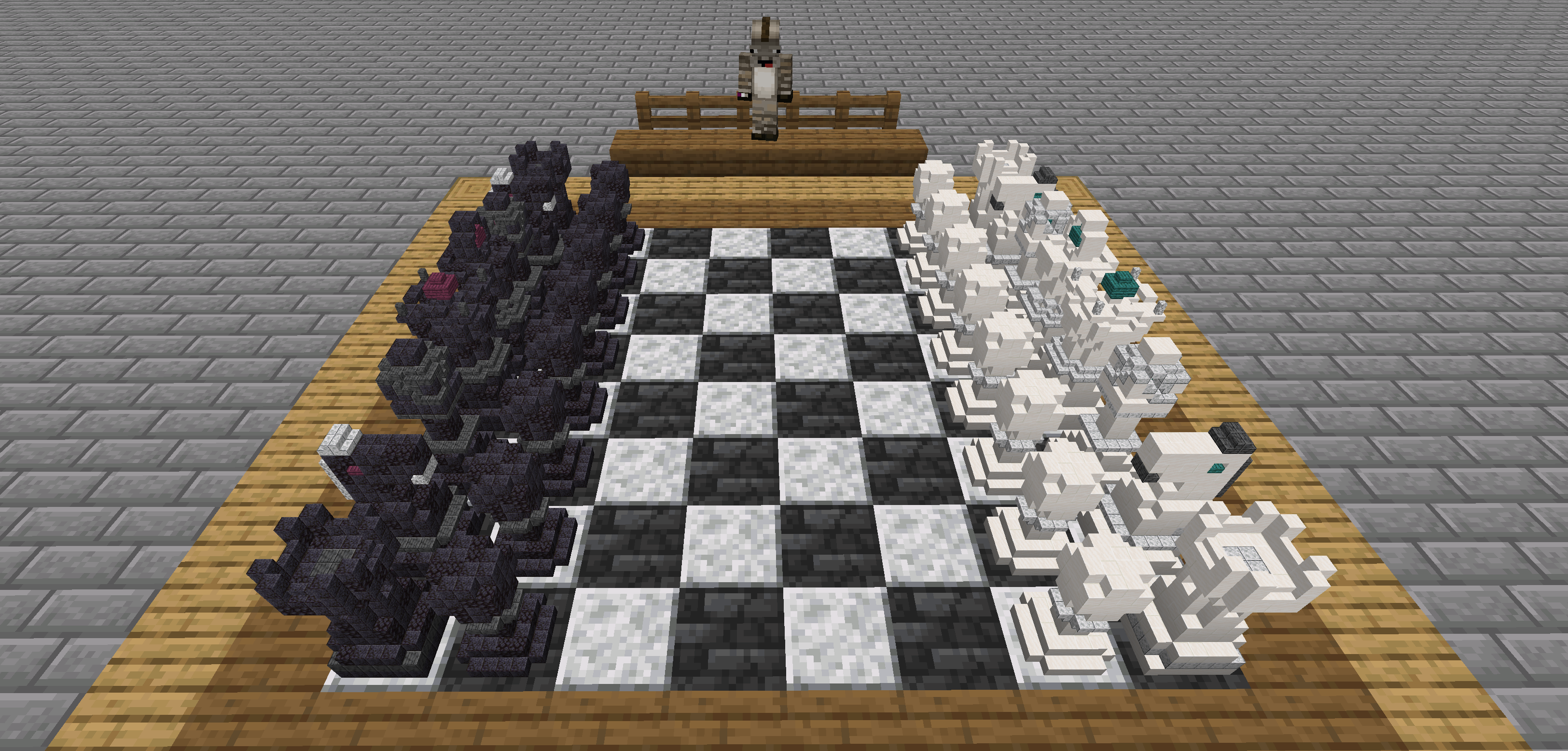
- Play chess with your friends
- Build your own chess pieces on a
8:1scale - Export played games to chess.com or lichess.
Instructions
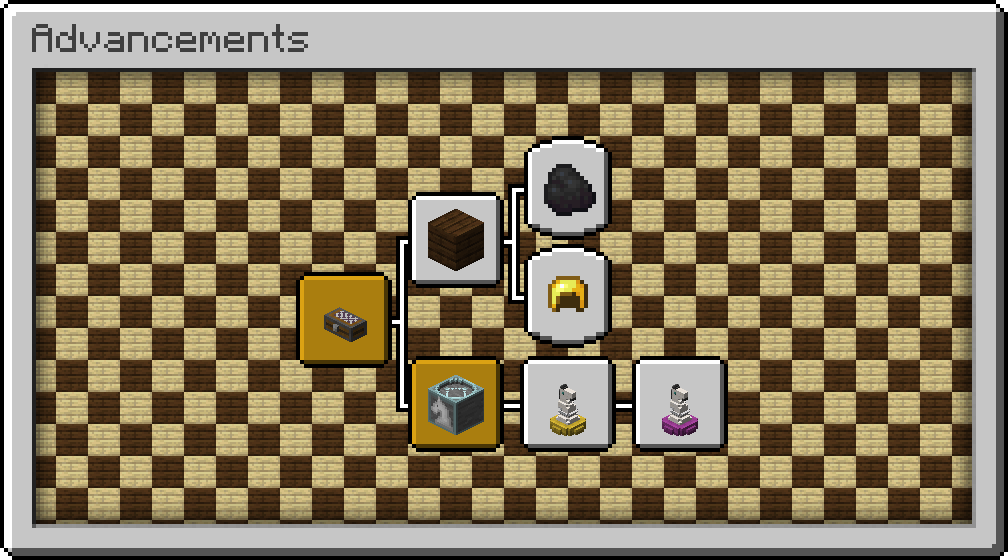
Would you rather discover the mod in-game? The advancements will guide you through all the content.
1. Creating a Chess Case
The first item you need is a chess case to contain your pieces.
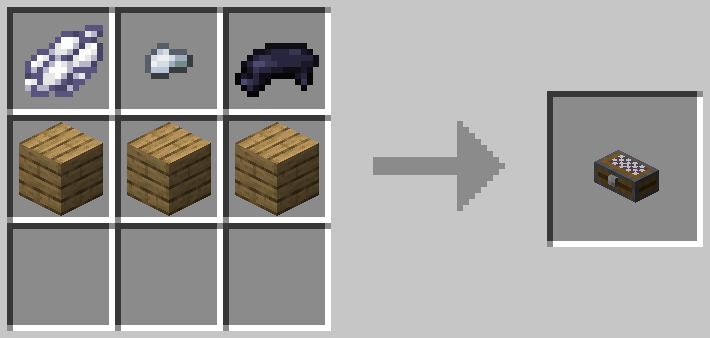
Don't worry about having to build your own pieces just yet. You can always start a chess game with the default pieces.
2. Build a Chess Board
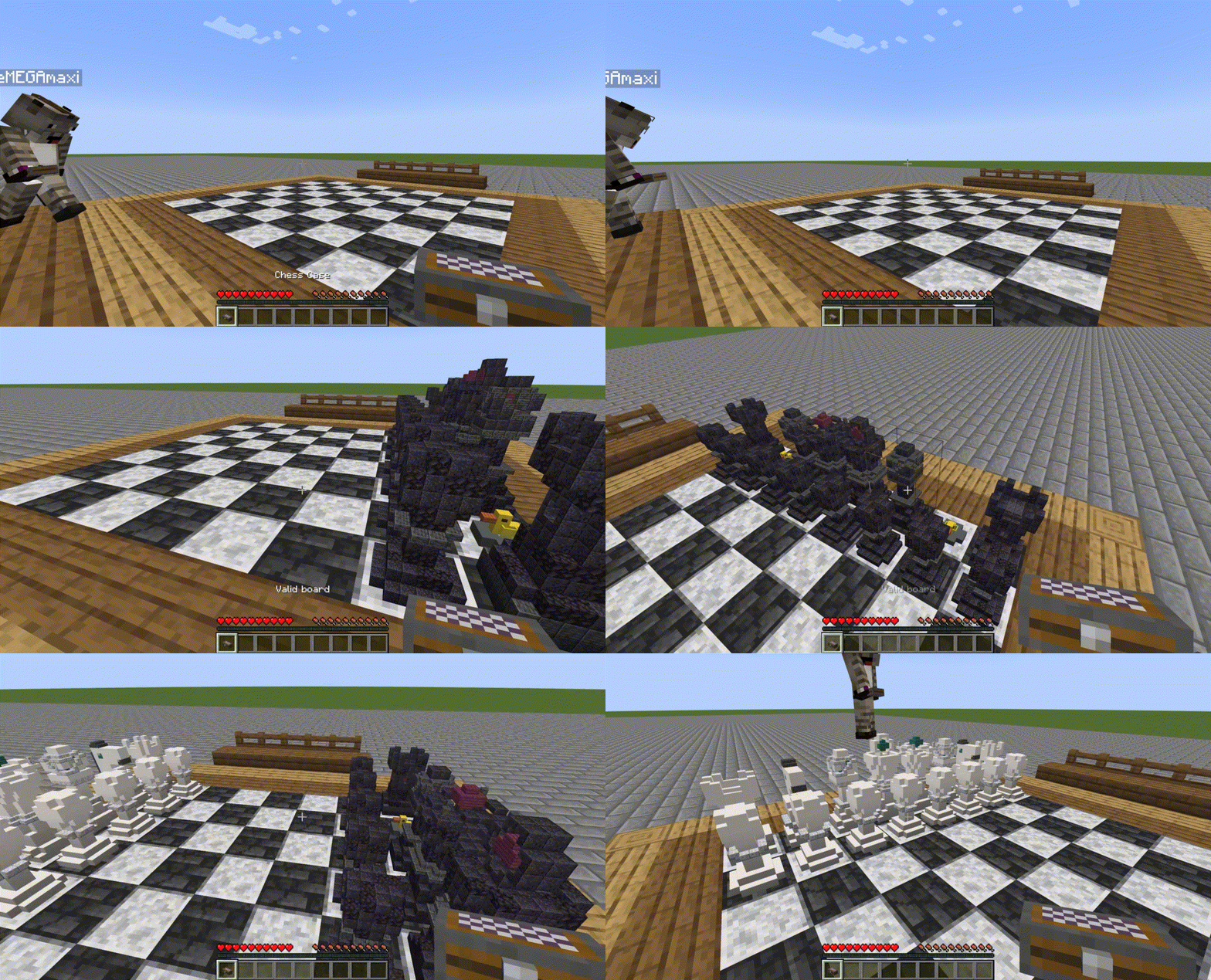
A chess board can be built in the world with any solid blocks. Simply choose two vanilla blocks that ideally have contrasting colors and create an eight by eight checkerboard pattern. Make sure the edges are of a different block to create a valid board.
Then right-click the board to turn it into a chess game.
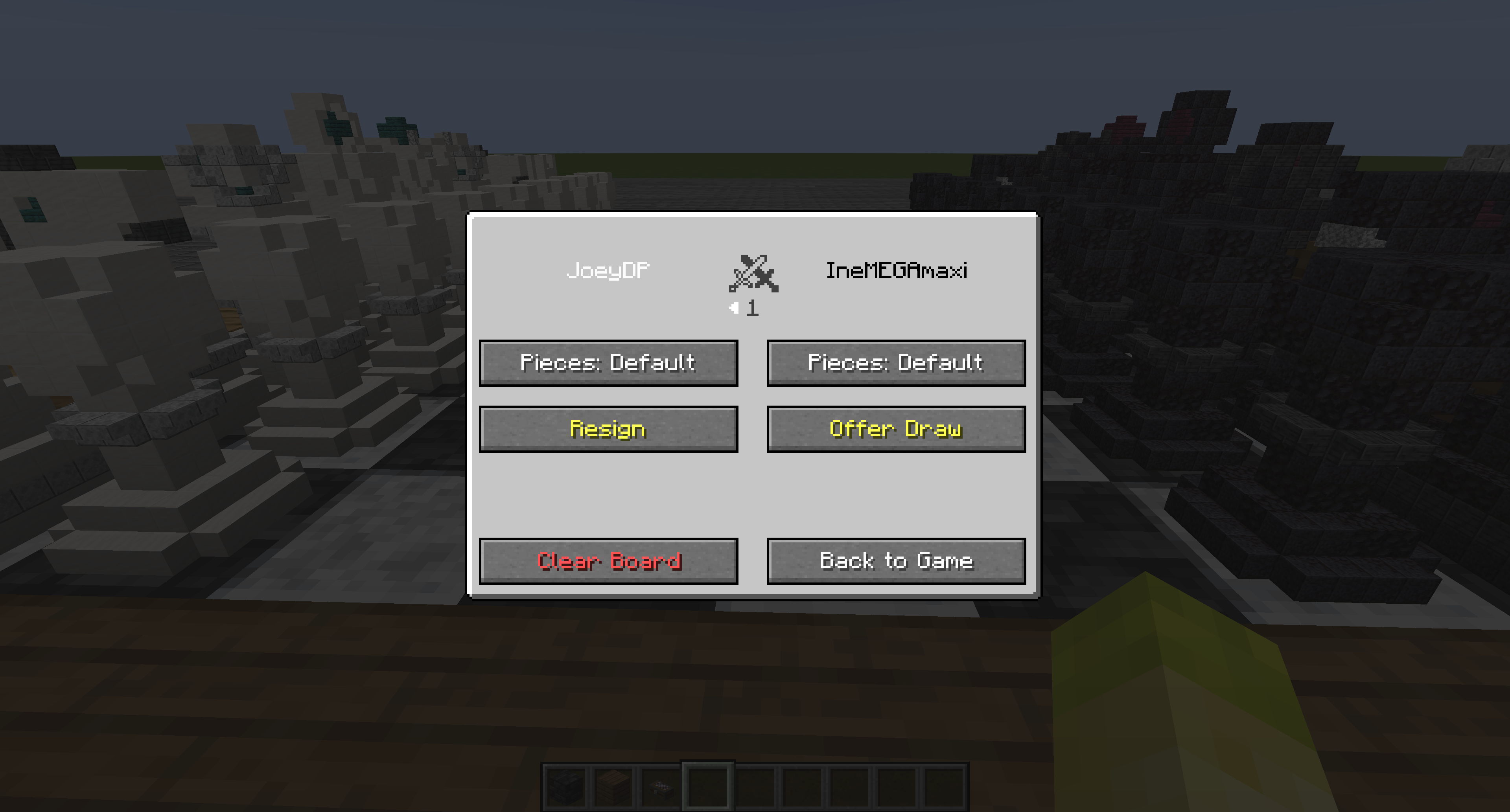
When a game is active, you can right-click the board with an empty hand to open the game GUI. This GUI contains statistics of the game and the option to resign, offer draw or accept draw. You can also change which set of pieces is used for rendering (default, own or opponent's).
3. Build your own Pieces
Want to design your own set of chess pieces? Each one has its own Piece Structure Block you can craft.
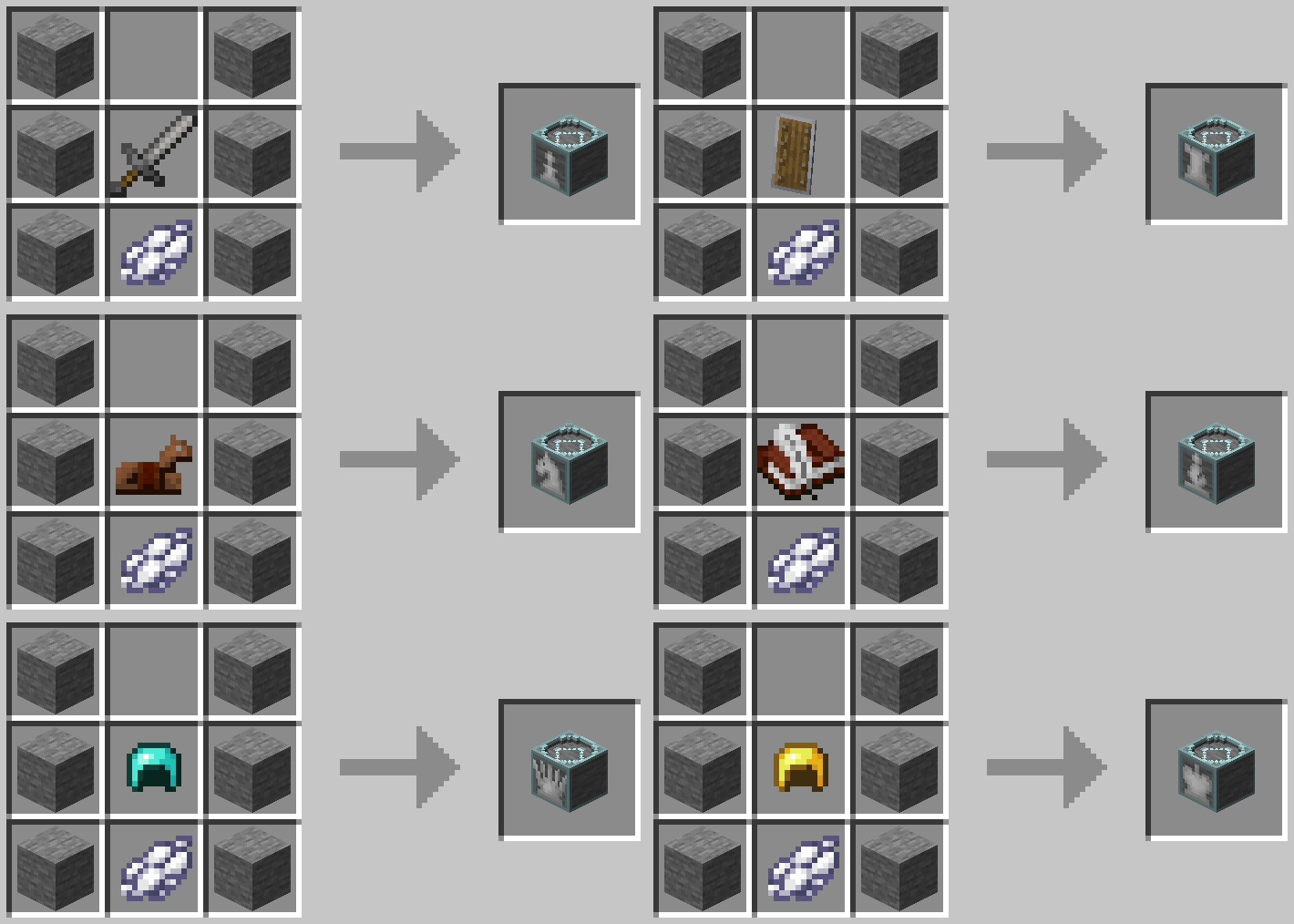
The dye indicates the color of the piece (black dye or white dye) and the signature item determines the type as follows
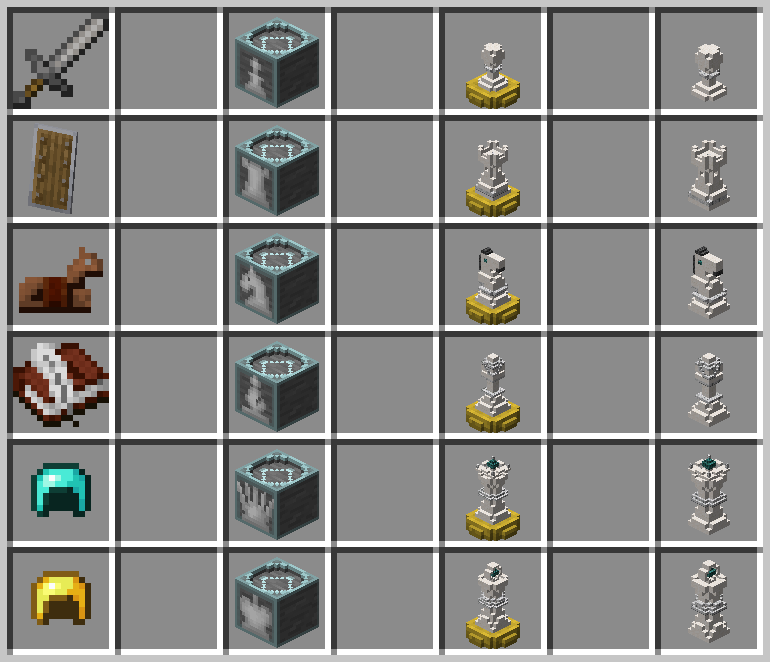
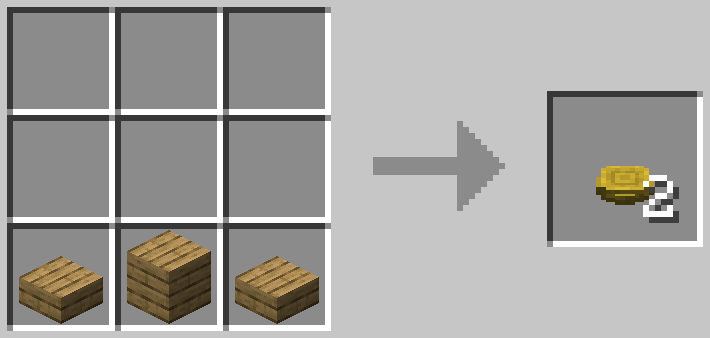
Once you have all six structure blocks also craft some Piece Stands to save your piece with.
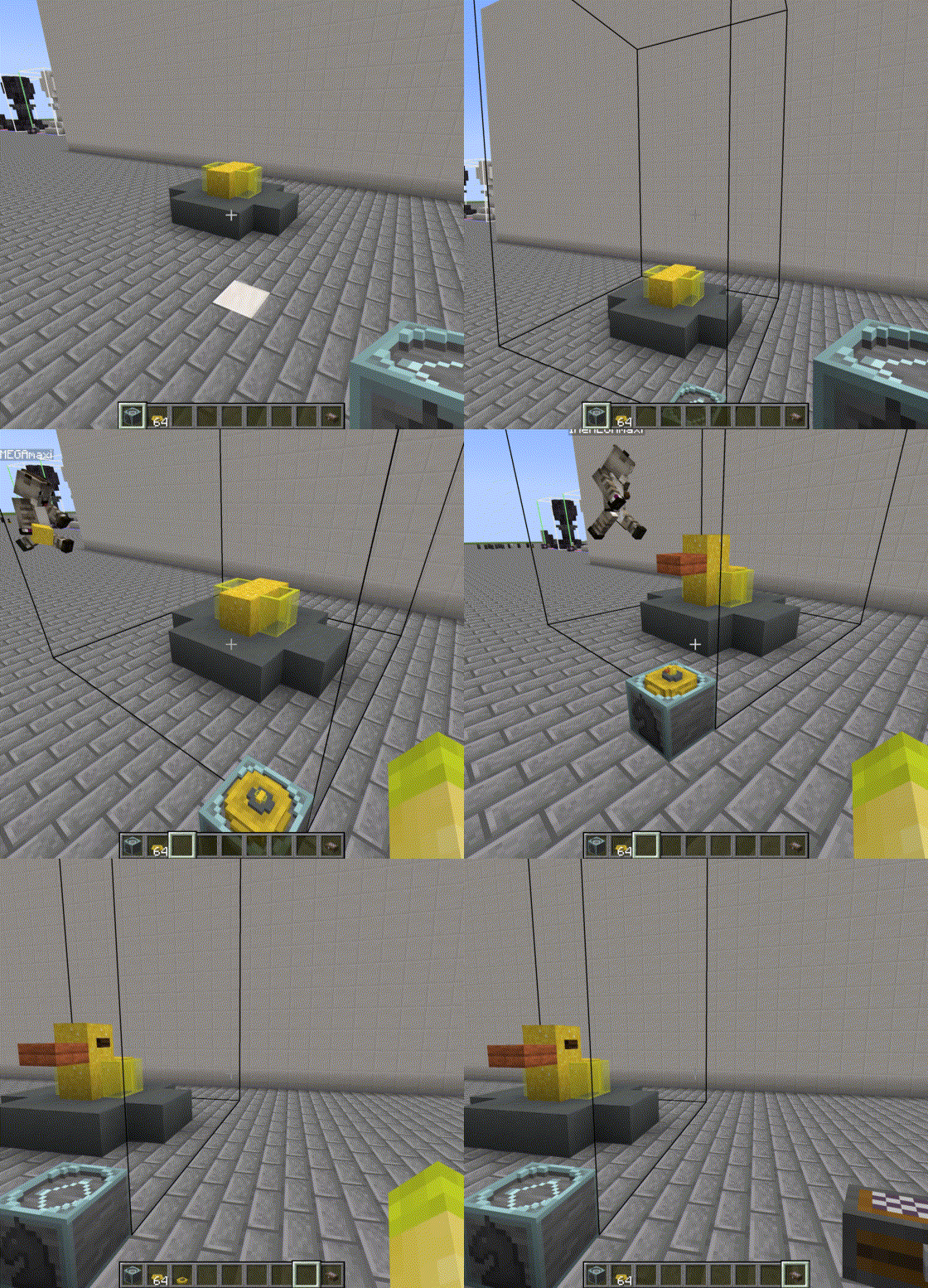
Now it's time for building. Simply place the structure block down and build your piece inside the outline. A Piece Stand can be placed inside with right-click to store the miniature version. Right-click again to take it out and store it inside you chess case to be used.
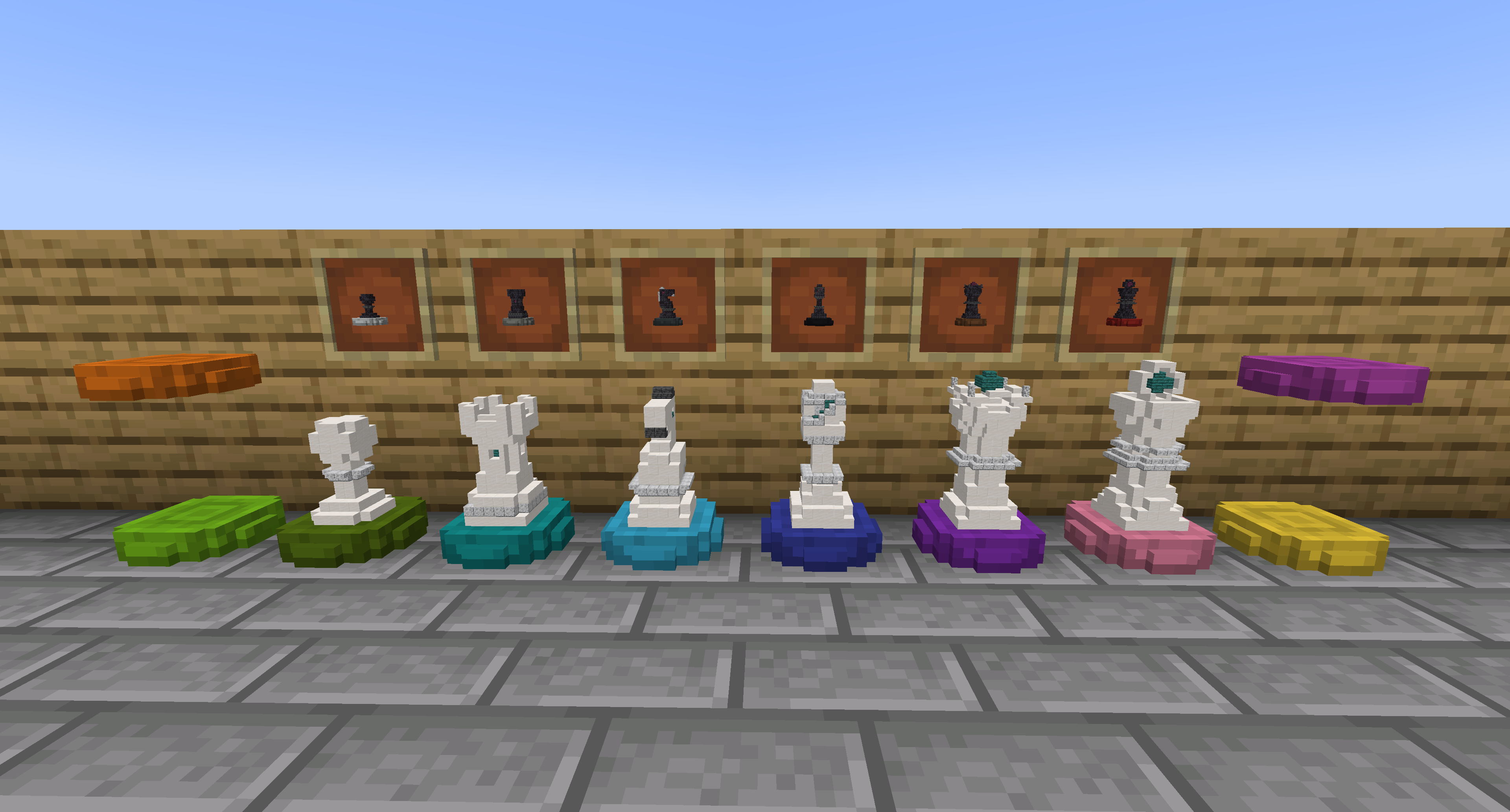
(Optional) Dye Stands
All piece stands can be dyed in the 16 Minecraft colors
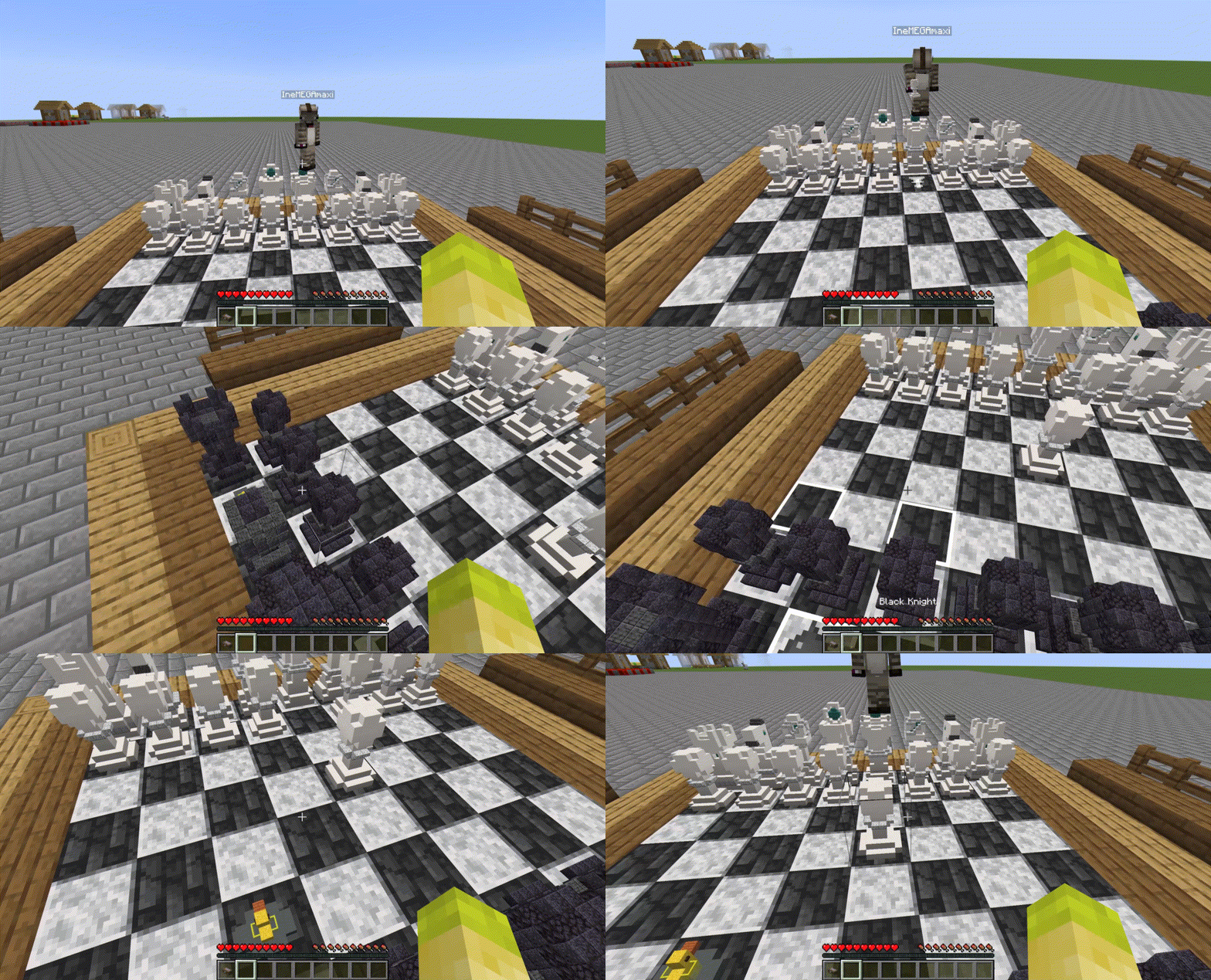
4. Play with your Custom Chess Pieces
Now you can play with your own pieces!
Future Plans
- Play against AI
- Correct lighting within the miniature pieces (WIP)
Issues
Please report issues as detailed as possible on Github: https://github.com/JoeyDP/Immersive-Chess/issues/.
Attribution
- Includes the JChess library as jar-in-jar, under the LGPL-2.1 license.
- Edition: Minecraft Java
- File type: .jar
- Minecraft versions listed: 1.20.2, 1.19.4
- How to install: Install the matching mod loader (Forge, Fabric or NeoForge) for your Minecraft version. → Download the .jar. → Put it in the .minecraft/mods folder and launch that loader profile.
- Where to get it: Opens on CurseForge — not every file is mirrored on our own servers.
Install steps are the general flow for this file type — How to install Minecraft Java mods & modpacks walks through it step by step.
- Ships as immersivechess-1.20.2-v1.1.0.jar — drop this file into the mods folder
- Download size: 1.1 MB
- Download link checked 17 Oct 2026 — working
These come from our own check of the pack file, not from the source page.