ModsJava
Trading station
Java mod listed for Minecraft 1.19–1.21. Downloads from the MC Java Mods app on Android.
I don't know my version or loader
Open the Minecraft launcher and look at the profile you play on — it names both, like fabric-loader-1.21.4. The version also shows in the bottom-right corner of the game's main menu.
No loader in the profile name? Then it's plain Minecraft, and these mods won't run — you need Fabric or NeoForge installed first.
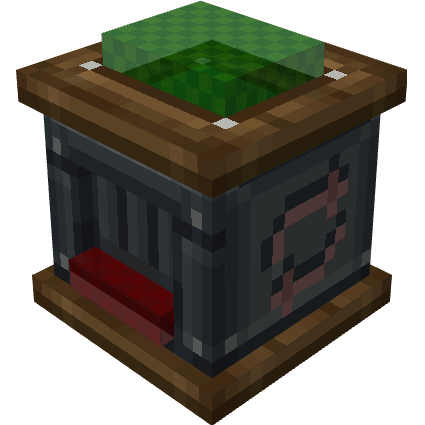
Trading Station
- Item trading machine.
- Made for modpacks. It doesn't add any recipe.
Dedicated wiki
1.21.1-1.x Version Requires Mechanicals Lib
Features
- Basic station with no power requirements.
- Powered station with RF power requirements.
- Custom Trading recipe
- Custom recipe requirements per recipe.
- Indestructible variant for each station.
- Configurable consumption & progress.
- Mechanical (Create Addon) station available with companion mod.Link
Trading recipe
"type": "trading_station:trading"result:Output item. Itemcomponentsallowed.ingredients: Required items.processingTime: Required time in ticks.recipeRequirements: Custom recipe requirements. WIKI
Example (One ingredient)
{
    "type": "trading_station:trading",
    "result": {
        "id": "minecraft:diamond",
        "count": 5
    },
    "ingredients": [
        {
            "ingredient": {
                "item": "minecraft:emerald"
            },
            "count": 5
        }
    ]
}
Example (Two ingredients)
{
  "type": "trading_station:trading",
  "result": {
    "id": "minecraft:gold_block",
    "count": 5
  },
  "ingredients": [
    {
      "ingredient": {
        "item": "minecraft:oak_log"
      },
      "count": 5
    },
    {
      "ingredient": {
        "item": "minecraft:birch_log"
      },
      "count": 10
    }
  ],
  "processingTime": 250
}
Example (Enchanted book)
{
    "type": "trading_station:trading",
    "result": {
        "id": "minecraft:enchanted_book",
        "count": 1,
        "components": {
            "minecraft:stored_enchantments": {
                "levels": {
                    "minecraft:density": 3
                }
            }
        }
    },
    "ingredients": [
        {
            "ingredient": {
                "item": "minecraft:diamond"
            },
            "count": 5
        }
    ],
    "processingTime": 100
}
Example (Machine Requirement)
{
    "type": "trading_station:trading",
    "result": {
        "id": "minecraft:emerald_block",
        "count": 1
    },
    "ingredients": [
        {
            "ingredient": {
                "item": "minecraft:diamond"
            },
            "count": 5
        }
    ],
    "processingTime": 100,
    "requirements": [
        {
            "value": [
                "powered",
                "mechanical"
            ],
            "type": "trading_station:machine_id"
        }
    ]
}
KubeJS
Some examples
// Processing time
event.recipes.trading_station.trading(Item.of('minecraft:gold_block', 5),[Item.of("5x minecraft:oak_log"),Item.of("10x minecraft:birch_log")]).processingTime(250);

//Enchanted book result
event.recipes.trading_station.trading(Item.of('minecraft:enchanted_book[stored_enchantments={levels:{"minecraft:unbreaking":3}}]', 1),[Item.of("minecraft:diamond", 5)]).processingTime(100);

//With machine requirement
event.recipes.trading_station.trading(Item.of('minecraft:emerald_block'),[Item.of("5x minecraft:diamond")]).processingTime(100).requirements(MachineId.of(["powered","mechanical"]));
Machine ID (binding)
MachineId.of(["powered","mechanical"])Quick facts
- Edition: Minecraft Java
- File type: .jar
- Minecraft versions listed: 1.21.1, 1.19.2
- How to install: Install the matching mod loader (Forge, Fabric or NeoForge) for your Minecraft version. → Download the .jar. → Put it in the .minecraft/mods folder and launch that loader profile.
- Where to get it: Opens on CurseForge — not every file is mirrored on our own servers.
Install steps are the general flow for this file type — How to install Minecraft Java mods & modpacks walks through it step by step.
File checked by MCModsHub
- Ships as trading_station-1.19.2-0.1.2.jar — drop this file into the mods folder
- Download size: 500 KB
- Download link checked 26 Sept 2026 — working
These come from our own check of the pack file, not from the source page.