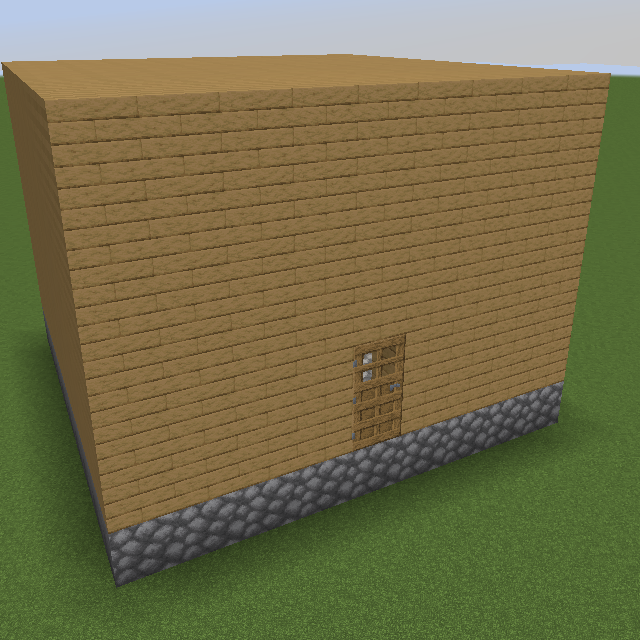
Initial House
Java mod listed for Minecraft 1.18–1.20. Downloads from the MC Java Mods app on Android.
I don't know my version or loader
Description
This mod allows players, server operators and modpack developers add an initial house when creating a new world. The default structure looks like Starting House, while you can change it by editing server config file. For example, you can save a structure template by using Structure Block and add a datapack to the game, then modify INITIAL_HOUSE_STRUCTURES field by adding the resource location (structure id) of your structure.
For server operators and modpack developers, you can accurately specify player's spawnpoint, for example, which room of your structure, which floor and how far away from the structure, by editing INITIAL_HOUSE_PIVOT (for pivot and how far away will the structure generated from the spawnpoint, usually the center or where to spawn players of the structure) field and SPAWN_POINT_SHIFT (how far away player will spawn from the spawnpoint, usually set x and z to 0) field.
Hints for Editing the Config
You can create the config in "defaultconfigs" folder to make sure each time you create a world, the same settings will work.
Note that if you want to control the spawn point extremely accurately, remember to set DISABLE_SPAWN_POINT_RANDOM_SHIFTING to true.
First, use structure block and load a structure at (0, ?, 0) in creative mode and superflat world preset without editting any other settings such as rotation and offset. Then go to the position where you want the player to spawn at - for example, (5, ?, 13). Then set INITIAL_HOUSE_PIVOT_X to 5 and INITIAL_HOUSE_PIVOT_Z to 13, while set INITIAL_HOUSE_PIVOT_Y to the depth of the floor.
Once you create a new world with the settings, you may find yourself spawn above the ceiling. If so, for example, 5 blocks higher than what you expect, you should set SPAWN_POINT_SHIFT_Y to -5 to make the position exactly correct.
PREVENT_STRUCTURES_GENERATE_IN prevents structures from generating around the initial house. The bigger it is, the larger the non-struture area around the initial house will be. Set it to -1 to enable structure generate as normal.
Other
This mod is made for modpack The Winter Frontier.
- Edition: Minecraft Java
- File type: .jar
- Minecraft versions listed: 1.20.1, 1.20, 1.18.2
- How to install: Install the matching mod loader (Forge, Fabric or NeoForge) for your Minecraft version. → Download the .jar. → Put it in the .minecraft/mods folder and launch that loader profile.
- Where to get it: Opens on CurseForge — not every file is mirrored on our own servers.
Install steps are the general flow for this file type — How to install Minecraft Java mods & modpacks walks through it step by step.
- Ships as initial_house-3.1.0.jar — drop this file into the mods folder
- Download size: 510 KB
- Download link checked 26 Sept 2026 — working
These come from our own check of the pack file, not from the source page.