
Scarab
Java mod listed for Minecraft 1.20. Downloads from the MC Java Mods app on Android.
⬇ Download on CurseForgeThe author built this one for Minecraft 1.20.1 on Forge. On other versions it may install and then do nothing.
PLEASE JOIN THE DISCORD. joining the discord will give you accesses to stuff like progress on the next update and polls to pick what will be in the next update!
right now there is only one scarab; the blue scarab. in the future i plan to add the o.m.a.c and the other scarab colors. i also intend on making it so only one can have a scarab at a time.
anyway moving on from the disclaimer
this is how to get started in Scarab!
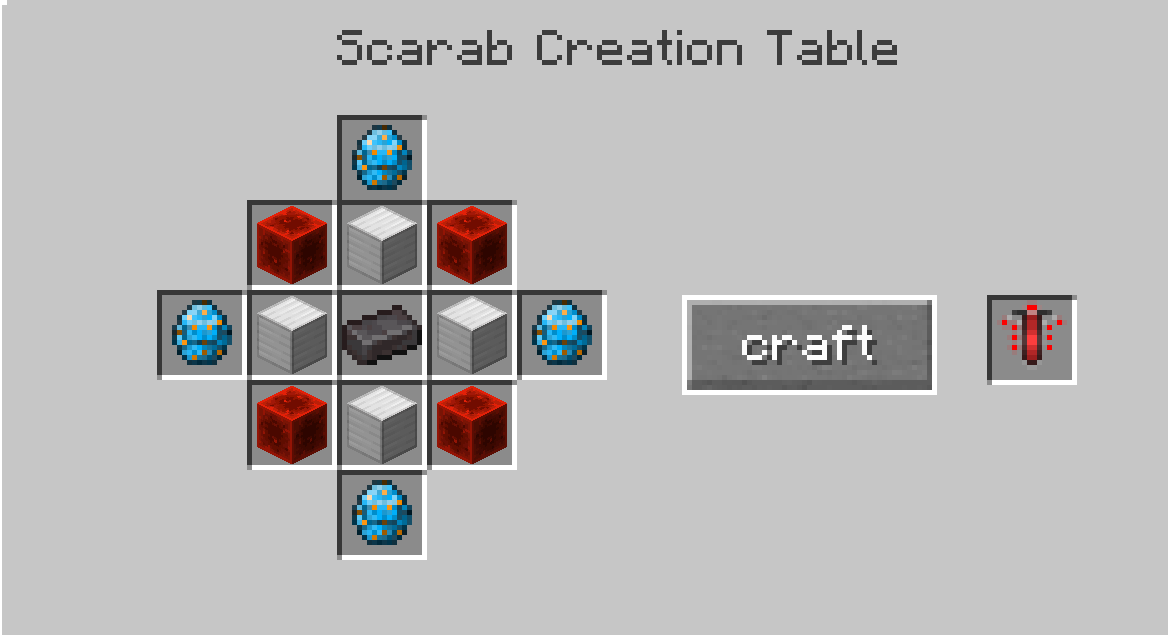
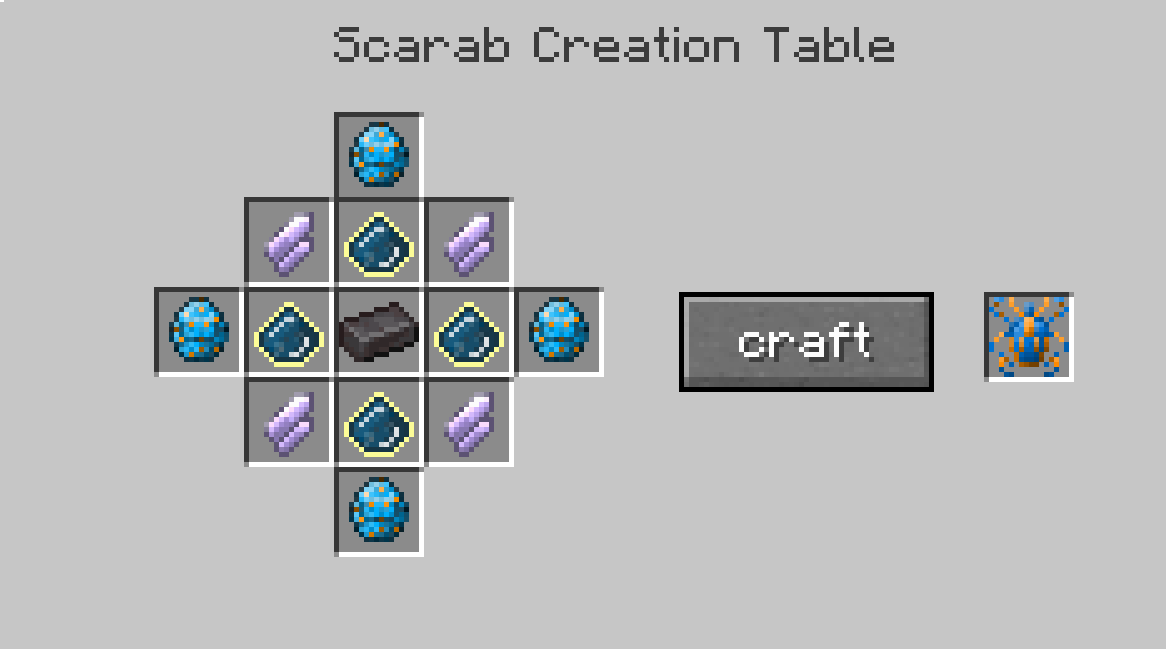
first you will need to craft the Blue Scarab,
this can be done with this recipie
now all you have to do is use the scarab like any other item.
then you can press 'Z' to activate the scarab
do keep in mind that this will destroy any armor you are wearing.
this is because the scarab was made by aliens who dont use cloths so they did not account for a host using cloths with the scarab.
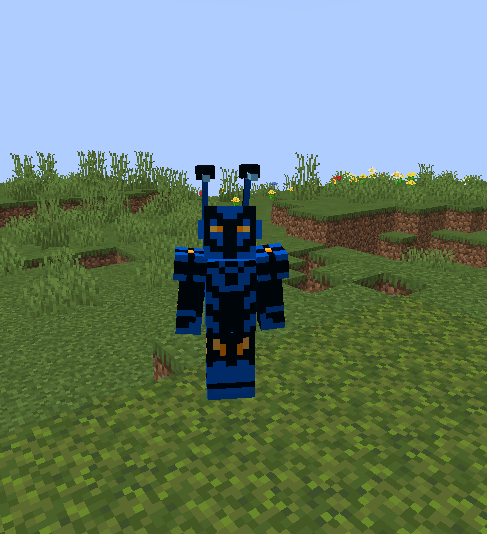
anyway now that you have activated it you can levitate by double jumping or you can fly as if you had an elytra.
you can press 'G' to speed up
You can also create objects such as a sword or a pickaxe by pressing 'V' to open the creation menu
do keep in mind that objects you create will disappear when you detransform.
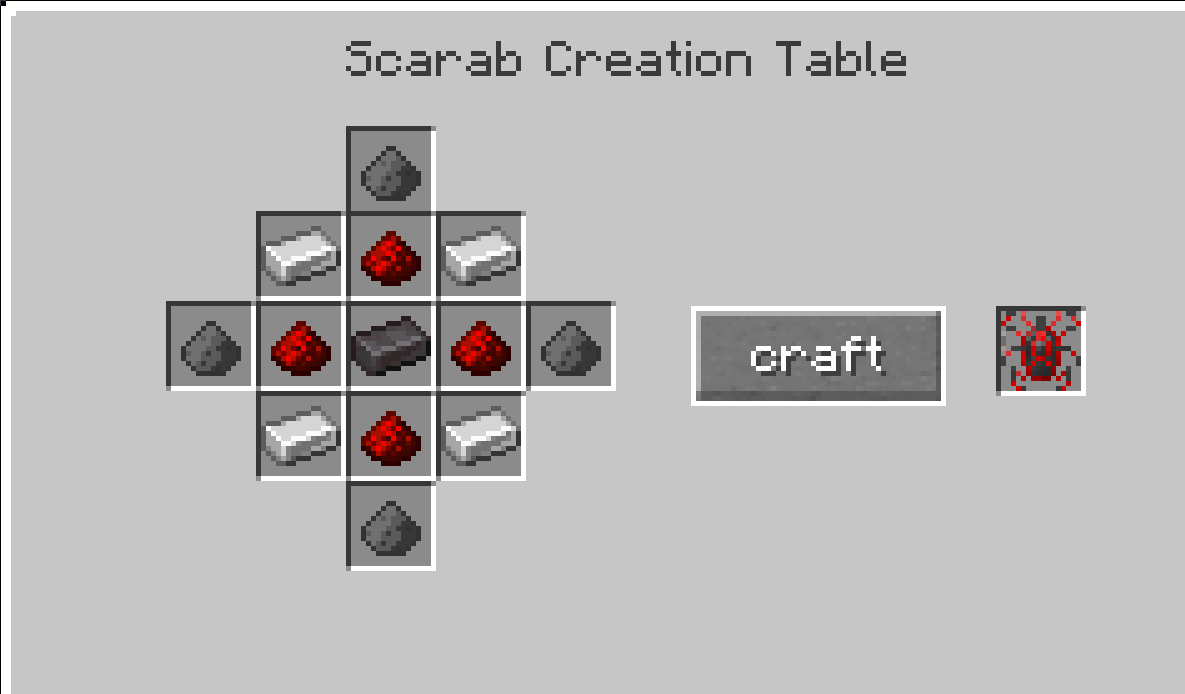
if you want to get rid of a scarab you can do so by crafting an anti-scarab
if you have any questions or need some help please join the discord
full credit of the blue beetle skin used goes to Nevio13 on skindex. you can find them here: https://www.minecraftskins.com/skin/21922170/blue-beetle/
- Edition: Minecraft Java
- File type: .jar
- Minecraft version listed: 1.20.1
- How to install: Install the matching mod loader (Forge, Fabric or NeoForge) for your Minecraft version. → Download the .jar. → Put it in the .minecraft/mods folder and launch that loader profile.
- Where to get it: Opens on CurseForge — not every file is mirrored on our own servers.
Install steps are the general flow for this file type — How to install Minecraft Java mods & modpacks walks through it step by step.
- Ships as Scareb - beta 0.00.jar — drop this file into the mods folder
- Download size: 89 KB
- Download link checked 17 Oct 2026 — working
These come from our own check of the pack file, not from the source page.