Oculus Particle Fix
Java mod listed for Minecraft 1.18–1.20. Downloads from the MC Java Mods app on Android.
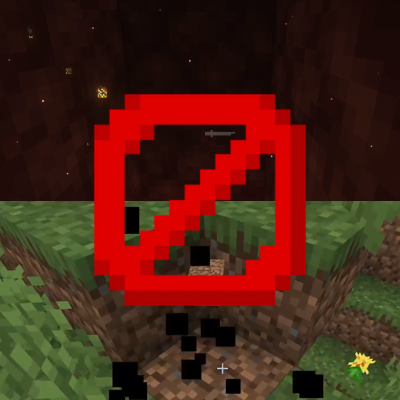
Fixes a visual glitch with the Oculus shader mod where particles are blinking through walls while picking up items
⬇ Download on CurseForgeThe author built this one for Minecraft 1.18.2–1.20.1 on Forge. On other versions it may install and then do nothing.
Important: With the new 1.20.1+ Versions of Oculus, this mod is not needed anymore, but will rather result in a crash.
Since Minecraft version 1.18.2, the shader mod Oculus (a Forge port of Iris) had a bug where all particles would be visible through walls during item pickup. With shaders disabled, they would even be black. Another weird aspect of that bug is that it only sometimes happened, and also not for everyone. However, this bug annoyed me so much that I tried to come up with a solution. While I found that one option would be to disable the item pickup particle, I wasn't very happy with that solution because you could say it fixed a bug while causing another one. But now, I think I've finally come up with a proper fix, so I wanted to share it here so that you don't have to see that visual glitch anymore and especially for putting that mod into your modpacks. I think, the author of Oculus, Asek3, has implemented a fix in versions 1.19.2 onwards, but it seems like that fix doesn't work perfectly, and it isn't even present in the 1.18.2 version of Oculus, so I thought, I would just upload my mod now. If you want to get more information on the bug and how my fix works, look at the original GitHub issue.
If you want your own Minecraft server to play with friends, check out Kinetic Hosting. They provide powerful servers for a fair price while being easy to use, and they have a nice support. Click on the image below for more information, and if you are interested, use code LAIDBACKSLOTH at checkout for a 15% discount.

- Edition: Minecraft Java
- File type: .jar
- Minecraft versions listed: 1.19.4, 1.18.2, 1.19.2
- How to install: Install the matching mod loader (Forge, Fabric or NeoForge) for your Minecraft version. → Download the .jar. → Put it in the .minecraft/mods folder and launch that loader profile.
- Where to get it: Opens on CurseForge — not every file is mirrored on our own servers.
Install steps are the general flow for this file type — How to install Minecraft Java mods & modpacks walks through it step by step.
- Ships as oculusparticlefix-1.0.jar — drop this file into the mods folder
- Download size: 160 KB
- Download link checked 17 Oct 2026 — working
These come from our own check of the pack file, not from the source page.