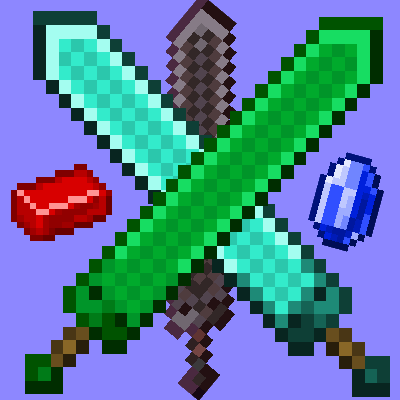
Mig's Expansion
Java mod listed for Minecraft 1.20. Downloads from the MC Java Mods app on Android.
⬇ Download on CurseForgeThe author built this one for Minecraft 1.20.1 on Forge. On other versions it may install and then do nothing.
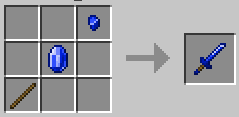
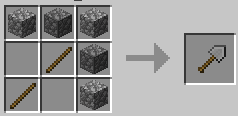
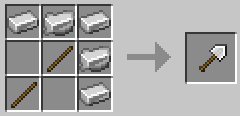
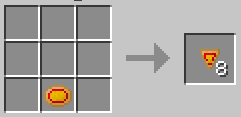
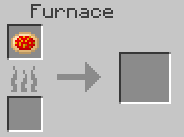
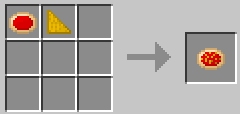
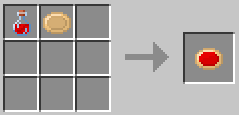
Mig's Expansion is a mod that focuses in entertain the user with adventure and exploration aspects, adding new ores, tools and weapons, and new little things.
Current Ores: Tin ore, Steel ore, Silver ore, Amber ore, Adurite ore, Regeneration ore, Ruby ore, Sapphire ore, Magnetite ore (All of that ores can spawn in deepslate, exclude Magnetite ore)
Current Tools: Heavy Shovel, Hand saw
Current Weapons: Great Sword, Colossal Sword, Dragon Slayer, Katana, Dagger
Current Backpacks: Leather Backpack, Stone Backpack, Iron Backpack, Copper Backpack, Tin Backpack, Steel Backpack, Silver Backpack, Amber Backpack, Gold Backpack, Diamond Backpack, Emerald Backpack, Netherite Backpack
Current Rings: Regeneration Ring
New Swords Variants:
*Great Sword: Great Sword is slower than the normal Sword, but it add +1 attack damage.
*Colossal Sword: Colossal Sword is slower than Great Sword, but it add +2 attack damage.
*Dragon Slayer: Dragon Slayer the slowest Sword, but it add +3 attack damage.
*Katana: Katana is faster than the normal Sword, but takes -0.5 attack damage.
*Dagger: Dagger the fastest Sword, but takes -1 attack damage.
*Heavy Shovel: Heavy Shovel is more efficient than the normal Shovel.
*Hand Saw: Hand Saw is more efficient than the normal Axe.
*Magnetite ore: Magnetite ore just spawns in the world with a structure called Magnetite Meteor.
*Rings: Rings add effects permanently to the player if it is in his inventory.
For craft the other backpacks, pick the Leather Backpack and put it in the center of crafting table and make a cross with the ore that you want in the sides of the Leather Backpack (Left, Right, Up, Down)
- Edition: Minecraft Java
- File type: .jar
- Minecraft version listed: 1.20.1
- How to install: Install the matching mod loader (Forge, Fabric or NeoForge) for your Minecraft version. → Download the .jar. → Put it in the .minecraft/mods folder and launch that loader profile.
- Where to get it: Opens on CurseForge — not every file is mirrored on our own servers.
Install steps are the general flow for this file type — How to install Minecraft Java mods & modpacks walks through it step by step.
- Ships as Mig's Mod V1.4.jar — drop this file into the mods folder
- Download size: 1.6 MB
- Download link checked 27 Sept 2026 — working
These come from our own check of the pack file, not from the source page.