
Auto Trading Box
Java mod listed for Minecraft 1.18–1.20. Downloads from the MC Java Mods app on Android.
I don't know my version or loader

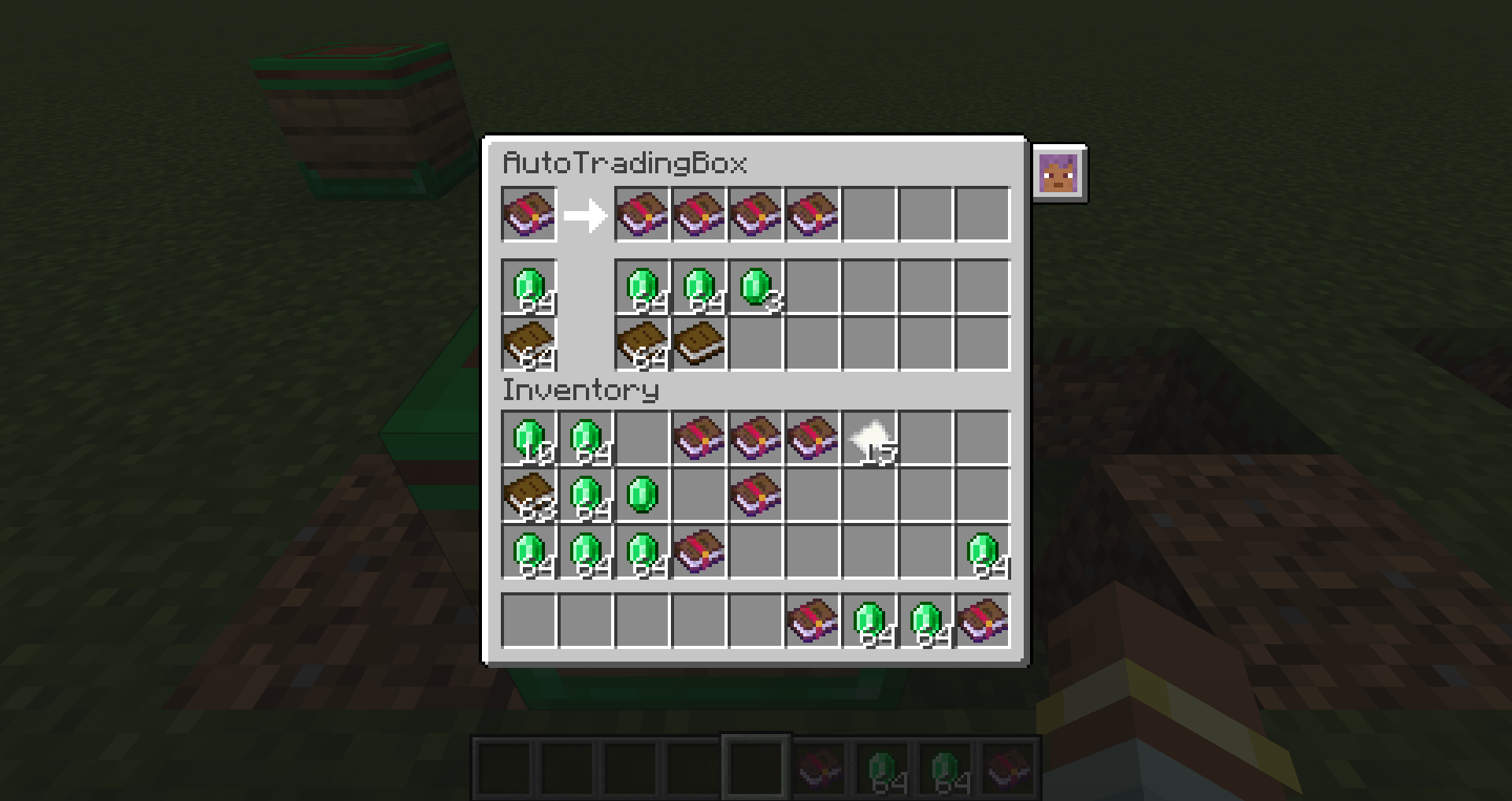
Add a block that automatically trades.
How to use auto trading box

・Set the item you want to trade in the top left slot
・Now place the requested items in the bottom two slots. Then, villagers with the transaction content who are within the detection range of the block (default 20blocks) will automatically trade.
・(Ver 1.0.4 or lower) Villagers do not receive experience points during transactions.
How to use the shipping box

・If there is a villager within the detection range of the block (default 20blocks), if you put the item requested by the villager, it will be automatically exchanged for emerald (configurable)
・(Ver 1.0.4 or lower) Villagers do not receive experience points during transactions.
- Edition: Minecraft Java
- File type: .jar
- Minecraft versions listed: 1.20.1, 1.19.2, 1.18.2
- How to install: Install the matching mod loader (Forge, Fabric or NeoForge) for your Minecraft version. → Download the .jar. → Put it in the .minecraft/mods folder and launch that loader profile.
- Where to get it: Opens on CurseForge — not every file is mirrored on our own servers.
Install steps are the general flow for this file type — How to install Minecraft Java mods & modpacks walks through it step by step.
- Ships as autotradingbox-1.20.1-1.0.5.jar — drop this file into the mods folder
- Download size: 66 KB
- Download link checked 7 Nov 2026 — working
These come from our own check of the pack file, not from the source page.