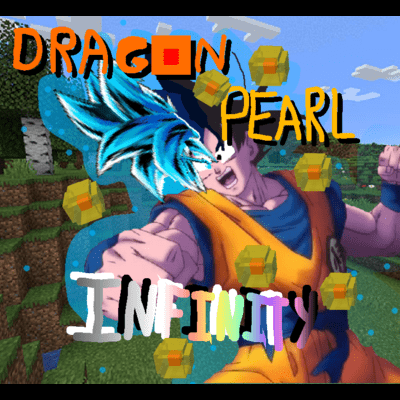
Dragon Pearl Infinity
A Dragon block C (By jinryuu) modpack made by SnakeEye30, with extra features that normal Dragon block c doesn't have, like custom transformations. (only…
⬇ Download on CurseForgeThis dragon block c modpack is basically just all you need (plus extra) to have a good time on dragon block c
the mods include:
(basics)
-Dragon block c - a mod that adds dragon ball, dragon ball z, and dragon ball super into the world of minecraft, create your own character, and start training for TP to upgrade your stats and skills.
-JBRA client - a required mod for dragon block c
-JRM core - another required mod for dragon block c
(QOL)
-Years C - another mod by jingames, where you can age.
-Family C - yet another mod by jingames where you can have a family.
-Cosmetic armor - you can have armor for stats, and armor for looks.
-Fast leaf decay - the name describes itself.
-Biomes o' plenty - 50 extra biomes.
-Nature's compass - a compass that can find any biome
-Trash slot - adds a trash slot in the inventory
-Xaeros minimap - adds a minimap in the corner.
-Xaero's world map. - a world map that can be paired with xaero's minimap.
-Mouse tweaks - adds tweaks to the mouse.
-Jwan's DBC Essentials (JDE) - adds a few different things into the dragon block c mod, like TP crystals and potara earrings. press J to open the JDE menu
-Ninjin Knockback DBC ( By Hedaox) - adds a knockback relative to how strong the enemy is, and how strong you are.
-ZoomMod - press z to zoom in kinda like optifine
-NotEnoughItems (NEI) - JEI for 1.7.10
-CodeChickenCore - required for NEI
(extra fun)
- The aether - adds a new dimension called the aether.
-HavenCore Custom Transformations- adds custom transformations to the game that you can make yourself. using the command "/havencore" you get a list of things you can do
-GTNH mixins - required for Haven core.
How to download:
Click the red curseforge button in the top right corner, download the curseforge app if you haven't already, and wait for it to download in the curseforge app, then press play.
- Edition: Minecraft Java
- File type: .jar
- How to install: Install the matching mod loader (Forge, Fabric or NeoForge) for your Minecraft version. → Download the .jar. → Put it in the .minecraft/mods folder and launch that loader profile.
- Where to get it: Opens on CurseForge — not every file is mirrored on our own servers.
Install steps are the general flow for this file type — How to install Minecraft Java mods & modpacks walks through it step by step.
- Downloads as DBCG.zip
- Download size: 334 KB
- Download link checked 27 Sept 2026 — working
These come from our own check of the pack file, not from the source page.