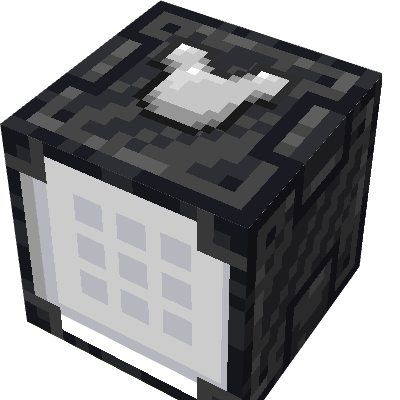
Unified Storage
Java mod listed for Minecraft 1.20. Downloads from the MC Java Mods app on Android.
Say goodbye to complex cable networks - all you need are network cards to seamlessly link storage blocks for a unified storage system
I don't know my version or loader
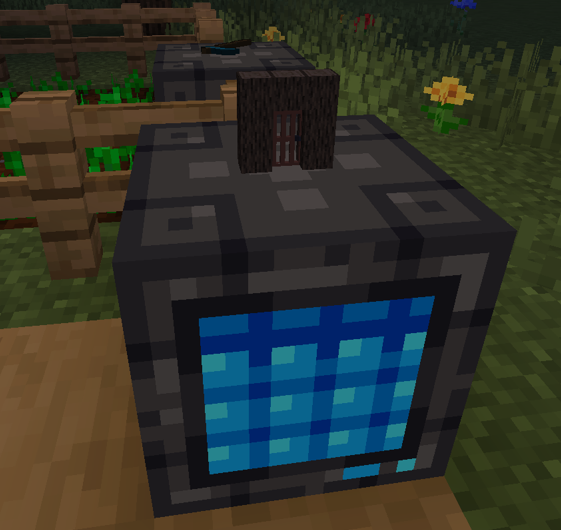
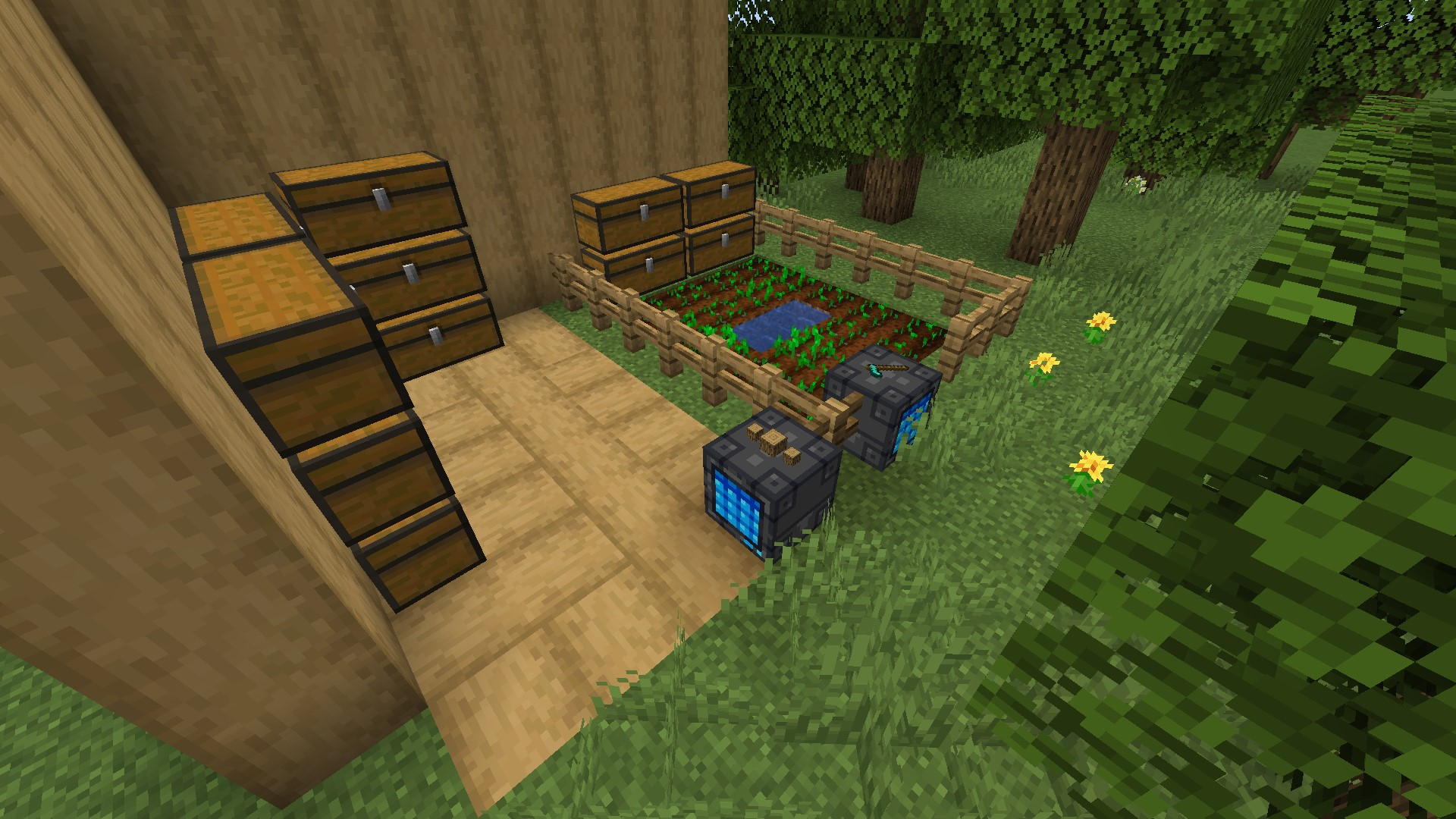
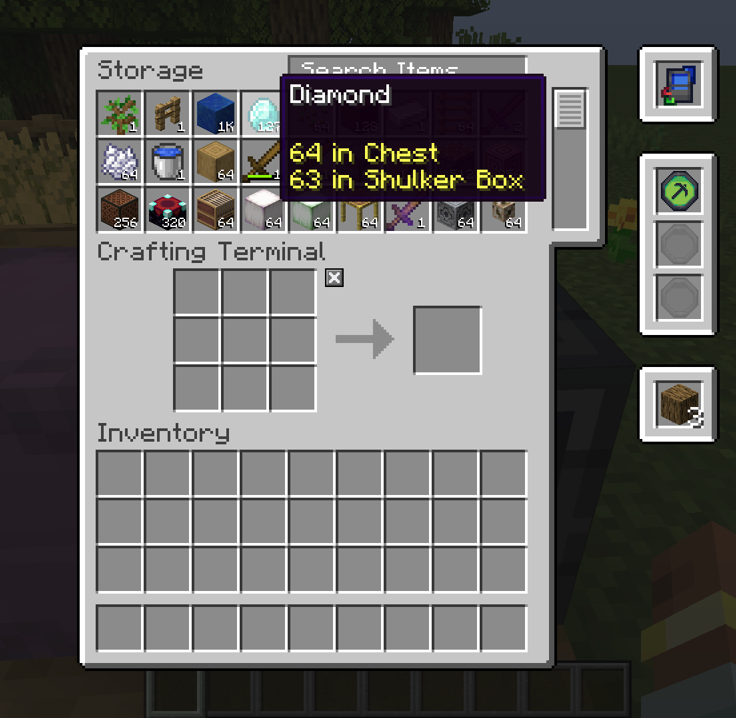
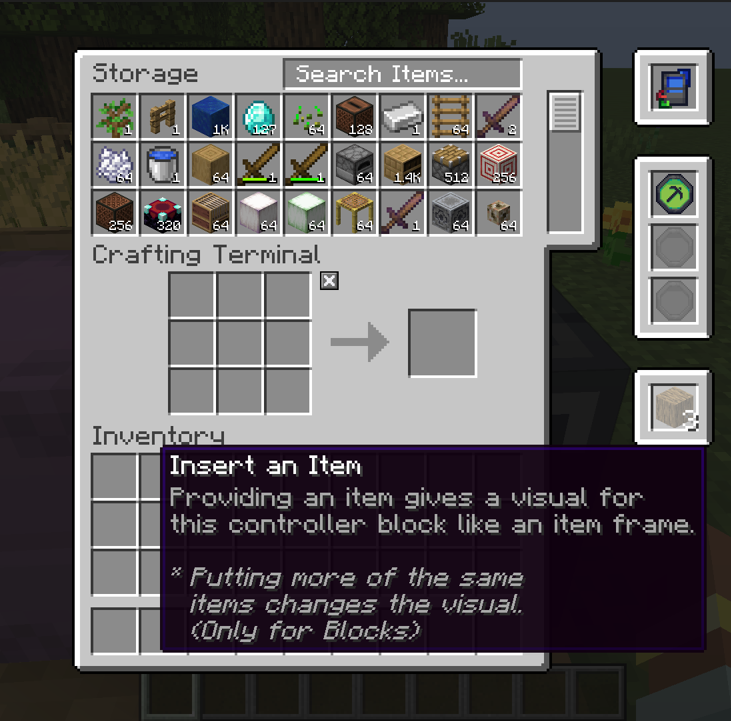
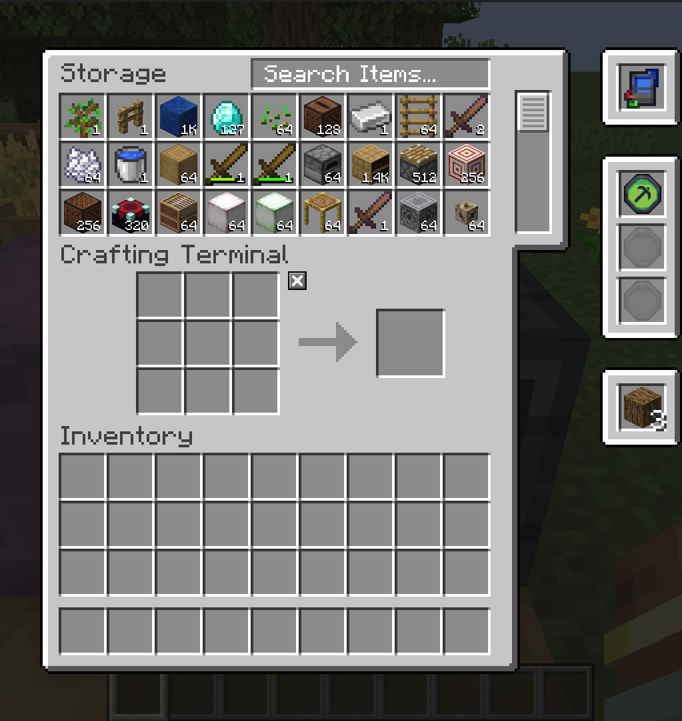

Management of items has never been easier!

"Say goodbye to complex cable networks - all you need are network cards to seamlessly link storage blocks for a unified storage system, with the ability to label storage grids using blocks like item frames, offering a unique and organized touch to your storage system"
This mod aims to be as simple as it could be, and also helping to keep your chest/any other storage block aesthetics in your world!
* This mod is inspired by Applied Energistics 2 & Refined Storage. However, I felt that players new to Minecraft Mods might not understand such an intricate system at the get-go. So, this mod is targeted mainly for early game setups, where you might not have enough understanding (for new players) to setup other mods' intricate storage systems.
This mod is still in beta for testing purposes. It should be ready to use in your worlds however, with no game-breaking bugs.
THIS VIDEO IS VERY OLD. FOR BETTER REPRESENTATION OF THE MOD, PLEASE SEE THE SCREENSHOTS BELOW!
Features
- Easy to learn - Just use a network card & link up all your storages!
- Decorate each Storage Controller with your own blocks/items
- Ability to link with any storage blocks (even furnaces/other mod storages)
- Crafting Grid (saves when you exit the GUI) - w/ a smart algorithm to use up items in your Storage Network first as you craft
- Wireless - You can use your storage anywhere with a wireless controller!
- Intensive Search - You can use & combine prefixes to search for specific items (e.g., @modname storage or @modname #ores or just #ores)
- Smart Insert Algorithm - When inserting blocks into the Storage Network, it looks for pre-existing stacks to populate before using a new item slot.
- Inter-dimension Support - Easily link storages that are in another dimension (should work with modded dimensions as well)
- JEI Integration - Easily transfer recipes using JEI, if a recipe accepts many kind of wood, it'll match the items in your inventory/Storage Network and populate accordingly.
- Comes in 16 different dyeable colors
- Server Ready - All item insertion & extraction is confirmed on the server, thus, no duplications can be made. Server-Client sync is also implemented well.
- Interface Block - Extract/Insert items from your Storage Network easily.


Planned Features
- Range limiter for chests
- Exporter/Importer/Placer/Breaker blocks
- Storage Controller upgrades to hold more chests (currently no limit now)
- Energy System?
- Fluid Storage
- In-game book guide
Recipes/Dyeing Storage Controllers
Recipes can be found in JEI
To dye Storage Controller blocks, simply right click a dye onto any colored Storage Controller Block. (Details can be found in JEI aswell)

Visual Item Structures/Animations
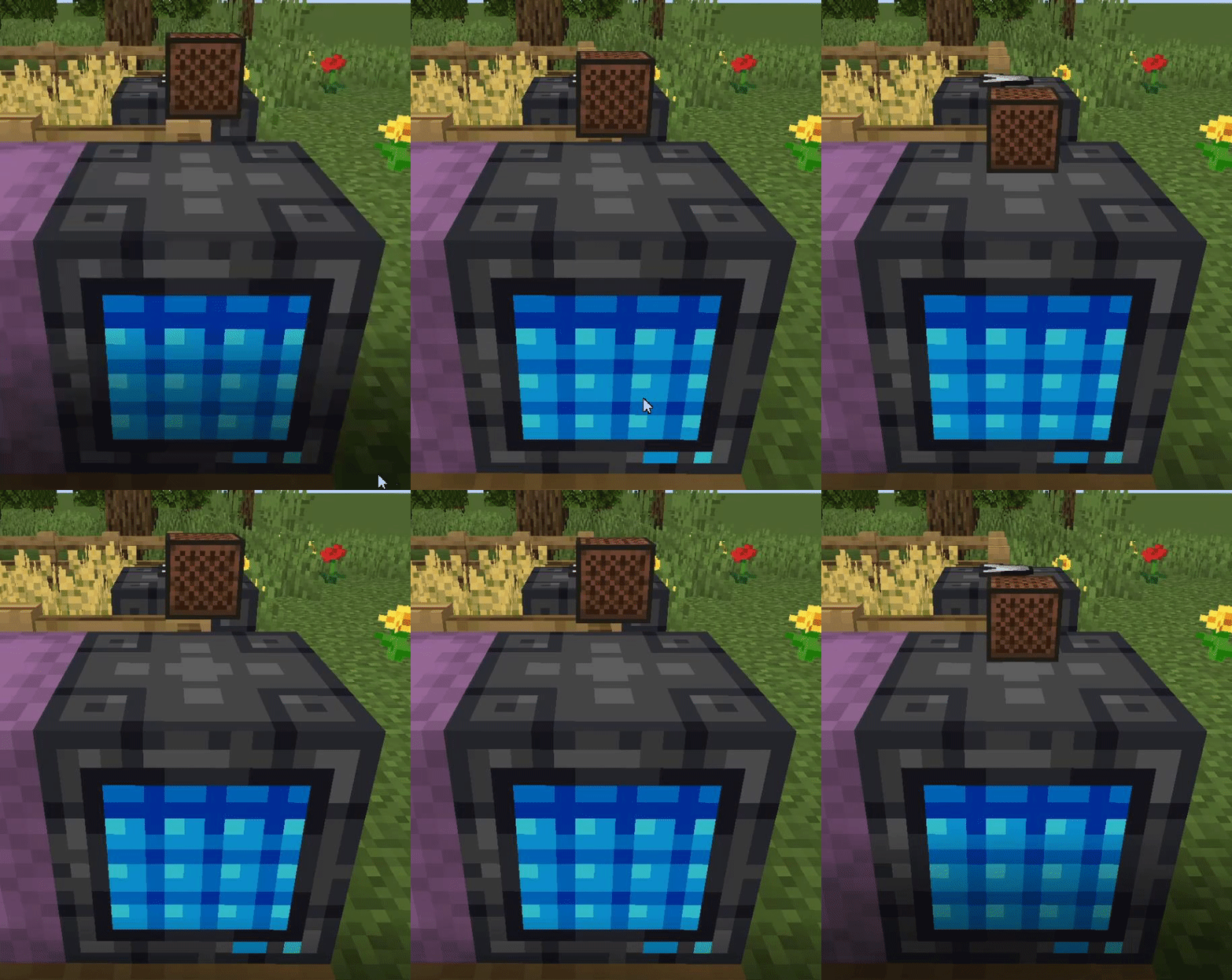
The amount of items you put into the visual item slot will affect the representation of the final rendered structure on the Storage Controller.
Floating Block (1 block count)
Item Representation (1 item count)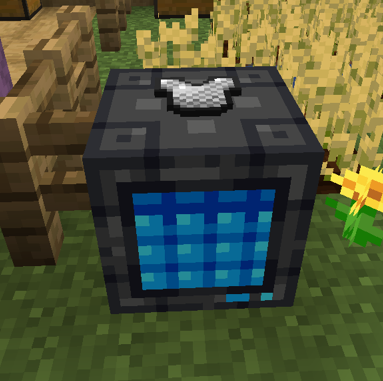
Door structure (2 block count)
3 Block Representation (3 block count)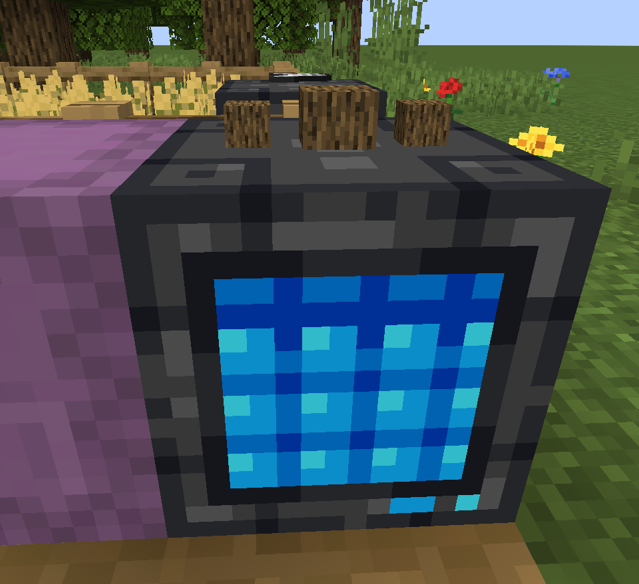
Mod Compatibility
This section explains which mod is tested for compatibility/developed with its API.
- Just Enough Items (JEI) - Recipe transfer & GUI compatibility
- Any storage block mods
Frequently Asked Questions
Q: I'm planning to add this mod in my server, will it be the cause of lag?
A: This mod has been tested for mods on a ~20-30 players modpack server with no trace of causing any lag.
Q: Does this mod force load any chunks?
A: Yes, but only when you open the Storage Controller's GUI. This is done to prevent lag on the server-side when searching for storages that are far away when extracting/inserting items. This can be disabled in the server config toml file however, this will make the Storage Controller avoid any storages that are in an unloaded chunk.
Q: Can I connect an external machine to this mod?
A: We have a block called the Storage Interface that allows you to extract/insert items from the Storage Controller's network. This allows external mod support.
Modpack Usage
Yes, you may. You don't need to ask for permission, you can include it in your modpacks.
Message from the author
This is my very first mod - well, if you don't count the silly & unserious mods that I have made in my childhood without actual skills. Please do support me and let me know where I can improve on!
How to Reach Me
If you want to report any issues about the mod, please head over here. For contributions, please make a pull request and I'll review it as soon as possible.
If you want to make a suggestion or just want to chat up with me, please head over to my Discord server here!

- Edition: Minecraft Java
- File type: .jar
- Minecraft versions listed: 1.20.4, 1.20.2
- How to install: Install the matching mod loader (Forge, Fabric or NeoForge) for your Minecraft version. → Download the .jar. → Put it in the .minecraft/mods folder and launch that loader profile.
- Where to get it: Opens on CurseForge — not every file is mirrored on our own servers.
Install steps are the general flow for this file type — How to install Minecraft Java mods & modpacks walks through it step by step.
- Ships as unifiedstorage-forge-0.10.1-mc1.20.4.jar — drop this file into the mods folder
- Download size: 291 KB
- Download link checked 26 Sept 2026 — working
These come from our own check of the pack file, not from the source page.