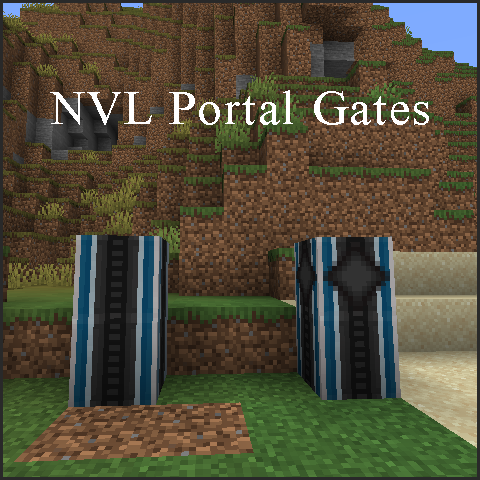
NVL Portal Gates
Java mod listed for Minecraft 1.20–1.21. Downloads from the MC Java Mods app on Android.
I don't know my version or loader
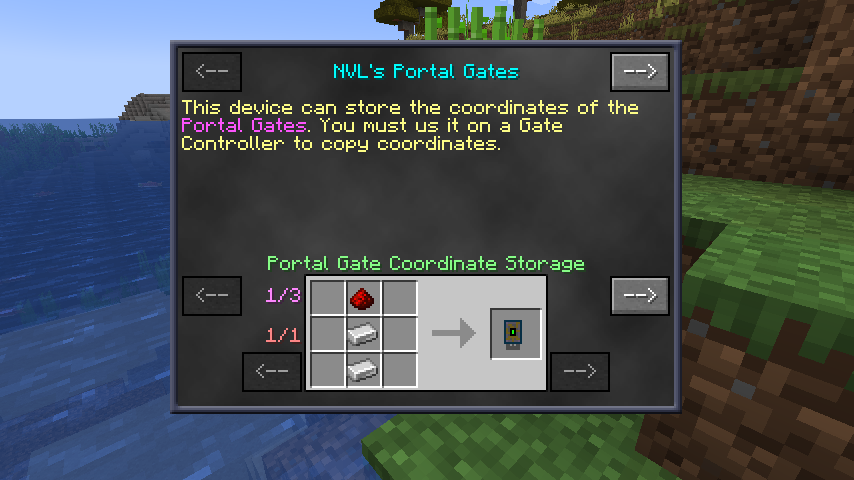
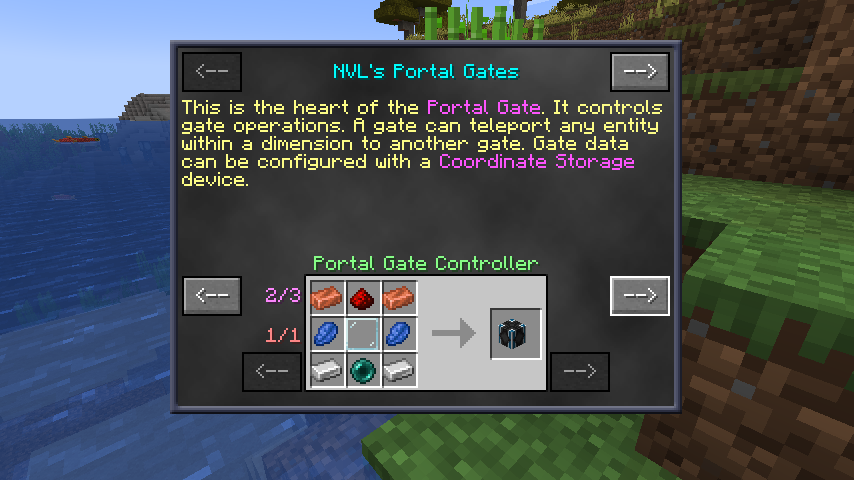
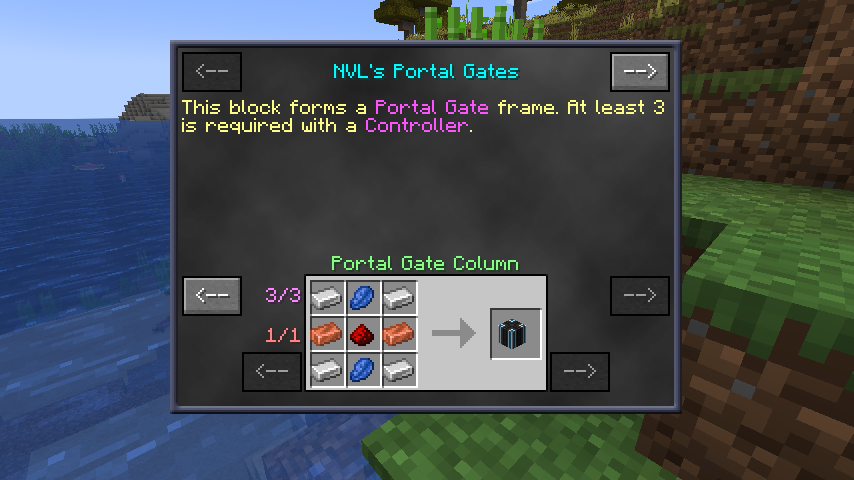
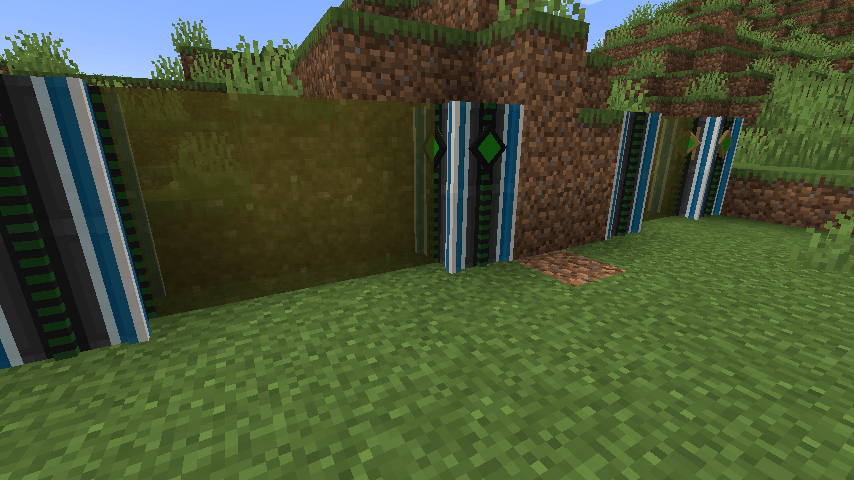
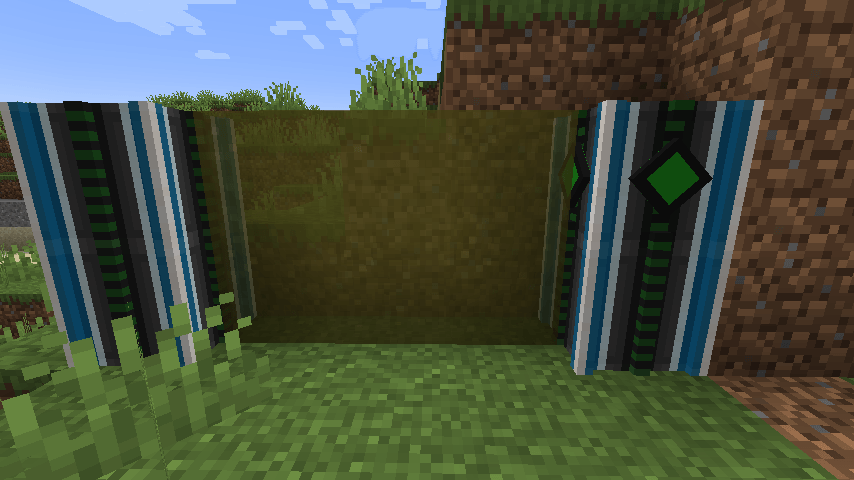
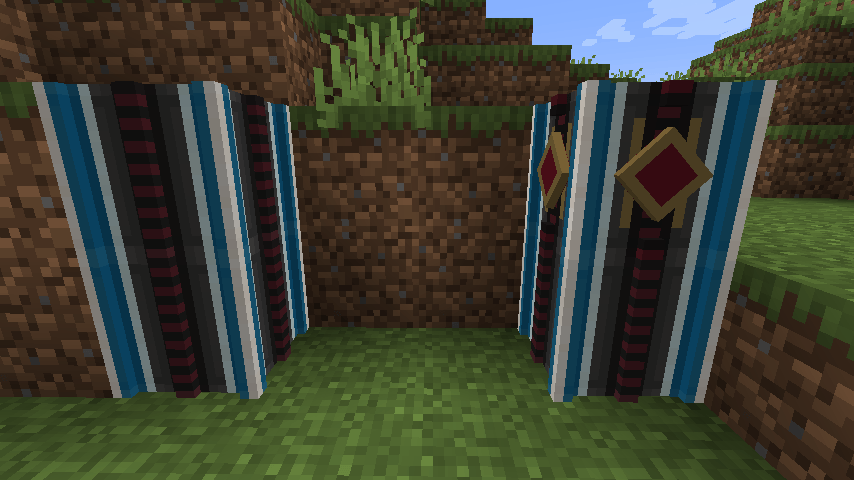
Available for Forge, NeoForge and Fabric on 1.21.1
General info:
This MOD let's you build Portal Gates to fast travel between locations.
You need to build Columns to form the main structure of the gate, and then add a Controller to manage configuration options and gate control. There are two types of Gate Controllers available.
The base configuration can be found in the Gallery.
Normal Controller: This allows you to open portals between two gates within the same dimension.
Interdimensional Controller: This enables you to open portals between gates in different dimensions.
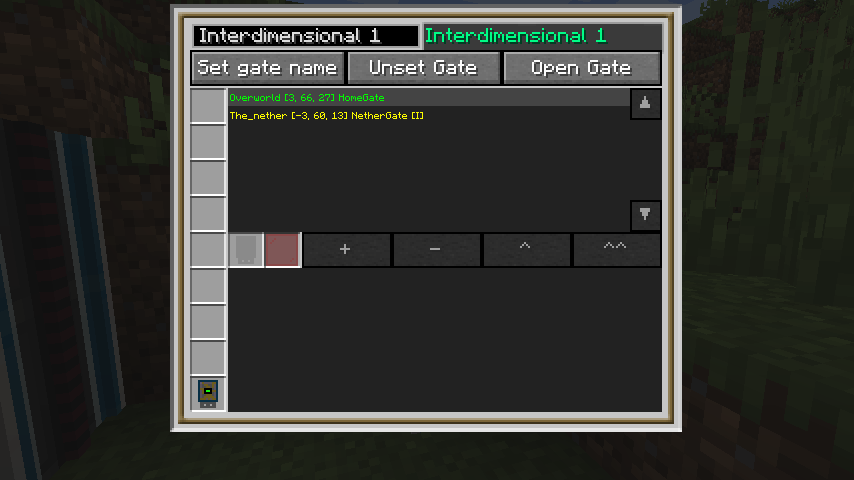
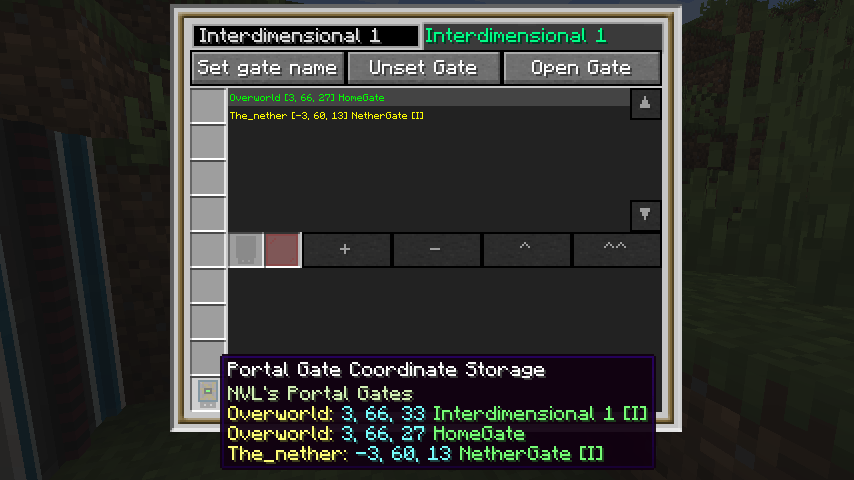
To open a portal, you need to use a Portal Gate Coordinate Store device to transfer gate data. To do this, insert the device into the Gate Controller’s GUI and use the controls to copy the Gate data. Once the data is copied, you can select your target gate and open the portal.
This MOD was a spinoff from NVL IC2 Machines MOD
Extras:
The crafting recipes are available in the NVL Universal Help Cube (Can be found in NVL's Blocks)
HD texture pack is also available at the same location.
Contents:
The MOD contains 3 blocks and 1 item:
Portal Gate Column
This forms the body of the Gate. A Gate is a vertical structure which needs 2 columns with at least 2 blocks high (it can go higher if you want). It does not need top or bottom coverage. Check the uploaded images for samples.
Portal Controller or Interdimensional Controller
This is the heart of the Gate. It manages everything a Gate does. Gate creation has a simple sequence:
- Build two columns with 1 controller
- Give a name to the gate
- Initialize the Gate
- Copy coordinates
- Enjoy portaling
Portal Gate Coordinate Storage
This is the device you can use to copy and transfer Gate coordinates.
- Edition: Minecraft Java
- File type: .jar
- Minecraft versions listed: 1.21.1, 1.21, 1.20.1
- How to install: Install the matching mod loader (Forge, Fabric or NeoForge) for your Minecraft version. → Download the .jar. → Put it in the .minecraft/mods folder and launch that loader profile.
- Where to get it: Opens on CurseForge — not every file is mirrored on our own servers.
Install steps are the general flow for this file type — How to install Minecraft Java mods & modpacks walks through it step by step.
- Ships as nvlportalgates-1.21.1-52.0.24-12.jar — drop this file into the mods folder
- Download size: 380 KB
- Download link checked 27 Sept 2026 — working
These come from our own check of the pack file, not from the source page.