Cubic Combat Simulator
Java mod listed for Minecraft 1.20. Downloads from the MC Java Mods app on Android.
⬇ Download on CurseForgeThe author built this one for Minecraft 1.20.1 on Forge. On other versions it may install and then do nothing.


THIS MOD IS COMPLETELY INSPIRED BY THE POPULAR GAME "Totally Accurate Battle Simulator (TABS)" AND IS A TRANSFER OF THIS GAME TO MINECRAFT. I STRONGLY RECOMMEND THAT YOU FAMILIARIZE YOURSELF WITH THIS GAME BEFORE GETTING ACQUAINTED WITH THE MOD. THIS MOD IS NOT PART OF SURVIVAL, YOU CAN TRY OUT THE MOD ONLY WITH CREATIVE (or using cheats). NEED GECKOLIB!


Have you heard about the Totally Accurate Battle Simulator, in which you need to arrange battles between red and blue warriors? Now I want to ask you - have you heard of at least one mod that transfers TABS to Minecraft? At least I'm not. In that case, I present you my mod:
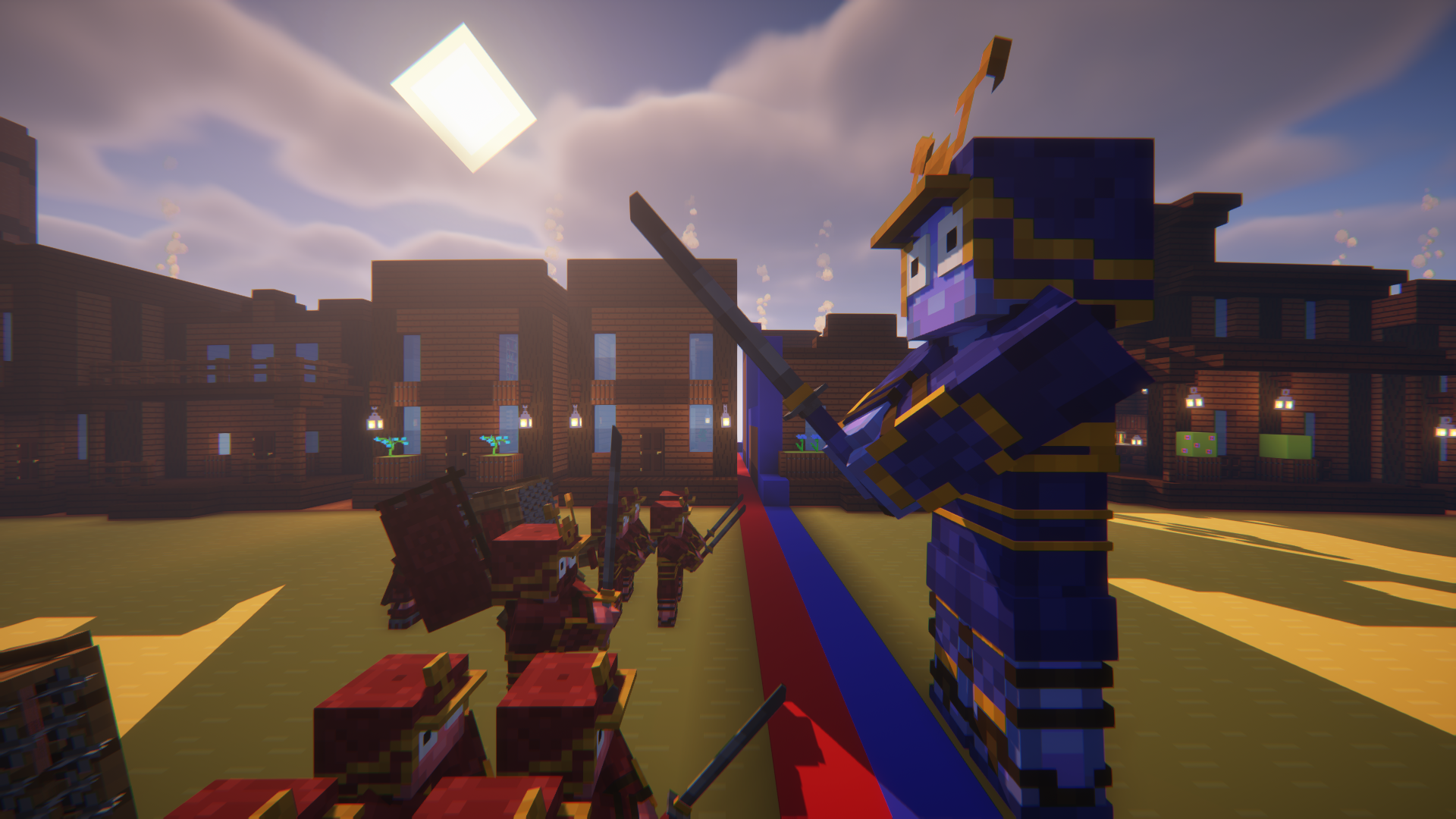
Cubic Combat Simulator mod (CCSM) is a mod about the war between blue and red dummies, the so-called "units". Each unit has a special model, texture, characteristics and abilities. Here you can create armies of warriors and compete between friends, as well as be creative in creating your own maps.
This mod has:
- Russian and English localizations
- More than 50 units with their factions
- Unique blocks & items
- Many functions
- And much more!
This mod completely copies the game "Totally Accurate Battle Simulator", created by Landfall. Before playing with Cubic Combat Simulator mod, I highly recommend trying TABS. The mod is not confirmed by Landfall!. This mod only works using cheats or creative mode. This is not a survival mod. The mod requires a library (additional mod) GeckoLib
This mod has its own wiki created on the fandom website. Here you can familiarize yourself with the entire mod, since the information does not fit on this page:
Version status:
✔️ - Stable version is supported/contains all functions;
❌ - Not supported/may contain bugs/some functions are missing;
✔️ 1.20.1 [Forge]
❌ 1.19.x [Forge/Fabric]
❌ 1.18.x [Forge/Fabric]
❌ 1.17.x [Forge/Fabric]
❌ 1.16.x [Forge/Fabric]
❌ 1.15.x [Forge/Fabric]
❌ 1.14.x [Forge/Fabric]
❌ 1.12.x [Forge/Fabric]
Permissions and FAQ:
Q: When I log into Minecraft, I get an error message, what should I do?
A: Maybe you haven't installed the Geckolib library. The mod won't work without it
Q: Where do you create this mod?
A: I don't know how to program, so I use the MCreator application to create a mod, which allows me to build a mod without programming. In addition, I use Blockbench to create models and the Geckolib plugin to create animations
Q: Will you port the mod to older versions/for Fabric?
A: Only if it is possible. After porting, there are often a lot of incorrigible errors for my mod
Q: I found a bug, where should I write so that you notice my message?
A: Just let me know in the comments on the MCreator or Curseforge pages
Q: I noticed your mod on another site (not MCreator and Curseforge), are you its owner?
A: No, I posted my mod only on MCreator and Curseforge sites, the rest are not mine
Q: Why are updates taking so long to come out?
A: In most cases, this is due to the fact that I lose interest in mod development and take a long vacation. Also, sometimes it may be due to the fact that I add a lot of complex features
Q: Can I use your mod in my videos?
A: Yes, of course
Q: Can I upload your mod to my website?
A: You are allowed to upload the mod to a third-party website if the download link leads to the Curseforge or MCreator website with the page of this mod
You can also support me with a donation by clicking on this link
- Edition: Minecraft Java
- File type: .jar
- Minecraft version listed: 1.20.1
- How to install: Install the matching mod loader (Forge, Fabric or NeoForge) for your Minecraft version. → Download the .jar. → Put it in the .minecraft/mods folder and launch that loader profile.
- Where to get it: Opens on CurseForge — not every file is mirrored on our own servers.
Install steps are the general flow for this file type — How to install Minecraft Java mods & modpacks walks through it step by step.
- Ships as CCSM-0.5.9_forge-1.20.1.jar — drop this file into the mods folder
- Download size: 5.4 MB
- Download link checked 17 Oct 2026 — working
These come from our own check of the pack file, not from the source page.