Enchant Icon
Java mod listed for Minecraft 1.16–1.20. Downloads from the MC Java Mods app on Android.
I don't know my version or loader
Quick Overview:
We offer a quick solution to view the enchantment status in your inventory.
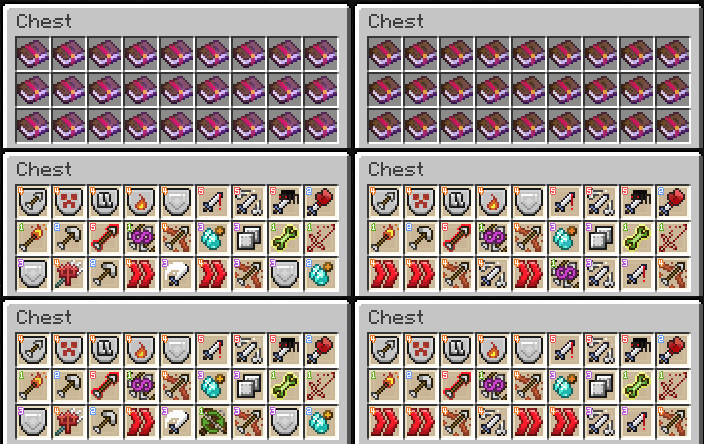
Pressing the assigned key (default is left shift), the icons of enchanted items (default is only enchanted books) will appear, and the level of enchantment will be displayed in the top-left corner as a number.
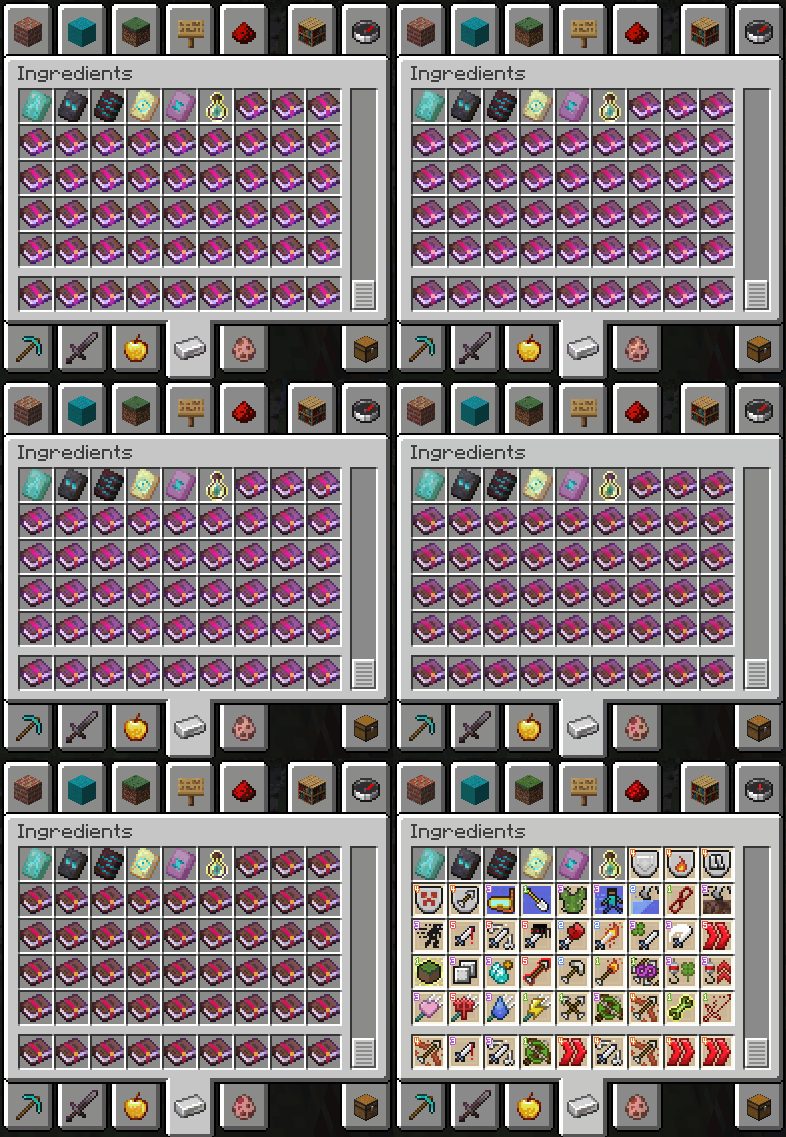
If an item has multiple enchantments, it will alternate to show all of its enchantments.
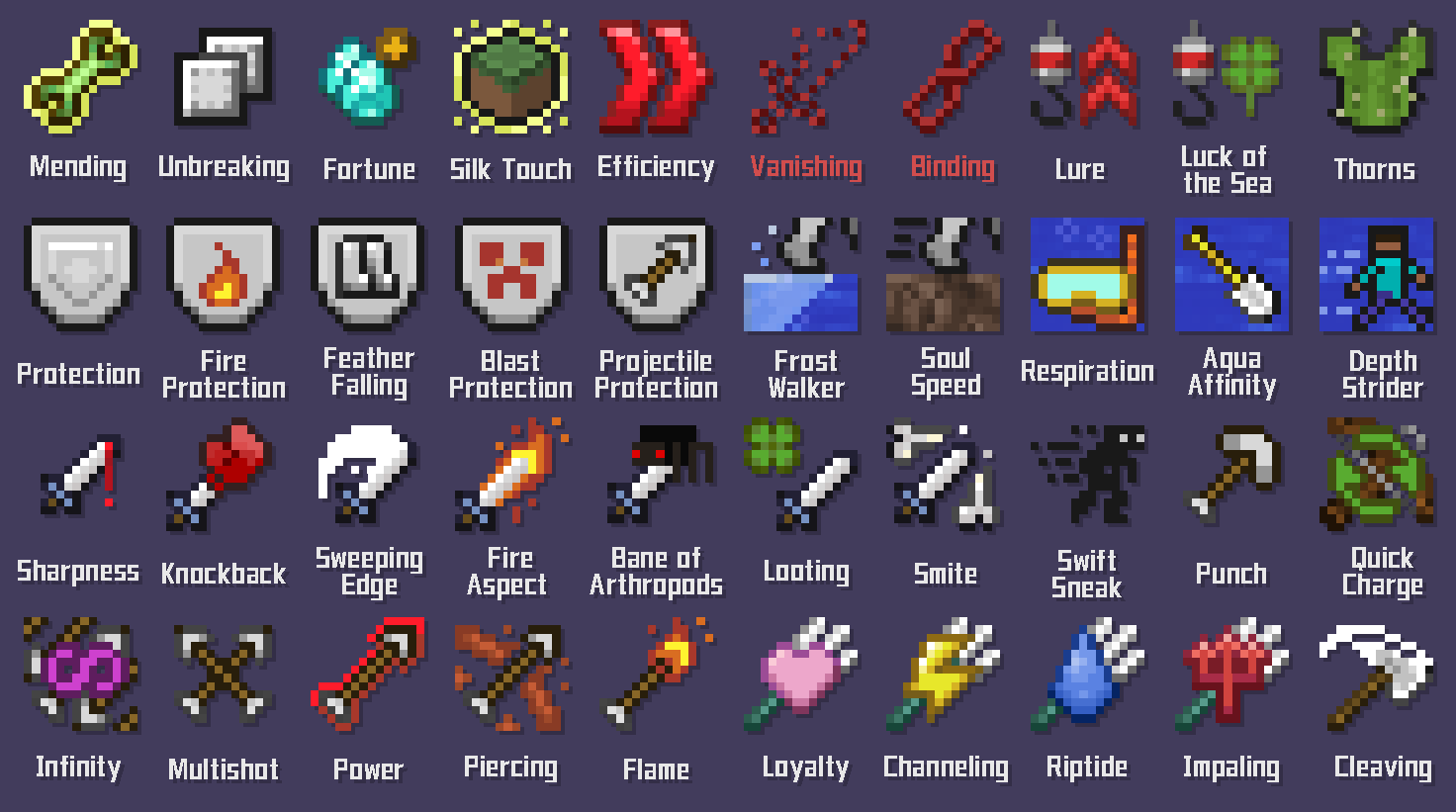
Default effect is only for enchanted books! You can modify this in the config file to affect the other enchanted items.
You can also change the background and the symbol style in the config file.
CONFIG Settings:
Type of level mark
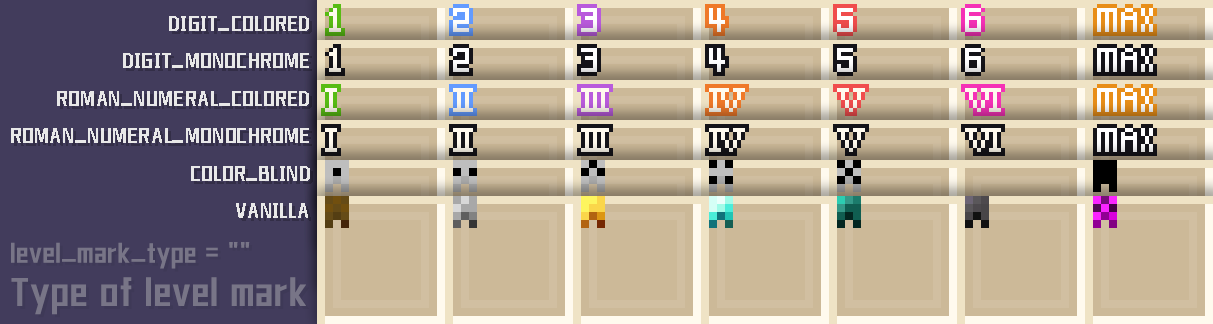
The symbol in the top-left corner can be toggled between colored digits (DIGIT_COLORED) (default), monochrome digits (DIGIT_MONOCHROME), colored Roman numerals (ROMAN_NUMERAL_COLORED), monochrome Roman numerals (ROMAN_NUMERAL_MONOCHROME), original art symbol (VANILLA), and dot symbols for color blindness (COLOR_BLIND).
Type of background
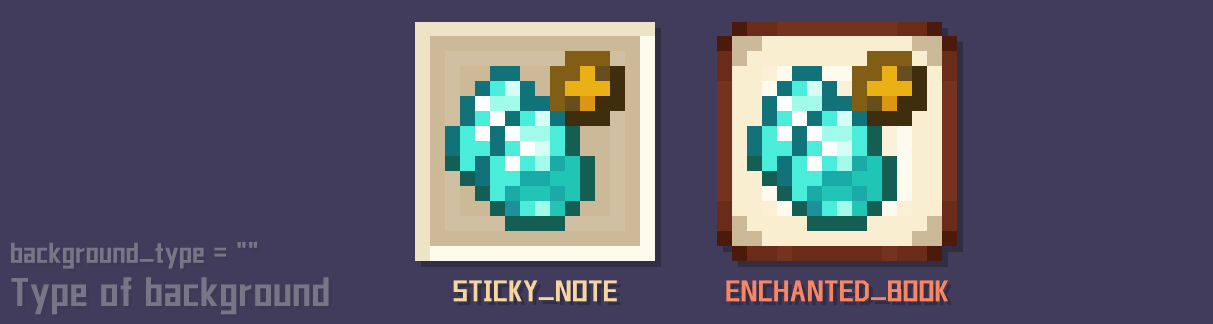
The background can be toggled between sticky note (STICKY_NOTE) and enchanted book (ENCHANTED_BOOK).
Other
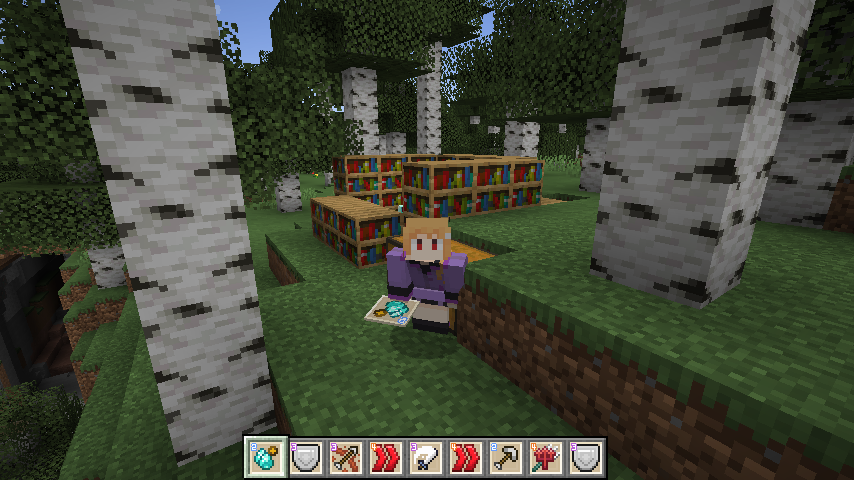
Toggle when holding an item:
whether it's visible from another player's perspective, effective only for enchanted books (default), effective for all enchanted items, or not effective.
Toggle in the toolbar:
effectiveonly for enchanted books (default), effective for all enchanted items, or not effective.
Q&A
Q: Will you create icons for enchantments from other mods?
A: I intend to, but I'm quite busy with my work and can't make any promises. Nevertheless, you can leave comments about the mods for which you'd like me to create enchantment icons, and I'll check them out when I have time. (I would be overwhelmed if a mod had 50 enchantments!)
Q: Will you make other versions?
A: If everything goes well, this mod will continue to be updated to the latest versions. However, we won't be making it compatible with older versions, sorry!
Q: Can I use your images for learning to draw, as an avatar, or to make prints?
A: Of course, you are free to use my work, even outside the game. But please ensure that it's not for commercial use! (Do not sell them or use them as part of a commercial raffle)
Q: Can I port this mod to the "NetEase Minecraft platform"?
A: No, thank you for your offer, but I currently have no plans to release it there, and I have my own account on that platform.
Q: Can I provide local translations?
A: Hmm... this mod doesn't really require local translations. Hey! But guess what? You can contact me first, as we might need local translations for our future mods! And as an independent game developer, my games could also use a bit of localization. Maybe we'll have many opportunities to collaborate in the future! (Currently, I use GPT)
Q: Where can I report bugs?
A: Please go to this link:https://github.com/AkvamaroGlacirivero/EnchantIcon/issues

- Edition: Minecraft Java
- File type: .jar
- Minecraft versions listed: 1.20.6, 1.20.5, 1.20.2
- How to install: Install the matching mod loader (Forge, Fabric or NeoForge) for your Minecraft version. → Download the .jar. → Put it in the .minecraft/mods folder and launch that loader profile.
- Where to get it: Opens on CurseForge — not every file is mirrored on our own servers.
Install steps are the general flow for this file type — How to install Minecraft Java mods & modpacks walks through it step by step.
- Ships as EnchantIcon-Quilt-1.20.1-1.1.1-13.jar — drop this file into the mods folder
- Download size: 204 KB
- Download link checked 26 Sept 2026 — working
These come from our own check of the pack file, not from the source page.