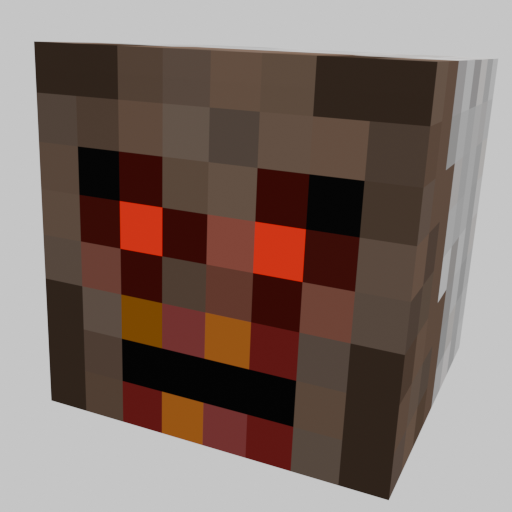
ScaryGranny!
Java mod listed for Minecraft 1.16–1.20. File opened and checked on 2 Oct 2026; downloads from the MC Java Mods app on Android.
I don't know my version or loader

ScaryGranny!
A mod that adds new mob - Granny. You can spawn it using a craftable totem.
Items:
Totem of granny

Using for spawn granny
Ashes

Using for craft granny totem
Ashes diamond

using for craft granny totem
Granny Bat

Dropped by Granny, deals 10 damage
Granny

Questions & Answers about the Mod.
Q: How i can find ashes?
A: You can find ashes in desert pyramids or craft it yourself
Q: How i can spawn granny?
A: You can craft granny totem and spawn granny with right-click
Q: Does this modification work on the server?
A: This modification works on the server only if it also works on the client
Q: I have a suggestion for the mod
A: Post a comment about your suggestion in the 'Comments' Tab
Q: Can I use your mod for a modpack?
A: Yes, you may add this mod to any Modpack. Both for Personal and Commercial use.
Q: I found a bug, how do I report it?
A: Post a comment about the bug in the 'Comments' Tab
Q: I have a suggestion for the mod
A: Post a comment about your suggestion in the 'Comments' Tab
Q: My question isn't answered here
A: Post your question in the 'Comments' Tab and I'll reply to it answering your question
- Edition: Minecraft Java
- File type: .jar
- Minecraft versions listed: 1.20.4, 1.20.2, 1.20.3
- How to install: Install the matching mod loader (Forge, Fabric or NeoForge) for your Minecraft version. → Download the .jar. → Put it in the .minecraft/mods folder and launch that loader profile.
- Where to get it: Opens on CurseForge — not every file is mirrored on our own servers.
Install steps are the general flow for this file type — How to install Minecraft Java mods & modpacks walks through it step by step.
- Ships as grannymod-1.16.5-1.0.1.jar — drop this file into the mods folder
- Download size: 33 KB
- Download link checked 27 Sept 2026 — working
These come from our own check of the pack file, not from the source page.