Neat - Shaders-Fix
Minecraft Java mod. Downloads from the MC Java Mods app on Android.
⬇ Download on CurseForgeNeat (1.7.10) - shaders fix
requires unimixins and GTNHLib!
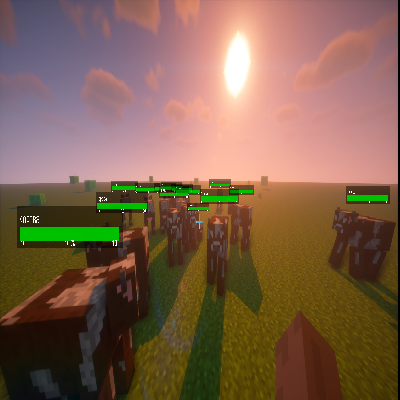
A mod that adds a health bar to mobs, but now works with shaders.
Changes:
Fixed bar above mobs scale not depending on the screen resolution / GUI scale in the mc settings
Fixed bar above mobs being displayed incorrectly when
B:"Only show the health bar for the entity looked at"=falseFixed a bug where bars would not display on top of the player even if
B:"Display on Players"=trueFixed compatibility with shaders
Added config options with which you can disable the rendering of name tags above mobs and player nickname (can be turned on/off separately), enabled by default
Added config option with which you can make the bars above mobs appear only if the player wearing hbm's ntm armor with the "Enemy HUD" bonus (It only works if hbm is loaded, it is disabled by default, however, the health of mobs when you wear armor with "Enemy HUD" ( name tag above them) is removed, since it is also regulated by an option that removes the name tag above mobs)
Credits:
cosmicdan - Fork Neat for 1.7.10, which this one is based on
- Edition: Minecraft Java
- File type: .jar
- How to install: Install the matching mod loader (Forge, Fabric or NeoForge) for your Minecraft version. → Download the .jar. → Put it in the .minecraft/mods folder and launch that loader profile.
- Where to get it: Opens on CurseForge — not every file is mirrored on our own servers.
Install steps are the general flow for this file type — How to install Minecraft Java mods & modpacks walks through it step by step.
- Ships as Neat-1.0.6.jar — drop this file into the mods folder
- Download size: 26 KB
- Download link checked 27 Sept 2026 — working
These come from our own check of the pack file, not from the source page.