
Environs
Java mod listed for Minecraft 1.19–1.20. Downloads from the MC Java Mods app on Android.
I don't know my version or loader
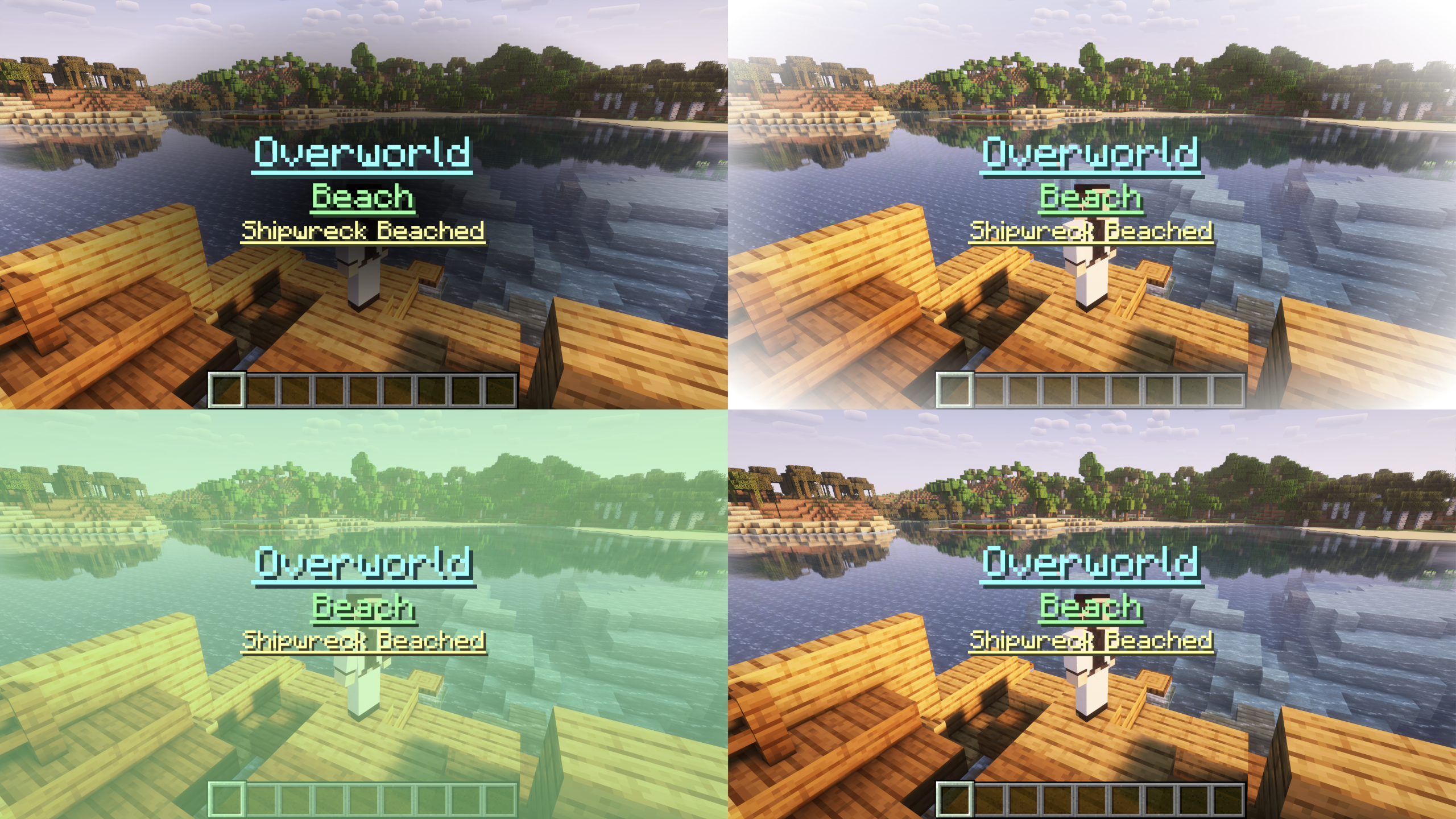
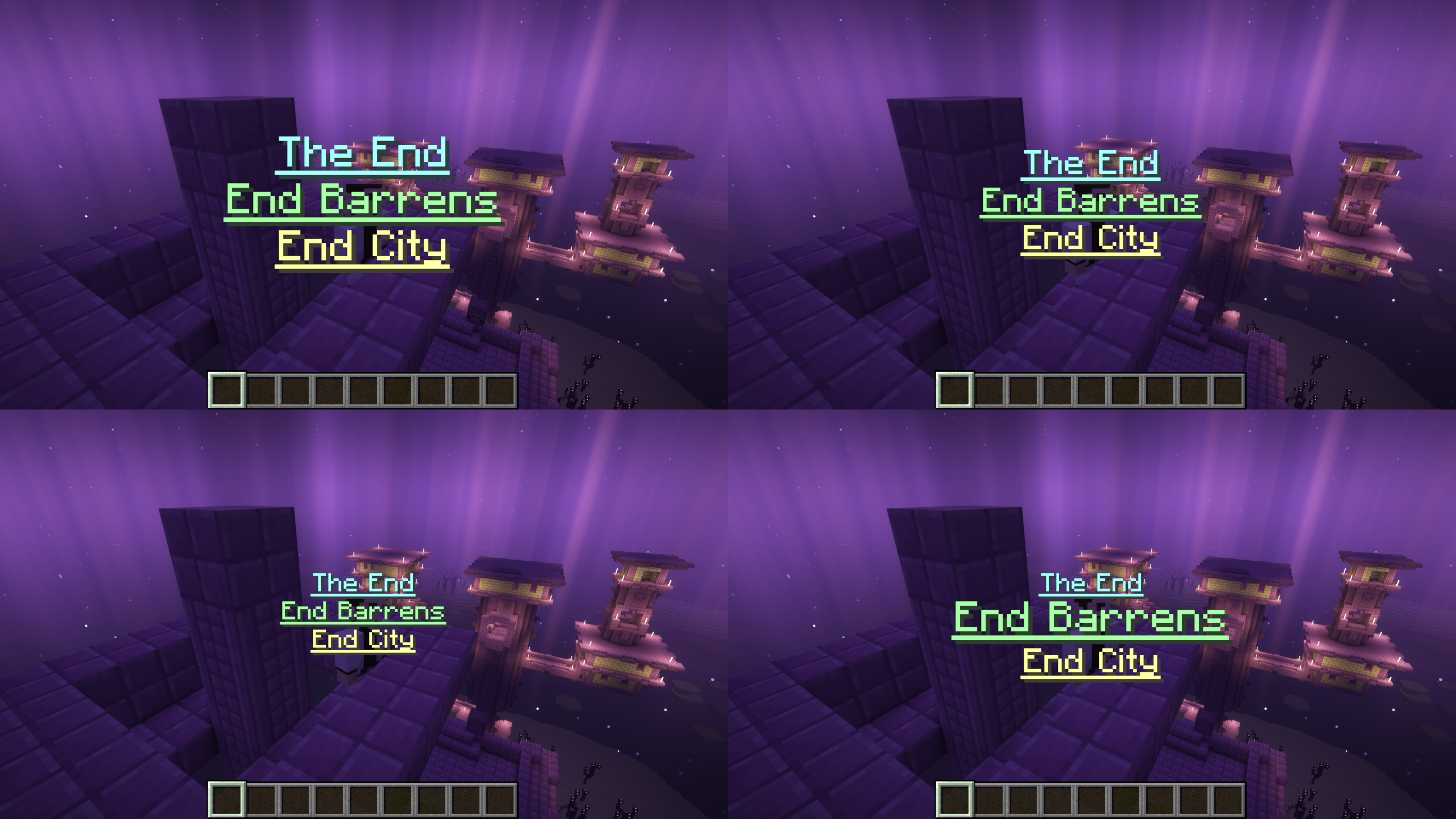
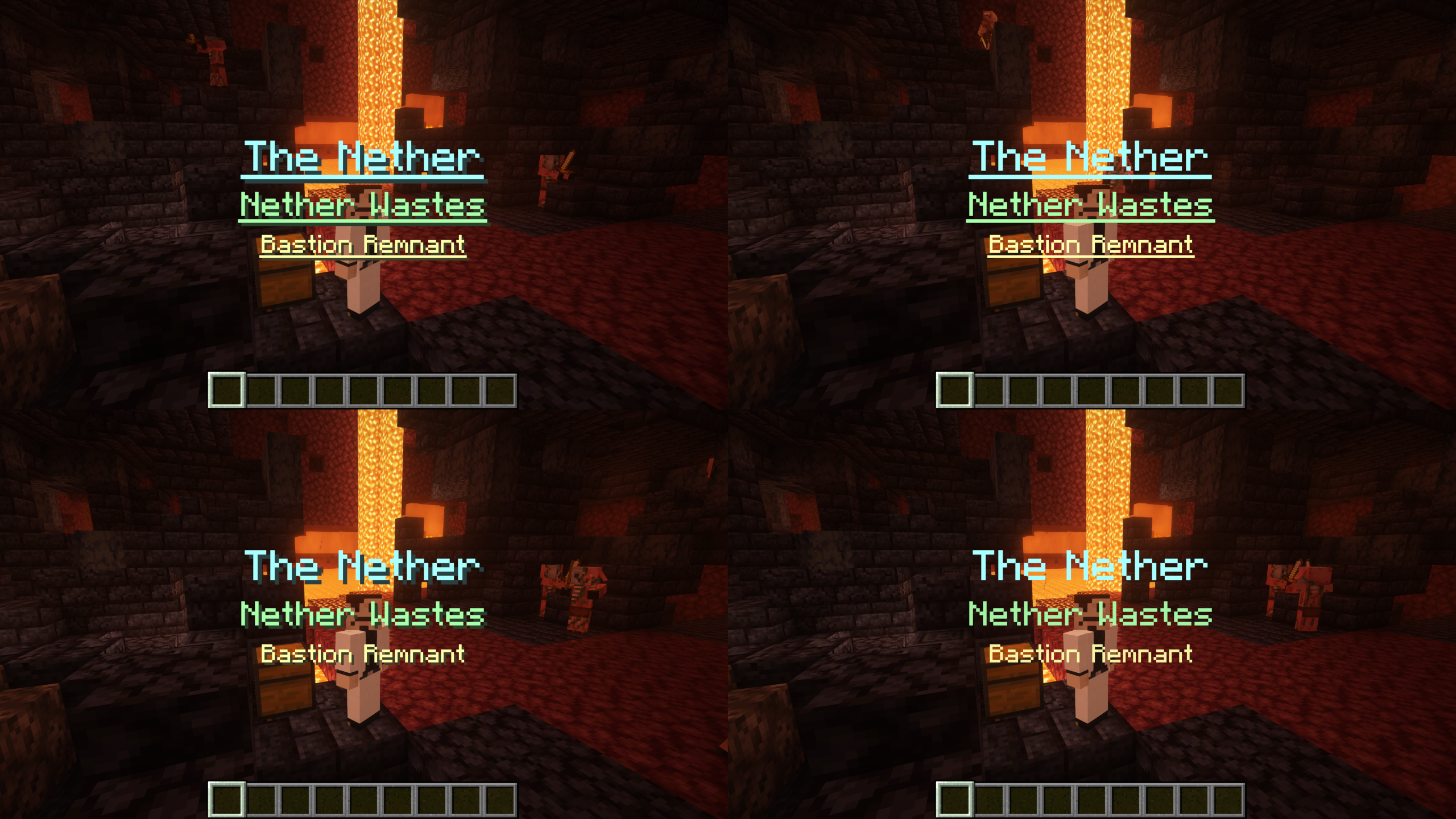
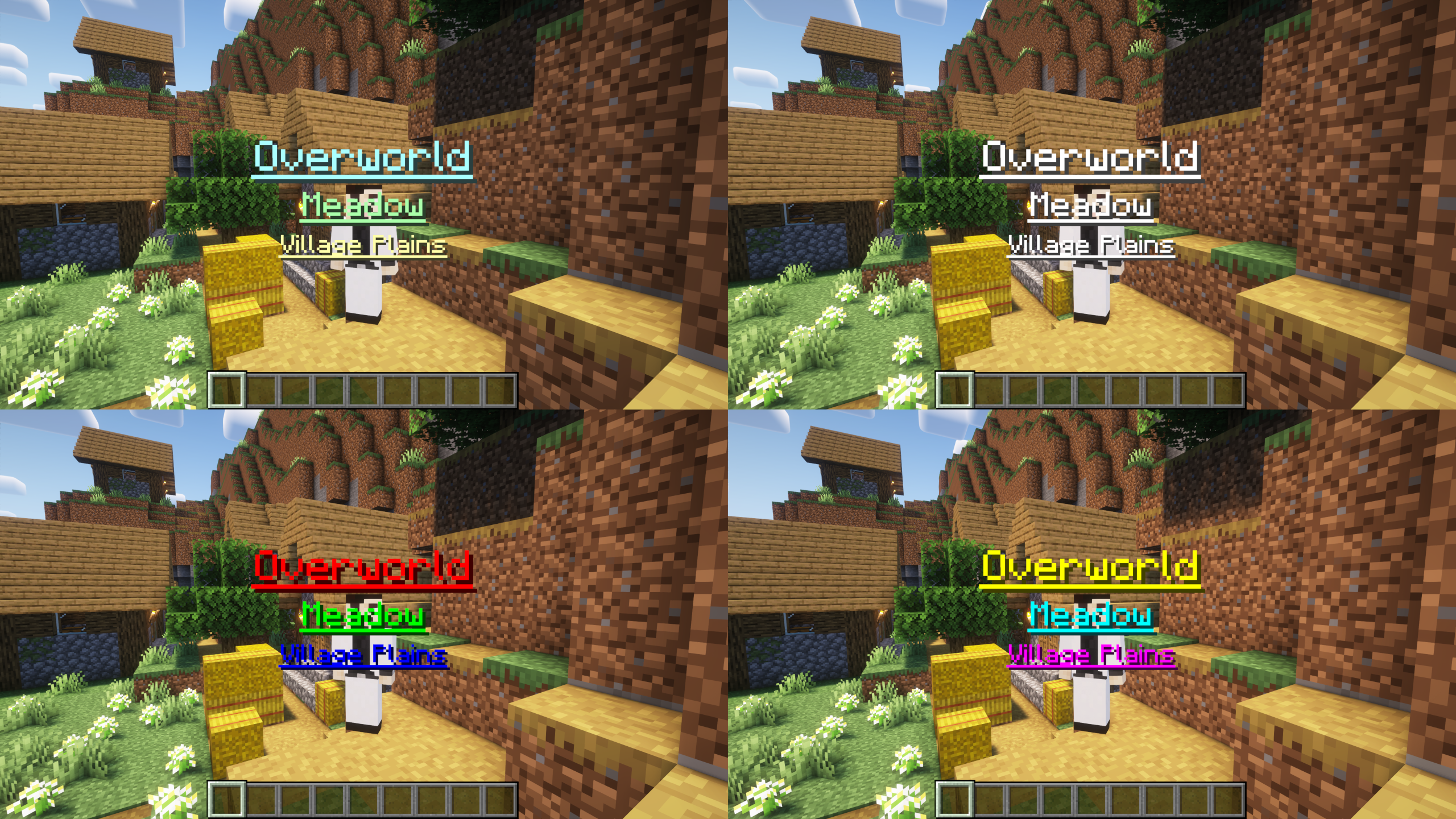
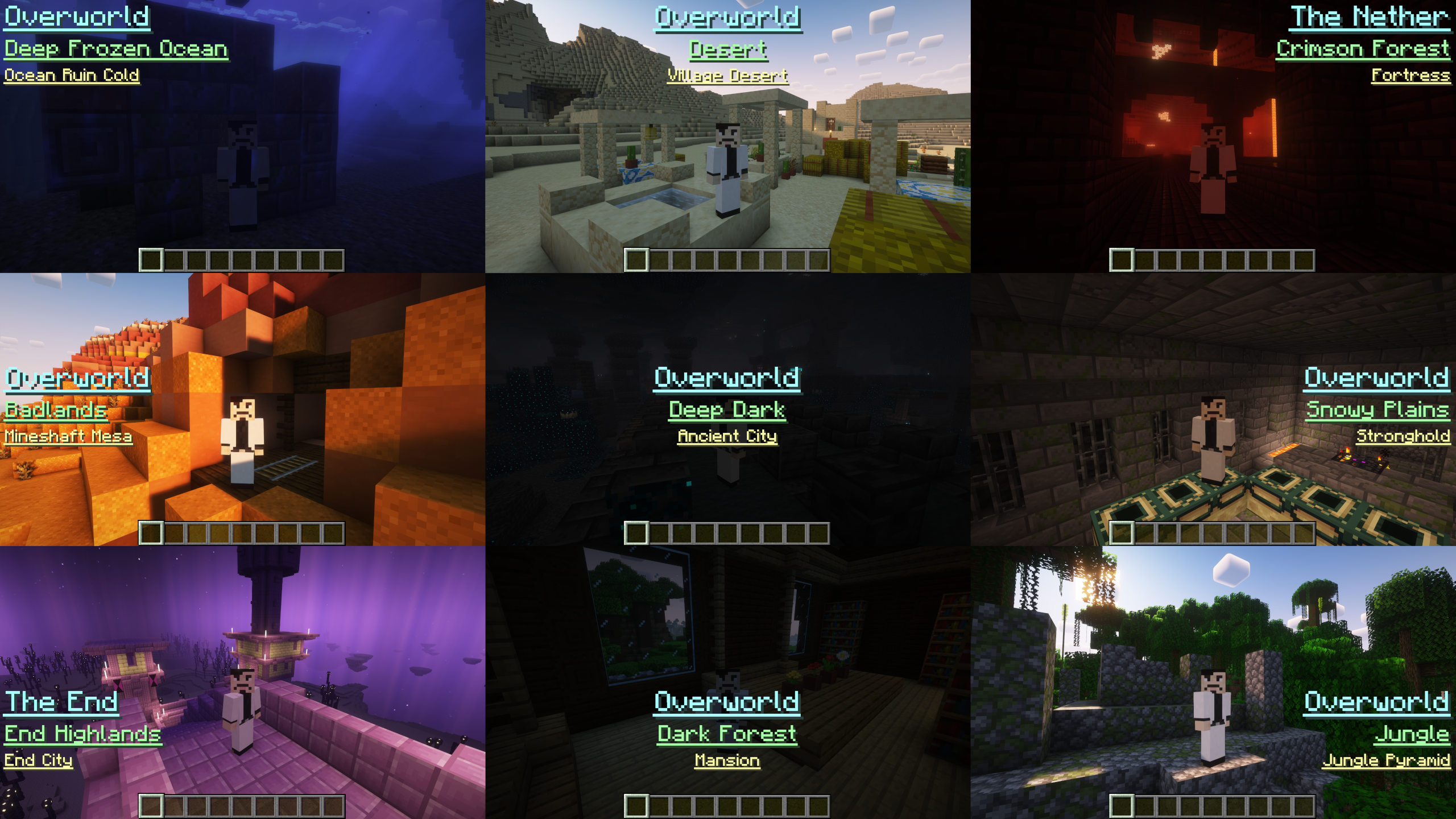

Environs is a mod for Minecraft that displays title card overlays when changing dimensions, biomes, and structures.
Give yourself the gift of insight into your environment with Environs!
Environs keeps track of your current dimension, biome, and structure (if applicable). When any of these change, a client-configurable title card overlay will fade in and out.
Individual players can tune their client config file to their liking, to include the following settings:
- Trigger on first visit, trigger on every visit, never trigger, or always display title cards
- Individual sizes for dimension, biome, and structure title card overlays
- Horizontal and vertical position of title card overlays
- Individual colors for dimension, biome, and structure title card overlays
- Underline and shadow for title card overlays
- Backdrop options to include solid, vignette, and reverse vignette
- Audio queues
Title card overlay positions:
Title card overlay sizes:
Title card overlay colors:
Title card overlay styles:
Title card overlay backdrops:
It's more than cosmetic!
Use the /environs command to recall your visited locations or reset them if you like. Having trouble chasing down the Adventuring Time advancement? Environs can help!
/environs
list
all (list all visited biomes, dimensions, and structures)
biomes (list all visited biomes)
dimensions (list all visited dimensions)
structures (list all visited structures)
purge
all (purge all visited biomes, dimensions, and structures)
biomes (purge all visited biomes)
dimensions (purge all visited dimensions)
structures (purge all visited structures)
Is Environs right for you?
Environs is an excellent complement to adventure, exploration, and RPG styled mods. It's designed to add an extra layer of immersion and wonder to the player experience. Beyond that, the utility of recalling all the places you've been can come in handy. If you play on a server and feel that Environs would be a welcome addition, recommend it to the server owner for their consideration!
How to install:
- Ensure you have Forge installed first
- Download the Environs jar (under files)
- Copy or move the jar to your Minecraft mods folder
- Start up Minecraft and enjoy
Shader: Complementary Shaders - Reimagined by EminGT
Music: Wending (Minecraft OST) by Lena Raine
- Edition: Minecraft Java
- File type: .jar
- Minecraft versions listed: 1.19.1, 1.19.2, 1.19.3
- How to install: Install the matching mod loader (Forge, Fabric or NeoForge) for your Minecraft version. → Download the .jar. → Put it in the .minecraft/mods folder and launch that loader profile.
- Where to get it: Opens on CurseForge — not every file is mirrored on our own servers.
Install steps are the general flow for this file type — How to install Minecraft Java mods & modpacks walks through it step by step.
- Ships as Environs-1.19.1-1.0.2.jar — drop this file into the mods folder
- Download size: 108 KB
- Download link checked 27 Sept 2026 — working
These come from our own check of the pack file, not from the source page.