
Better Bridging
Java mod listed for Minecraft 1.18–1.21. Downloads from the MC Java Mods app on Android.
I don't know my version or loader





📖 About:
Better Bridging is a tiny mod that adds one new item: The Bridge Brace. With it, you can now place blocks in rows of 3, instead of one at a time, making building walls, floors and bridges far easier! With the Widening Enchantment, coming in two levels, you can expand the scope of the Bridge Brace further to a whopping 5, and then 7 blocks across!
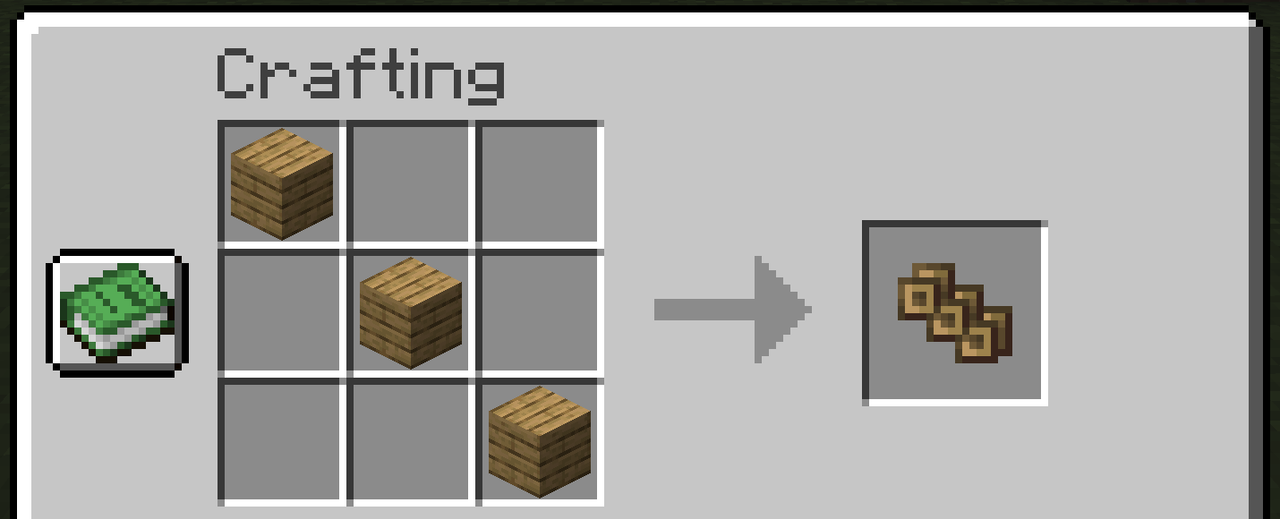
To craft the Bridge Brace, simply place three planks of any variety diagonally in a Crafting Table, and voila! Then to rotate the row while using the Brace simply press the assigned hotkey, R by default, making placing from any orientation easy! Happy bridging!
✅ Features:
- Adds the Bridge Brace, an item that allows you to place columns of blocks when held in the off-hand!
- Fully configurable, by default places 3 blocks at a time
- Adds the Widening enchantment that increases the default width
- Widening is also fully configurable
- All placed blocks have the same orientation
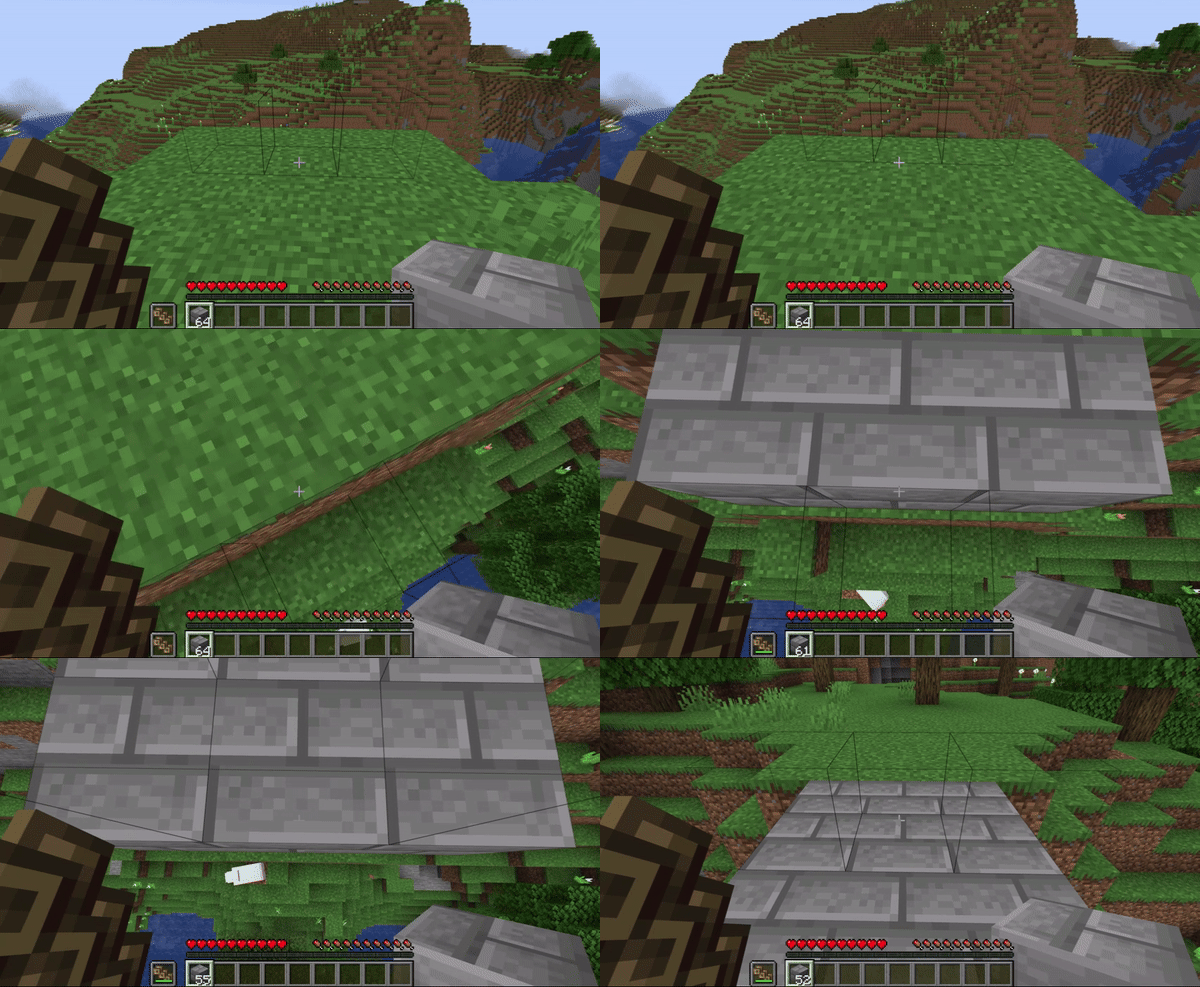
- Column direction can be rotated using a configurable hotkey, R by default
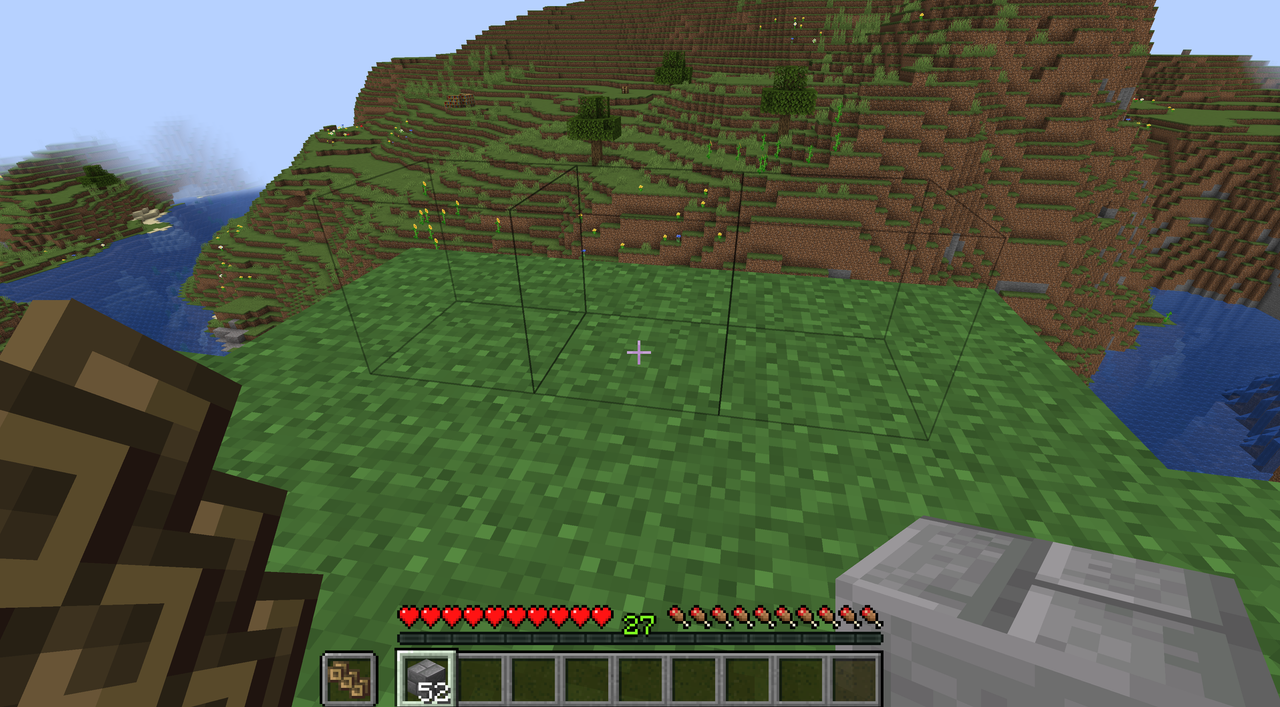
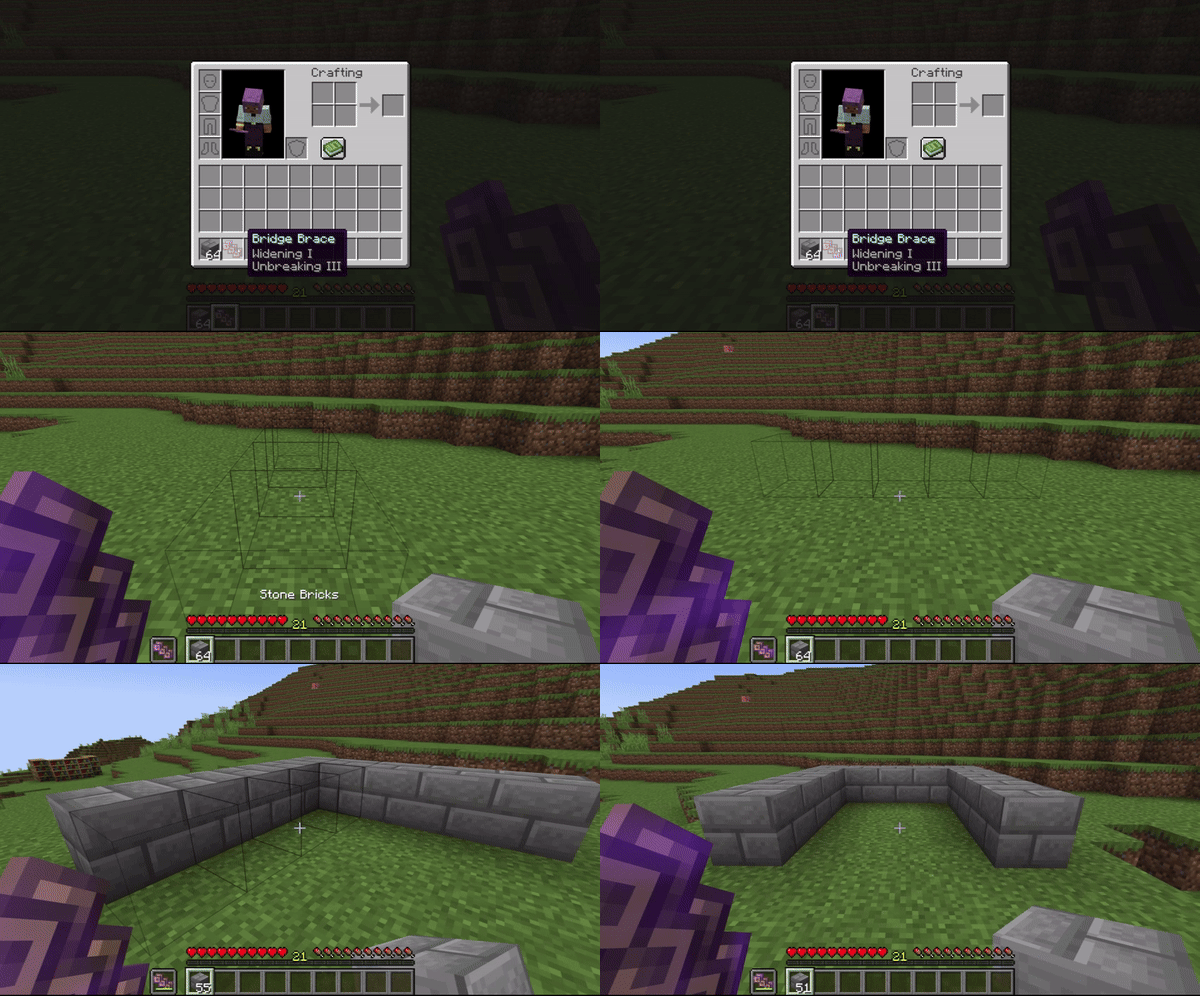
- While holding the Bridge Brace, the block targeting box is replaced with a column preview
- Available on Forge and Neoforge, Fabric coming soon
🔧 Configuration:
- Default bridging width
- Toggling Widening enchantment on/off
- Toggling sources of Widening on/off (enchanting, trading, loot)
🖼️ Previews:
Crafting the Bridge Brace
Column preview instead of targeted block
Bridging, but it's better!
Rotating the column using the assigned button
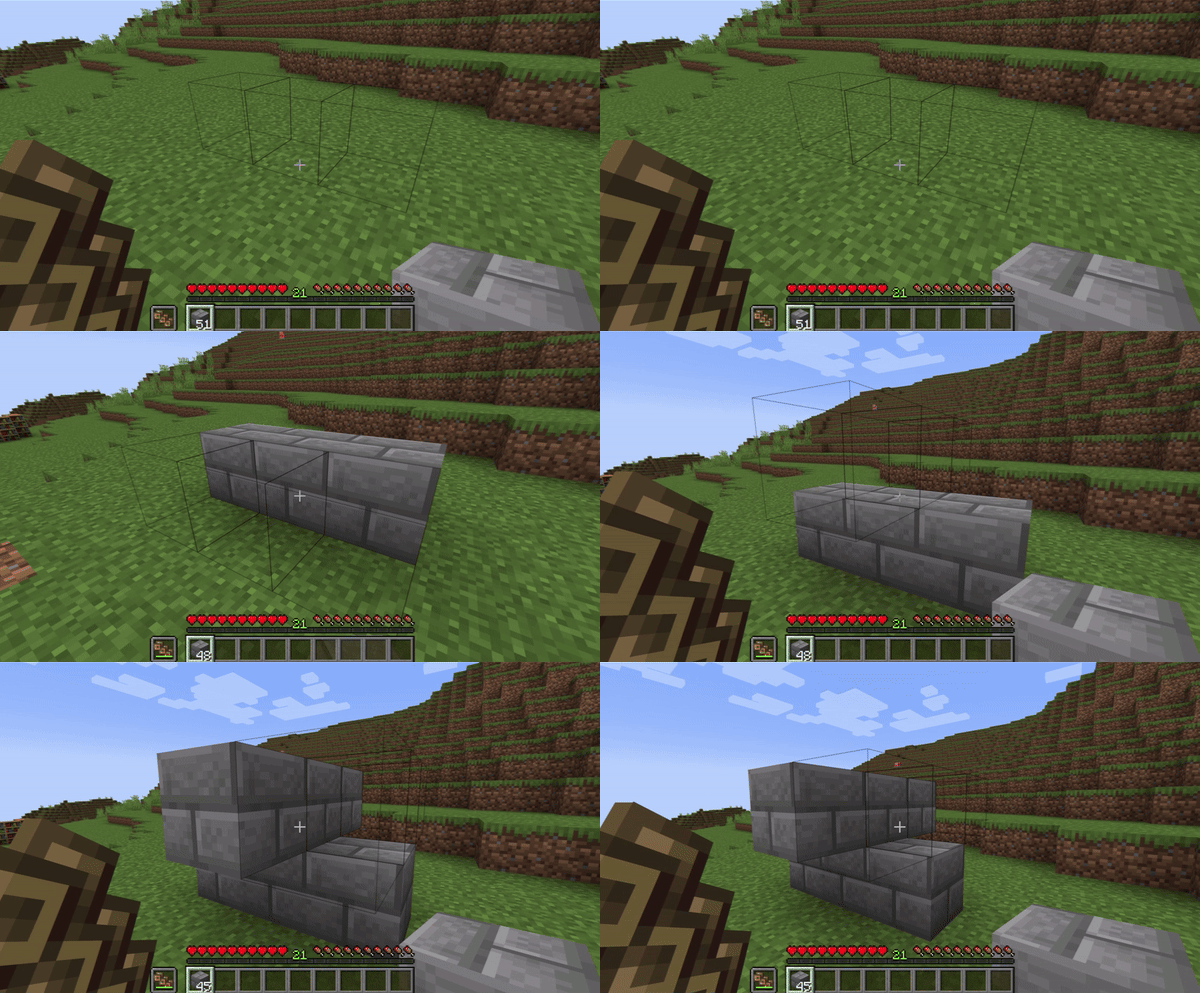
Enchanting the Bridge Brace
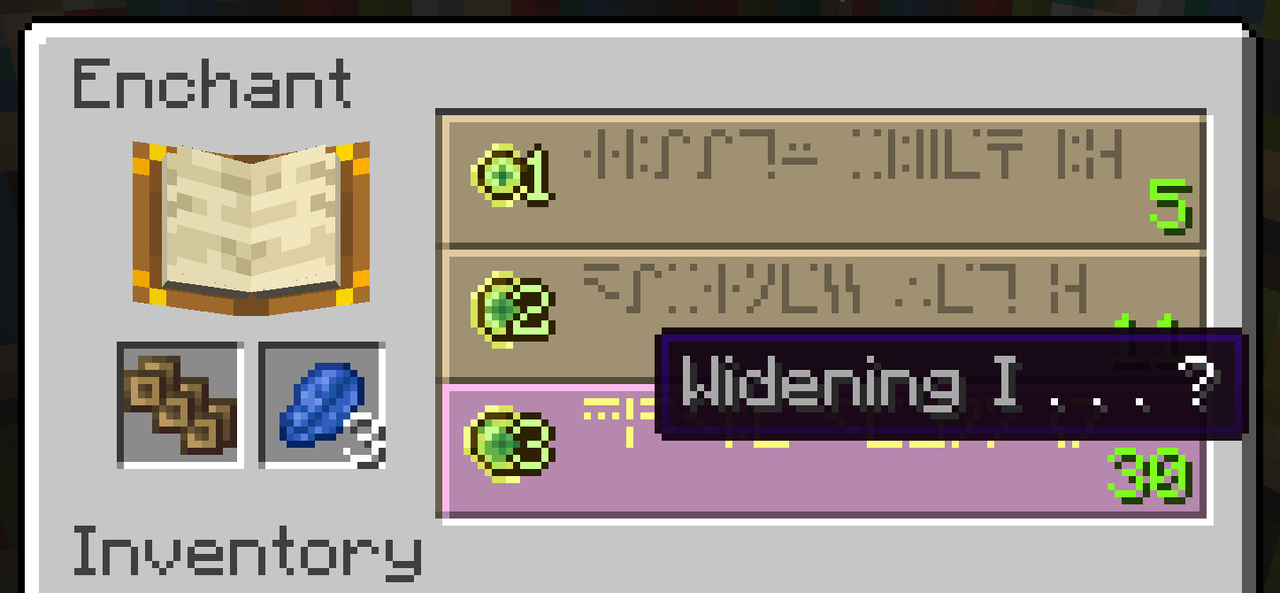
Widening enchantment makes the column wider

- Edition: Minecraft Java
- File type: .jar
- Minecraft versions listed: 1.21.1, 1.20.1, 1.19.4
- How to install: Install the matching mod loader (Forge, Fabric or NeoForge) for your Minecraft version. → Download the .jar. → Put it in the .minecraft/mods folder and launch that loader profile.
- Where to get it: Opens on CurseForge — not every file is mirrored on our own servers.
Install steps are the general flow for this file type — How to install Minecraft Java mods & modpacks walks through it step by step.
- Ships as BetterBridging-1.20.1-1.0.2.jar — drop this file into the mods folder
- Download size: 113 KB
- Download link checked 27 Sept 2026 — working
These come from our own check of the pack file, not from the source page.