
ModsJava
Censor Chat
Java mod listed for Minecraft 1.20. Downloads from the MC Java Mods app on Android.
Create your own blacklist of words to be removed from all chat messages on a server. (It will replace the word with a single space)
I don't know my version or loader
Open the Minecraft launcher and look at the profile you play on — it names both, like fabric-loader-1.21.4. The version also shows in the bottom-right corner of the game's main menu.
No loader in the profile name? Then it's plain Minecraft, and these mods won't run — you need Fabric or NeoForge installed first.
Censor Chat
- Create a blacklist of an infinite number of words to be removed from the chat!
- Any blacklisted word will be replaced with a single space, allowing you to read the rest of the message without the clutter of a bunch of ********
- DO NOT add this to your server mods folder, it is a client-sided mod ONLY!
HOW-TO
- Drag and drop into the mods folder
- Launch the game
- Close the game
- Go into the config folder (should be somewhere above the mods folder)
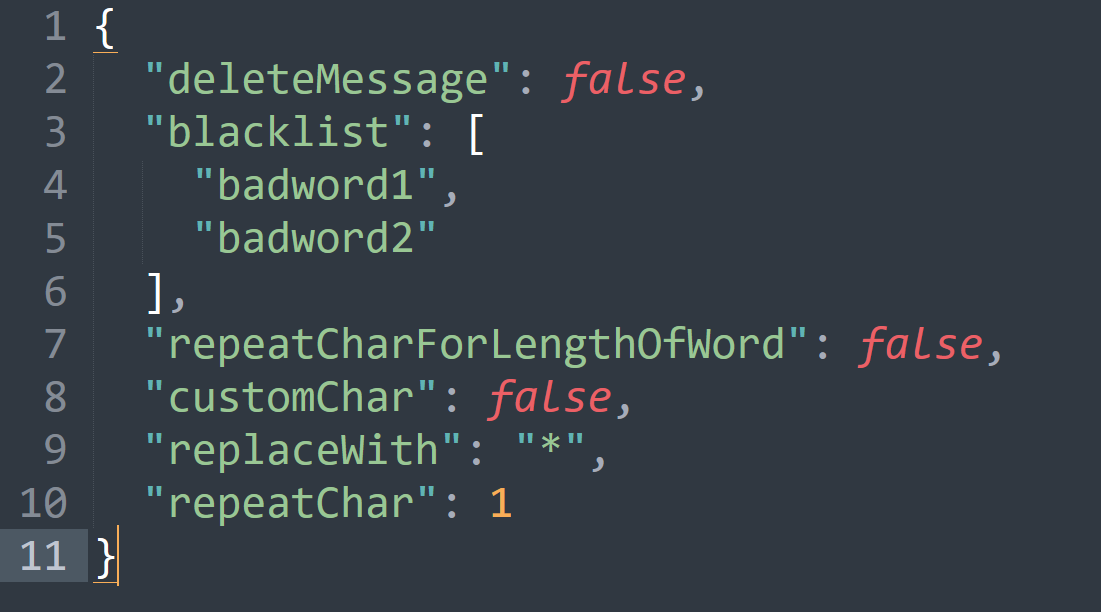
- Open the censor_chat.json with notepad or whatever program you use to edit .json files.
{
  "deleteMessage": false,   // Delete the entire message if a blacklisted word is found
  "blacklist": [    // add your own words here (replace badword1 etc)
    "badword1",
    "badword2",     // make sure you add commas at the end of every entry to the list
    "badword3"      // DON'T add a comma at the end of the final entry in the list
  ],
  "repeatCharForLengthOfWord": false,  // will replace the blacklisted word for the entire length of the word
  "customChar": false,  // if you want to use your own character instead of the default space
  "replaceWith": "*",   // if customChar is set to true, will use this character instead of default space
  "repeatChar": 1       // if this number (integer) is higher than 1, and repeatCharForLengthOfWord is set to false, this will replace the blacklisted word for the length of this number
}
COMING SOON:
Version Support:
- Forge 1.20.X support. DONE (I might do 1.12.2-1.20.4 if people want it on multiple versions I can swiss cheese the version builds since this is such a simple mod it probably wouldn't be too difficult)
- Fabric 1.20.X support. DONE
- Quilt 1.20.X support. DONE
- Neoforge might be getting 1.20.X support, however, I'm not entirely sure how neoforge works yet so that might have to be placed on hold lmao.
New features:
- Adding a new config option to choose what character to replace the blacklisted word, and how many (repeat the character X amount of times; for example, if you set the character to "x" and set it to repeat 4 times, then "badword1" would be replaced with "xxxx" CONFIG OVERHAULED
Quick facts
- Edition: Minecraft Java
- File type: .jar
- Minecraft versions listed: 1.20.2, 1.20.5, 1.20.3
- How to install: Install the matching mod loader (Forge, Fabric or NeoForge) for your Minecraft version. → Download the .jar. → Put it in the .minecraft/mods folder and launch that loader profile.
- Where to get it: Opens on CurseForge — not every file is mirrored on our own servers.
Install steps are the general flow for this file type — How to install Minecraft Java mods & modpacks walks through it step by step.
File checked by MCModsHub
- Ships as censor_chat-1.2+1.20.4.jar — drop this file into the mods folder
- Download size: 8 KB
- Download link checked 27 Sept 2026 — working
These come from our own check of the pack file, not from the source page.