
LLocks!
Java mod listed for Minecraft 1.20. Downloads from the MC Java Mods app on Android.
⬇ Download on CurseForgeThe author built this one for Minecraft 1.20.1 on Forge. On other versions it may install and then do nothing.




About
English
This mod will add a lock and key, with the lock you will be able to close blocks with GUI
Русский
Данный мод добавит замок и ключ, с помощью замка вы сможете закрывать блоки с GUI
Guide
English
1. Rename a Lock in the Anvil with a password of your choice
2. Shift-right-click the Chest with the Lock
3. The Lock will be replaced with a Key of the same name.
4. Use the Key to unlock the Chest.
(note: you can use any item with the given name to unlock the Chest)
Русский
1. Переименуйте замок в Наковальне, введя пароль по своему усмотрению
2. Щелкните правой кнопкой мыши по сундуку с замком.
3. Замок будет заменен одноименным ключом.
4. Используйте ключ, чтобы отпереть сундук
(примечание: для отпирания сундука можно использовать любой предмет с таким названием).
Other
All content
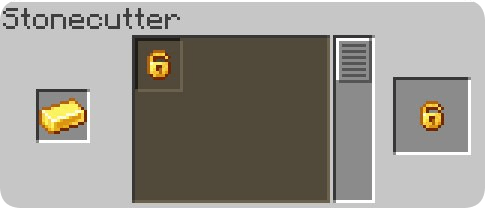
- Lock
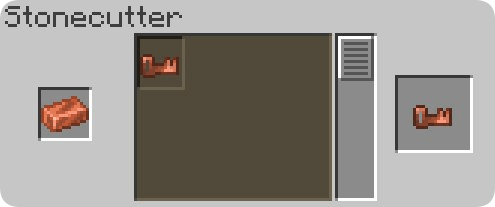
- Key
Recipes
- Edition: Minecraft Java
- File type: .jar
- Minecraft version listed: 1.20.1
- How to install: Install the matching mod loader (Forge, Fabric or NeoForge) for your Minecraft version. → Download the .jar. → Put it in the .minecraft/mods folder and launch that loader profile.
- Where to get it: Opens on CurseForge — not every file is mirrored on our own servers.
Install steps are the general flow for this file type — How to install Minecraft Java mods & modpacks walks through it step by step.
- Ships as Locks! Forge 1.20.1.jar — drop this file into the mods folder
- Download size: 16 KB
- Download link checked 18 Oct 2026 — working
These come from our own check of the pack file, not from the source page.