
Cobble Spawn Tracker
Java mod listed for Minecraft 1.20–1.21. Downloads from the MC Java Mods app on Android.
I don't know my version or loader

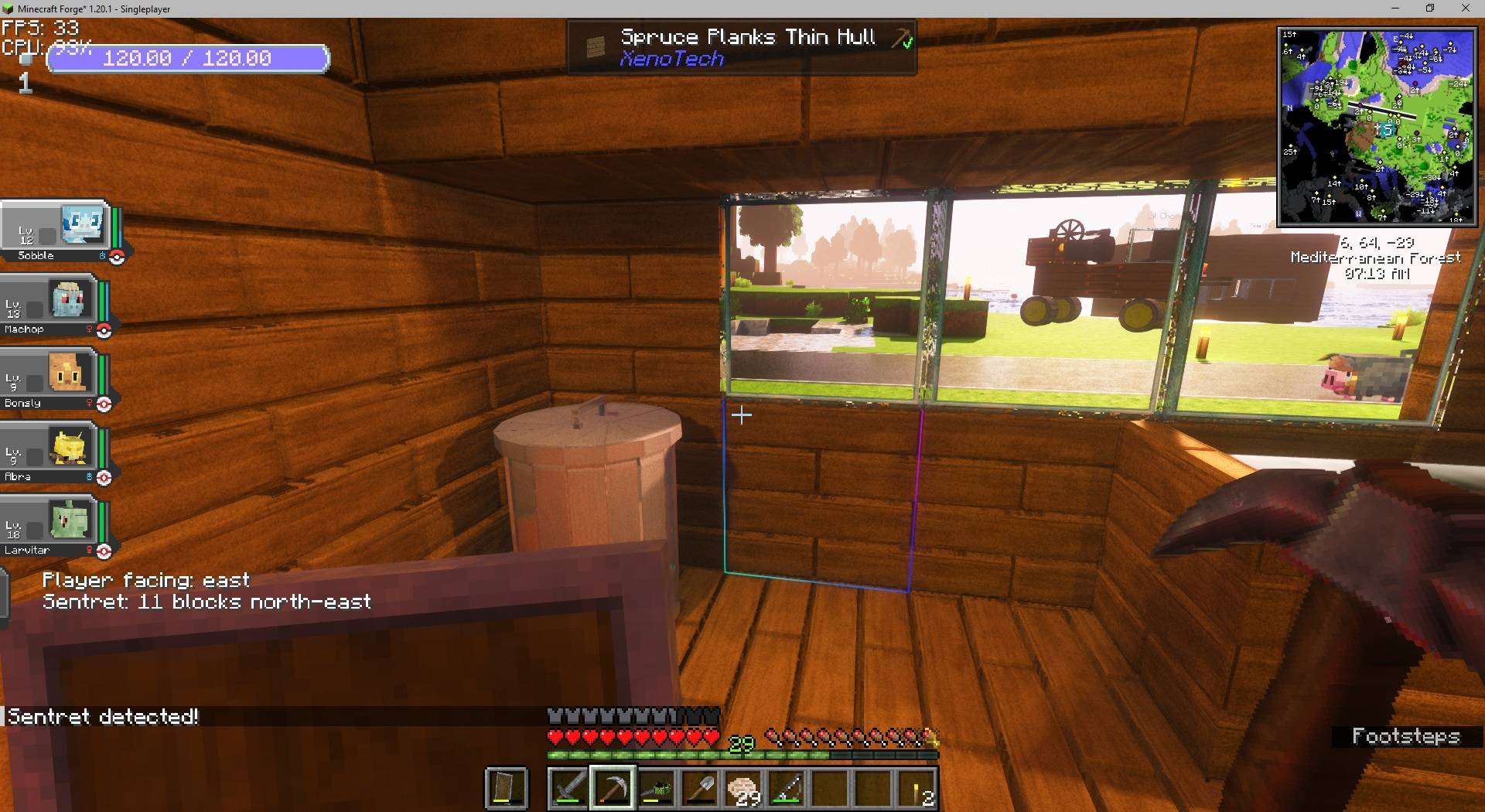
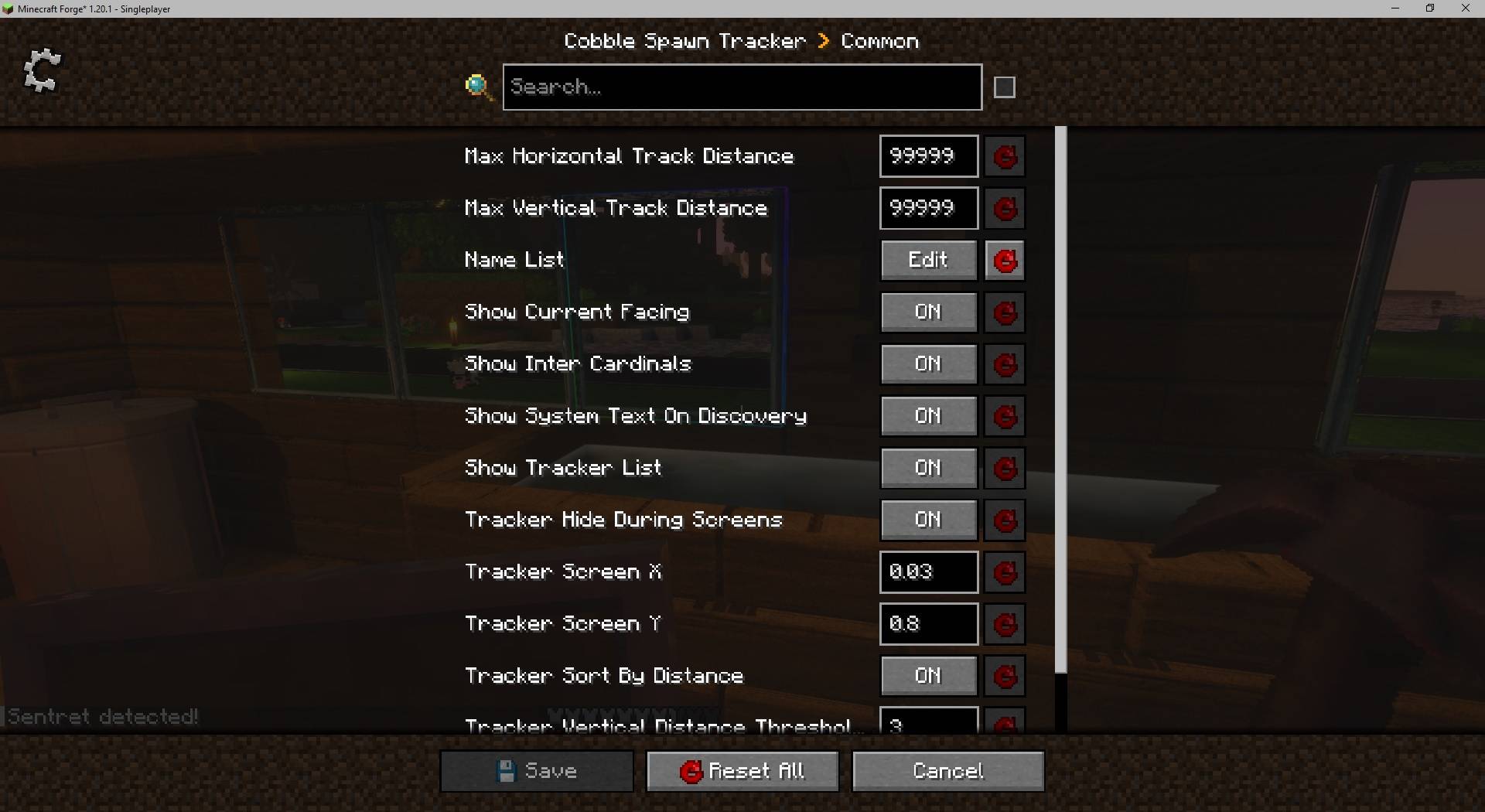
'Cobble Spawn Tracker' is general-purpose client-side tracking mod. While it was originally made for locating Cobblemon Pokemon, it can technically locate any entity you want.
To begin, load the game and press F8.
In the config screen, locate "Tracked names" and press the + symbol/"New entry"

Type the Pokemon name you want to track then press Enter
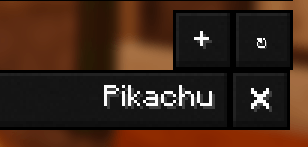
Then click "Save Changes" in the bottom right

For regional forms, just enter the base name (e.g., "Sandshrew")
New in 1.08:
Add hard dependency YACL (YetAnotherConfigLib)
Add config option "Show Pokemon level"
Add config option "Always show IV%"
Add config option "Auto-track Uncaught Pokemon" (for most players, it is not recommended to use this option)
New in 1.07:
Add IV tracking by average IV percentage (requires optional SERVER SIDE INSTALL)
Add IV tracking by perfect IV count (requires optional SERVER SIDE INSTALL)
The IV values, by default, are NOT available to clients
New in 1.06:
Add regional form tracking (Add "Sandshrew" and it will automatically alert if it's regular or Alolan)
Add hotkey (default F8) to summon config UI
The mod is configuration-driven and by default does not track any specific entity. To begin using it, you will need to open the config and add the pokemon you want to track, by their full name. Here is an example:
File: config/cobble_spawn_tracker-common.toml
List of mob names to track
name_list = ["Sentret", "Copperajah", "Torchic"]
-----
Update 1.02:
4 New config options added, all enabled by default, but can be disabled.
* Shinies are automatically tracked.
* Legendaries are automatically tracked.
* The tracker will no longer track player-owned pokemon
* Tracker will hide entities if you change dimensions
-----
You can track as many entities as you would like. By default the tracker will display a system message the first time it spots a new entity, but this can be disabled. The tracker will then track the distance and direction to the entity for you.
The mod can be installed on the server-side but it will not do anything there.
Note that for the tracker to work, the name in the config must be an exact match with the name of the entity. Casing does not matter.
Special note:
When you first add a name to the list it may not immediately detect that pokemon if it's near you. But if you explore and that pokemon appears, it should automatically detect it.
- Edition: Minecraft Java
- File type: .jar
- Minecraft versions listed: 1.21.1, 1.20.1
- How to install: Install the matching mod loader (Forge, Fabric or NeoForge) for your Minecraft version. → Download the .jar. → Put it in the .minecraft/mods folder and launch that loader profile.
- Where to get it: Opens on CurseForge — not every file is mirrored on our own servers.
Install steps are the general flow for this file type — How to install Minecraft Java mods & modpacks walks through it step by step.
- Ships as cobble_spawn_tracker-1.0.2.jar — drop this file into the mods folder
- Download size: 391 KB
- Download link checked 27 Sept 2026 — working
These come from our own check of the pack file, not from the source page.