HUD Coordinates
Java mod listed for Minecraft 1.20–1.21. Downloads from the MC Java Mods app on Android.
I don't know my version or loader
HUD Coordinates
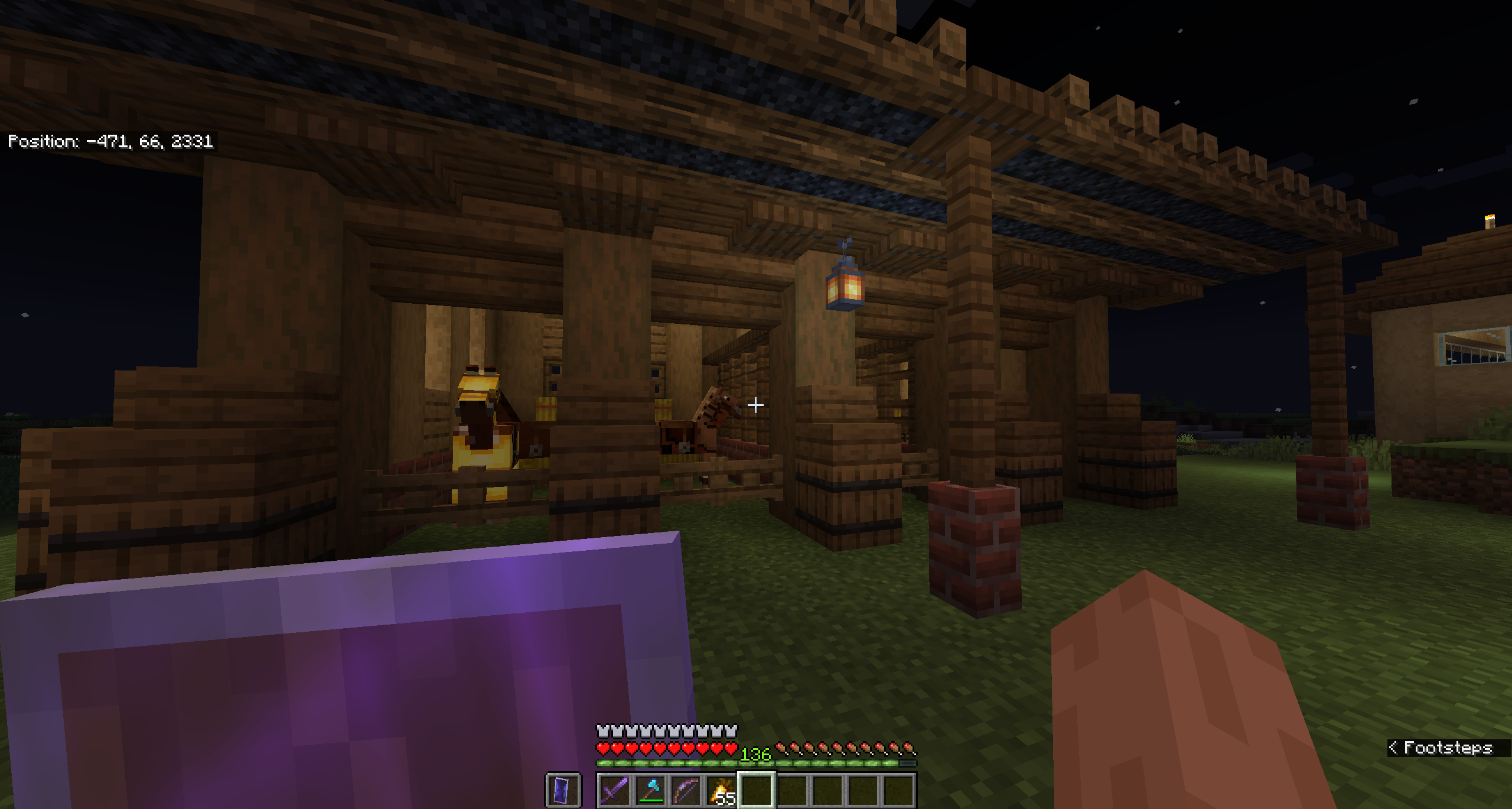
HUD Coordinates is a client-side mod that enhances your Minecraft experience by displaying your current coordinates directly on the HUD, similarly to how it's displayed in Bedrock Edition. No more pressing F3 and cluttering your screen with debug information—simply install this mod and enjoy a clean, straightforward display.
Features
- Displays current coordinates (X, Y, Z) on the HUD
- Lightweight and easy to use
Usage
Once installed, the mod will automatically display your current coordinates on the HUD during gameplay.
Compatibility
- Forge 1.21, 1.20.6, 1.20.1
- Fabric 1.21
If you would like support for a specific mod loader/Minecraft version, please leave a comment with the appropriate information and I will do my best to release it.
- Edition: Minecraft Java
- File type: .jar
- Minecraft versions listed: 1.21, 1.20.6, 1.20.1
- How to install: Install the matching mod loader (Forge, Fabric or NeoForge) for your Minecraft version. → Download the .jar. → Put it in the .minecraft/mods folder and launch that loader profile.
- Where to get it: Opens on CurseForge — not every file is mirrored on our own servers.
Install steps are the general flow for this file type — How to install Minecraft Java mods & modpacks walks through it step by step.
- Ships as fabric-1.21-hudcoordinates-1.0.1.jar — drop this file into the mods folder
- Download size: 8 KB
- Download link checked 27 Sept 2026 — working
These come from our own check of the pack file, not from the source page.