ModsJava
Yet Another Redstone Gadgets
Java mod listed for Minecraft 1.20–1.21. Downloads from the MC Java Mods app on Android.
I don't know my version or loader
Open the Minecraft launcher and look at the profile you play on — it names both, like fabric-loader-1.21.4. The version also shows in the bottom-right corner of the game's main menu.
No loader in the profile name? Then it's plain Minecraft, and these mods won't run — you need Fabric or NeoForge installed first.
Adds a few useful redstone tools.
Currently adds:
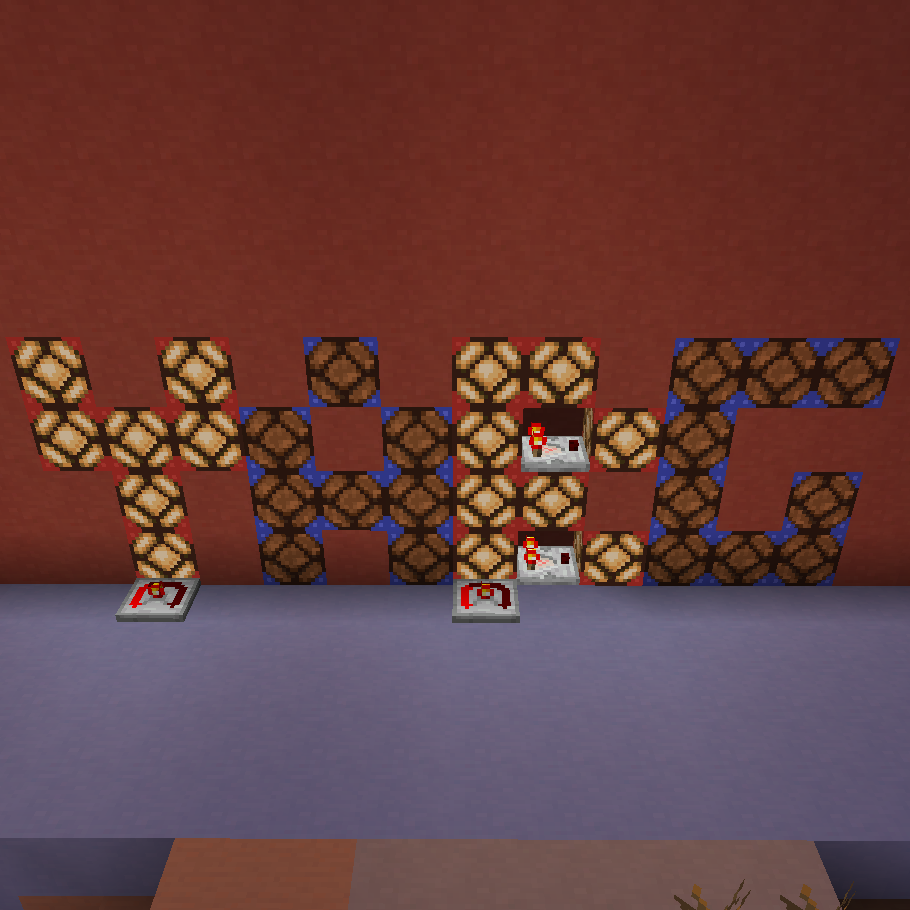
- Propagating redstone lamps!
- These relay their input signal to lamps next to them, if the colour matches
- Can be used for more compact displays
- Redstone divider
- Divides the input signal by a set amount
- The divider can be cycled through 2/3/5/7 by rightclicking
- The rounding mode (round up or down) can be set by shift rightclicking
- Redstone dial
- Outputs a signal with a fixed strength
- Can be set to output any signal between 0 and 15
- Redstone dial lamp
- Lights up based on redstone signal strength
- Seven segment lamp
- Displays redstone signal strength as a single hex digit
- Long range observer
- Can be set to focus on any single block 1-8 blocks in front
- Outputs a redstone signal when the focused block's blockstate changes
- Can see through solid blocks
- Calibrated observer
- Focuses on a specific property of the block in front of it
- Only pulses when that specific property changes
- Amethyst resonator
- When powered from the side, sends a signal to other resonators within 8 blocks in each direction
- When receiving a signal, outputs power at the bottom
- Useful for wirelessly transferring pulses
- Region analog reader
- Checks the region in front of it, either 3x3, 5x5, 7x7, 3x3x3 or 5x5x5
- Saves the average comparator output level of all blocks in that area that can output to a comparator
- Outputs that level to a comparator
Quick facts
- Edition: Minecraft Java
- File type: .jar
- Minecraft versions listed: 1.21.1, 1.20.4
- How to install: Install the matching mod loader (Forge, Fabric or NeoForge) for your Minecraft version. → Download the .jar. → Put it in the .minecraft/mods folder and launch that loader profile.
- Where to get it: Opens on CurseForge — not every file is mirrored on our own servers.
Install steps are the general flow for this file type — How to install Minecraft Java mods & modpacks walks through it step by step.
File checked by MCModsHub
- Ships as yetanotherredstonegadgets-1.5.0.jar — drop this file into the mods folder
- Download size: 255 KB
- Download link checked 27 Sept 2026 — working
These come from our own check of the pack file, not from the source page.