
ModsJava
Smelt Iron Bars In a Iron Block
Java mod listed for Minecraft 1.20–1.21. Download on the author's site.
⬇ Download on CurseForge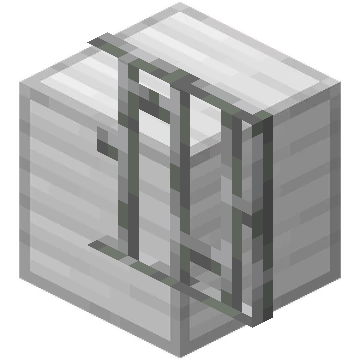
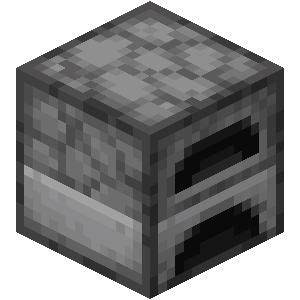
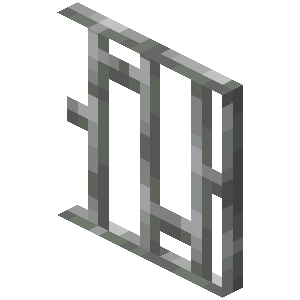

Iron Bars to Iron Block is a convenient Minecraft mod that allows players to recycle iron bars into iron blocks. This mod is ideal for players who have an abundance of iron bars and wish to convert them back into more useful iron blocks for storage or crafting purposes.
Don't forget to check out my other mods on my profile!
Features:
-
Iron Bar Recycling: Smelt iron bars in a furnace to obtain iron blocks, enabling efficient resource management and utilization.
-
Resource Efficiency: Convert excess iron bars into valuable iron blocks, aiding in better inventory management and maximizing resource use.
-
Survival Friendly: Fully functional in survival mode, ensuring a balanced addition to your regular gameplay without disrupting game mechanics.
Installation:
-
Download the Mod: Ensure you have the correct version for your Minecraft installation.
-
Install Forge or Fabric: Depending on the mod version, install Minecraft Forge or Fabric.
-
Add to Mods Folder: Place the mod file into your Minecraft
modsfolder. -
Launch Minecraft: Start Minecraft with the Forge or Fabric profile to begin smelting iron bars into iron blocks.




This mod have been created with: intellij
Quick facts
- Edition: Minecraft Java
- File type: .jar
- Minecraft versions listed: 1.21.1, 1.21, 1.20.6
- How to install: Install the matching mod loader (Forge, Fabric or NeoForge) for your Minecraft version. → Download the .jar. → Put it in the .minecraft/mods folder and launch that loader profile.
- Where to get it: Opens on CurseForge — not every file is mirrored on our own servers.
Install steps are the general flow for this file type — How to install Minecraft Java mods & modpacks walks through it step by step.
Smelt Iron Bars In a Iron Block is a free Minecraft Java mod. Compatible with Minecraft 1.21.1, 1.21, 1.20.6, 1.20.4 and newer. Downloaded 22,897 times (via CurseForge). Download it and open it directly in the game.