ModsJava
One Stack
Java mod listed for Minecraft 1.20. Downloads from the MC Java Mods app on Android.
⬇ Download on CurseForgeThe author built this one for Minecraft 1.20.1 on Forge. On other versions it may install and then do nothing.
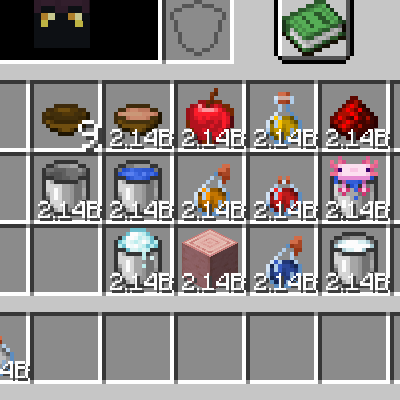
目前版本為 2.x.x,與 1.x.x 的設定檔不兼容
NEW TAG
新增物品標籤 forge:stackable
這個標籤會自動添加到原始堆疊上限為1的物品上
Command
你可以用指令設定每種物品的堆疊上限 (1~2147483646)
priority的數字越大,優先度越高。如果沒有填入則根據item/tag來決定優先度,item預設為1000,tag預設為0
/maxcount set <item|tag> <count|max|default> [priority]
/maxcount unset <item|tag>
/maxcount set minecraft:copper_ingot 999
/maxcount set minecraft:iron_ingot default
/maxcount set #forge:stackable max
/maxcount unset minecraft:iron_ingot
Config
你也可以在配置檔案中設定堆疊上限 (1~2147483646)
在存檔目錄底下 saves\ <your saved> \serverconfig\onestack-server.toml
可以在遊戲途中修改配置
[[items]]
	tag = "forge:stackable"
	priority = 0
	maxCount = "default"
[[items]]
	name = "minecraft:mushroom_stew"
	priority = 1000
	maxCount = "max"
[[items]]
	name = "minecraft:iron_ingot"
	priority = 1000
	maxCount = 12345
Install
Server和Client都要安裝
API
查看github
Issues
Incompatible
- Sophisticated Storage/Backpacks
- 不會為Sophisticated Storage/Backpack修復錯誤
- 建議maxcount設定成小於等於15,887的數來獲得最佳兼容性 floor(2147483646 / 132 / 1024)
Quick facts
- Edition: Minecraft Java
- File type: .jar
- Minecraft version listed: 1.20.1
- How to install: Install the matching mod loader (Forge, Fabric or NeoForge) for your Minecraft version. → Download the .jar. → Put it in the .minecraft/mods folder and launch that loader profile.
- Where to get it: Opens on CurseForge — not every file is mirrored on our own servers.
Install steps are the general flow for this file type — How to install Minecraft Java mods & modpacks walks through it step by step.
File checked by MCModsHub
- Ships as onestack-1.20.1-forge-2.2.4.jar — drop this file into the mods folder
- Download size: 59 KB
- Download link checked 27 Sept 2026 — working
These come from our own check of the pack file, not from the source page.