
SDM Bestiary
Java mod listed for Minecraft 1.20. Downloads from the MC Java Mods app on Android.
I don't know my version or loader
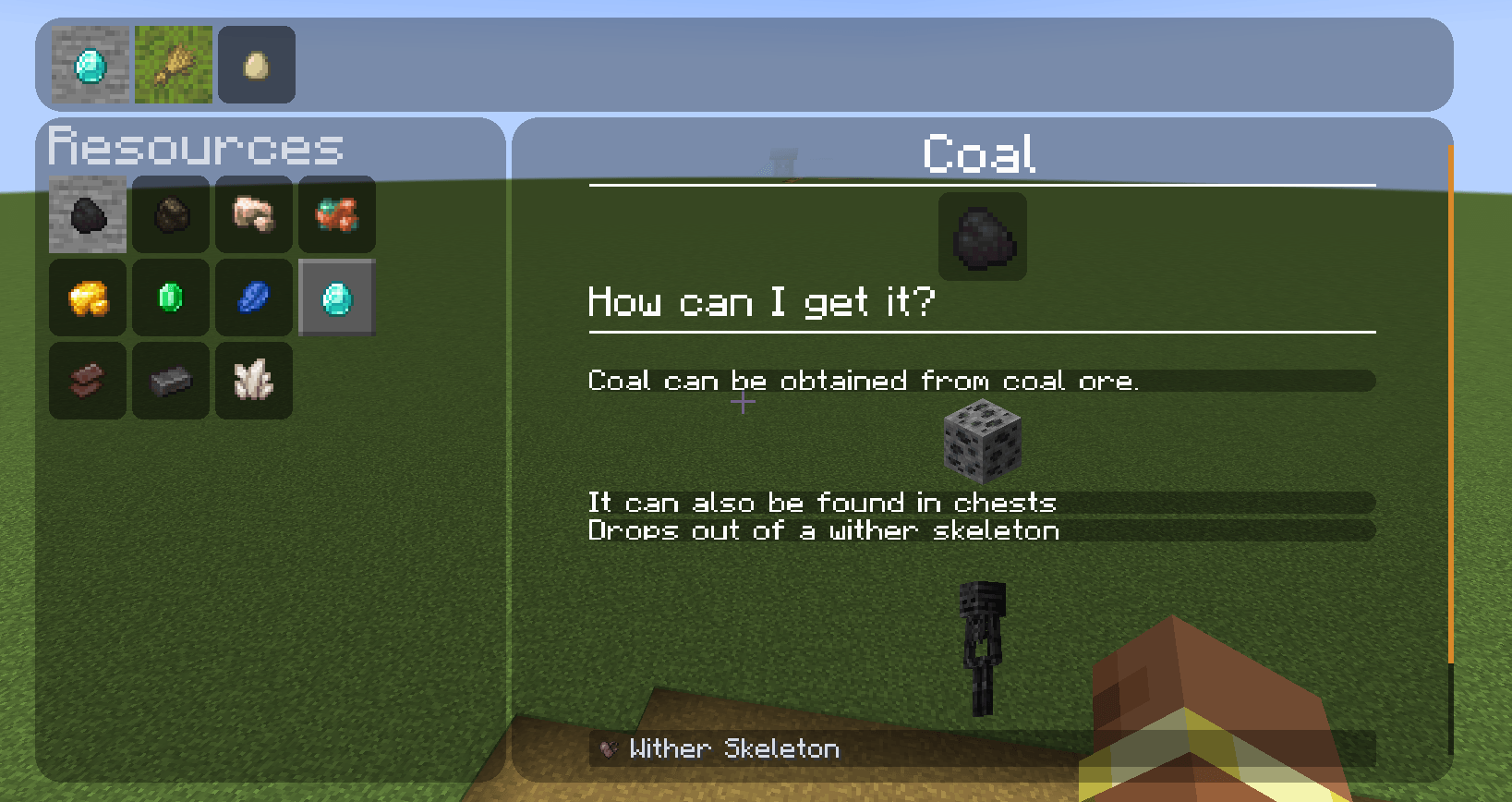
What is SDM Bestiary?
This mod offers you the opportunity to create a convenient menu that will provide the player with valuable information. In the menu, you can learn how to use and mine various resources, as well as get an idea of how the build mechanics work.
There is a Patchouli mod, why should I use this mod?
In our opinion, Patchouli is not quite suitable for complex modpacks. This tool is intended for use within the Gude Book framework of a specific mod. In addition, many players do not like to constantly search for a book to find the necessary information.
What to do if some functionality is missing and I really need it ?
You can contact us at Discord, and we will implement this feature to the best of our ability.
Will this mod port on versions 1.19 and below ?
We will not pay much attention to supporting older versions, as we do not think it is advisable to do so, and we will rather focus on developing new versions.
How do I edit the content ?
You need to activate edit mode in the configuration file and then re-enter the world.
- Edition: Minecraft Java
- File type: .jar
- Minecraft version listed: 1.20.1
- How to install: Install the matching mod loader (Forge, Fabric or NeoForge) for your Minecraft version. → Download the .jar. → Put it in the .minecraft/mods folder and launch that loader profile.
- Where to get it: Opens on CurseForge — not every file is mirrored on our own servers.
Install steps are the general flow for this file type — How to install Minecraft Java mods & modpacks walks through it step by step.
- Ships as sdm_bestiary-fabric-1.2.0.jar — drop this file into the mods folder
- Download size: 175 KB
- Download link checked 27 Sept 2026 — working
These come from our own check of the pack file, not from the source page.