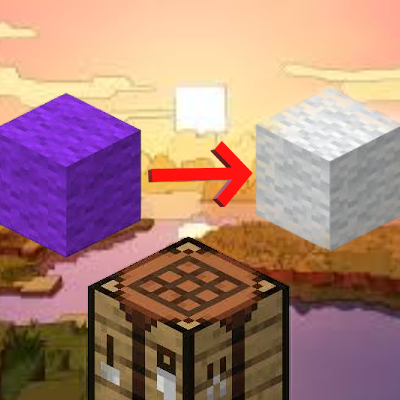
No more mistake with color
Java mod listed for Minecraft 1.16–1.20. Downloads from the MC Java Mods app on Android.
I don't know my version or loader
No more mistake with color
Say goodbye to color mishaps with the No More Mistakes with Color mod! This handy tool allows you to effortlessly revert dyed blocks like stained glass, wool, terracotta back to their original, undyed state. Whether you’re reworking a design or just want a fresh palette, this data pack makes sure that you never have to worry about wasted materials or time.
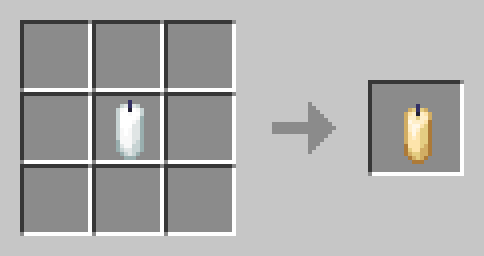
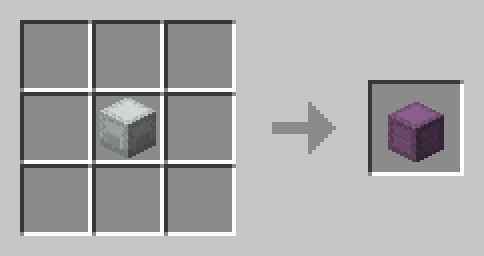
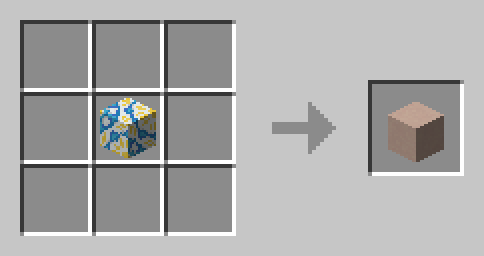
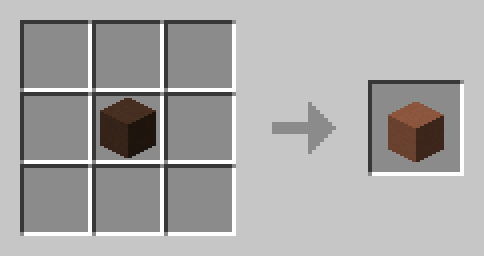
With No More Mistakes with Color, you can build with confidence, knowing that any color error is just a quick fix away!
- Edition: Minecraft Java
- File type: .jar
- Minecraft versions listed: 1.17.1, 1.16.3, 1.19.3
- How to install: Install the matching mod loader (Forge, Fabric or NeoForge) for your Minecraft version. → Download the .jar. → Put it in the .minecraft/mods folder and launch that loader profile.
- Where to get it: Opens on CurseForge — not every file is mirrored on our own servers.
Install steps are the general flow for this file type — How to install Minecraft Java mods & modpacks walks through it step by step.
- Ships as no-more-mistake-with-color-1.jar — drop this file into the mods folder
- Download size: 50 KB
- Download link checked 18 Oct 2026 — working
These come from our own check of the pack file, not from the source page.