Classic Bars Forked
Java mod listed for Minecraft 1.20. Downloads from the MC Java Mods app on Android.
I don't know my version or loader
Welcome to
Classic Bars Forked
this project is a fork of the mod classic bars under MIT license to fix floating point error if the original mod
original description below
https://www.curseforge.com/minecraft/mc-mods/classic-bars - link to original here
Classic Bar
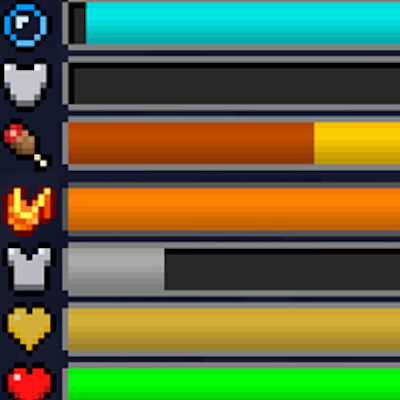
Classic Bar is a mod that replaces the traditional icon rows in the HUD with icon bars. With this comes some new benefits.
Features
Instead of adding additional rows when health/absorption is over 20, the bars always stay the same length whether you have 20 health or 200 health.
This mod is capable of showing armor over 20 where the vanilla caps the display, but it will cap out at 30 unless the Armor Attribute cap is removed with another mod.
This makes mods such as Overloaded Armor bar, Colorful Health bar, and Armor Toughness Bar irrelevant as this mod already has those improvements baked in.
In addition, this mod also shows the saturation and exhaustion levels of the player, which are normally not seen
Note: this feature does NOT need Appleskin/Core, this mod has 0 dependencies

(running around)

And when holding a food item, it's potential saturation/hunger will be overlaid on top of the hunger bar

Armor toughness is shown above the hunger bar (only vanilla diamond armor by default has it but other mods may add stronger armor.)
Mod Compat
Random Things (Lava Waders/Fire Charm)
Lava Waders Bauble (The name)
Tough as Nails (Thirst Bar)
Botania (Tiara)
Iblis (Hunger amounts)
Can be used clientside only, server side if you want better data!
- Edition: Minecraft Java
- File type: .jar
- Minecraft version listed: 1.20.1
- How to install: Install the matching mod loader (Forge, Fabric or NeoForge) for your Minecraft version. → Download the .jar. → Put it in the .minecraft/mods folder and launch that loader profile.
- Where to get it: Opens on CurseForge — not every file is mirrored on our own servers.
Install steps are the general flow for this file type — How to install Minecraft Java mods & modpacks walks through it step by step.
- Ships as classicbar-1.20.1-3-wp-edition.jar — drop this file into the mods folder
- Download size: 65 KB
- Download link checked 18 Oct 2026 — working
These come from our own check of the pack file, not from the source page.