
Create: Enlightend
Java mod listed for Minecraft 1.19–1.20. Downloads from the MC Java Mods app on Android.
I don't know my version or loader

About
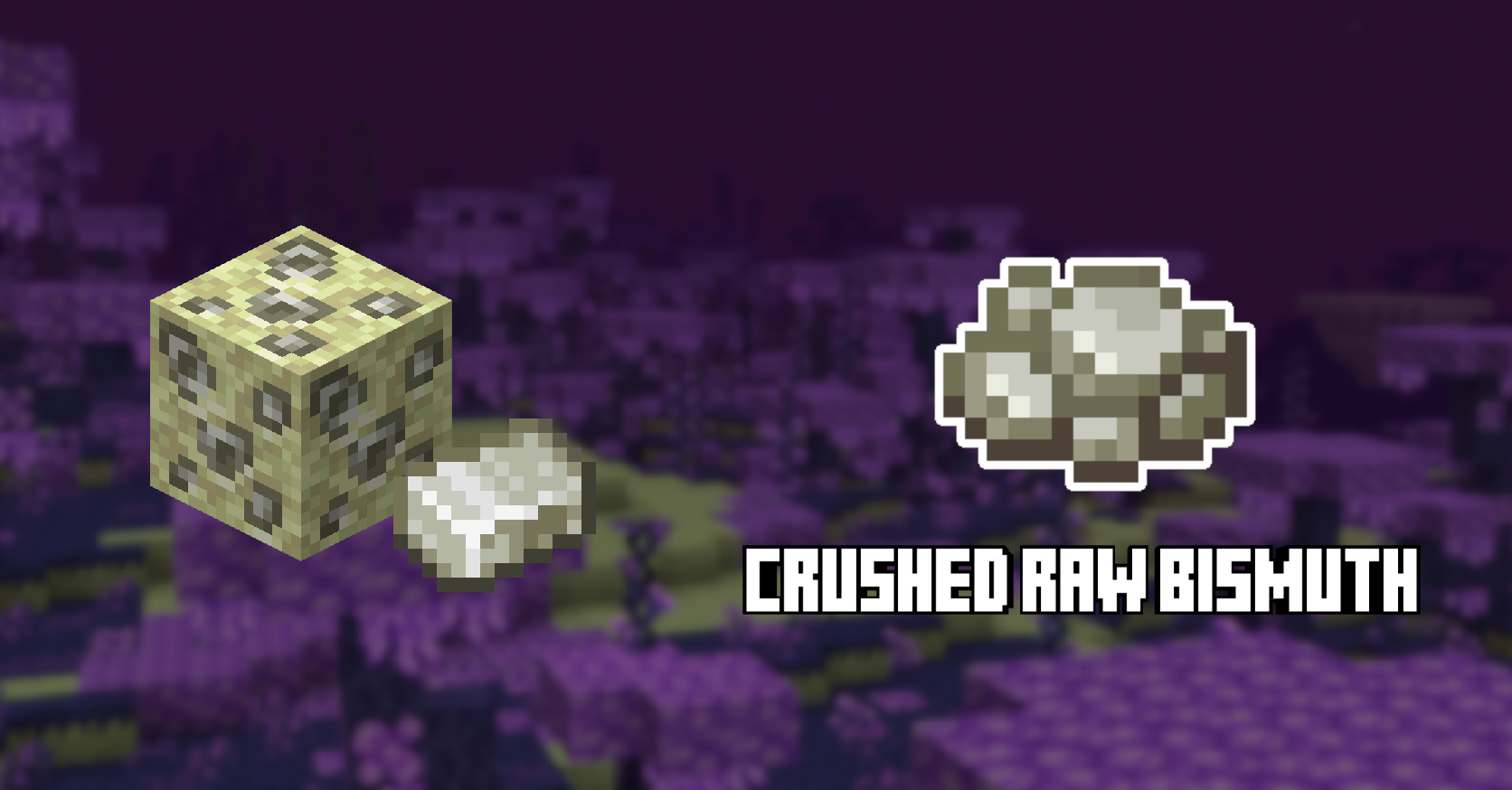
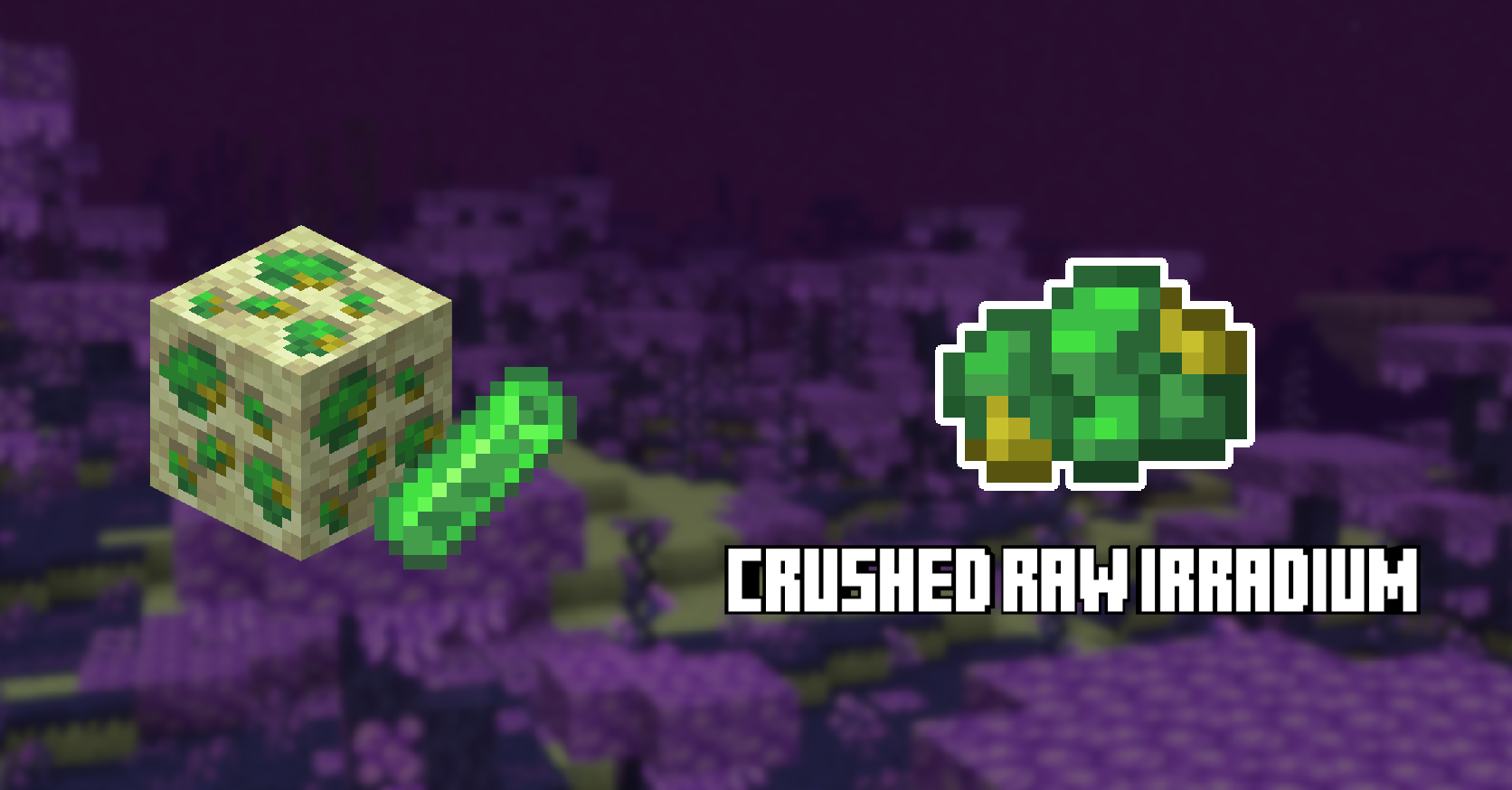
This mod adds compatibility between Create and Enlightend by adding crushed variants of Bismuth and Irradium, as well as many new recipes including crushing, smelting and blasting recipes for all ores from Enlightend.
Media
New crushed items (Bismuth)

New crushed items (Irradium)

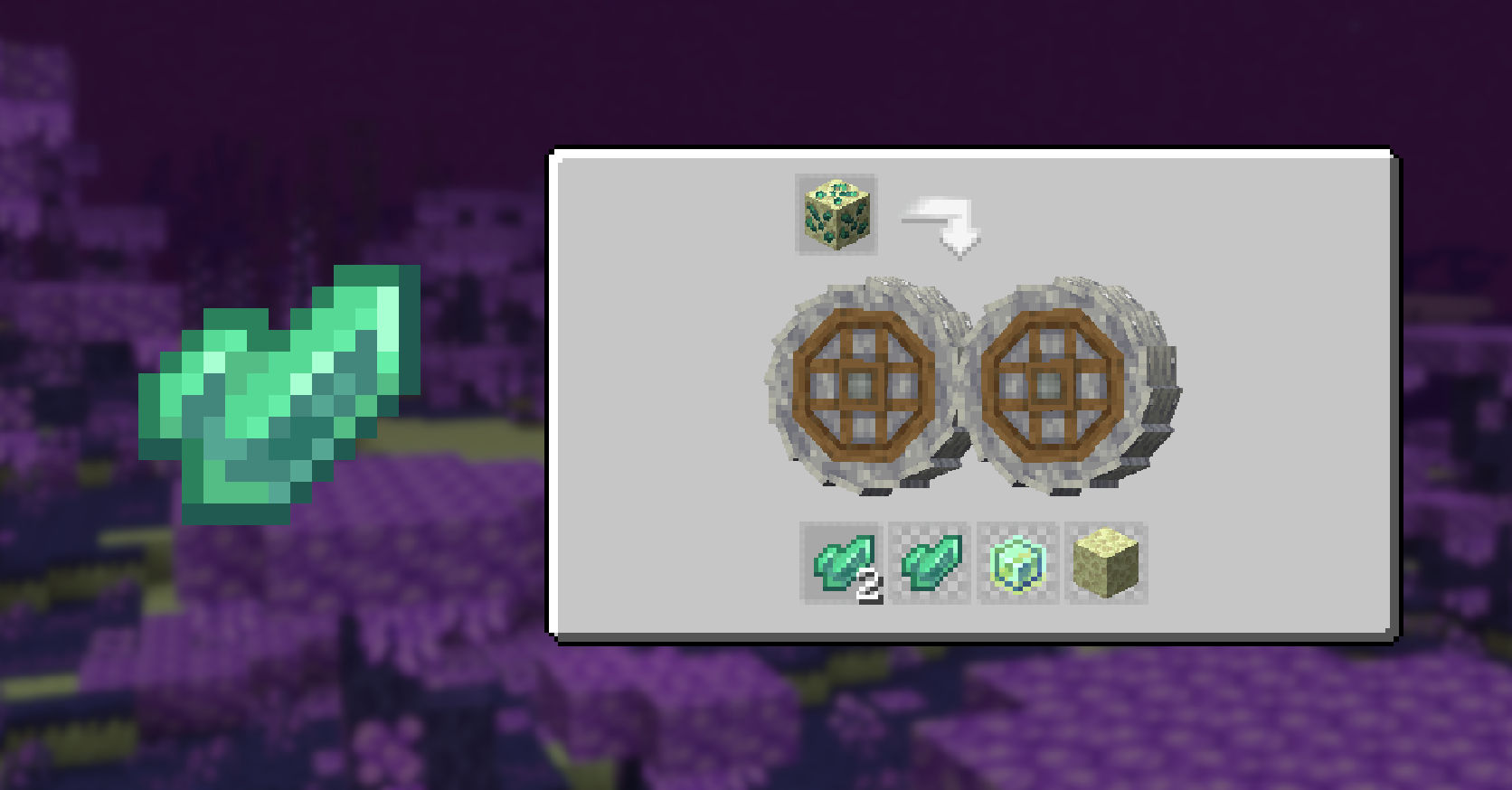
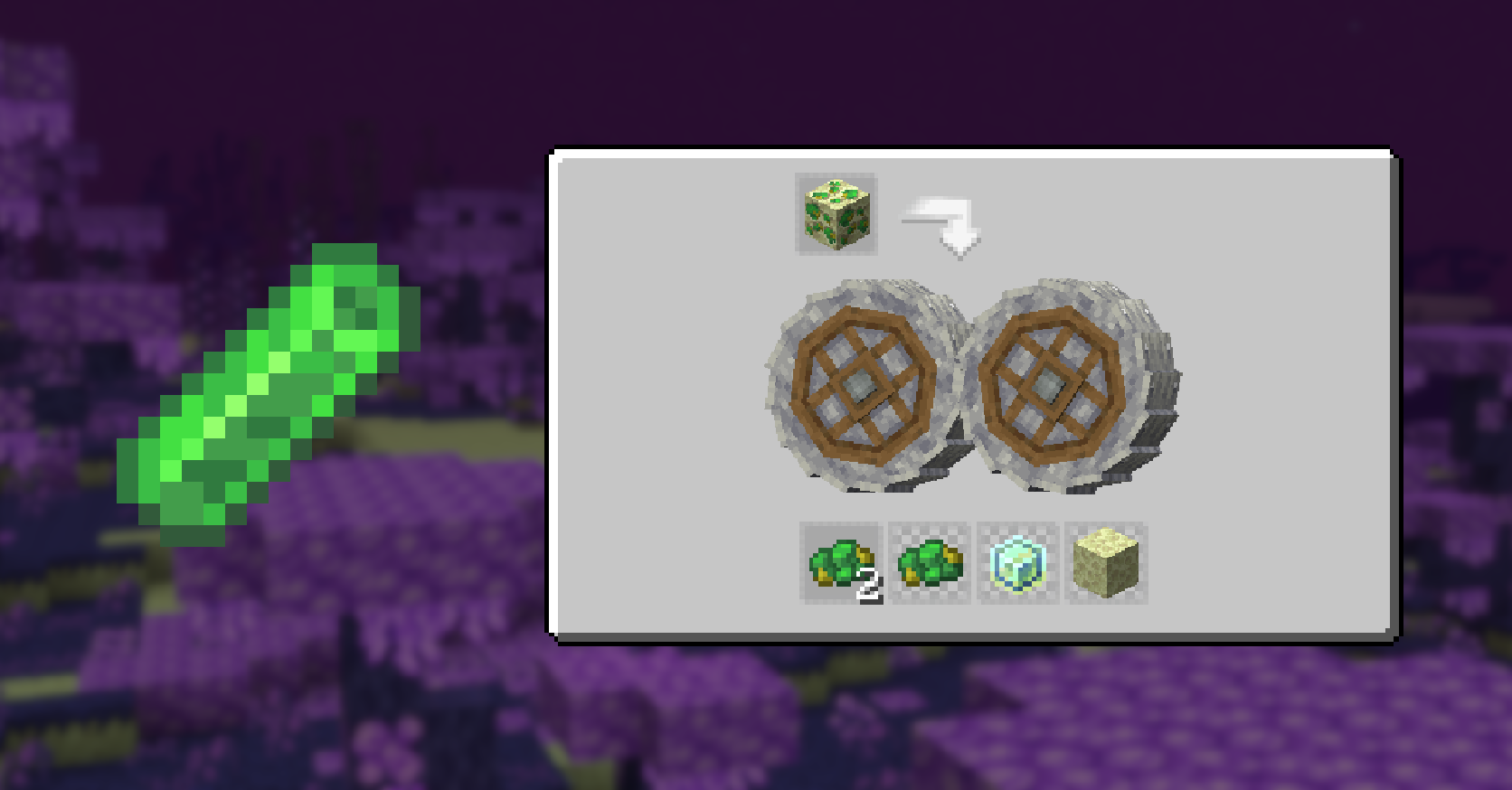
Malachite Ore processing

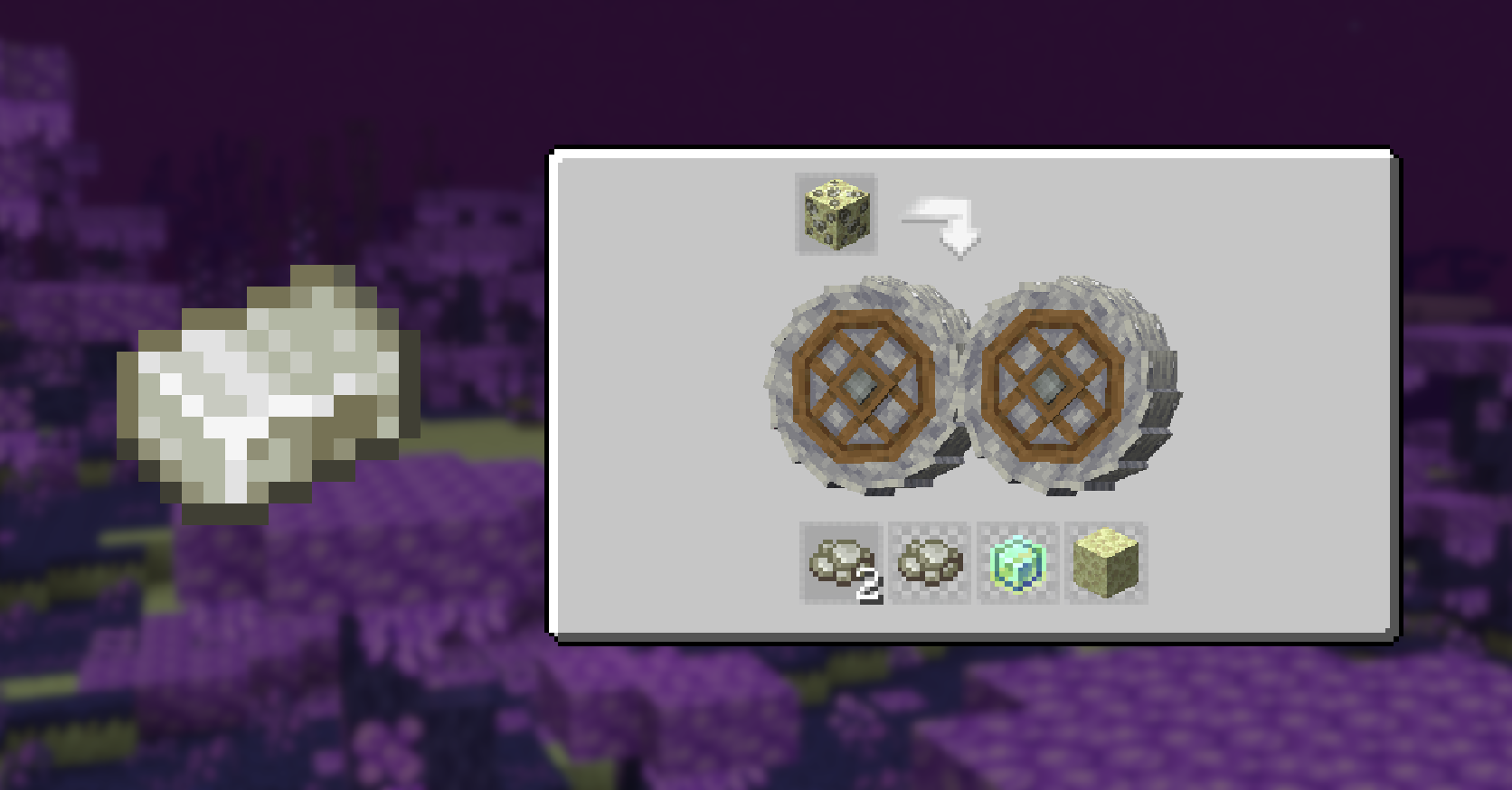
Bismuth Ore processing

Irradium Ore processing

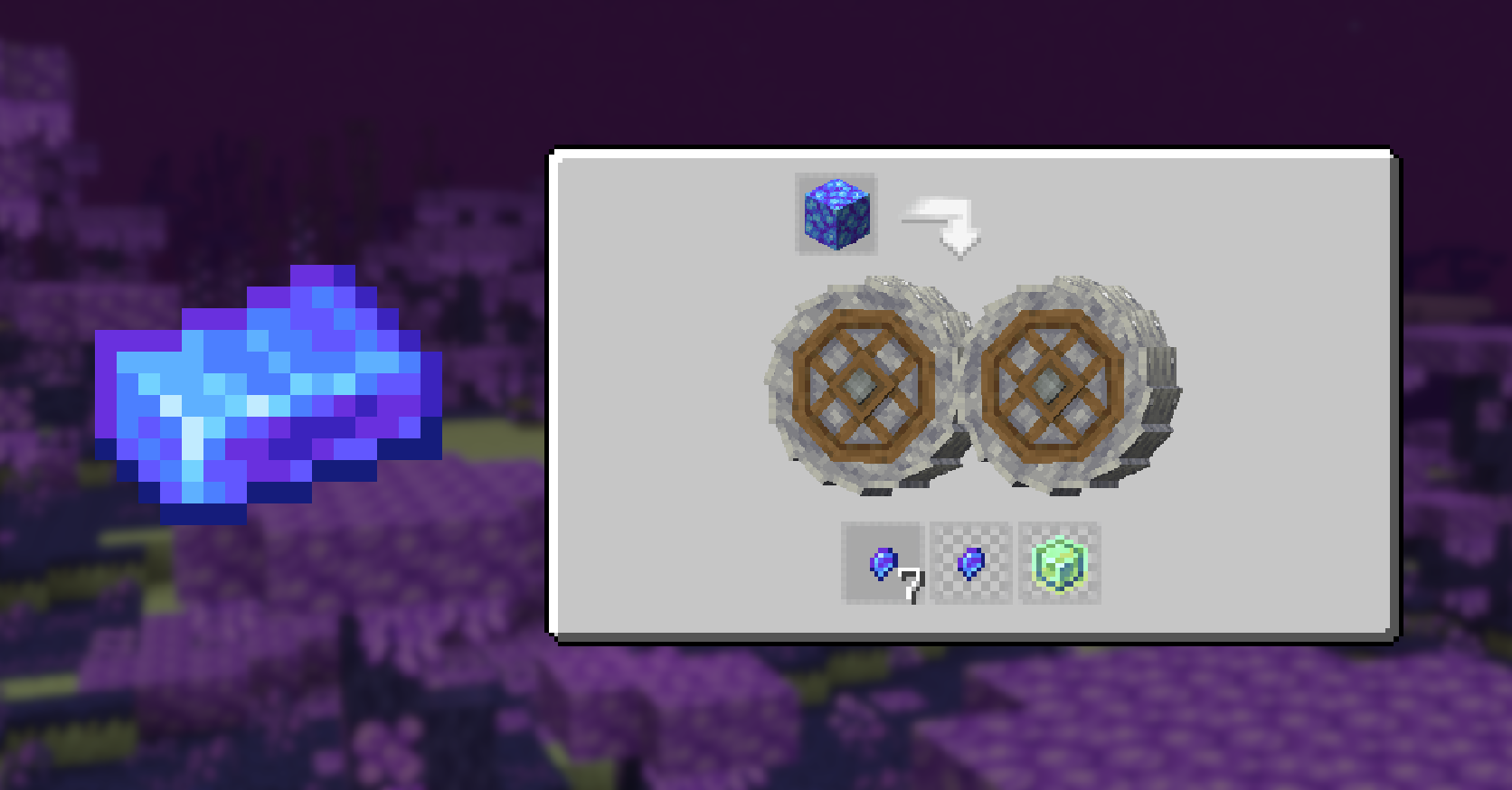
Adamantite Node processing

Full recipe list
Crushing Malachite Ore
- x2 Malachite
- x1 Malachite (25% chance)
- x1 Create Experience Nugget (75% chance)
- x1 End Stone (12.5% chance)
Crushing Bismuth Ore
- x2 Crushed Raw Bismuth
- x1 Crushed Raw Bismuth (25% chance)
- x1 Create Experience Nugget (75% chance)
- x1 End Stone (12.5% chance)
Crushing Irradium Ore
- x2 Crushed Raw Irradium
- x1 Crushed Raw Irradium (25% chance)
- x1 Create Experience Nugget (75% chance)
- x1 End Stone (12.5% chance)
Crushing Adamantite Node
- x7 Adamantite Nugget
- x1 Adamantite Nugget (75% chance)
- x1 Create Experience Nugget (75% chance)
Smelting Crushed Raw Bismuth
- x1 Bismuth Ingot (200 ticks)
- 1.0 Experience
Smelting Crushed Raw Irradium
- x1 Irradium Bar (200 ticks)
- 1.0 Experience
Blasting Crushed Raw Bismuth
- x1 Bismuth Ingot (100 ticks)
- 1.0 Experience
Blasting Crushed Raw Irradium
- x1 Irradium Bar (100 ticks)
- 1.0 Experience
Dependencies
You must install both Create and Enlightend for this mod to work.
JEI is recommended but not required.
Installation
Add the .jar mod file into your mods folder.
Alternatively, you can browse the CurseForge launcher for the mod (if it doesn't show up, try typing the autor's name). Once found, click "Install" to add it to your modpack.
Permissions
You are free to include this mod in any modpack, public or private.
Support my work
 Download my projects on CurseForge
 Download my projects on Modrinth
Donate on Paypal
- Edition: Minecraft Java
- File type: .jar
- Minecraft versions listed: 1.20.1, 1.20, 1.19.2
- How to install: Install the matching mod loader (Forge, Fabric or NeoForge) for your Minecraft version. → Download the .jar. → Put it in the .minecraft/mods folder and launch that loader profile.
- Where to get it: Opens on CurseForge — not every file is mirrored on our own servers.
Install steps are the general flow for this file type — How to install Minecraft Java mods & modpacks walks through it step by step.
- Ships as create_enlightend-1.0.0-forge-1.20.1.jar — drop this file into the mods folder
- Download size: 453 KB
- Download link checked 27 Sept 2026 — working
These come from our own check of the pack file, not from the source page.