
VideoCmd
The mod adds a new command /video, which allows you to display a video on the player’s screen.
⬇ Download on Modrinth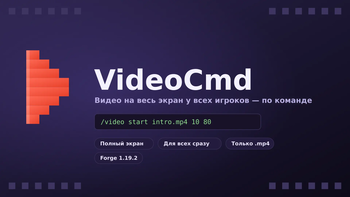
VideoCmd
Displays an mp4 video full-screen for all players simultaneously — via a command. Suitable for intros at spawn, cutscenes on maps, videos at events, advertising in-game events, etc. Brief description (for a card on Modrinth) Plays an mp4 video full-screen for all players at once, via simple commands /video start and /video stop. What it can do Full-screen overlay with video over the player’s interface (black bars on the sides; if the video’s aspect ratio doesn’t match the screen, the image isn’t distorted) Launching the video simultaneously for all players on the server with a single command Customizable playback duration — the video can be stopped after N seconds, even if the file itself is longer; you can also leave it unspecified — in that case, it will play through to the end once and then stop without looping Customizable volume Forced stop for all players with the /video stop command Auto‑completion of video file paths directly in the chat (Tab) — inserts a list of files from the video folder. Format check — accepts only .mp4, nothing else. command will reject with a clear error. Support for subfolders inside the video folder (for example, trailers/teaser.mp4) Commands:
/video start <path> [time] [volume]
/video stop
<path> — the path to the file inside the video folder, for example, intro.mp4 or trailers/teaser.mp4
[time] — how many seconds to play the video, then it will stop on its own (optional, by default — play until the end of the file)
[volume] — 0–100 (optional, default is 100)
/video stop — immediately stops and closes the video for all players
The player can also close the video locally using the End key.
Where to place the video
For players: .minecraft/video/ (the folder is created automatically the first time the game is launched with the mod)
To the server: <server folder>/video/
Requirements Forge 1.19.2, build version 43.3.0 or newer from the 43.x branch FancyVideo-API (forge, 1.19.2) — a mandatory client dependency; it is this that decodes mp4 via VLCJ and the built‑in VLC. Without it, the video will not be displayed. Not required on the server. Video format — only .mp4 Technical notes Native decoding via FancyVideo-API works out of the box on Windows; on other OSes, additional configuration may be required — see the FancyVideo-API page. The video is rendered in the file’s native resolution; no additional compression/downscaling is performed by the mod. Video decoding — FancyVideo-API by author Nick1st (VLCJ + VLC) License MIT
- Ships as KtsVideoCmd-1.0.0.jar — drop this file into the mods folder
- Download size: 22 KB
- Download link checked 17 Aug 2026 — working
These come from our own check of the pack file, not from the source page.