🌦️ Nazarick Seasons — Dynamic Seasons & Environment
Nazarick Seasons adds dynamic seasons, a custom calendar, temperature, biome-based weather, regional fog and sandstorms, HUD info, and Vibrant Visuals…
⬇ Download on CurseForge


🌦️ Nazarick Seasons — Dynamic Seasons, Climate & Survival
Nazarick Seasons is an evolving environmental and seasonal overhaul for Minecraft Bedrock Edition, designed to make time, weather, biomes and seasons actually matter during gameplay.
From version 0.2.1 to 0.3.1, the addon has grown far beyond a simple seasonal calendar.
Seasons now interact with crop growth, biome climate, temperature, weather, day and night duration, regional atmospheric events, sleeping and player recovery, creating the foundation for a much deeper survival experience.
🌎 Four Dynamic Seasons
The world progresses naturally through:
🌸 Spring — 32 days
☀️ Summer — 36 days
🍂 Autumn — 32 days
❄️ Winter — 40 days
A complete year lasts 140 Minecraft days by default.
When Winter ends, Spring begins again and a new year is automatically registered.
Season duration can also be customized through administrative commands.
📅 Persistent Seasonal Calendar
Nazarick Seasons uses its own persistent calendar system.
The addon tracks:
-
Current season;
-
Day of the season;
-
Total world day;
-
Current year;
-
Remaining days;
-
Seasonal transitions;
-
Seasonal progression even after leaving and reopening the world.
This makes long-term survival worlds feel like they actually have a history.
A world can now experience not only days...
…but entire years.
☀️ Seasonal Day & Night Length
Daylight is no longer identical throughout the year.
The duration of daylight and nighttime changes progressively depending on the current season.
🌸 Spring
Days gradually become longer.
☀️ Summer
The longest daylight periods of the year.
🍂 Autumn
Days gradually become shorter.
❄️ Winter
Long nights and shorter daylight periods.
This creates a noticeable seasonal rhythm without requiring the player to constantly check the calendar.
🌡️ Dynamic Temperature System
Temperature is calculated dynamically according to the player's environment.
Several factors influence local temperature:
-
Current season;
-
Biome;
-
Time of day;
-
Weather;
-
Altitude;
-
Global temperature offset.
The Nether and End also use their own temperature conditions.
This means that temperature is not simply:
Winter = cold / Summer = hot.
A desert during Summer, a snowy mountain during Winter and a jungle during a storm can produce very different environmental conditions.
Temperature currently acts as the foundation for future survival systems.
🌦️ Biome-Based Climate
Starting with the newer versions, climate behavior has become increasingly dependent on the biome where the player is located.
Different regions can produce different environmental conditions.
For example:
🏜️ Dry biomes favor hot and dry conditions.
🌴 Jungles favor humid weather, rain and tropical atmosphere.
🐊 Swamps can become humid, misty and visually denser.
❄️ Cold biomes can experience snow and stronger winter conditions.
🌲 Temperate biomes maintain more moderate environmental behavior.
This system allows two players in different parts of the same world to experience very different weather and atmospheric conditions.
🌫️ Regional Weather & Atmospheric Events
Weather is no longer purely global from the player's perspective.
Nazarick Seasons introduces biome-dependent regional atmosphere and environmental events.
🌴 Jungle
Jungle, Sparse Jungle and Bamboo Jungle can experience:
-
Tropical fog;
-
Increased atmospheric humidity;
-
Fog during rain and storms;
-
Occasional fog during sunrise and sunset.
🐊 Swamp
Swamp and Mangrove Swamp environments can receive:
-
Swamp fog;
-
Dense humid atmosphere;
-
Increased fog during storms;
-
Stronger atmospheric effects during sunrise and sunset.
🏜️ Desert & Badlands
Dry regions can experience:
-
Sandstorms;
-
Reduced visibility;
-
Sand particles;
-
Seasonal dry events.
Deserts and Badlands use their own atmospheric behavior instead of tropical fog.
❄️ Cold Biomes
Cold regions can experience stronger Winter weather conditions, including reduced visibility during blizzards.
🌱 Seasonal Crop Growth
Agriculture is now influenced by the seasons.
Different crops perform better during different periods of the year.
🌸 Spring
Spring favors crops such as:
-
Wheat;
-
Carrots;
-
Potatoes;
-
Beetroot.
It is one of the best periods for traditional farming.
☀️ Summer
Warm-weather crops receive better seasonal conditions.
Examples include:
-
Melons;
-
Pumpkins;
-
Sugar Cane;
-
Cactus.
🍂 Autumn
Autumn favors crops associated with the harvest season, especially:
-
Pumpkins;
-
Potatoes;
-
Selected seasonal crops.
❄️ Winter
Winter provides less favorable conditions for most crops.
Agriculture becomes more challenging compared to warmer seasons.
The seasonal agriculture system is designed to encourage players to plan farms according to the time of year instead of treating every Minecraft day exactly the same.
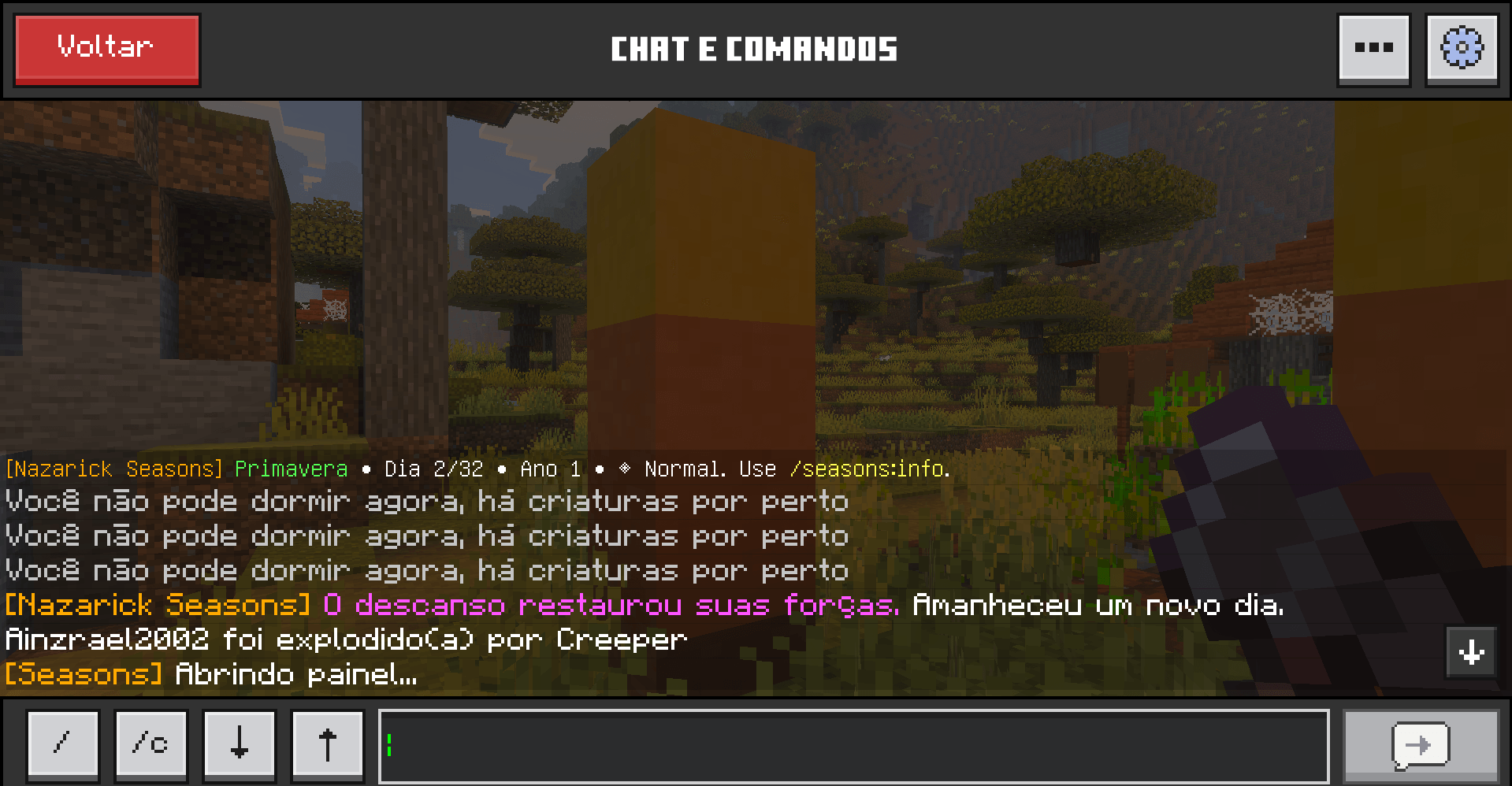
🛏️ Improved Sleeping System
Sleeping has received one of the biggest gameplay improvements in the newer versions.
Instead of sleep simply acting as an instant button to skip the night, Nazarick Seasons turns resting into an actual survival mechanic.
⏳ Sleep Duration
Sleeping now requires a short resting period before the night is skipped.
The current system uses approximately 1 minute of sleep, making the transition between night and morning much more noticeable.
During this period, the player is actually considered to be resting.
❤️ Health Recovery While Sleeping
Sleeping can now restore the player's health.
Resting is no longer only a way to escape hostile mobs or skip nighttime.
It becomes a legitimate method of recovery.
Players who go to bed injured can regain health while resting, encouraging the use of beds as part of normal survival gameplay.
💤 Sleep Progress Display
While resting, the player receives visual information indicating the sleep process.
A sleep timer helps communicate that time is passing and that the player is recovering.
The system also displays a resting message such as:
“Recover your health while resting.”
This makes sleeping feel like an actual activity instead of an instantaneous transition.
🌙 Sleeping & Seasonal Time Progression
The sleeping system has been integrated with the custom Nazarick Seasons clock.
Sleeping correctly advances the world toward morning while keeping the seasonal calendar synchronized.
This solves one of the major challenges created by replacing Minecraft's normal time progression with a custom seasonal clock.
🐺 Seasonal Ecology
Seasons can also influence the natural population of the world.
Different periods favor different types of creatures.
For example:
🌸 Spring
More passive wildlife and slightly fewer hostile creatures.
☀️ Summer
Passive creatures remain more common.
🍂 Autumn
Passive populations begin decreasing while hostile activity increases.
❄️ Winter
Common animals become less frequent while cold-adapted creatures and hostile mobs become more relevant.
Examples include:
-
Wolves;
-
Foxes;
-
Rabbits;
-
Skeletons;
-
Zombies;
-
Strays.
This creates subtle ecological differences throughout the year.
🖥️ Seasonal HUD
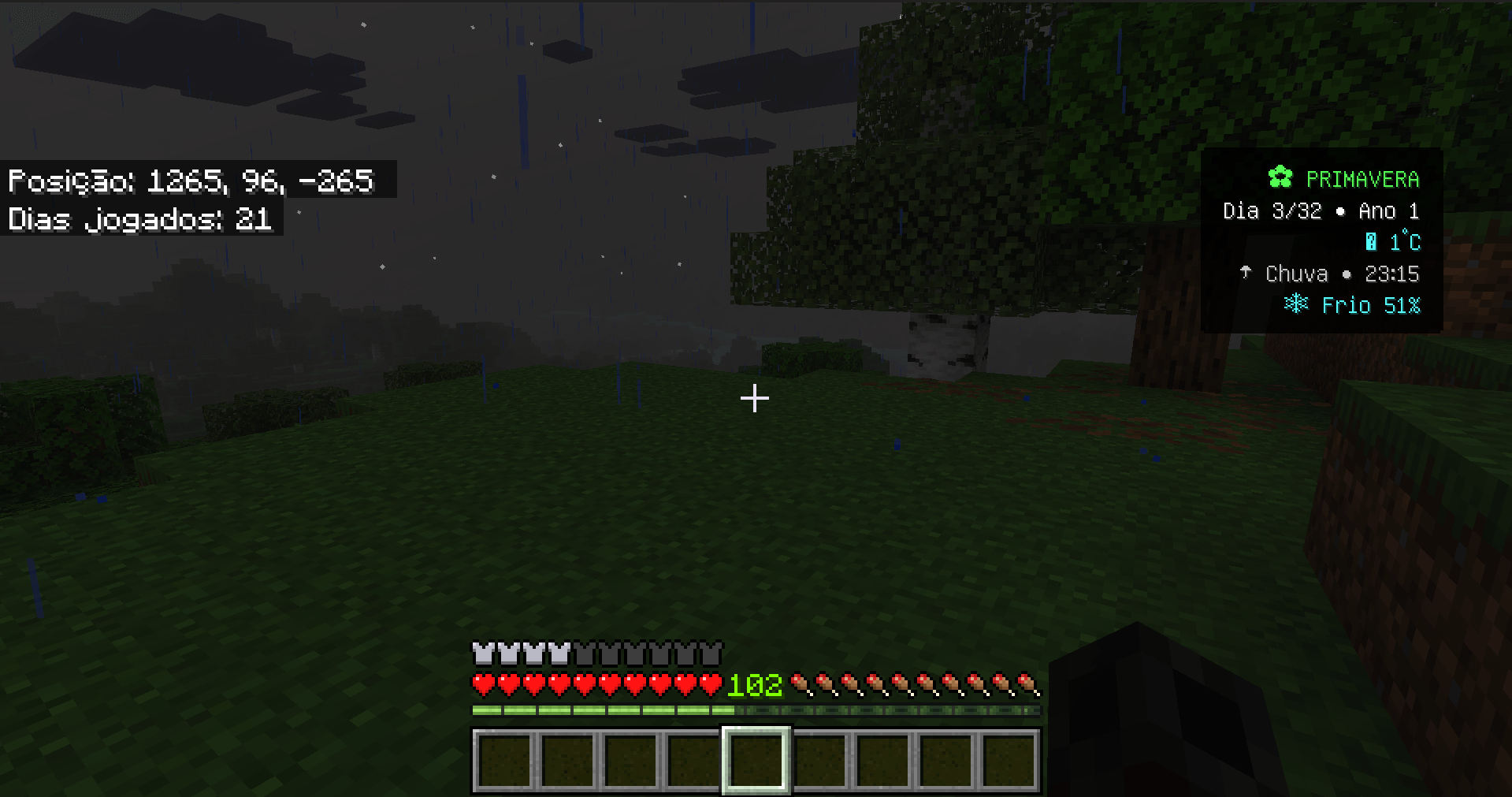
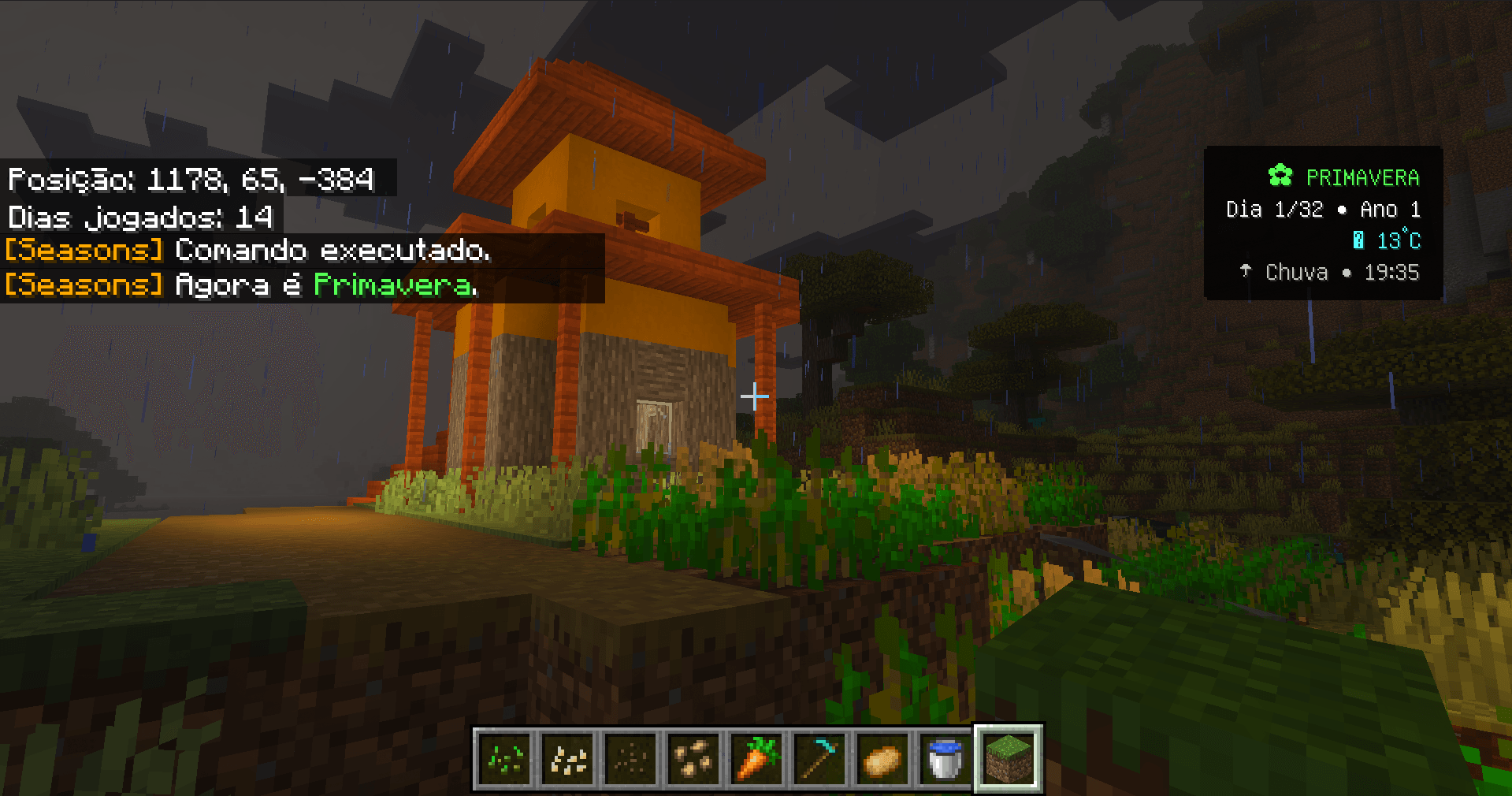
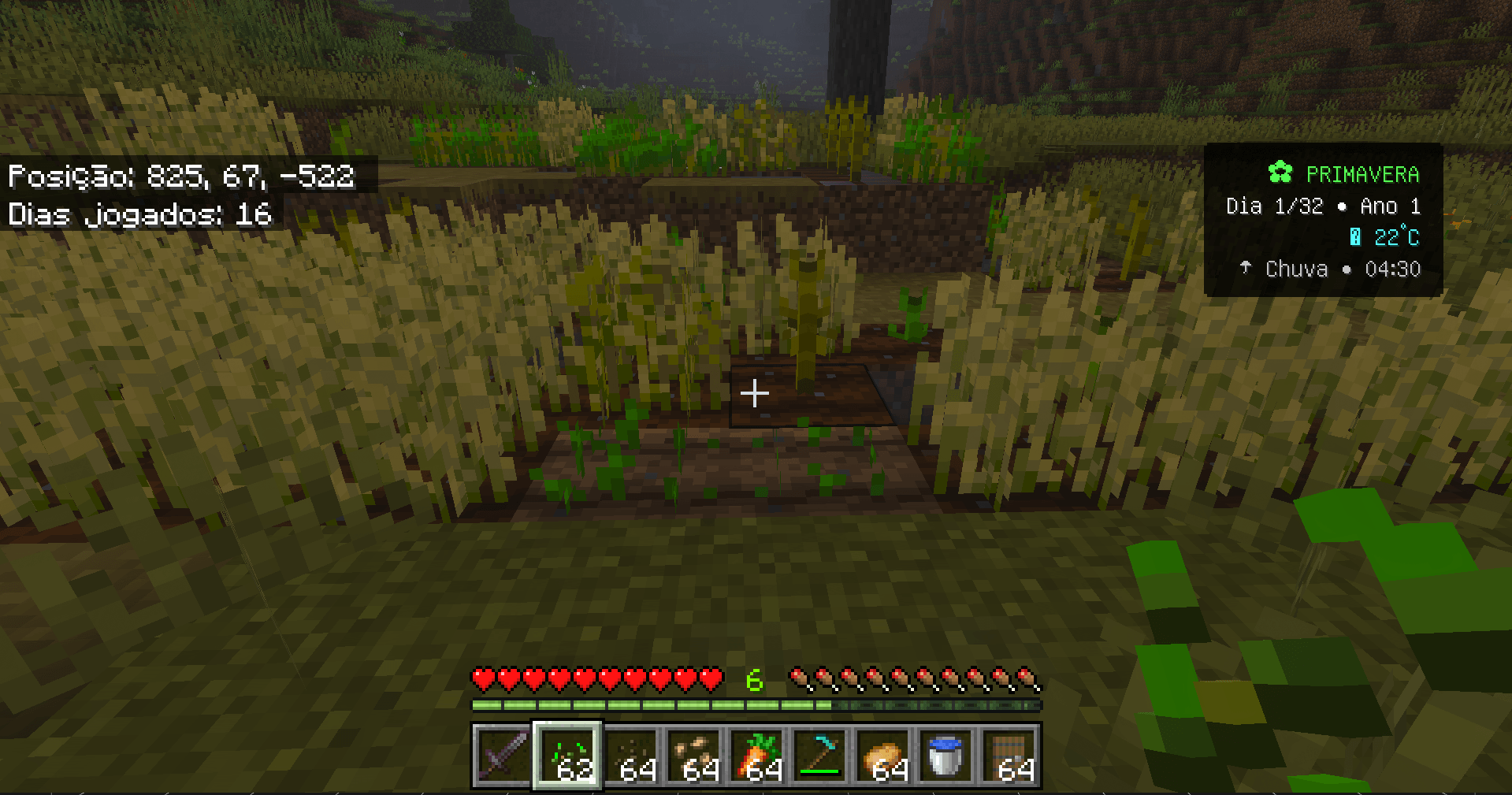
Nazarick Seasons includes an integrated environmental HUD positioned in the upper-right corner of the screen.
Depending on the current configuration, the HUD can display:
-
🌸 Current season;
-
📅 Season day;
-
🌎 Current year;
-
🌡️ Local temperature;
-
🌦️ Weather;
-
🕒 Current time.
Players can enable or disable the HUD when desired.
The interface is designed to remain compact and avoid covering important parts of the normal Minecraft HUD.
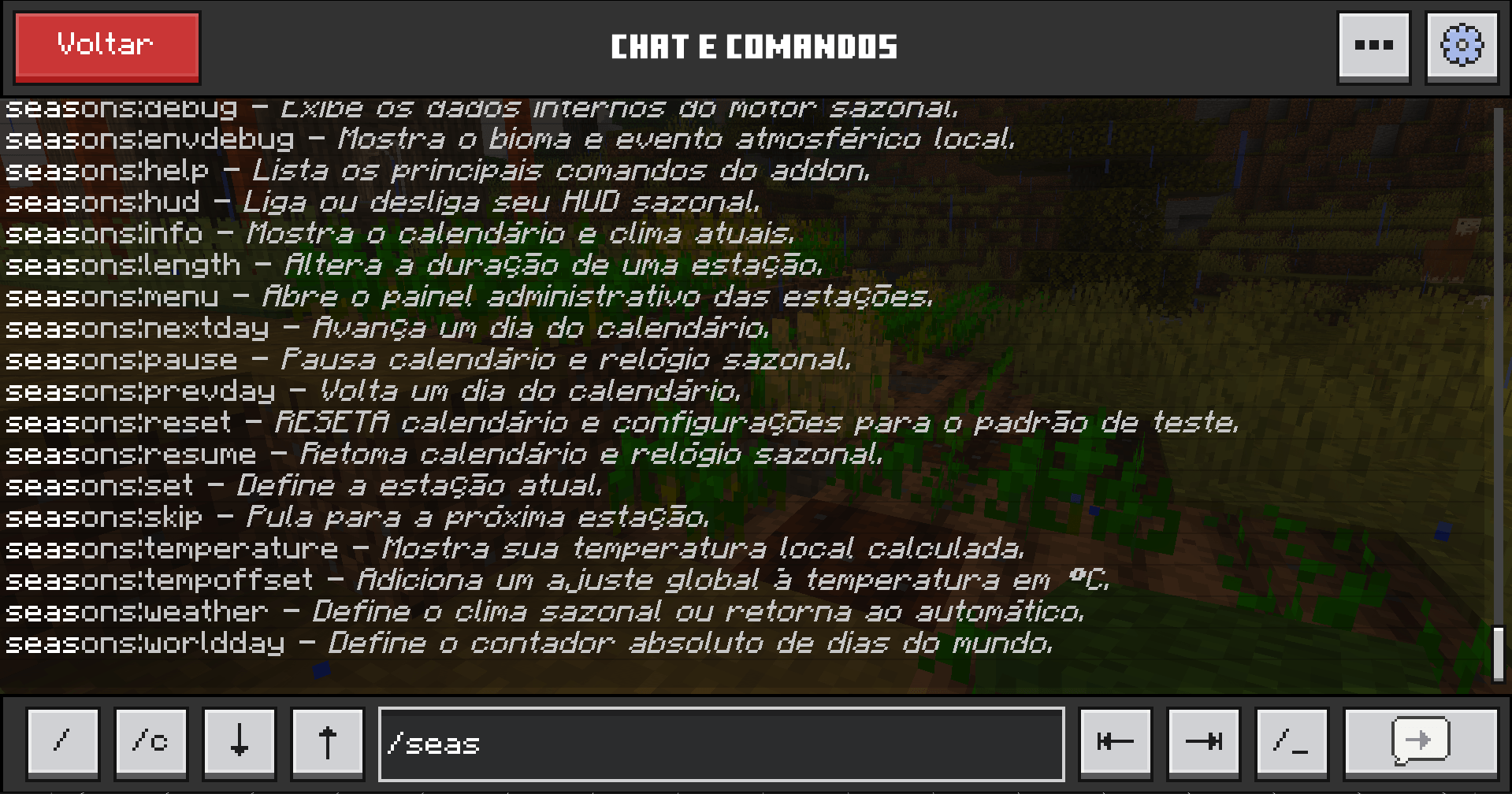
🎮 Player Commands
Seasonal Information
/seasons:info
Displays information about the current season, calendar and environment.
HUD
/seasons:hud on
Enables the seasonal HUD.
/seasons:hud off
Disables the seasonal HUD.
Temperature
/seasons:temperature
Displays detailed local temperature information.
Atmosphere
/seasons:atmosphere on
Enables regional atmospheric effects.
/seasons:atmosphere off
Disables regional atmospheric effects for the player.
Help
/seasons:help
Displays available commands.
👑 Administrator Commands
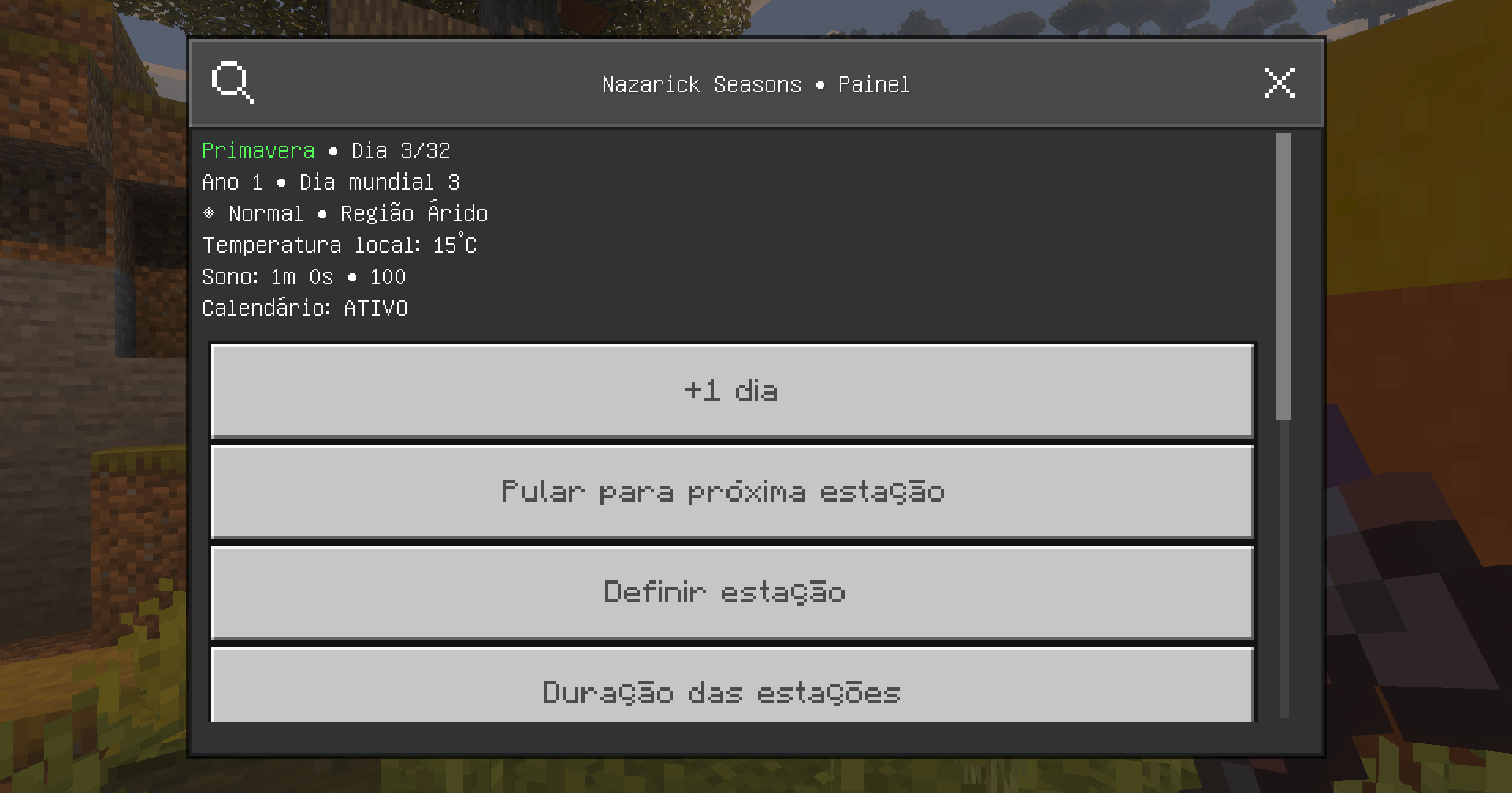
Nazarick Seasons also includes several tools for server owners, map creators and world administrators.
Administration Menu
/seasons:menu
Change Season
/seasons:set <season>
Example:
/seasons:set winter
Change Seasonal Day
/seasons:day <number>
Change World Day
/seasons:worldday <number>
Change Season Duration
/seasons:length <season> <days>
Example:
/seasons:length winter 40
Advance One Day
/seasons:nextday
Previous Day
/seasons:prevday
Skip Current Season
/seasons:skip
Pause Seasonal Progression
/seasons:pause
Resume Seasonal Progression
/seasons:resume
Weather Control
/seasons:weather <type>
Supported environmental states may include:
auto
clear
rain
storm
snow
blizzard
Global Temperature Adjustment
/seasons:tempoffset <degrees>
Environment Debug
/seasons:envdebug
Displays biome and environmental information useful for testing regional climate behavior.
Debug
/seasons:debug
Displays internal seasonal system information.
Reset
/seasons:reset
Resets the seasonal system configuration.
✨ Vibrant Visuals Compatibility
Nazarick Seasons continues to be developed with Minecraft Bedrock Vibrant Visuals compatibility as an important priority.
The Resource Pack maintains PBR compatibility and avoids replacing the modern rendering pipeline unnecessarily.
Instead, seasonal atmosphere is created through systems such as:
-
Regional fog;
-
Weather;
-
Sandstorms;
-
Particles;
-
Visibility changes;
-
Seasonal daylight duration;
-
Environmental conditions.
This allows Nazarick Seasons to complement Minecraft's modern lighting instead of attempting to replace it.
Vibrant Visuals availability still depends on Minecraft version, device and hardware support.
🆕 Evolution from v0.2.1 → v0.3.1
The 0.3.x generation represents a major step toward the original vision of Nazarick Seasons.
Among the systems developed and improved since version 0.2.1 are:
-
🌱 Expanded seasonal crop growth;
-
🌦️ More biome-dependent climate behavior;
-
🌡️ Improved environmental temperature logic;
-
🌫️ Regional weather and atmospheric effects;
-
🏜️ Sandstorms in dry regions;
-
❄️ Cold biome and blizzard behavior;
-
☀️ Seasonal daylight and nighttime variation;
-
🐺 Seasonal ecological changes;
-
🛏️ Reworked sleeping mechanics;
-
⏳ Noticeable sleep duration;
-
❤️ Health recovery while resting;
-
💤 Sleep progress feedback;
-
🌙 Correct night progression through sleeping;
-
🖥️ Improved environmental information;
-
✨ Continued Vibrant Visuals compatibility;
-
⚙️ Additional debugging and administration tools;
-
🔧 Multiple stability and environmental behavior improvements.
Nazarick Seasons is gradually becoming more than a visual seasons addon.
The goal is to create an interconnected ecosystem where:
Season affects climate.
Climate affects temperature.
Temperature affects the environment.
The environment affects agriculture and survival.
And ultimately...
the player must adapt to the world.
🔮 What's Next?
The systems introduced between 0.2.1 and 0.3.1 provide the foundation for more advanced survival mechanics.
Future development is planned around features such as:
🔥 Extreme heat exposure;
❄️ Hypothermia and extreme cold;
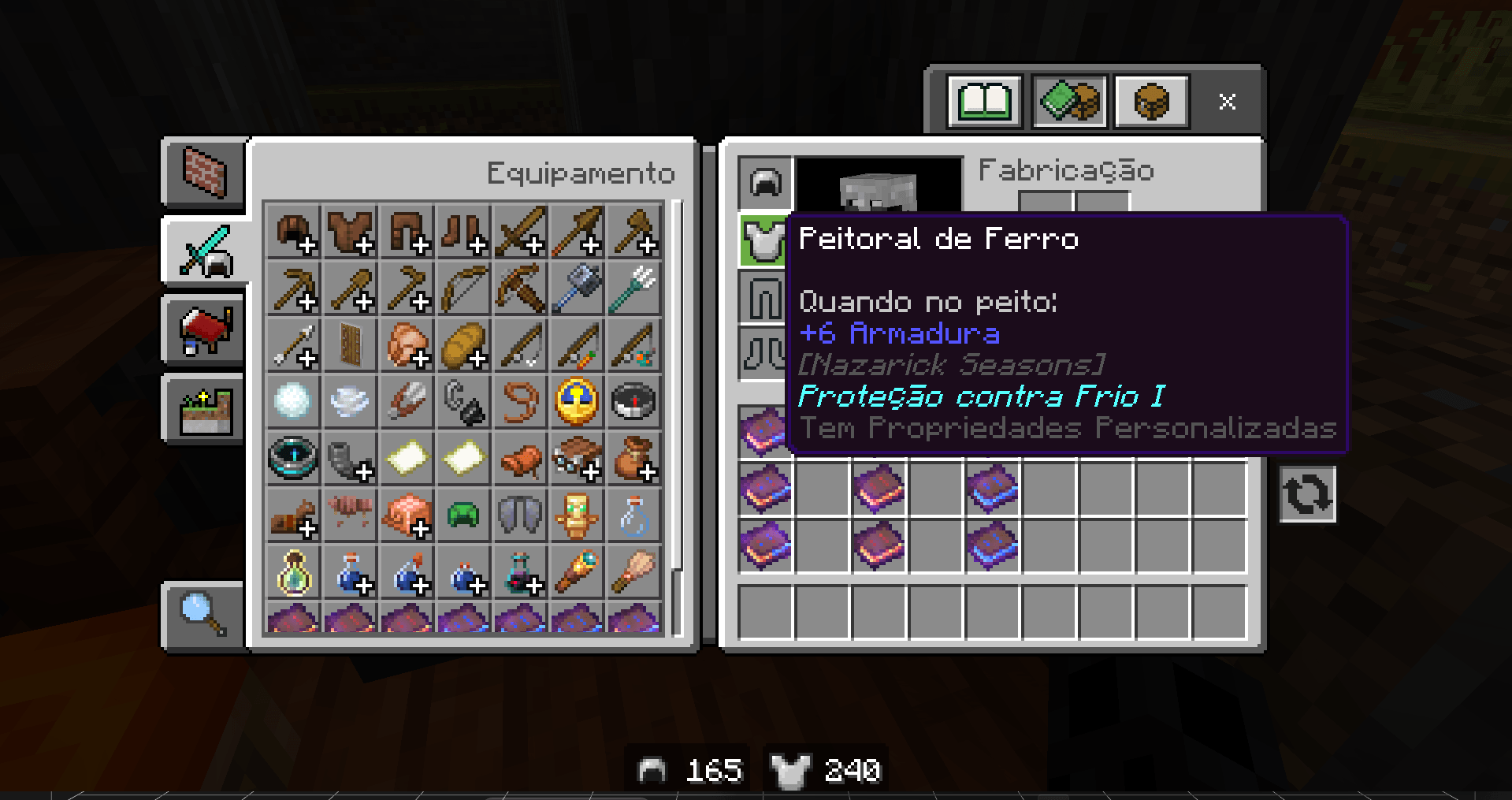
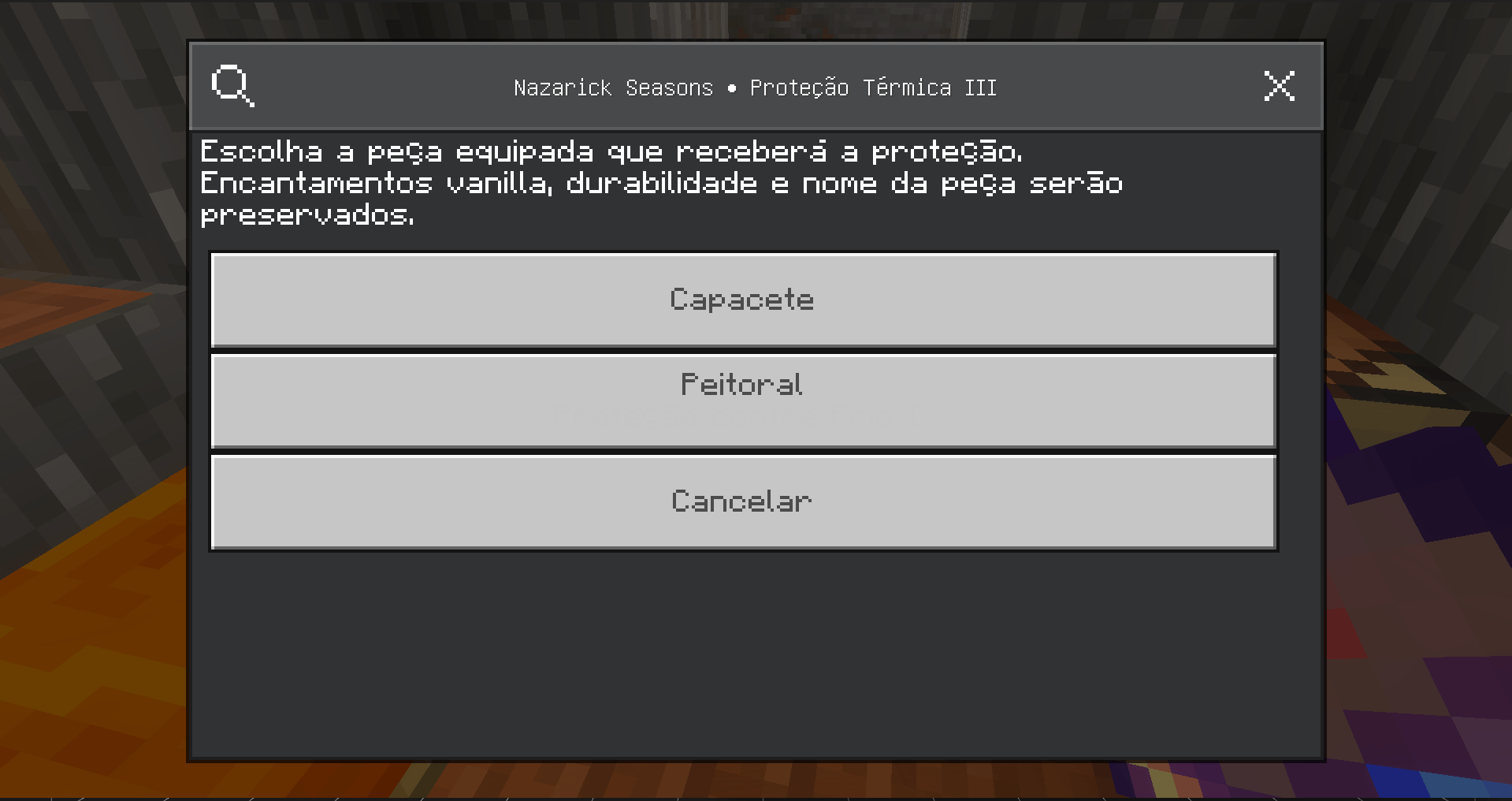
🧥 Armor and clothing temperature protection;
🏠 Shelter and indoor temperature;
🔥 Campfires and other heat sources;
💧 Cooling systems;
🌾 Deeper agriculture mechanics;
🌦️ More advanced regional weather;
🌡️ Player body temperature;
🍲 Food and drinks interacting with temperature;
🌍 More biome-specific environmental behavior;
and deeper interaction between seasons, climate, survival and exploration.
🏰 Nazarick Seasons
The world no longer simply changes its appearance. It changes the way you survive.
Nazarick Seasons is still under active development.
Feedback, bug reports and suggestions are extremely valuable as the addon continues evolving.
- Pack type: .mcaddon — behaviour and resource pack in one file
- Download size: 269 KB
- Download link checked 17 Aug 2026 — working
These come from our own check of the pack file, not from the source page.