
Scrap Redux
Stop storing trash on your chests, transform your trash in a treasure with the Scrap Compressor making something useless in something useful.
⬇ Download
Have too many useless items cluttering your chests? Turn your trash into treasure! The Block Compressor introduces a fully functional custom machine with an advanced UI to recycle your unwanted items into useful Scrap Blocks.
Scrap Compressor
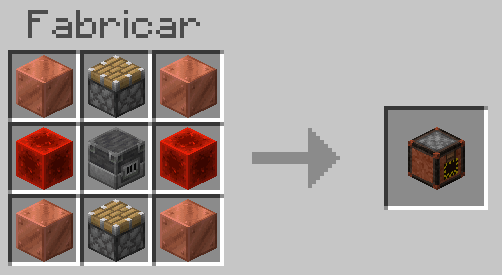
This block works to compress all of your trash, such as dirt, gravel, diamonds, into a compressed scrap block that you can use to melt it down into a Scrap Brick, with it you can create a full set of tools.

This menu can only be opened from the front of the compressor block.
Scrap Brick
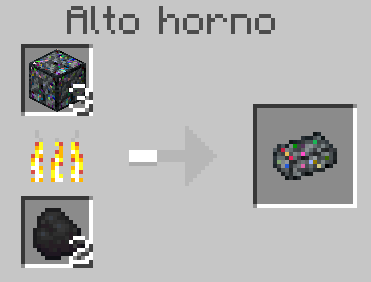
With the scrap block that you obtain of the scrap compressor, you can smelt it in a oven to obtain the scrap brick
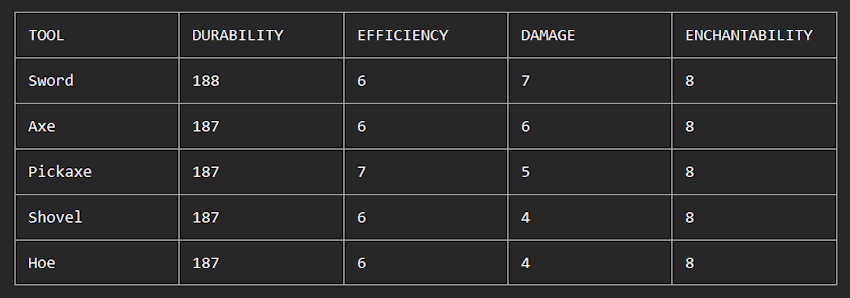
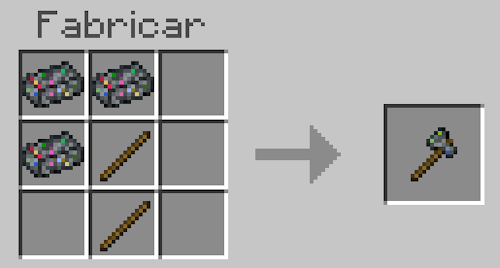
With this item, you'll be able to create a full set of tools that resembles the iron tools.
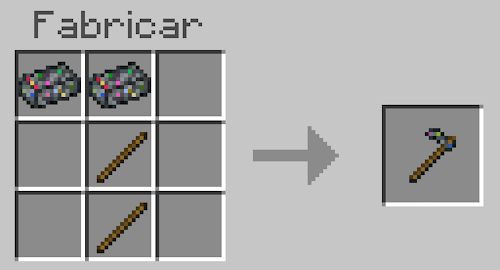
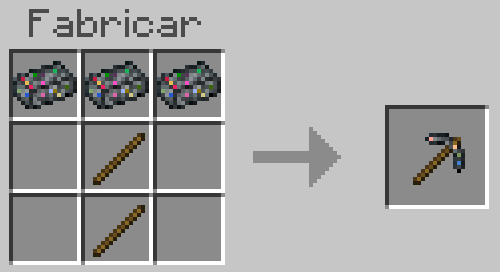
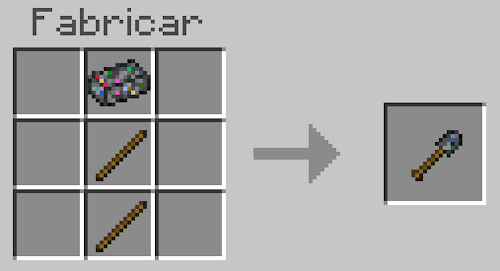
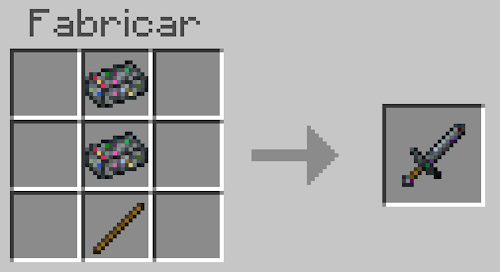

- Edition: Minecraft Bedrock
- File type: .mcpack or .mcaddon
- Minecraft versions listed: 1.21.101, 1.21.100, 1.21.111
- How to install: Download the .mcpack or .mcaddon file. → Open it — Minecraft imports it. → In your world: Behavior Packs → Available → Activate, then the same under Resource Packs.
- Where to get it: In MCModsHub, or directly above on this page.
Install steps are the general flow for this file type — How to install Minecraft Bedrock addons & mods walks through it step by step.
- Pack type: .mcaddon — behaviour and resource pack in one file
- Complete pack — everything it depends on is inside the file
- Download size: 32 KB
- Download link checked 18 Aug 2026 — working
These come from our own check of the pack file, not from the source page.