TerraMath
Java mod listed for Minecraft 1.20–1.21. Downloads from the MC Java Mods app on Android.
I don't know my version or loader







Description
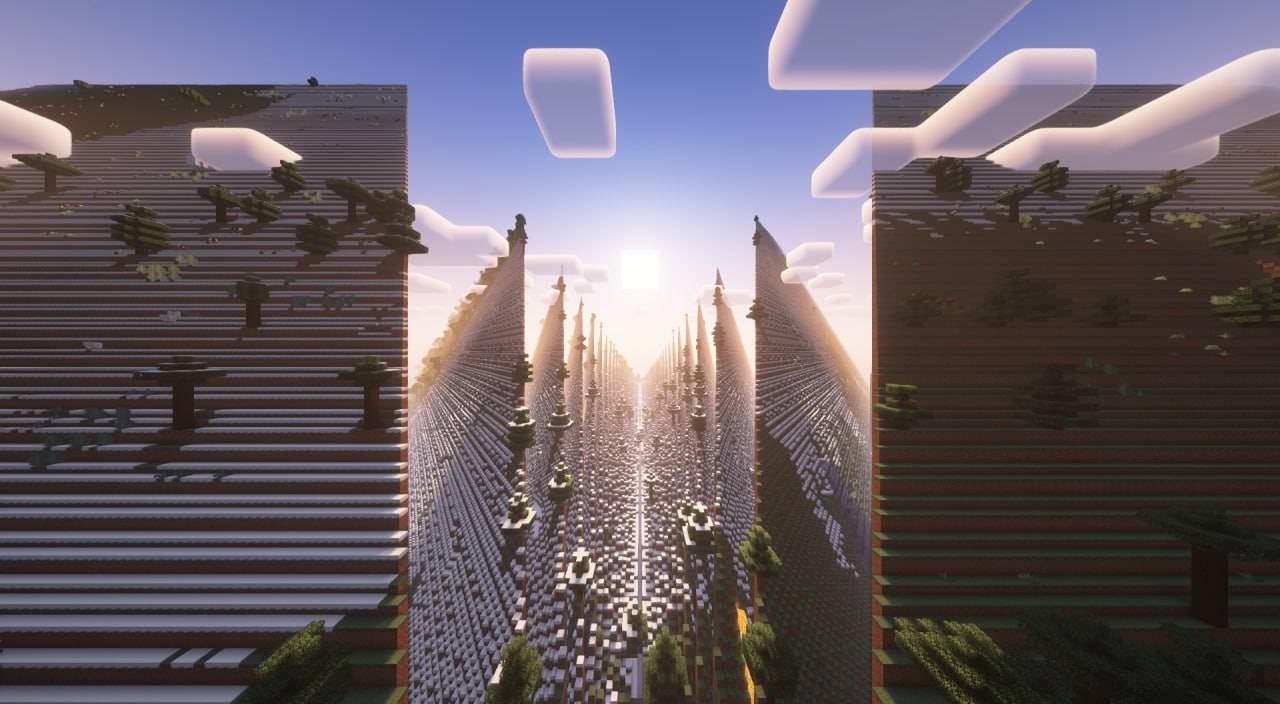
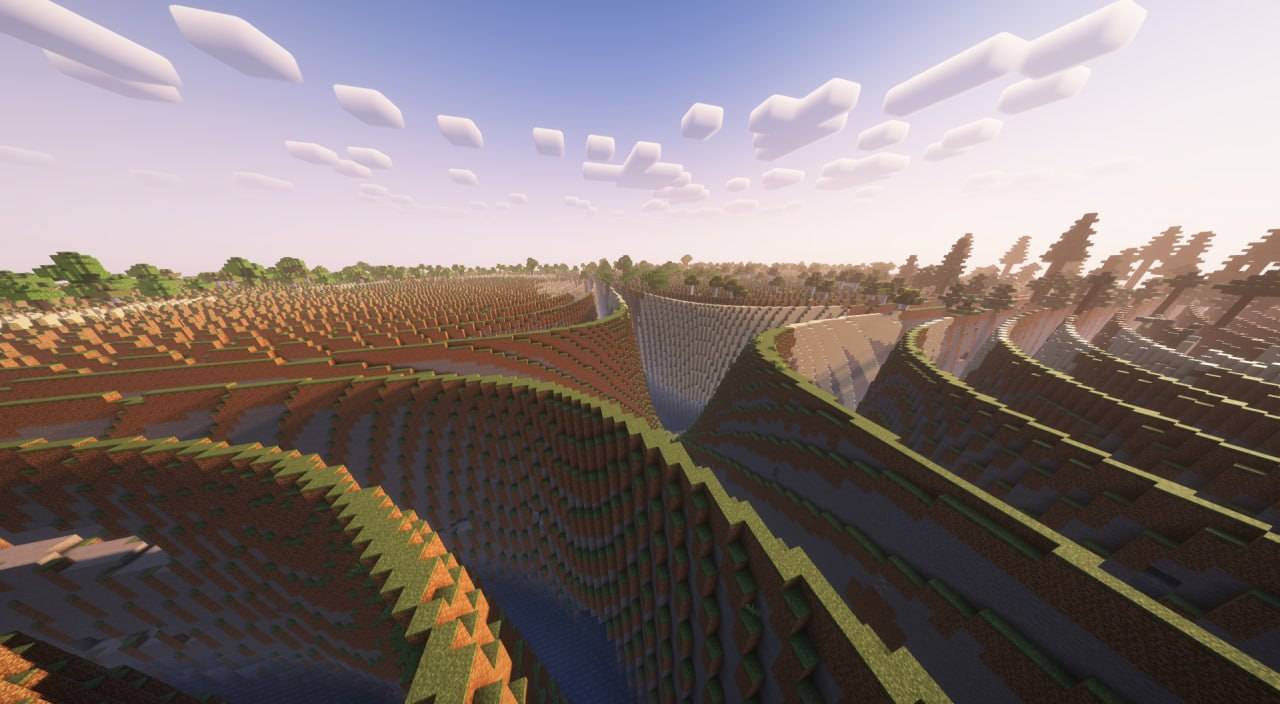
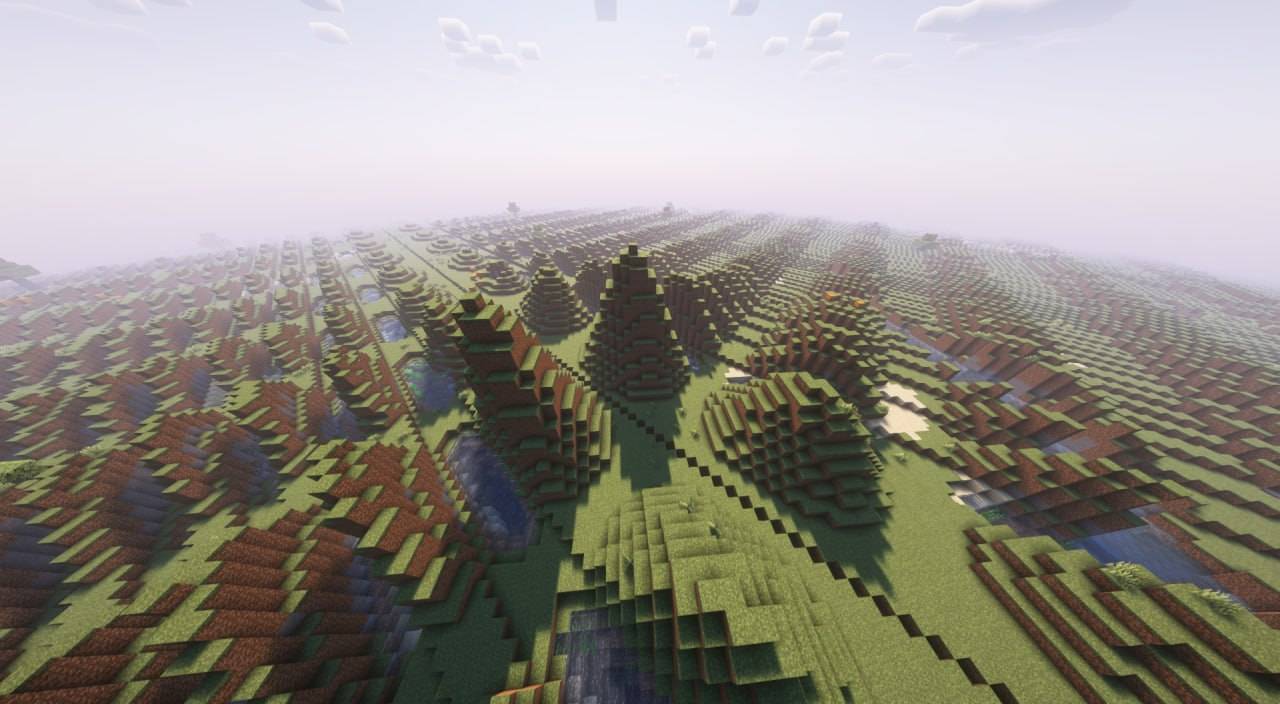
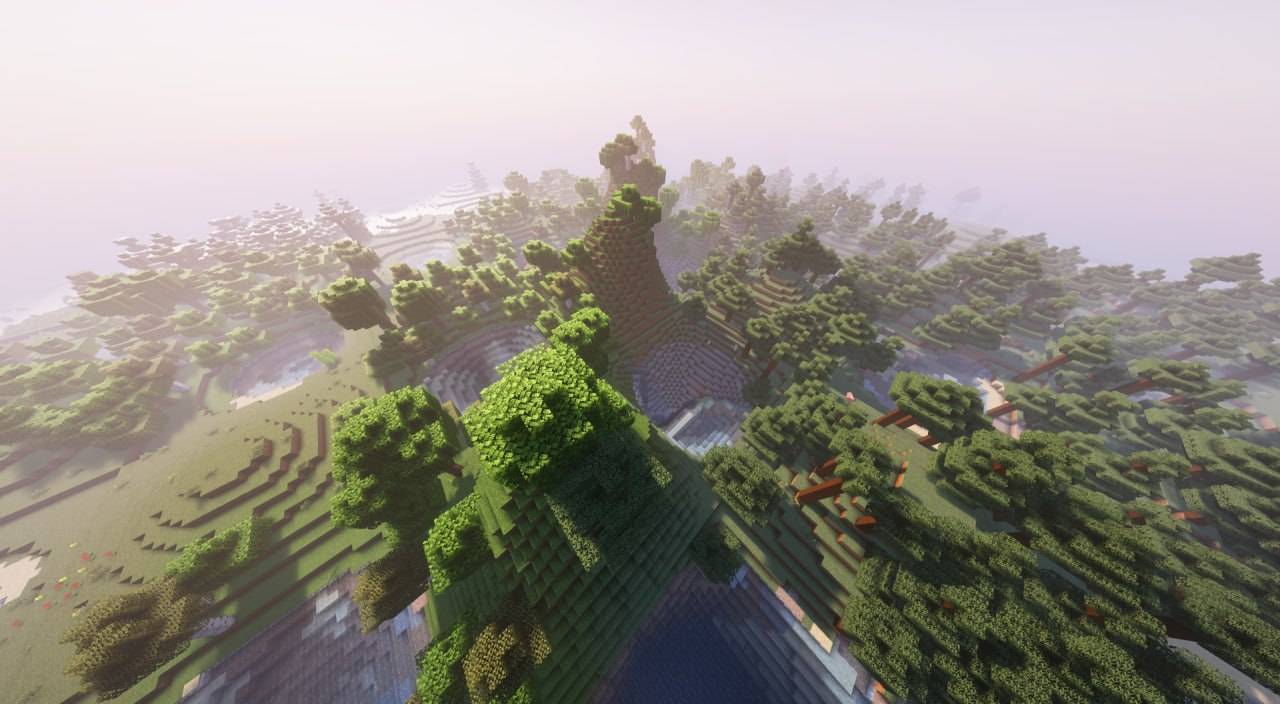
TerraMath is a Minecraft 1.20 - 1.21.x mod that allows you to customize world generation using mathematical functions. Create unique landscapes by defining terrain height through mathematical formulas!
You can also join my Discord to find more formulas or share yours.
Features
- Custom world generation through mathematical formulas
- Adjustable basic generation parameters (scale, height, variation, smoothing)
- Configurable noise overlay on top of your base formula
- Support for mathematical constants in formulas
How to Use on Client
- World generation settings interface
Parameter Configuration
- Go to "World" tab in world creation screen
- Open the terrain settings screen
- Enter your desired formula in the field
- Adjust additional parameters (optional):
- Scale
- Base Height (determines average surface level)
- Height Variation (amplitude of changes)
- Smoothing (terrain transition smoothness)
- Choose noise type and settings (optional):
- Noise type: Perlin, Simplex, Blended, Normal
- X, Y, Z coordinate multipliers
- General noise height multiplier
How to Use on Server
- Start the server with TerraMath mod installed
- Check the config folder, there will be a
terramath.jsonfile - Set the necessary parameters manually in the file, or…
- …configure the mod on your client
- Set the parameters and save the config
- Transfer the config file to the server's config folder
Important Server Notes:
- For the config to apply to a new world, make sure the
useDefaultFormulaparameter in the config is set totrue - After changing config settings, you'll need to delete the existing world and restart the server for the new terrain formula to take effect
- Alternatively, you can transfer your entire world folder from a client to the server - the world will continue to generate according to the same formula without requiring config changes
Formula Examples
Basic wavy landscape: sin(x)
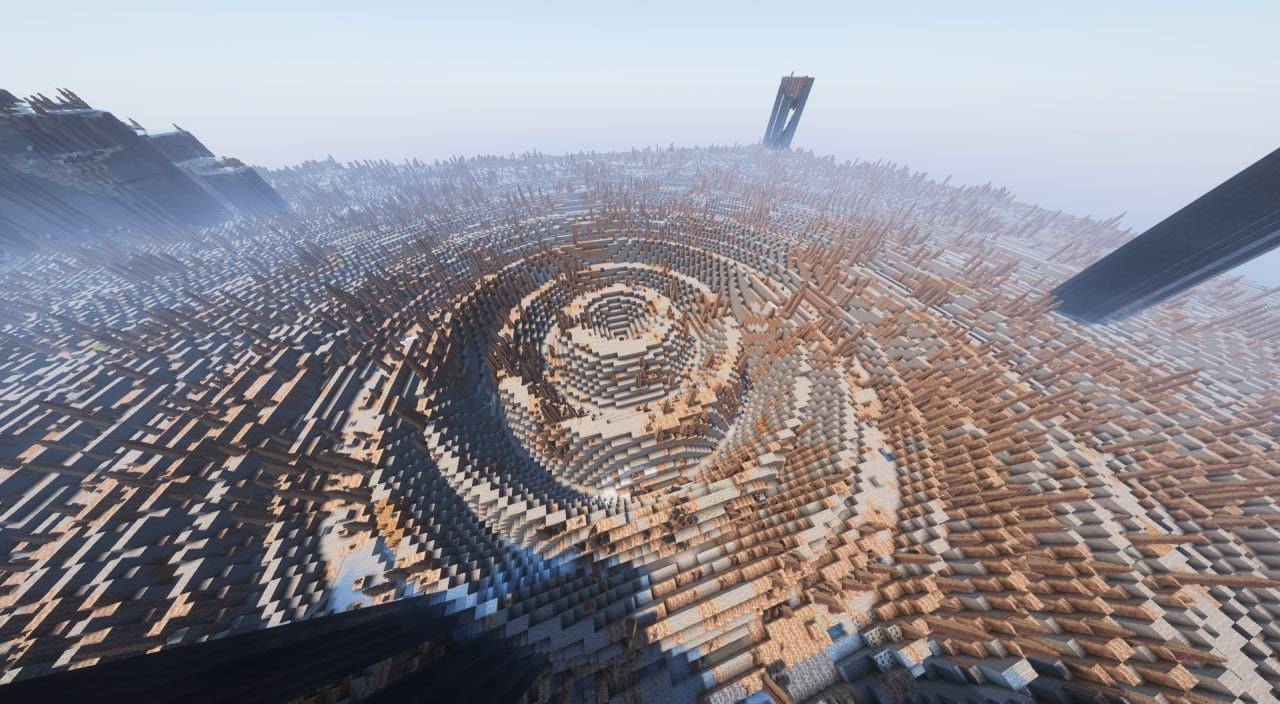
Spiky volcanic-like terrain with steep slopes: abs(sin(x/10))*exp(cos(z/15))*8 + tanh(sqrt(x^2 + z^2)/20)*15
Rolling mountains: sin(x/8)*cos(z/8)*10 + abs(sin(x/20))*15 + sqrt(abs(x/10))*5
Some crazy and heavy thing: round(sin(x/15))*10 + round(cos(z/15))*10 + sqrt(abs(sin((x+z)/20)))*15
Terraced landscape with plateaus: floor(sin(x/20) * cos(z/20) * 5) * 4 + sqrt(x^2 + z^2)/10
Crater-filled terrain: 10 * (1 - exp(-((x/30)^2 + (z/30)^2) / 2)) + 5 * perlin(x/50, 0, z/50)
Available Functions and Operators
Mathematical Functions:

Trigonometric:
- sin(x) - sine
- cos(x) - cosine
- tan(x) - tangent
- csc(x) - cosecant
- sec(x) - secant
- cot(x) - cotangent
- asin(x) - inverse sine
- acos(x) - inverse cosine
- atan(x) - inverse tangent
- atan2(x,y) - two-argument inverse tangent
- acsc(x) - inverse cosecant
- asec(x) - inverse secant
- acot(x) - inverse cotangent

Hyperbolic:
- sinh(x) - hyperbolic sine
- cosh(x) - hyperbolic cosine
- tanh(x) - hyperbolic tangent
- asinh(x) - inverse hyperbolic sine
- acosh(x) - inverse hyperbolic cosine
- atanh(x) - inverse hyperbolic tangent
- csch(x) - hyperbolic cosecant
- sech(x) - hyperbolic secant
- coth(x) - hyperbolic cotangent
- acsch(x) - inverse hyperbolic cosecant
- asech(x) - inverse hyperbolic secant
- acoth(x) - inverse hyperbolic cotangent

Root and Power:
- sqrt(x) - square root
- cbrt(x) - cube root
- root(x,n) - nth root of x
- pow(x,y) - x raised to power y
- exp(x) - exponential (e^x)

Logarithmic:
- ln(x) - natural logarithm
- lg(x) - base-10 logarithm

Rounding and Numbers:
- abs(x) - absolute value
- floor(x) - largest integer less than x
- ceil(x) - smallest integer greater than x
- round(x) - rounds to nearest integer
- sign(x) - returns sign of x (-1, 0, or 1)
- mod(x,y) - remainder of x divided by y
- gcd(x,y) - greatest common divisor
- lcm(x,y) - least common multiple
- modi(x,y) - modular inverse

Special Functions:
- gamma(x) - gamma function
- erf(x) - error function
- beta(x,y) - beta function

Random Number Generation:
- rand() - random number between 0 and 1
- randnormal(mean,stdev) - random number from normal distribution
- randrange(min,max) - random number between min and max

Noise Functions:
- perlin(x,y,z) - perlin noise
- simplex(x,y,z) - simplex noise
- normal(x,y,z) - normal noise
- blended(x,y,z) - blended noise
- octaved(x,z,octaves,persistence) - octaved noise

Utility Functions:
- max(x,y) - maximum of x and y
- min(x,y) - minimum of x and y
- sigmoid(x) - sigmoid function (1/(1+e^-x))
- clamp(x,min,max) - constrains x between min and max

Constants:
- pi, π - 3.14159... (π constant)
- e - 2.71828... (Euler's number)
- phi, φ - 1.61803... (Golden ratio)
- zeta3, ζ3 - 1.20205... (Apéry's constant)
- catalan, K - 0.91596... (Catalan's constant)
- alpha, α, feigenbaum - 2.50290... (Feigenbaum constant)
- delta, δ, feigenbaumdelta - 4.66920... (Feigenbaum delta)
- omega, Ω - 0.6889 (Cosmological constant)

Variables:
x, y, z - block coordinates in world

Operators:
+, -, *, /, ^, (), !
Known Issues
- Extreme formulas that produce XXL landscapes may impact performance (probably not a completely solvable problem)
- Random number generation functions can significantly impact world generation performance when used extensively. Consider using these functions sparingly, especially in complex terrain formulas, as they may cause frame rate drops or increased chunk loading time
Contributing
Feel free to report bugs or suggest features through the issue tracker!
- Edition: Minecraft Java
- File type: .jar
- Minecraft versions listed: 1.21, 1.21.4, 1.20.6
- How to install: Install the matching mod loader (Forge, Fabric or NeoForge) for your Minecraft version. → Download the .jar. → Put it in the .minecraft/mods folder and launch that loader profile.
- Where to get it: Opens on CurseForge — not every file is mirrored on our own servers.
Install steps are the general flow for this file type — How to install Minecraft Java mods & modpacks walks through it step by step.
- Ships as terramath-1.1.0-1.20+fabric.jar — drop this file into the mods folder
- Download size: 82 KB
- Download link checked 28 Sept 2026 — working
These come from our own check of the pack file, not from the source page.