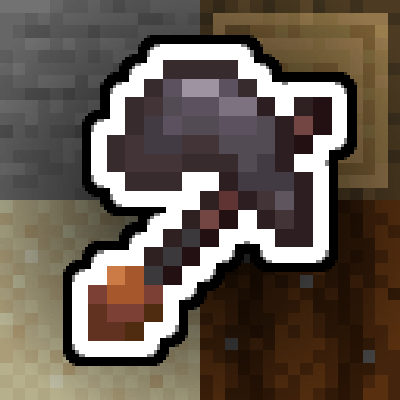
Multitools Enhanced
Java mod listed for Minecraft 1.18–1.21. Downloads from the MC Java Mods app on Android.
I don't know my version or loader
Multitools, done right for the newer versions!

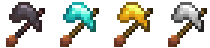
Multitools are a new tool type that combines all primary tools (pickaxe, axe, shovel, hoe) into one item to save up on inventory space. To balance this out, multitools have half the durability of all combined tools (configurable). They come in 4 materials: Netherite, Diamond, Gold, Iron.
Crafting
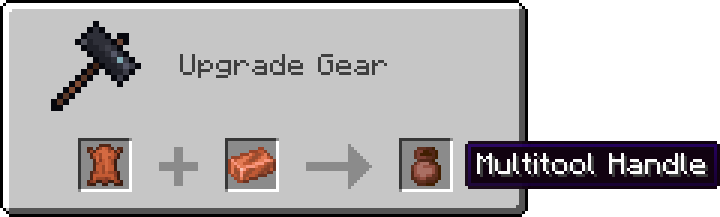
First step of crafting a multitool is smithing the handle first. Applying a copper ingot to leather in a smithing table will result in a Multitool Handle!
NOTE: For versions 1.20+ use the crafting table instead of the smithing table.
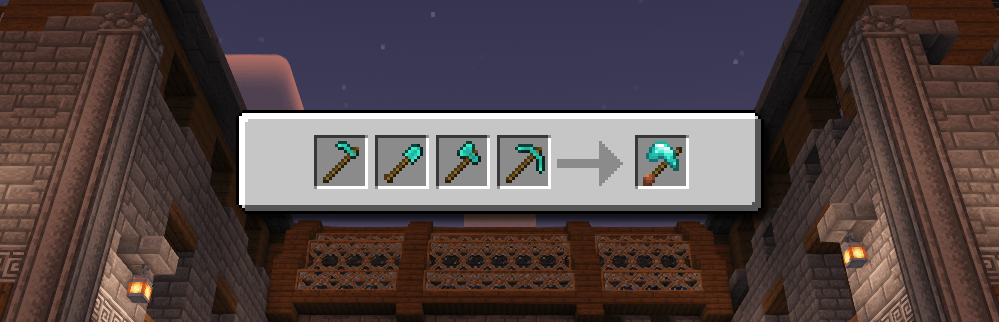
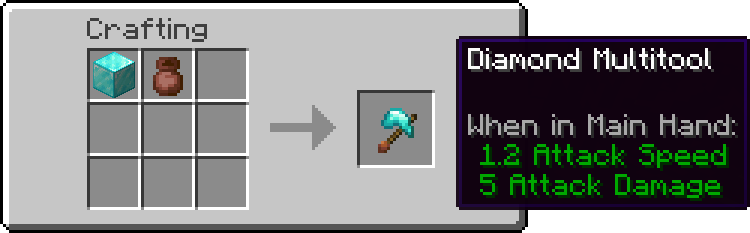
And lastly combining the handle with all the tools or a block of desired material will result in a Multitool!

or
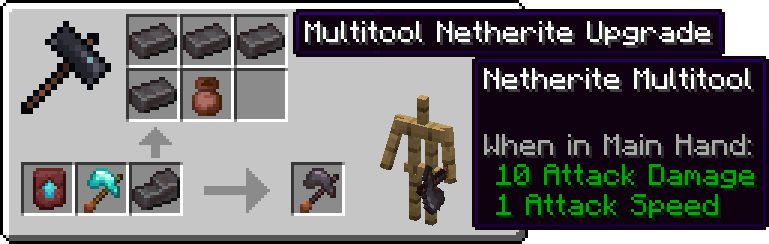
and upgrading from Diamond to Netherite:
Stripping, Deoxidizing, Unwaxing, Pathing and Tilling
Axe right click actions (stripping, deoxidizing and unwaxing) all work with the multitool. Simply right click a log or a copper block to see it in action!
While stading, right clicking a variant of dirt block will use the shovel, creating a path. To till the ground instead, hold shift (or your crouching button) and then right click.
- Edition: Minecraft Java
- File type: .jar
- Minecraft versions listed: 1.21.1, 1.20.1, 1.18.2
- How to install: Install the matching mod loader (Forge, Fabric or NeoForge) for your Minecraft version. → Download the .jar. → Put it in the .minecraft/mods folder and launch that loader profile.
- Where to get it: Opens on CurseForge — not every file is mirrored on our own servers.
Install steps are the general flow for this file type — How to install Minecraft Java mods & modpacks walks through it step by step.
- Ships as multitools-forge-1.20.1-2.0.1.jar — drop this file into the mods folder
- Download size: 46 KB
- Download link checked 28 Sept 2026 — working
These come from our own check of the pack file, not from the source page.