Age of Steam Workshop Expansion
Java mod listed for Minecraft 1.21. Downloads from the MC Java Mods app on Android.
I don't know my version or loader
This is the first expansion pack for Age of Steam: Workshop Expansion
Report bugs in Discord: https://discord.gg/bgs9mCxVzj
It adds the following blocks:
- Mechanical Sieve to process sand, gravel, dust and find valuable resources
- Manual Spinning Wheel to make strings from wool
- Millstone to process wheat to flour
- Woodmill to cut wood into planks
- Conveyor Belts to transport items
- Mechanical Piston that can extend many blocks
- Mechanical Drill that can break the block in front of it
all machines will have a config where you can add / remove recipes as you like.
The SawMill:
How to use:
- Build the Sawmill with the sawmill block and 2 casing slabs.
- Click on it while holding a log to place it on the sawmill.
- OR throw items on the input side of the sawmill (they will not despawn)
- To power the sawmill, place a big crankshaft below it.
- The output will be thrown one block behind the end of the sawmill. Catch it with a hopper / conveyor belts or use a water stream.
The Sawmill has a config file. You can define custom inputs / outputs but only BlockItems will render correctly
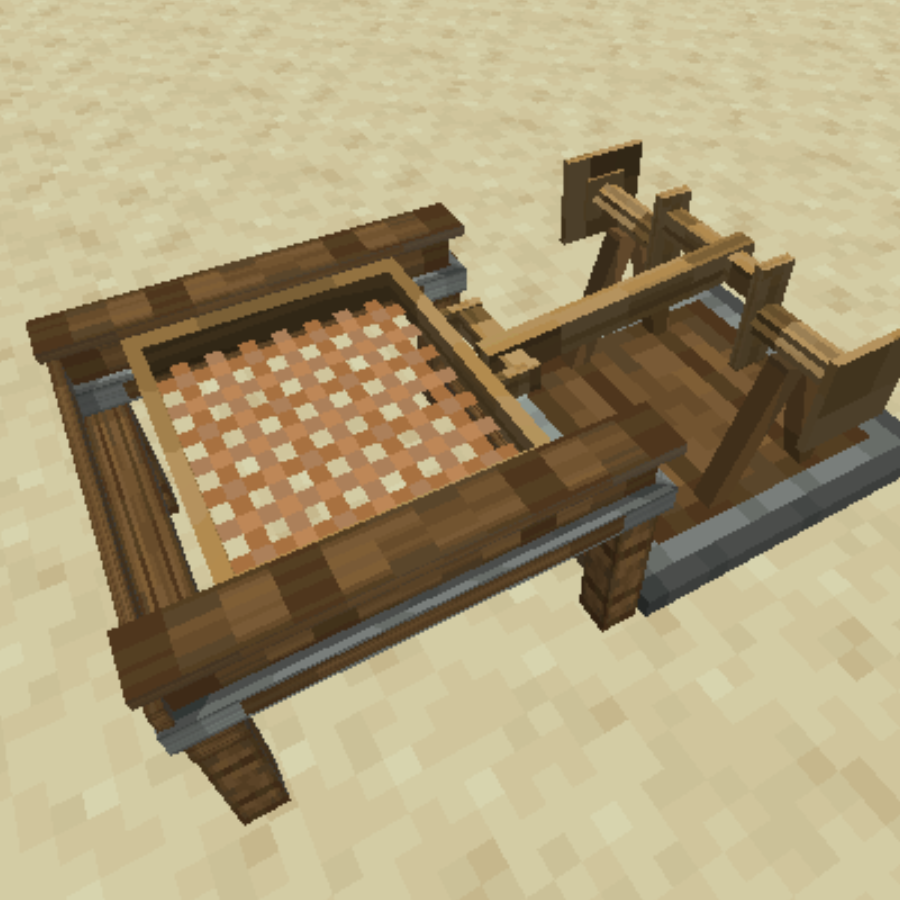
The Mechanical Sieve:
How to use:
- Place a mesh inside the Sieve.
- Place Sand or other configured inputs inside the sieve by clicking on it.
- Click the Sieve OR use a small wooden crankshaft to automate it.
- The outputs will be thrown somewhere around the sieve.
- If a inventory is present next to the sieve, outputs will be placed inside the inventory.
- Automate the sieve using the Sieve Hopper Upgrade.
The Sieve has a config file. You can define custom inputs / outputs but only BlockItems will render correctly.
The Spinning Wheel:

How to use:
- place input items in the inventory
- shift click the wheel to spin it OR use mechanical power from other sources
The Spinning Wheel has a config file. You can define custom recipes there.
The Millstone:
How to use:
- place the Millstone
- shift click the main block to show the structure (6x stone slab / 2x wooden axle)
- place wheat inside the Millstone using the gui
The MillStone has a config file. You can define custom recipes there. The millstone only supports one input item -> one output itemstack (for example wheat -> 2x flour)
- Edition: Minecraft Java
- File type: .jar
- Minecraft versions listed: 1.21.1, 1.21
- How to install: Install the matching mod loader (Forge, Fabric or NeoForge) for your Minecraft version. → Download the .jar. → Put it in the .minecraft/mods folder and launch that loader profile.
- Where to get it: Opens on CurseForge — not every file is mirrored on our own servers.
Install steps are the general flow for this file type — How to install Minecraft Java mods & modpacks walks through it step by step.
- Ships as aos_workshop_expansion-1.21.1-1.3.5-1.jar — drop this file into the mods folder
- Download size: 1.4 MB
- Download link checked 28 Sept 2026 — working
These come from our own check of the pack file, not from the source page.