
WoodenCog
Java mod listed for Minecraft 1.20–1.21. Downloads from the MC Java Mods app on Android.
I don't know my version or loader
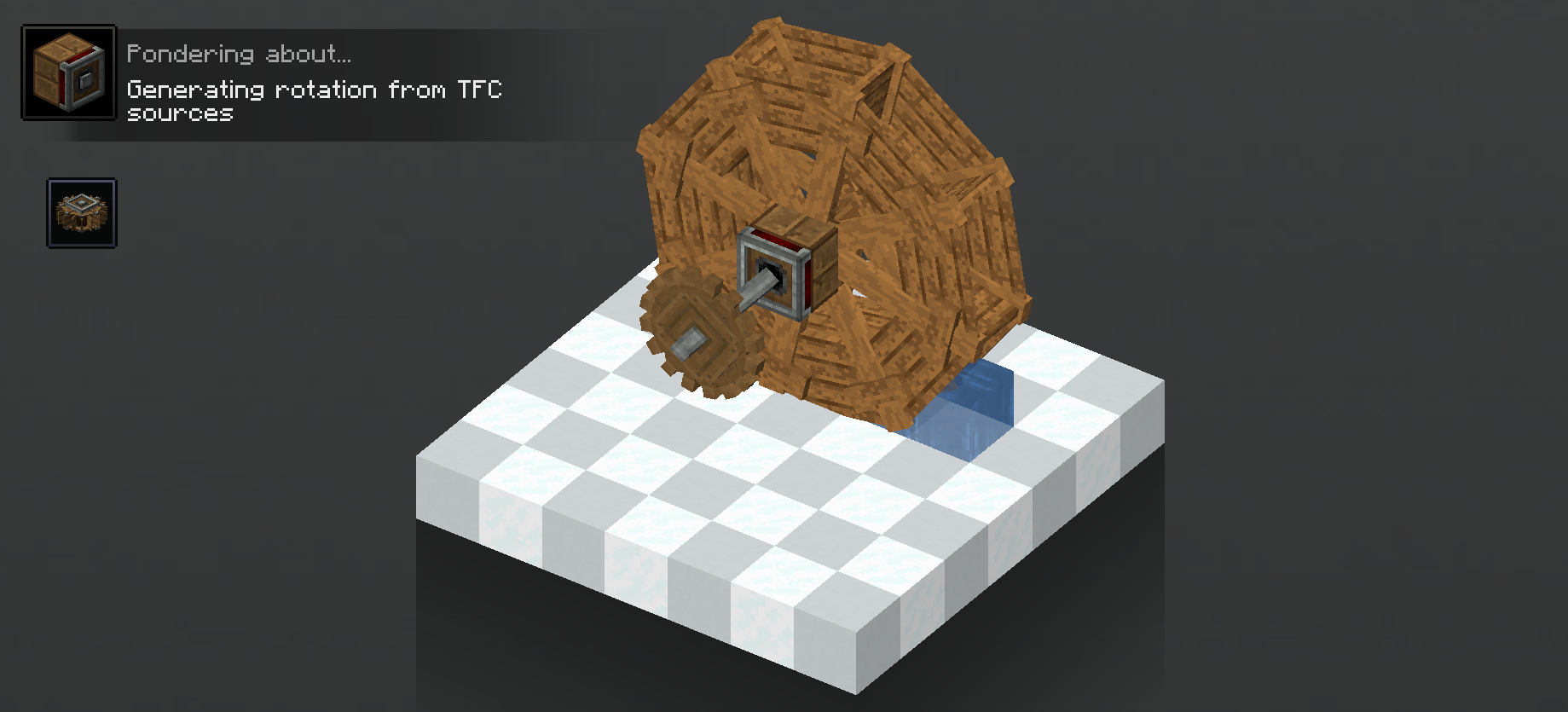
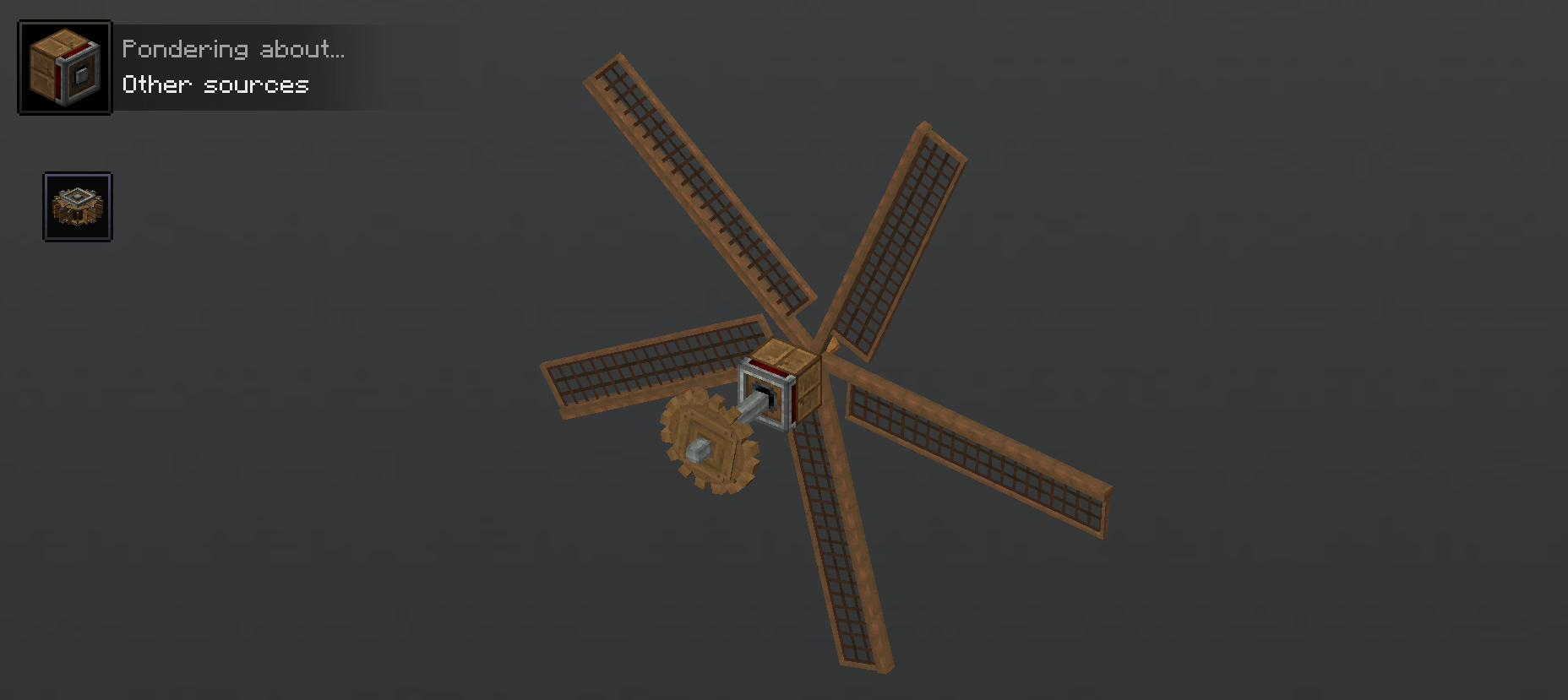
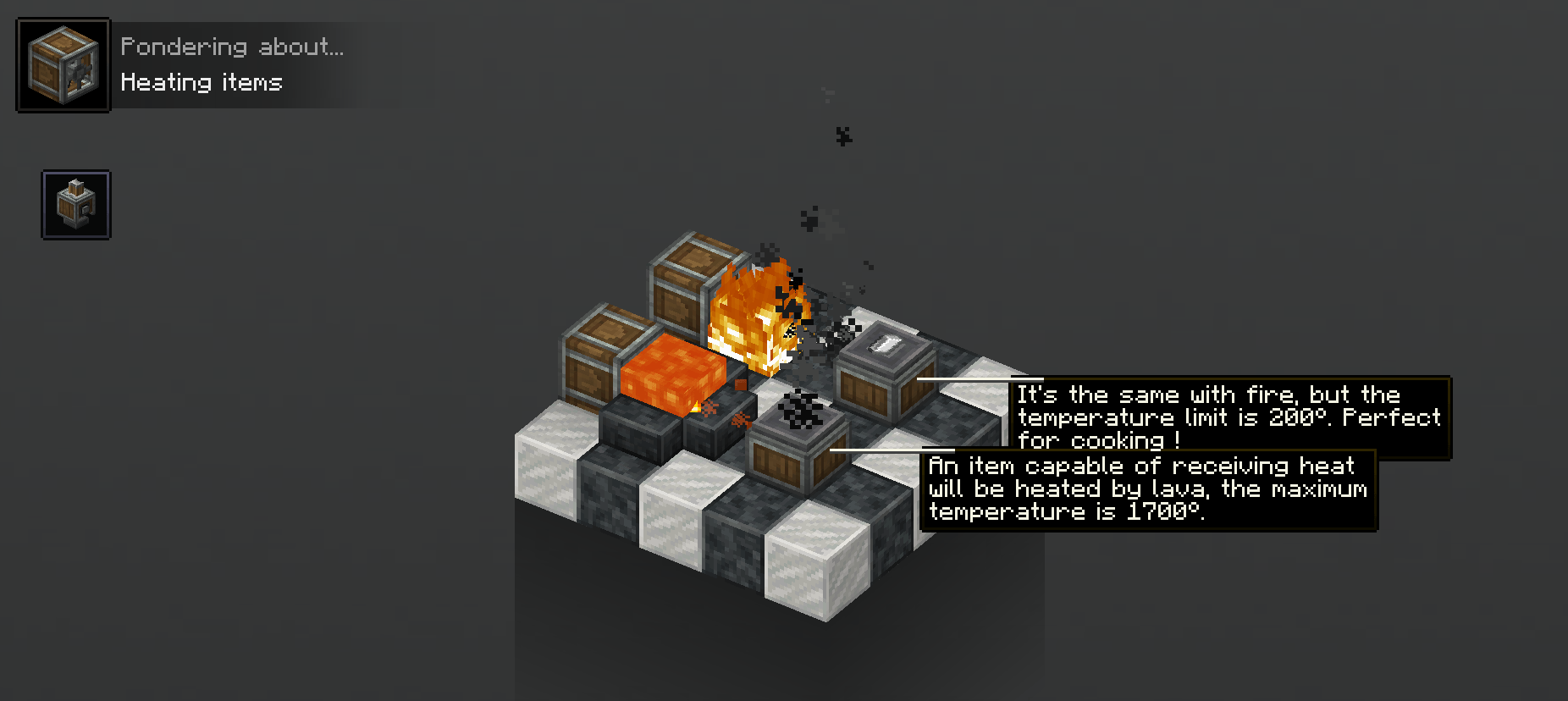
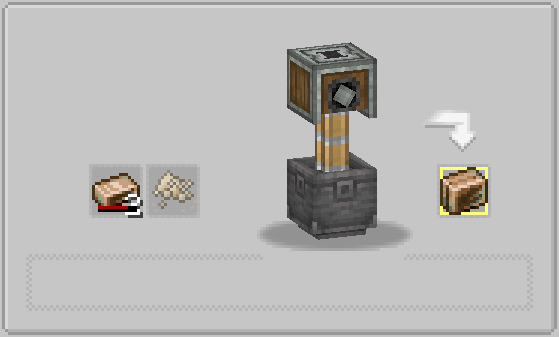


Woodencog is a compatibility mod for create The scope of this mod is to allow the player to automate almost every aspect of TFC with create. We intend to do the whole compatibility layer, then allow pack makers and players to edit crafts and systems as they like with datapacks or kubejs.
This mod will probably break tfc progression and allow big skips into it as itself. That's why I don't really recommend using it as it is when it's finished but see it as a tool to build your own modpack with things that you couldn't do with just datapacks. We still intend to do some balancing, but it will be easier to finish TFC with it. As of now, this mod contains :
- Create recipes take into account item heat
- [TFC - Create] Rotation compatibility
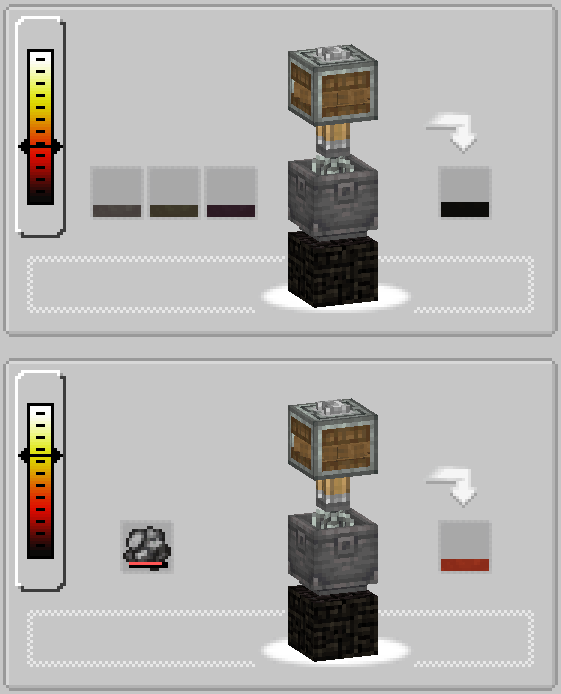
- Temperature of item can be handled with fans (heating and cooling)
- Every alloy can be made in a basin (with some black magics and bug fixing you can now input 4 fluids into basins)
- Some tfc items now give information on engineers goggles
- Charcoal forge can be accessed by a mechanical arm (thanks SeriousCreeper)
- Mixer alloying recipes
- TFC heating capability for pressing, mixing and compacting
- TFC chains can be used in ChainConveyors (If you only want this functionality please use https://www.curseforge.com/minecraft/mc-mods/tfc-create-chain-compat)
Rotation Compatibility
Generate Create Rotation with TFC sources, and transform Create rotation to TFC rotation
Heating and Cooling
Heat and cool items with basins and encased fans
Recipes
Recipes can have temperature requirements for both charcoal forge and item temperature.
TFC Chains
This is a fork of the original, fixin the basing recipe crash and much more… If any other bug is reported I will try to fix it.
- Edition: Minecraft Java
- File type: .jar
- Minecraft versions listed: 1.21.1, 1.20.1
- How to install: Install the matching mod loader (Forge, Fabric or NeoForge) for your Minecraft version. → Download the .jar. → Put it in the .minecraft/mods folder and launch that loader profile.
- Where to get it: Opens on CurseForge — not every file is mirrored on our own servers.
Install steps are the general flow for this file type — How to install Minecraft Java mods & modpacks walks through it step by step.
- Ships as woodencog-1.0.5-1.20.1.jar — drop this file into the mods folder
- Download size: 802 KB
- Download link checked 28 Sept 2026 — working
These come from our own check of the pack file, not from the source page.