
Many Mooblooms
Java mod listed for Minecraft 1.21. Downloads from the MC Java Mods app on Android.
I don't know my version or loader
(Note: This mod was originally known as Trash's Mooblooms.)
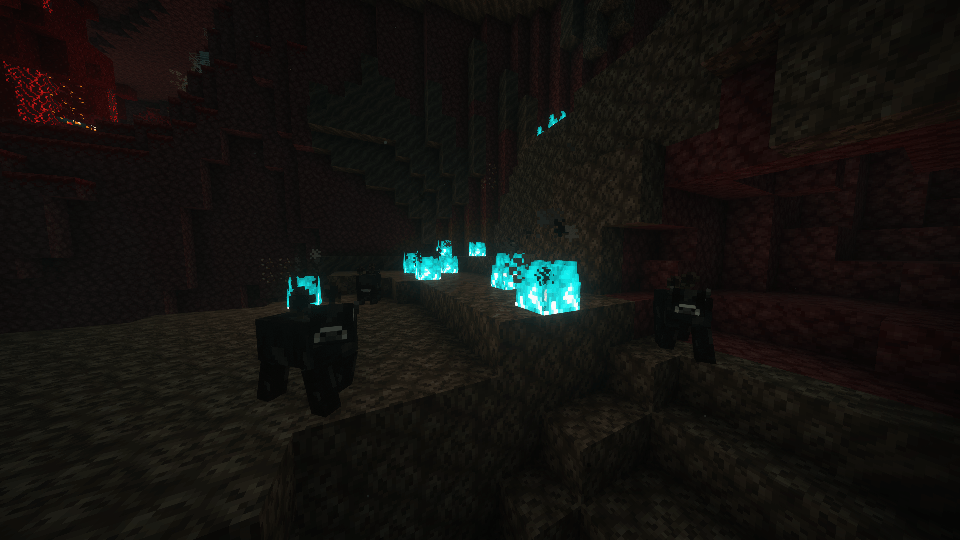
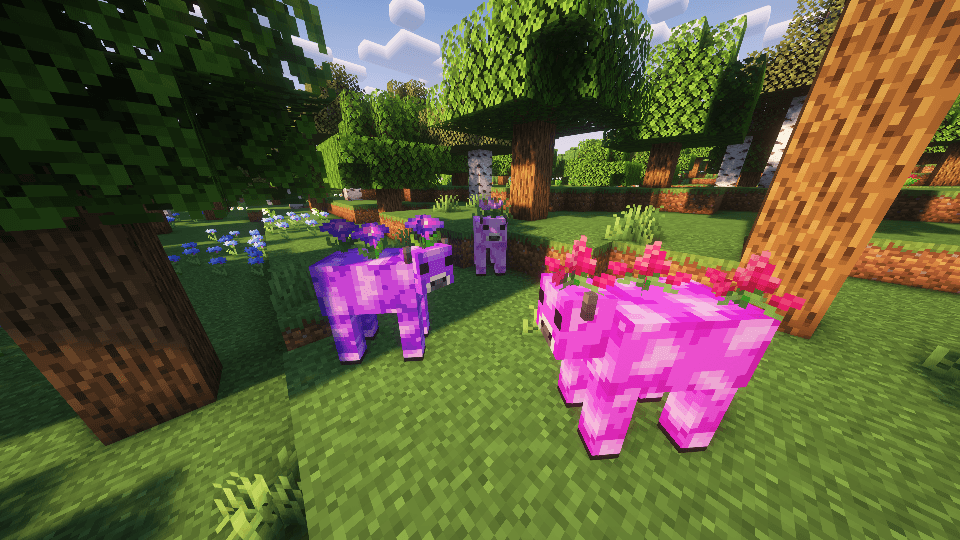
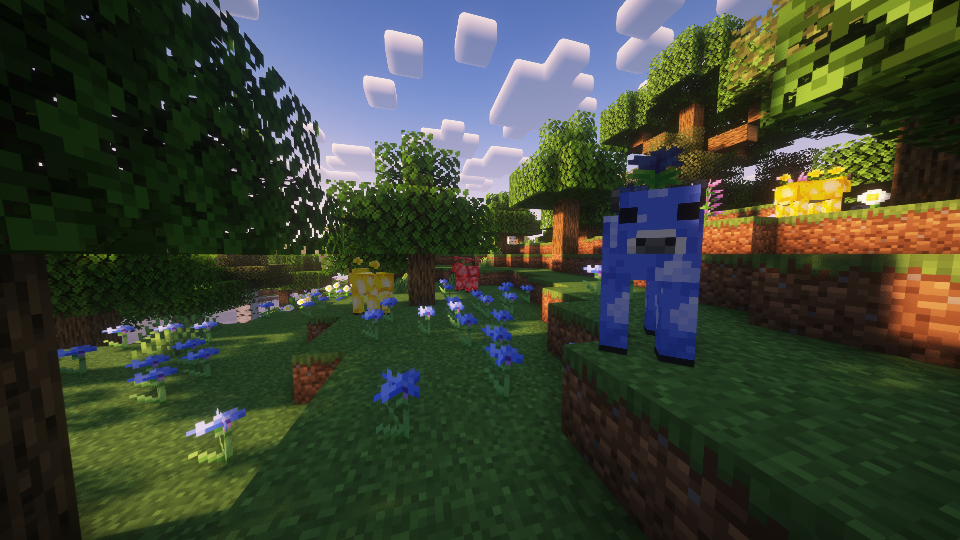
This mod adds Mooblooms, the flower cow from Minecraft Earth!
In this mod, Mooblooms make their comeback with 16 variants, one for each color found in Minecraft. Furthermore, each Moobloom grows a completely new flower on its back! The list is as follows:
- White (Thunderbloom)
- Light Gray (Bellflower)
- Gray (Silver Iris)
- Black (Withercup)
- Brown (Boat Orchid)
- Red (Trillium)
- Orange (Butterfly Weed)
- Yellow (Buttercups)
- Lime (Conbush)
- Green (Gladioli)
- Cyan (Centians)
- Light Blue (Myosotis)
- Blue (Dayflowers)
- Purple (Morning Glory)
- Magenta (Butterfly Candy)
- Pink (Tropical Hibiscus)
However, not every Moobloom is found naturally. You can only find Yellow, Blue, and Red Mooblooms naturally. Most other Mooblooms can only be obtained through breeding Mooblooms to mix their colors.
Like Mooshrooms, Mooblooms can be sheared to harvest the flowers on their back. Unlike Mooshrooms, Mooblooms do not convert to Cows once sheared. Rather, they regrow their flowers 20 minutes after they're sheared.
When you right click a Moobloom with a dyeable item, the item will be dyed!
Also, bees pollinate with the help of Mooblooms. Mooblooms appreciate this and hold still while they do their thing. :)
MODPACK / DATAPACK DEVS
This mod comes with a total of 17 biome tags. #trashs_mooblooms:moobloom_spawnable, along with one tag for each color with the following formatting: #trashs_mooblooms:<color>_moobloom_spawnable.
Biomes in #trashs_mooblooms:moobloom_spawnable will attempt to spawn mooblooms.
Biomes in #trashs_mooblooms:<color>_moobloom_spawnable will attempt to make a moobloom that spawns in the assigned biomes a specific color. This will be randomized if there are multiple. Also, biomes in these tags are automatically added to #trashs_mooblooms:moobloom_spawnable. If you add a biome to #trashs_mooblooms:moobloom_spawnable without it being in any of the other tags, the moobloom's color will default to yellow.
There is also a block tag, #trashs_mooblooms:moobloom_spawnable_on. These are the blocks that mooblooms can naturally spawn on. By default, this is set to #minecraft:animals_spawn_on.

- Edition: Minecraft Java
- File type: .jar
- Minecraft versions listed: 1.21.4, 1.21.3, 1.21.2
- How to install: Install the matching mod loader (Forge, Fabric or NeoForge) for your Minecraft version. → Download the .jar. → Put it in the .minecraft/mods folder and launch that loader profile.
- Where to get it: Opens on CurseForge — not every file is mirrored on our own servers.
Install steps are the general flow for this file type — How to install Minecraft Java mods & modpacks walks through it step by step.
- Ships as manymooblooms-fabric-2.0.jar — drop this file into the mods folder
- Download size: 254 KB
- Download link checked 19 Oct 2026 — working
These come from our own check of the pack file, not from the source page.