
Toggle Frames
Java mod listed for Minecraft 1.20. Downloads from the MC Java Mods app on Android.
⬇ Download on CurseForgeThe author built this one for Minecraft 1.20.1 on Forge. On other versions it may install and then do nothing.
A simple mod that lets you toggle the visibility of item frames!
Just crouch and right-click on an item frame while it holds an item, and the frame will become invisible.
It’s server-side only, so it doesn’t require installation on client.
Some examples:
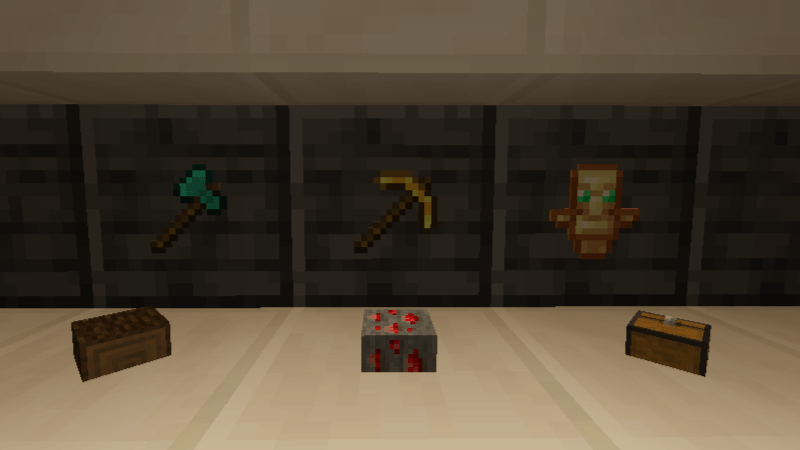
Some vanilla Items...
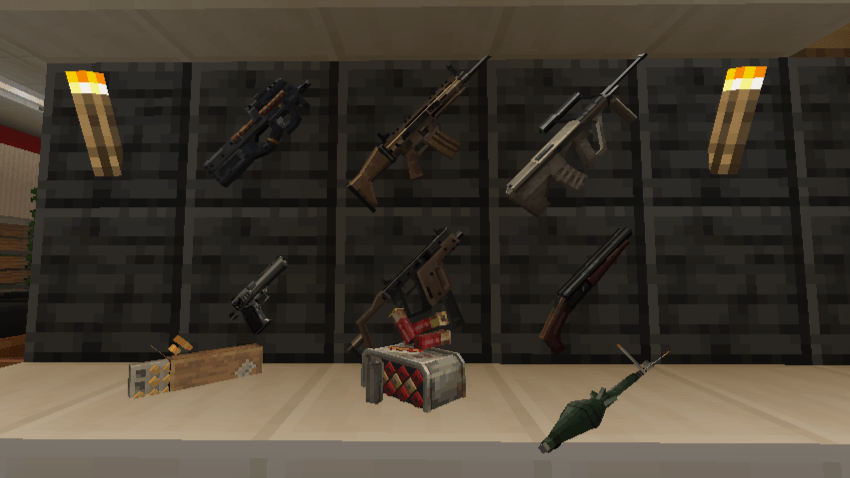
With Tacz mod...
I made this because I wanted to place the Tacz guns on the wall in a nice and visually appealing way.
You can use this mod in modpacks, play with friends, or anywhere you want!
- Edition: Minecraft Java
- File type: .jar
- Minecraft version listed: 1.20.1
- How to install: Install the matching mod loader (Forge, Fabric or NeoForge) for your Minecraft version. → Download the .jar. → Put it in the .minecraft/mods folder and launch that loader profile.
- Where to get it: Opens on CurseForge — not every file is mirrored on our own servers.
Install steps are the general flow for this file type — How to install Minecraft Java mods & modpacks walks through it step by step.
- Ships as ToggleFrames-v1.0.0-1.20.1.jar — drop this file into the mods folder
- Download size: 6 KB
- Download link checked 28 Sept 2026 — working
These come from our own check of the pack file, not from the source page.