
Counter (Day & Death)
Java mod listed for Minecraft 1.21. Downloads from the MC Java Mods app on Android.
Counter Mod adds configurable Day & Death Counters, a Time Overlay, a Coordinates Overlay and a Numeric Ping Display for tracking world progression and…
I don't know my version or loader
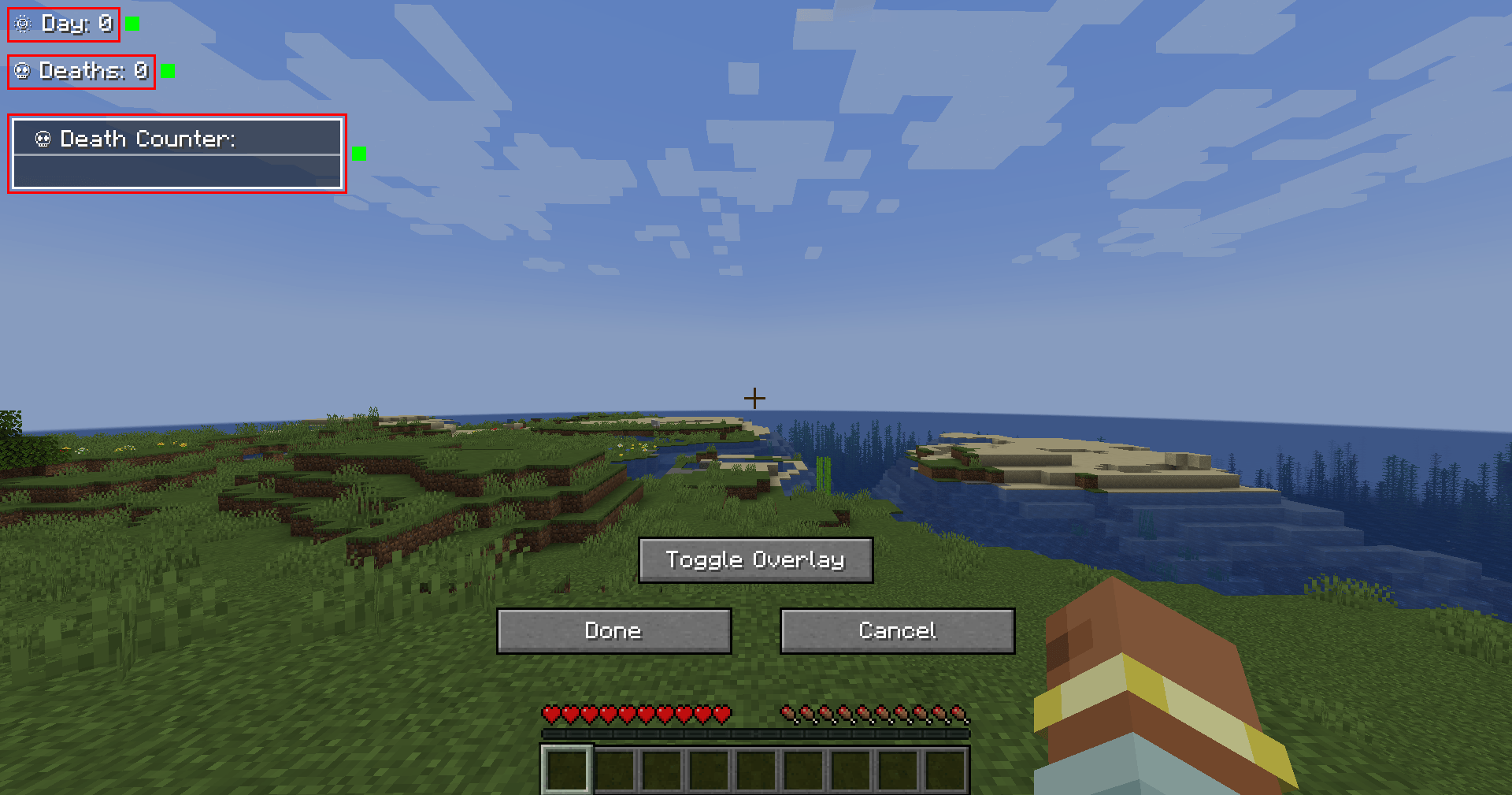
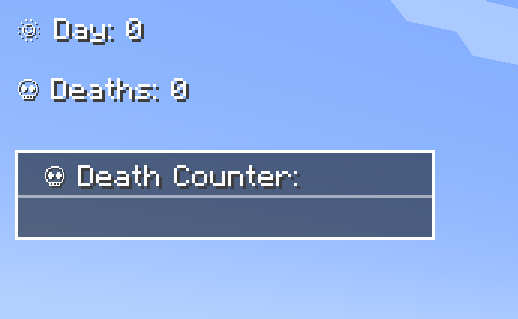
Track Days, Deaths, Survival Time, Coordinates & Ping – Fully Customizable!
The Counter Mod enhances Minecraft by adding Day Counters, Death Counters, a Survival Time Tracker, Time Overlay, Coordinates Overlay, and a Numeric Ping Display. Whether in singleplayer or multiplayer, this mod provides an easy way to track world progression, player statistics, and network latency – especially useful in hardcore modpacks.
🌟 Features
✅ Day Counter – Displays the current Minecraft day as an overlay or in chat.
✅ Death Counter – Tracks player deaths with an overlay leaderboard & chat display.
✅ Survival Time Tracker – Tracks how long a player has survived since their last death. Shows best time, global best, and history.
✅ Time Overlay – Shows the current in-game time directly on screen (12h/24h format).
✅ Coords Overlay – Shows the current coordinates directly on screen and share locations with others.
✅ Numeric Ping Display – Replaces vanilla ping bars with color-coded numeric values.
⚙️ Configuration
- Configure everything via
server-config.tomlandclient-config.toml. - Customize text color, overlay positions, scaling, and display styles.
- Supports multiple display modes: Chat, Overlay, or both.
- Enable or disable specific features (Day, Death, Survival, etc.) independently.
- 📜 For a full list of config options, visit: GitHub Configuration Guide
📝 Commands
Below is an overview of the main commands the mod provides:
| Command | Permission | Description |
|---|---|---|
/day get |
all | Shows the current day counter value. |
/day set <days> |
admin | Sets the Day Counter to the specified value. |
/death get [player / list] |
all | Shows your own total deaths, another player's deaths, or the leaderboard (list). |
/death set <player> <amount> |
admin | Sets the death count for the specified player(s). |
/death reset |
admin | Resets the death count of all players to 0. |
/time get |
all | Shows the current in-game time. |
/coords get |
all | Shows your current coordinates. |
/coords send [player / all] |
all | Shares your coordinates with another player or all players. |
/survival history [player] |
all | Shows the survival time history for you or another player. |
/survival best [player / global] |
all | Displays the best survival time for you, another player, or the global best. |
/survival current [player] |
all | Displays the current survival time since the last death. |
🎨 Overlay Edit Mode
- Easily adjust the position and visibility of overlays via an in-game UI.
- Supports dragging elements, hiding overlays, and saving changes dynamically.
- Resize overlays with buttons.
- Change alignment (left, center, right) using arrow icons.
🔗 Links
🐛 Please report issues to the Issue Tracker on GitHub
- Edition: Minecraft Java
- File type: .jar
- Minecraft versions listed: 1.21, 1.21.1, 1.21.11
- How to install: Install the matching mod loader (Forge, Fabric or NeoForge) for your Minecraft version. → Download the .jar. → Put it in the .minecraft/mods folder and launch that loader profile.
- Where to get it: Opens on CurseForge — not every file is mirrored on our own servers.
Install steps are the general flow for this file type — How to install Minecraft Java mods & modpacks walks through it step by step.
- Ships as counter-0.4.2-26.2.jar — drop this file into the mods folder
- Download size: 136 KB
- Download link checked 28 Sept 2026 — working
These come from our own check of the pack file, not from the source page.