
Neutron Tools
Java mod listed for Minecraft 1.20–1.21. Downloads from the MC Java Mods app on Android.
I don't know my version or loader


Neutron Tools
Provides unique utilities and commands not commonly found in other mods. This mod was made with the purpose of enhancing the development and control of your modpack.
Curseforge, Modrinth
New Discord Server!
Join the server for announcements, bug reports, beta releases and more!
Wiki
Check out the documentation here! It includes detailed tutorials and guides for how do do everything in this mod.
Current Features
The following are the current features of this mod, but there are always more to come!
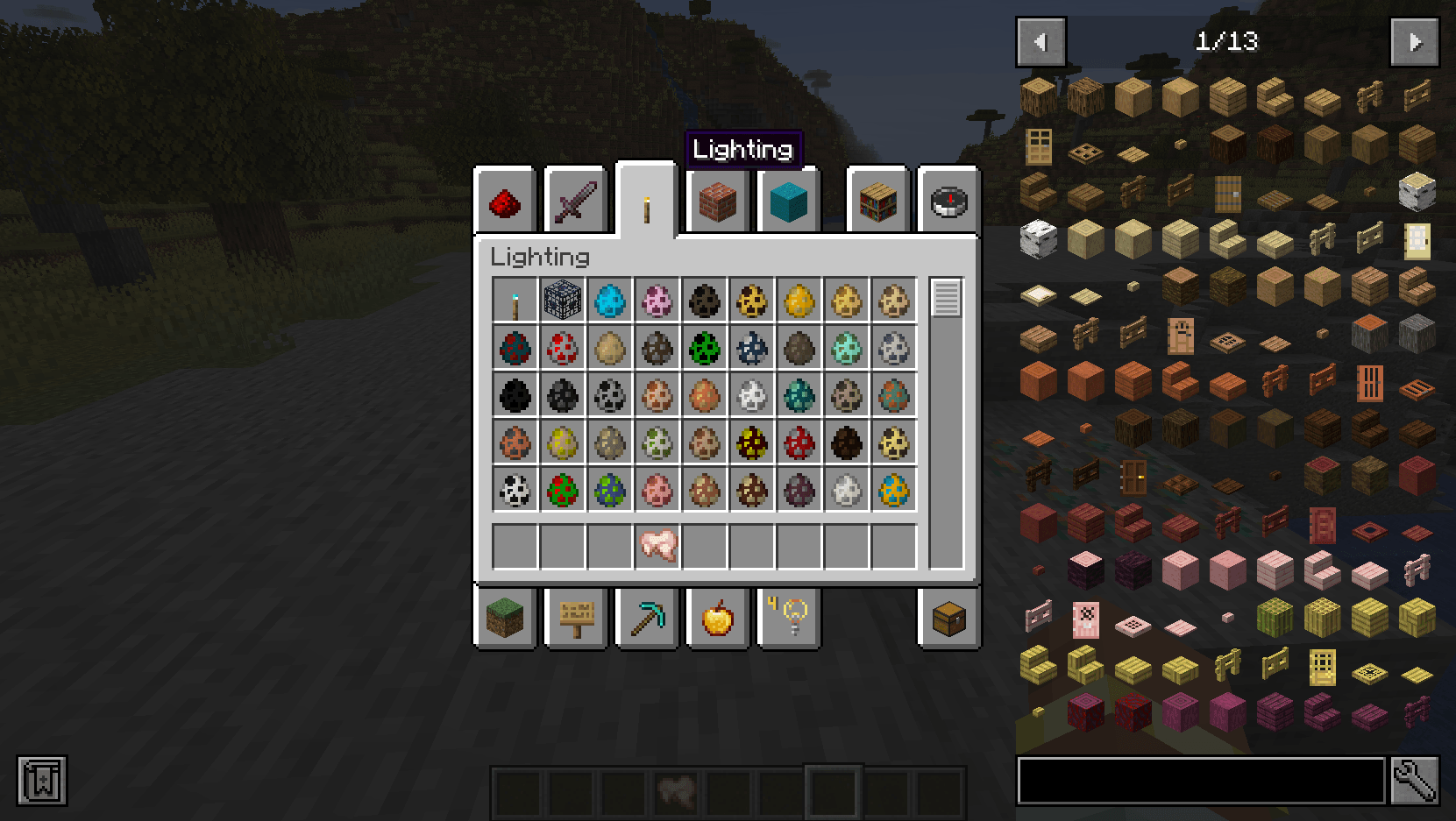
Edit the Creative Inventory!
You can modify all creative tabs in any way you like! Remove tabs, add new tabs, replace tabs, order tabs, and edit items within tabs. Its quite easy to do, Refer to the wiki to learn how.
Configurable Portal Wait Time!
The mod has a config option to change the wait time for all portals in survival or adventure mode!
Configurable Hunger speed!
The mod has a config option to change how quickly hunger depletes! You can slow hunger, eliminate hunger altogether, or make it harder
Disable items!
Items can be fully removed from creative mode tabs, villager trades and recipes.
Disable experimental settings popup!
There is a config option to disable experimental settings window when first loading into a world.
A few of the Commands:
neutron generatecommand (op only)- Can be used to list all items, entities, blocks, creative tabs, creative tab items etc in your modpack
neutron creativetabscommand (op only)- Used to reload creative tabs, or display creative tab internal names
neutron ping- Ping all players or one specific player and get network latency (Available to even Non OP players!)
- Edition: Minecraft Java
- File type: .jar
- Minecraft versions listed: 1.21.1, 1.21, 1.20.1
- How to install: Install the matching mod loader (Forge, Fabric or NeoForge) for your Minecraft version. → Download the .jar. → Put it in the .minecraft/mods folder and launch that loader profile.
- Where to get it: Opens on CurseForge — not every file is mirrored on our own servers.
Install steps are the general flow for this file type — How to install Minecraft Java mods & modpacks walks through it step by step.
- Ships as neutrontools-1.8.5.jar — drop this file into the mods folder
- Download size: 68 KB
- Download link checked 28 Sept 2026 — working
These come from our own check of the pack file, not from the source page.