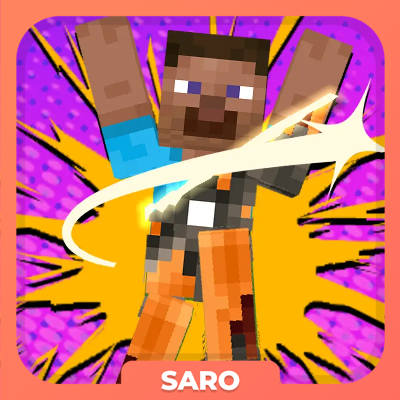
Saro´s Skin Changer
Java mod listed for Minecraft 1.20. Downloads from the MC Java Mods app on Android.
I don't know my version or loader

SarosSkinChanger
SarosSkinChanger is a Minecraft Forge mod that lets you change your player skin directly in-game.
It focuses on an easy-to-use interface and seamless multiplayer support, so you can always customize your appearance — whether in singleplayer or on a server.
✨ Minecraft 1.20.1 (Latest)
This version brings the classic features of SarosSkinChanger to the newest Minecraft generation, with a polished UI and better multiplayer integration.

- Modern Upload UI: Upload skins directly in-game with a file browser and live PNG preview
- Skin Gallery: Browse, apply, and delete skins with thumbnail previews
- Server Sync: Skins are automatically shared across players in multiplayer
- Classic & Slim Models: Automatic detection of skin format (64x32, 64x64 classic, 64x64 slim)
- Persistence: Skins and settings are saved locally and restored when joining servers
- Easy Access: Use
/skin,/skin reset, or the K keybind to open the interface - Stable & Polished: General improvements for smoother gameplay experience
🕹️ Minecraft 1.12.2 (Legacy)
The original release of SarosSkinChanger for Forge 1.12.2.
Still fully functional, focusing on simple skin changes with basic tools.
- In-Game Skin Change: Open a GUI with
/skinto change your skin without leaving the game - File Selection: Choose your skin file with a built-in file dialog
- Drag & Drop: Quickly drag and drop skin files into the game
- Preview: Check how your skin looks before applying
- Skin Reset: Revert to your original skin anytime
- Skin History: Switch back to previously used skins with ease
- Server Support: Works in both singleplayer and multiplayer environments
- Persistence: Skins are saved in local directories for consistency across sessions

How to Use
- Type
/skinor press K (1.20.1+) to open the skin changer UI - Select a skin via file browser or drag & drop
- Preview the skin in real time before applying
- Reset or switch back using history or reset options

More Coming Soon…
Project Support & Usage
Hosting: For the best performance, I recommend using BisectHosting linked in the banner.
Modpacks: You are free to include my work in any modpack. Please ensure proper credit is given by providing a link to this project page.
- Edition: Minecraft Java
- File type: .jar
- Minecraft version listed: 1.20.1
- How to install: Install the matching mod loader (Forge, Fabric or NeoForge) for your Minecraft version. → Download the .jar. → Put it in the .minecraft/mods folder and launch that loader profile.
- Where to get it: Opens on CurseForge — not every file is mirrored on our own servers.
Install steps are the general flow for this file type — How to install Minecraft Java mods & modpacks walks through it step by step.
- Ships as sarosskinchanger-1.1.jar — drop this file into the mods folder
- Download size: 48 KB
- Download link checked 28 Sept 2026 — working
These come from our own check of the pack file, not from the source page.