
Not So Hardcore
Java mod listed for Minecraft 1.21. Downloads from the MC Java Mods app on Android.
I don't know my version or loader
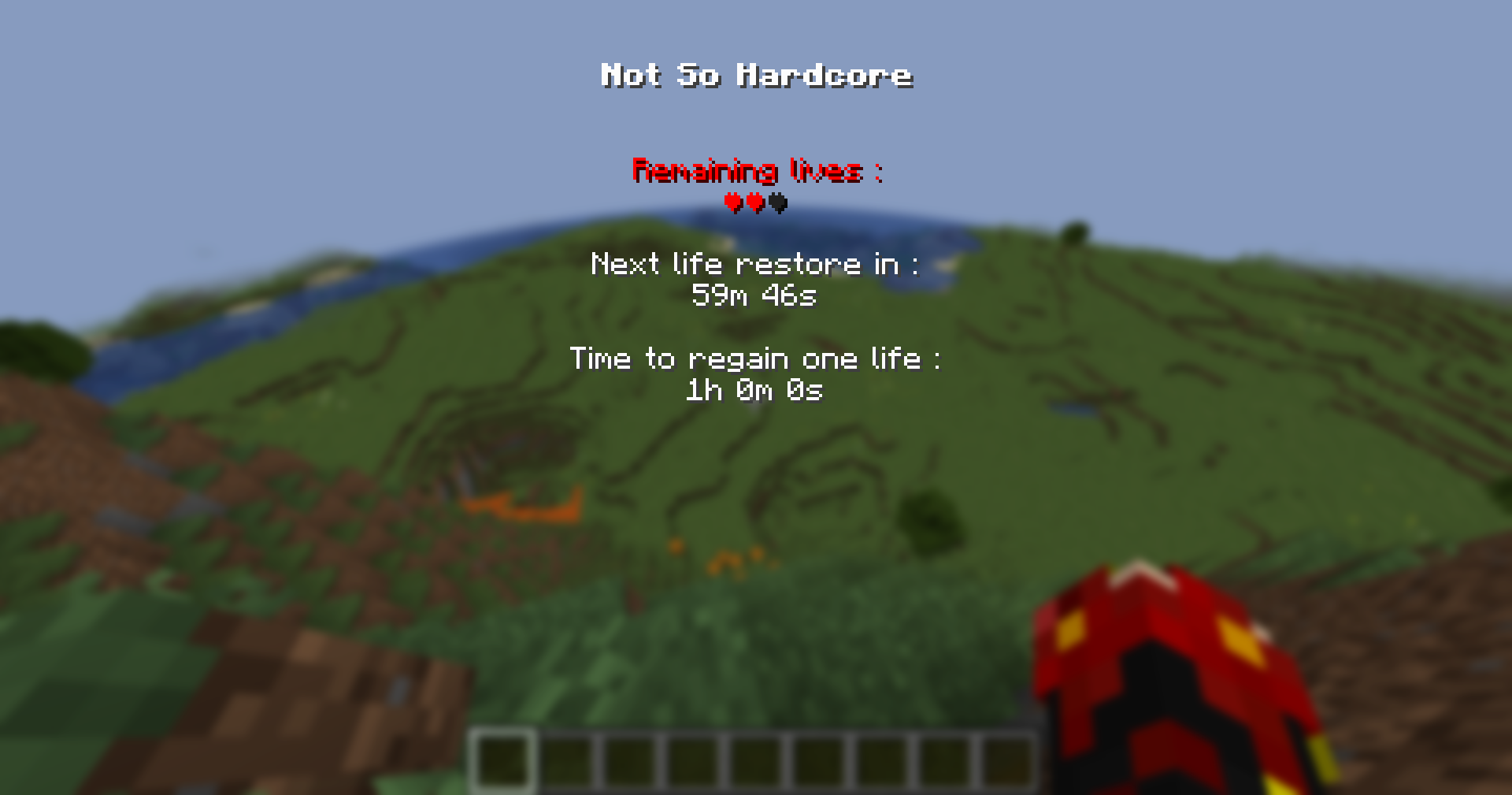

Want to play a hardcore game with your friends, but get frustrated when any friend dies and can't play anymore?
Not So Hardcore is here to solve this problem. With its lives that regenerate over time, you'll experience the fear of death like in hardcore mode, while still having the option to revive after a while.
How it works
Your (default) maximum number of lives is 3.
Each time you die, you lose a life. But no stress, you can regain one life each 1 hour (by default) !
If a player loses all its lives, it will be switched to Spectator mode (like in vanilla hardcore) while waiting for a life to be regained.
You can see your remaining lives and time to regain one life in the Info Menu (pressing H key, by default).
The maximum number of lives and the regain time of a life are configurable.
For more info, checkout the Not So Hardcore Wiki !
Warning : this mod modifies the normal game mode as well as the vanilla hardcore game mode. Start your world in the mode you want !
Want to use in modpack ?
Go for it ! Check the wiki about config files, commands, and shard of reviving item.
FAQ
Can players get lives back whithout being connected to the server ?
Yes. But there are a few things to be careful about :
- If you are playing in single player, you have to configure the mod to use real time instead of in-game ticks for life regain.
- If you are running the mod on a server, you can use in-game ticks but you will need to set the pause-when-empty-seconds server config parameter to -1.
For more info, click here to see the Wiki's configuration page.
Can I configure the mod in-game ?
Yes. Click here to see the Wiki's commands page.
Suggestion
If a player loses all its lives, it will be switched to Spectator mode. By default, spectators can noclip through walls.
If you want to prevent this, you can use Anti Spectator Noclip.
- Edition: Minecraft Java
- File type: .jar
- Minecraft versions listed: 1.21.1, 1.21.11, 1.21.10
- How to install: Install the matching mod loader (Forge, Fabric or NeoForge) for your Minecraft version. → Download the .jar. → Put it in the .minecraft/mods folder and launch that loader profile.
- Where to get it: Opens on CurseForge — not every file is mirrored on our own servers.
Install steps are the general flow for this file type — How to install Minecraft Java mods & modpacks walks through it step by step.
- Ships as notsohardcore-0.2.2_fabric26.2.jar — drop this file into the mods folder
- Download size: 57 KB
- Download link checked 28 Sept 2026 — working
These come from our own check of the pack file, not from the source page.