
NsTut Endless
Java mod listed for Minecraft 1.20. Download on the author's site.
⬇ Download on CurseForge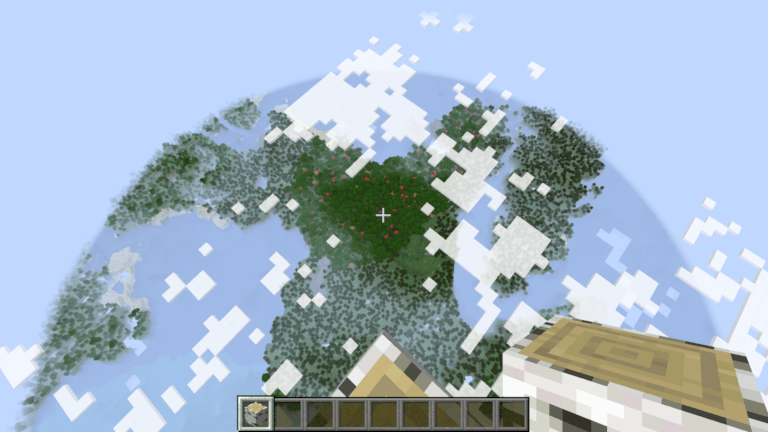
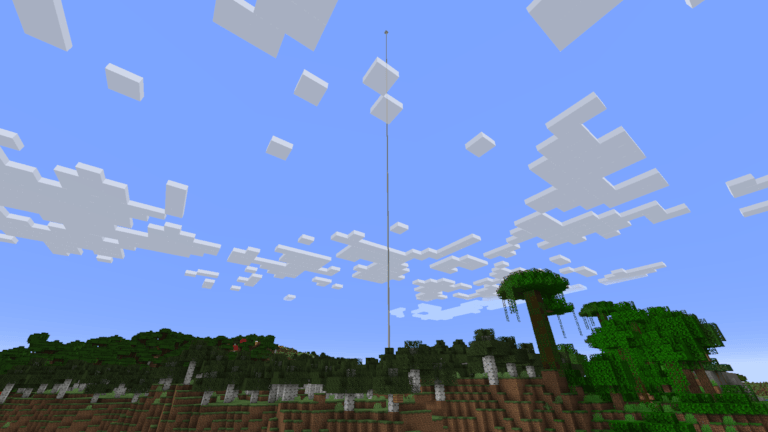
Endless lets you build higher and dig deeper than ever before. Tired of hitting the build limit? With Endless, you control how tall your world can be — up to Y=8192 and down to Y=-4096.
Features
- Extend Build Height — Set your own minimum and maximum build heights. Build towering skyscrapers reaching thousands of blocks into the sky, or dig deeper than the vanilla limit allows.
- All Dimensions Supported — Works in the Overworld, Nether, and End simultaneously.
- Compatible with Existing Worlds — Apply expanded build limits to worlds you already have.
- Works with Forge and Fabric — Pick your loader, the mod works the same on both.
- Waystones Compatible — Place waystone blocks anywhere within your expanded build range.
- Void Damage at Boundary — Void damage triggers 64 blocks below your configured minimum, giving you safe space to build at the bottom of the world.
Configuration
After launching the game once with Endless installed, a config file is created at config/endless.json. Open it with any text editor to customize:
{
  "buildHeight": {
    "minBuildHeight": -64,
    "maxBuildHeight": 320
  }
}- minBuildHeight — Lowest Y-level you can place blocks (default: -64, minimum: -4096)
- maxBuildHeight — Highest Y-level you can place blocks (default: 320, maximum: 8192)
Change the values to whatever range you want, save the file, and restart the game.
Example: Full Height
Want to unlock the full height range? Set both values to their extremes:
{
  "buildHeight": {
    "minBuildHeight": -4096,
    "maxBuildHeight": 8192
  }
}
Recommended Balanced Range
For a good balance of freedom and performance:
{
  "buildHeight": {
    "minBuildHeight": -512,
    "maxBuildHeight": 1024
  }
}
Limitations
- Lighting range: Dynamic lighting updates (block light and sky light) are limited to y=-1024 to y=1024 to keep the game running smoothly. Blocks placed far outside this range may appear incorrectly lit. Natural light from the sky still reaches all heights.
- Memory usage: Expanding the build height significantly increases memory usage. At maximum settings (Y=-4096 to 8192), each chunk allocates 768 sections instead of vanilla's 24. Allocate more RAM to Minecraft if using extreme settings.
- World generation: Terrain generation respects vanilla height rules. Expanded build height gives you more buildable space, but world generation patterns remain unchanged below Y=-64 and above Y=320. Use tools like WorldEdit or datapacks for custom terrain.
Suggestions & Bug Reports
Discord: Join the community
Github Issues: Report issues
- Edition: Minecraft Java
- File type: .jar
- Minecraft version listed: 1.20.1
- How to install: Install the matching mod loader (Forge, Fabric or NeoForge) for your Minecraft version. → Download the .jar. → Put it in the .minecraft/mods folder and launch that loader profile.
- Where to get it: Opens on CurseForge — not every file is mirrored on our own servers.
Install steps are the general flow for this file type — How to install Minecraft Java mods & modpacks walks through it step by step.
NsTut Endless is a free Minecraft Java mod. Compatible with Minecraft 1.20.1. Downloaded 3,118 times (via CurseForge). Download it and open it directly in the game.