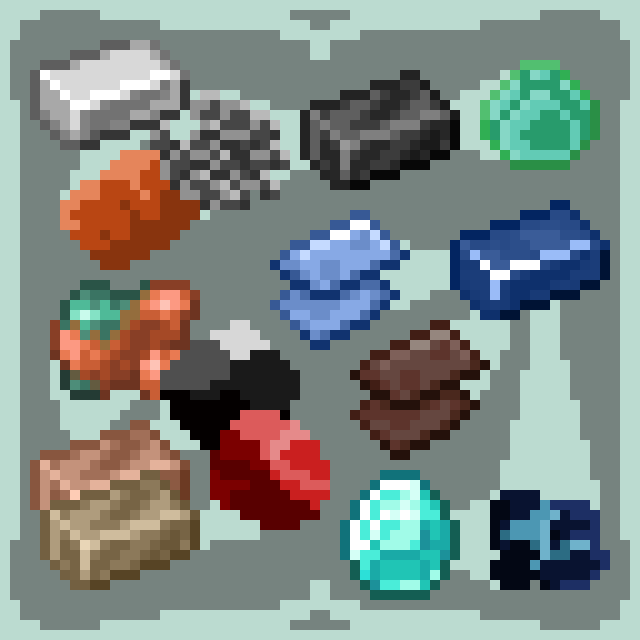
A Bunch of Stuff
Reworks Minecraft's ore system, adding a whole bunch of new steps. I used MCreator and Aseprite in the making of this mod.
I don't know my version or loader
This mod reworks Minecraft's ore system, adding a whole bunch of new steps. Here is the new system I made up:
Tier 1: WOOD tools. Obtained from trees.
Tier 2: STONE tools. Obtained from stone.
Tier 3: BRONZE or BRASS tools. Obtained by combining tin or zinc with copper. Tin ore (cassiterite) is found in sand and gravel, while zinc ore (sphalerite) is found in stone.
Tier 4: IRON tools. Obtained from either hematite ore or magnetite ore.
Tier 5. STEEL tools and DIAMOND tools. Steel is obtained by alloying iron and coal, using fluorite as a flux. Diamonds are obtained by mining diamond ore (kimberlite). Alternatively, by using a magical super-compressor to turn blocks of coal, blocks of lapis, and fluorite into diamonds.
Tier 6. NETHERITE tools. Obtained by mining ancient debris in the Nether and alloying with gold. A direct upgrade for diamond tools.
Tier 7. DIAMOND STEEL tools. Obtained by alloying diamond and steel.
Tier 8. QUYYONITE tools. Obtained by mining mythic debris in the End. A direct upgrade for netherite tools.
Note: I used MCreator and Aseprite in the making of this mod.
- Edition: Minecraft Java
- File type: .jar
- Minecraft versions listed: 1.21.1, 1.20.1
- How to install: Install the matching mod loader (Forge, Fabric or NeoForge) for your Minecraft version. → Download the .jar. → Put it in the .minecraft/mods folder and launch that loader profile.
- Where to get it: Opens on CurseForge — not every file is mirrored on our own servers.
Install steps are the general flow for this file type — How to install Minecraft Java mods & modpacks walks through it step by step.
- Ships as bunch_of_stuff-1.0.0-forge-1.20.1.jar — drop this file into the mods folder
- Download size: 529 KB
- Download link checked 28 Sept 2026 — working
These come from our own check of the pack file, not from the source page.