
Cobblemon Trackmon
Java mod listed for Minecraft 1.21. Downloads from the MC Java Mods app on Android.
⬇ Download on CurseForgeThe author built this one for Minecraft 1.21.1 on NeoForge. On other versions it may install and then do nothing.
Cobblemon Trackmon
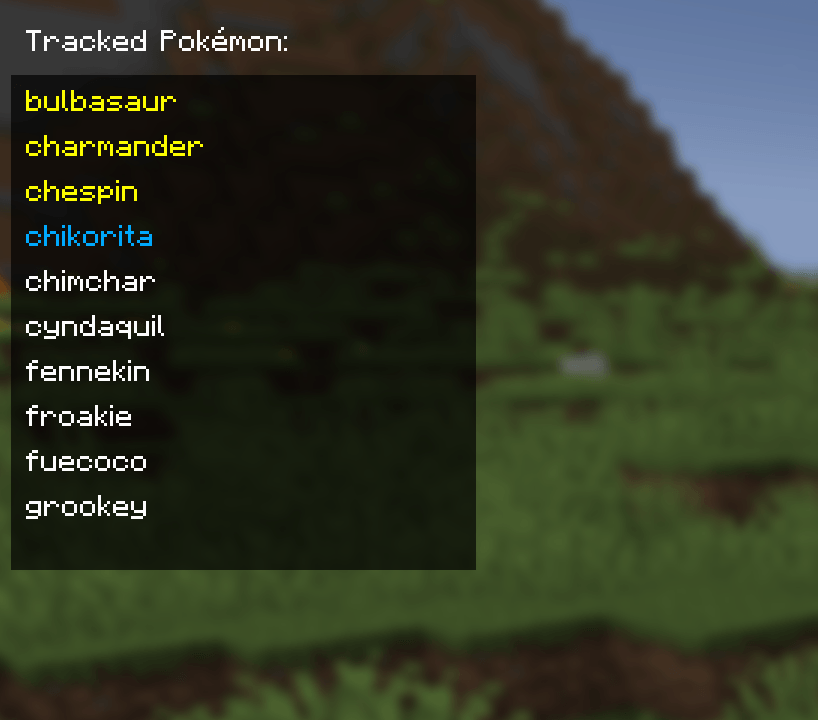
Cobblemon Trackmon is an addon for the Cobblemon mod that allows players to track specific Pokémon using chat commands and an intuitive GUI. This mod enhances gameplay by notifying players when tracked Pokémon spawn nearby and providing customizable tracking options.
Features
-
Track specific Pokémon using chat commands.
-
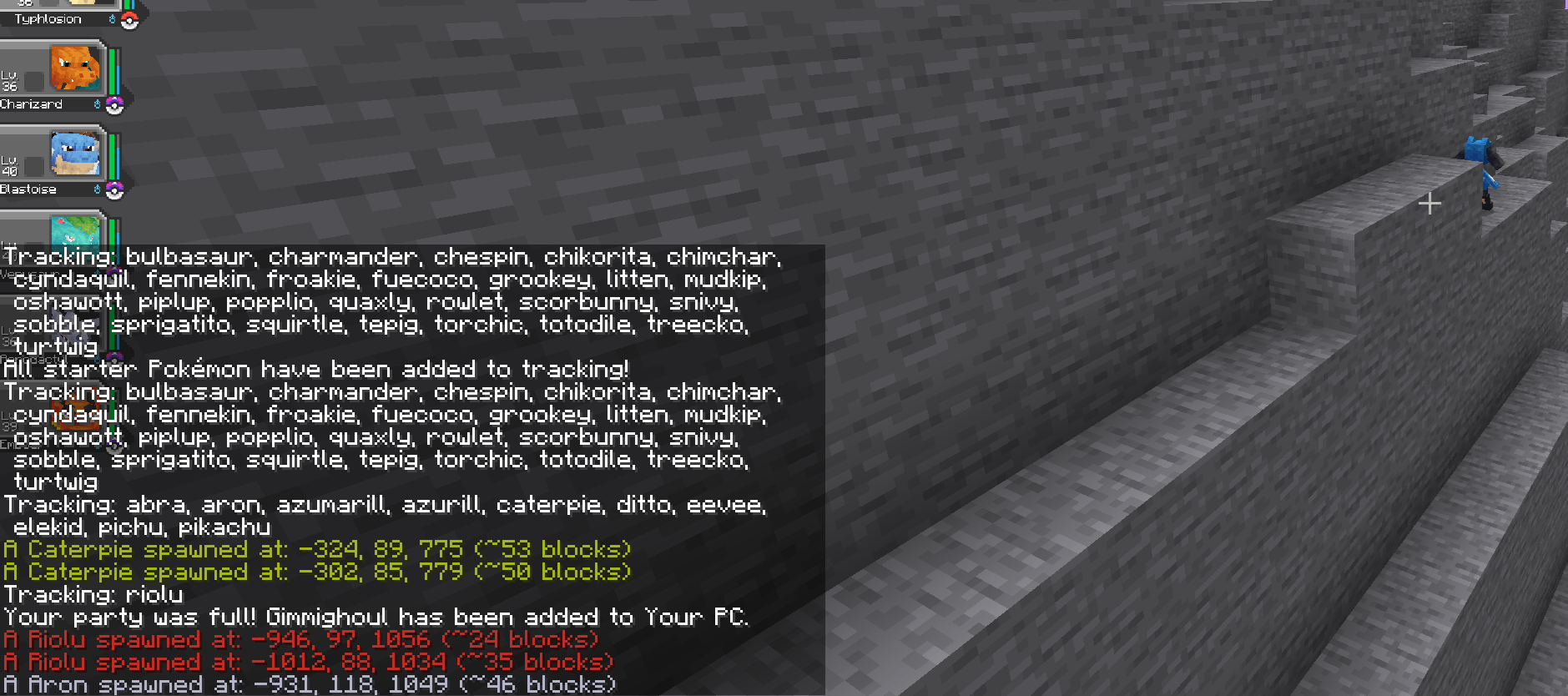
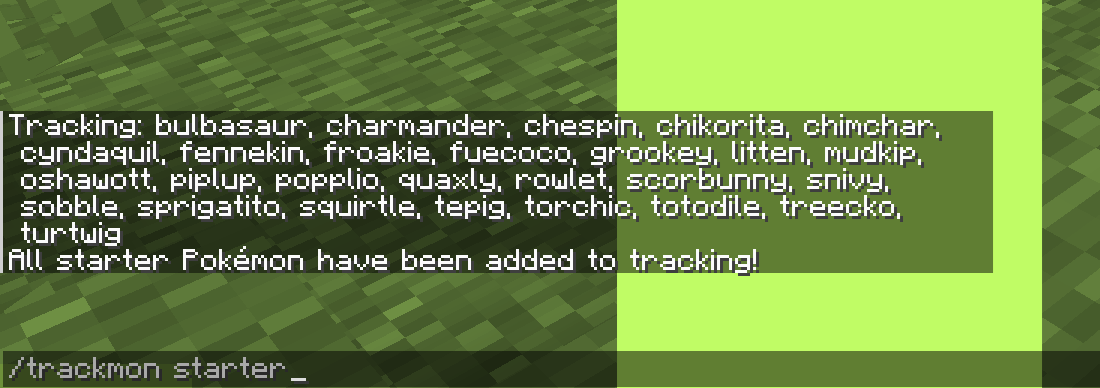
Easily add all starter Pokémon to the tracking list with a single command.
-
Remove individual Pokémon from tracking or clear the entire tracking list.
-
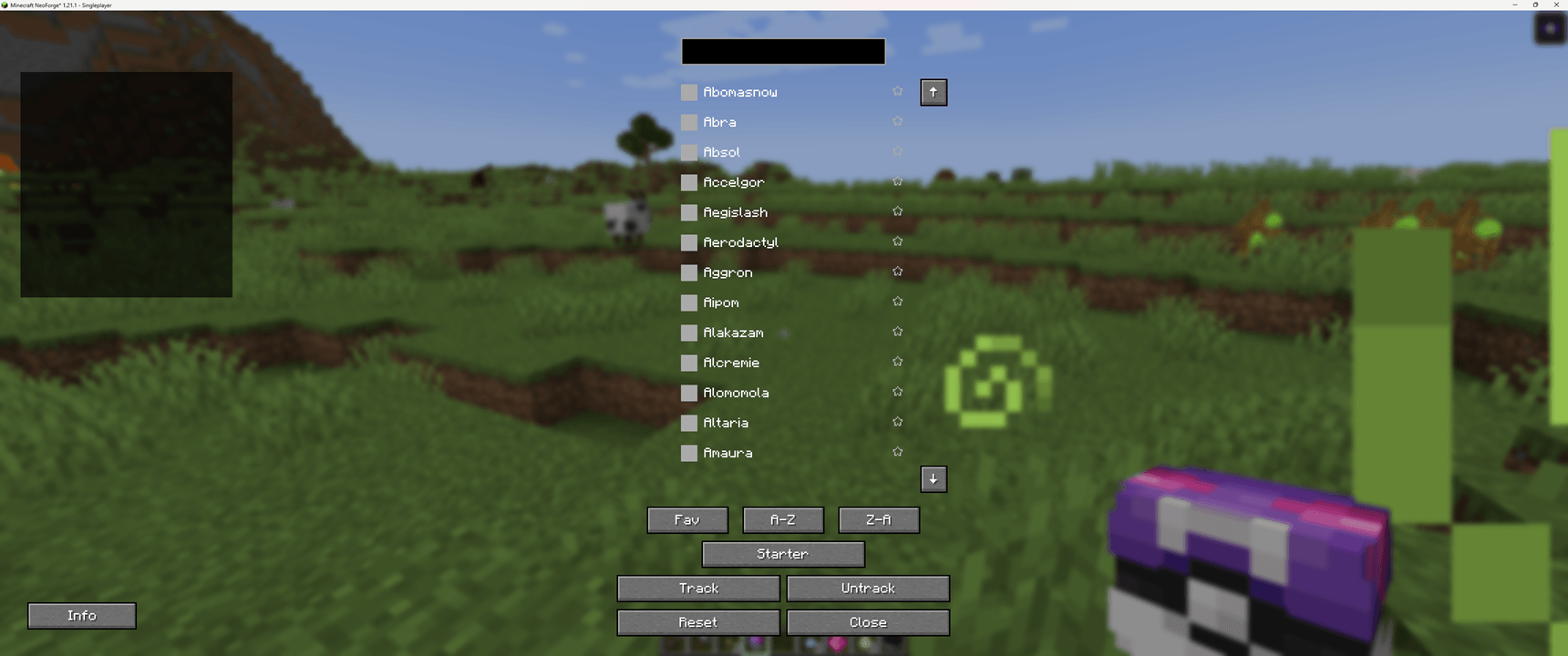
Fully functional GUI for managing tracked Pokémon, including search and selection features.
-
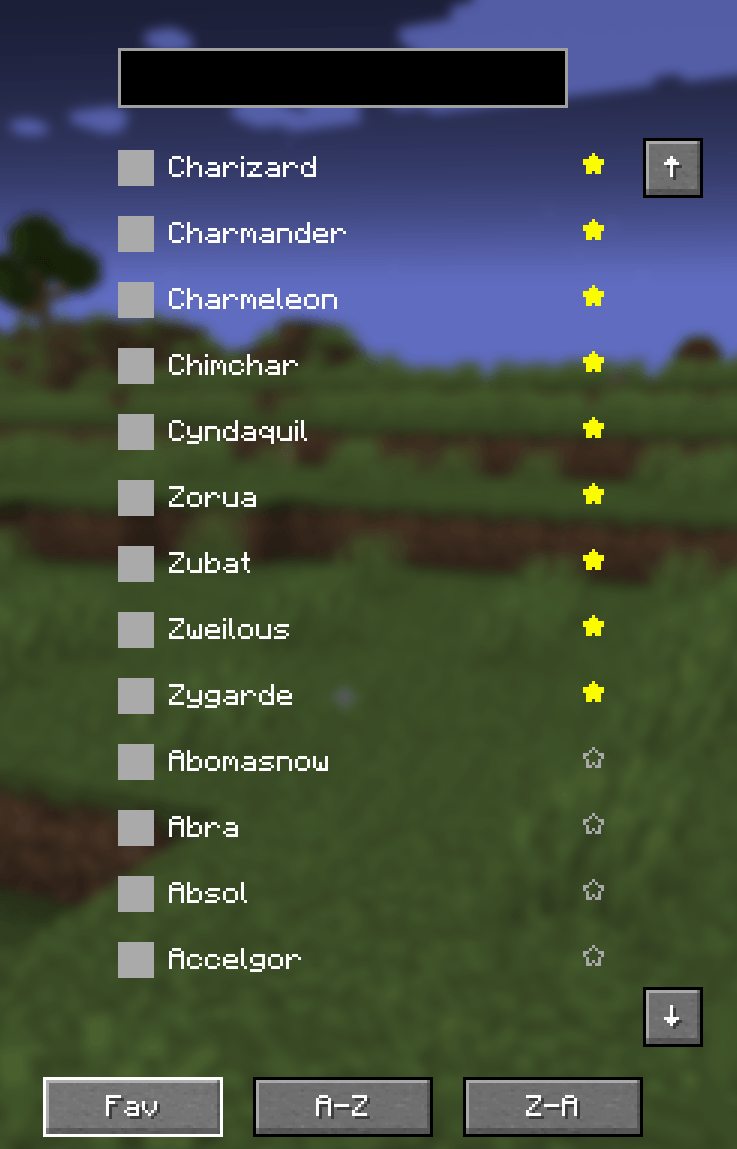
Sorting options in the GUI for better list organization:
-
Sort by favorites.
-
Sort alphabetically A-Z or Z-A.
-
-
Type-based chat notifications: Messages now match the Pokémon’s primary type color for improved readability.
-
Designed for compatibility with other Cobblemon addons, ensuring smooth integration with extended functionality.
Commands
-
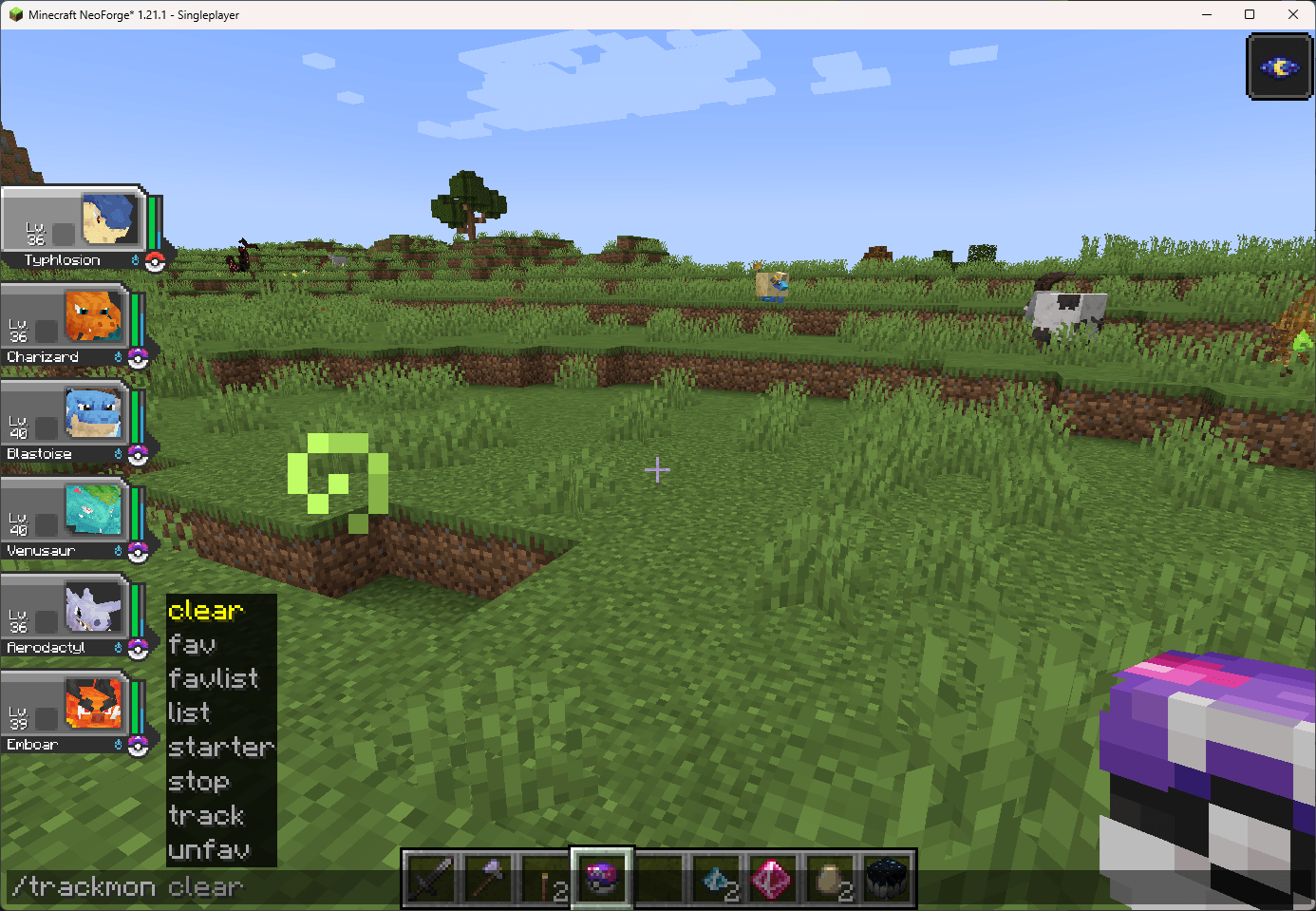
/trackmon track <pokemon>– Adds a Pokémon to the tracking list. -
/trackmon starter– Adds all starter Pokémon to the tracking list. -
/trackmon untrack <pokemon>– Removes a Pokémon from the tracking list. -
/trackmon clear– Clears the entire tracking list. -
/trackmon list– Displays all tracked Pokémon. -
/trackmon fav <pokemon>– Marks a Pokémon as a favorite. -
/trackmon unfav <pokemon>– Removes a Pokémon from the favorite list. -
/trackmon favlist– Displays the list of favorited Pokémon.
GUI Usage
-
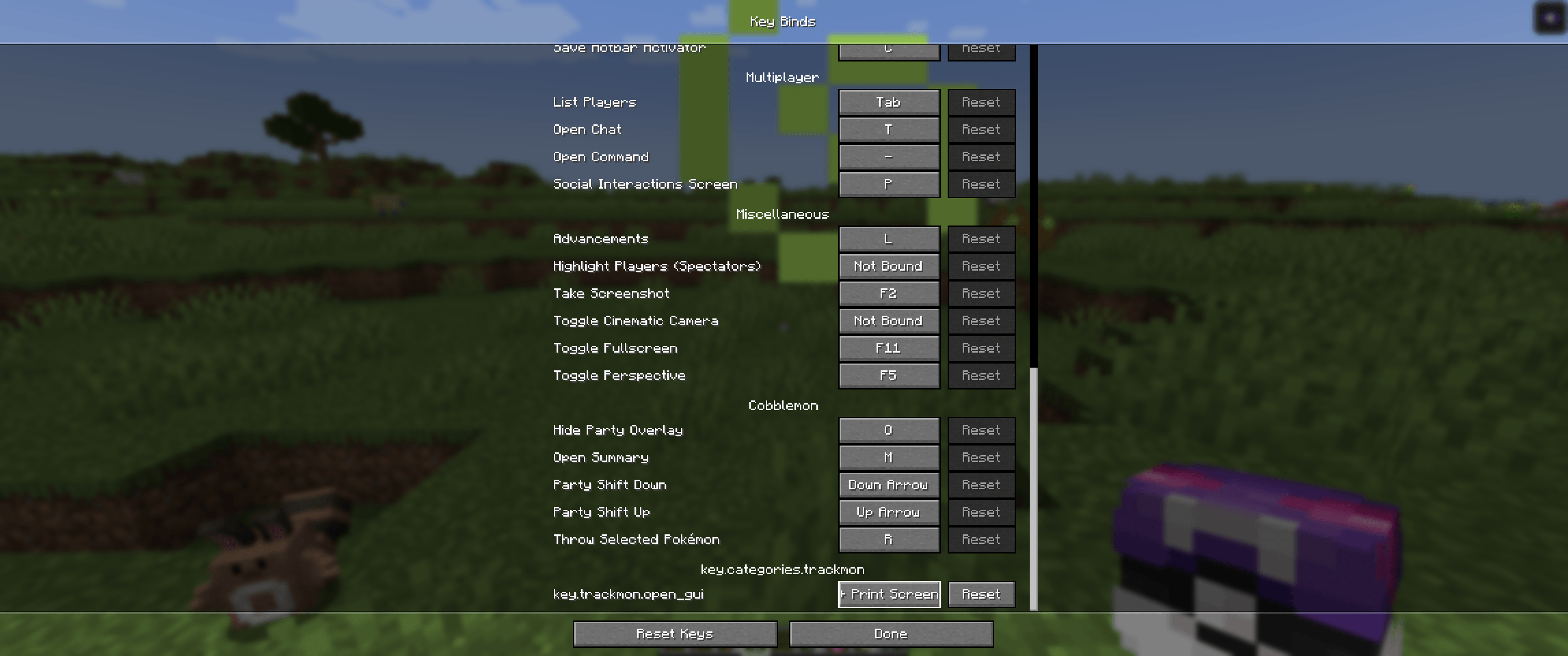
Open the GUI using the G key (default).
-
The hotkey can be changed in Options → Controls, allowing customization.
-
View and scroll through the tracking list using the mouse wheel.
-
Use the search field to quickly find Pokémon by name.
-
Sorting options allow customization of list organization.
-
Select multiple Pokémon and click "Track" to add them to the tracking list.
-
Click "Untrack" to remove selected Pokémon from tracking.
-
Click "Clear" to reset the tracking list.
-
Click "Info" to access additional details about the mod and tracking system.
Requirements
-
Minecraft 1.21.1
-
NeoForge 1.21
-
Cobblemon mod
Installation
-
Ensure you have Minecraft 1.21.1 and NeoForge 1.21 installed.
-
Download and install the Cobblemon mod.
-
Download the Cobblemon Trackmon mod.
-
Place the Cobblemon Trackmon
.jarfile into yourmodsfolder.
Source Code
GitHub Repository: https://github.com/Rokkhan90/CobblemonTracker
License
This project is licensed under the MIT License. See the LICENSE file for details.
- Edition: Minecraft Java
- File type: .jar
- Minecraft version listed: 1.21.1
- How to install: Install the matching mod loader (Forge, Fabric or NeoForge) for your Minecraft version. → Download the .jar. → Put it in the .minecraft/mods folder and launch that loader profile.
- Where to get it: Opens on CurseForge — not every file is mirrored on our own servers.
Install steps are the general flow for this file type — How to install Minecraft Java mods & modpacks walks through it step by step.
- Ships as trackmon-1.0.8.jar — drop this file into the mods folder
- Download size: 394 KB
- Download link checked 28 Sept 2026 — working
These come from our own check of the pack file, not from the source page.