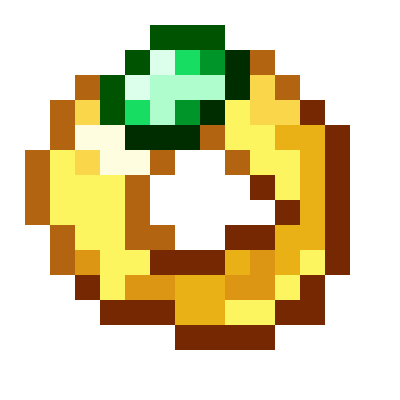
Jewlery N' Stuff
Java mod listed for Minecraft 1.20. Downloads from the MC Java Mods app on Android.
⬇ Download on CurseForgeThe author built this one for Minecraft 1.20.1 on Forge. On other versions it may install and then do nothing.
Welcome to Jewlery N' Stuff this is a remake of my older version, I think this is way better.
No this is not curious compatible.
What does this mod add?
this mod adds multiple rings and necklaces. These give special effects.
How do I make Rings?
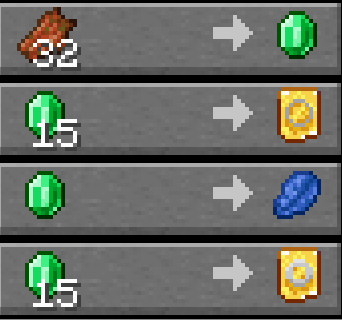
First you gotta get templates for the thing you want to create, both of these are gotten through trading with clerics
After that you gotta make a ring there can be 2 diffirent types: iron or gold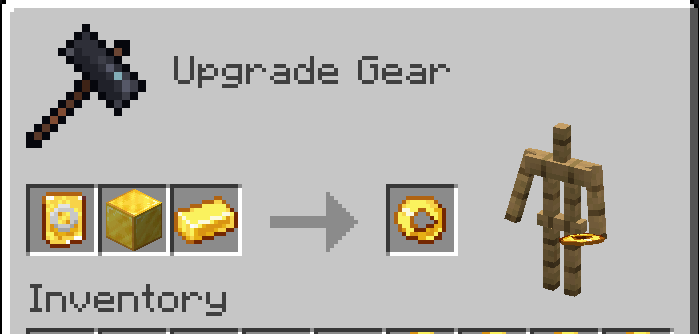
Replace gold with iron to make an iron ring.
Next choose a pebble or a potato: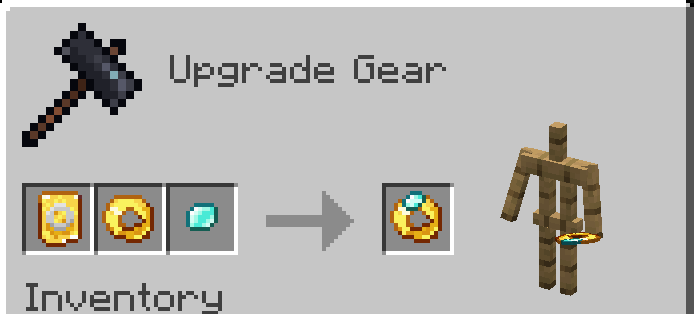
These pebbles can be crafted by cutting them in a stone cutter: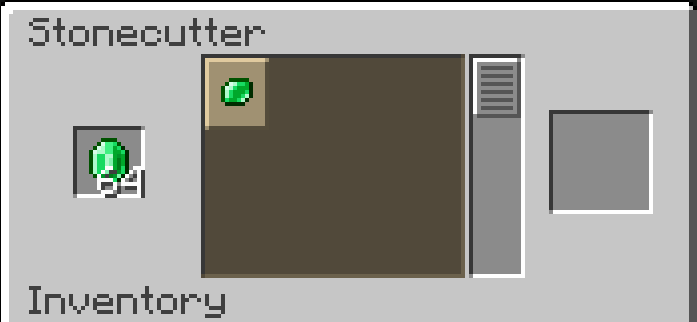
After that you have a ring!
To get the effect you need to put it in your off-hand.
Necklaces are a bit diffirent.
You first need a long string: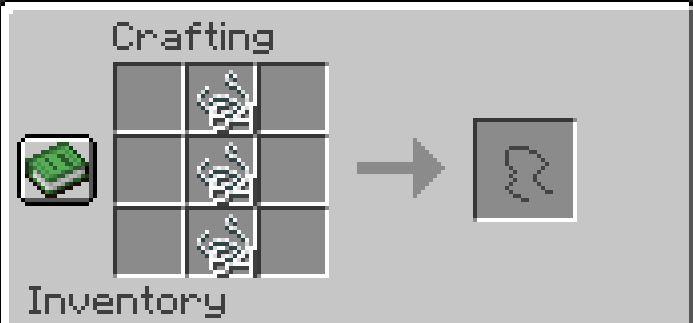
Necklaces also have 2 diffirent types: normal and gilded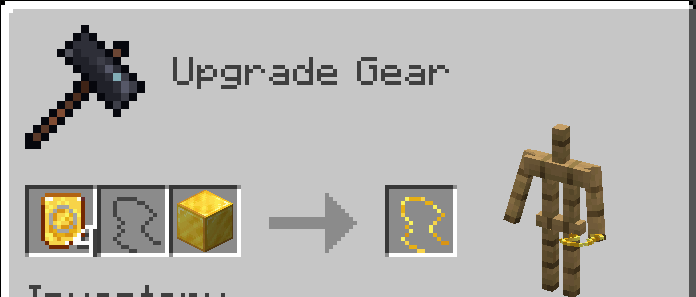
After you got your string you can make your necklace with a pebble or a rabbits foot.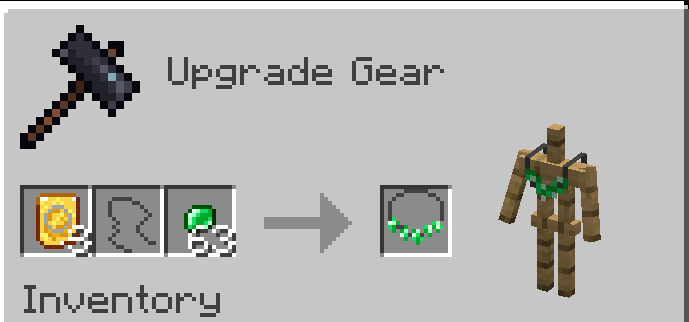
And you have your necklace. To get the affect you have to wear it on your chest piece.
There is now also a new echantment, Shining. With each level something is enchanted the higher level the effect is.
Special rings and necklace.
There is now a potato ring.

The potato ring starts at 1 durability and each damage you take gets added to the durability. After it is fully charged you can use it to get really good effects for 1 minute. But the ring will break after that.
Passivle gives weakness aswell.
The redstone ring is really simple. Instead of having a passive effect you can use it to get regeneration.
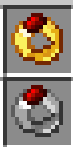
This will put it on a 1 minute cooldown.
Finnaly the rabbits foot necklace.
It will give you luck and jumpboost.

And thats it for the special ones.
You might be asking what are the rest of the effects but you have to find that out.
- Edition: Minecraft Java
- File type: .jar
- Minecraft version listed: 1.20.1
- How to install: Install the matching mod loader (Forge, Fabric or NeoForge) for your Minecraft version. → Download the .jar. → Put it in the .minecraft/mods folder and launch that loader profile.
- Where to get it: Opens on CurseForge — not every file is mirrored on our own servers.
Install steps are the general flow for this file type — How to install Minecraft Java mods & modpacks walks through it step by step.
- Ships as jewlery_n_stuff-2.0.0-forge-1.20.1.jar — drop this file into the mods folder
- Download size: 140 KB
- Download link checked 28 Sept 2026 — working
These come from our own check of the pack file, not from the source page.