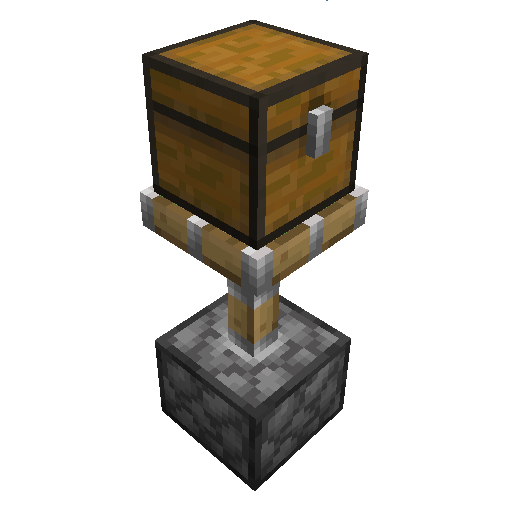
Piston Command
Java mod listed for Minecraft 1.21. Downloads from the MC Java Mods app on Android.
⬇ Download on CurseForgeThe author built this one for Minecraft 1.21.1 on NeoForge. On other versions it may install and then do nothing.
Inspired by Piston Control from the_will_bl
This mod gives you control over the way pistons move blocks with four new data pack tags:
pistoncommand:piston_behavior_normal- pistons can push and pull the block like normalpistoncommand:piston_behavior_block- blocks pistons like obsidian or bedrockpistoncommand:piston_behavior_destroy- gets destroyed like beds and torchespistoncommand:piston_behavior_push_only- can be pushed but not pulled with a sticky piston, like glazed terracotta
Also lets you move block entities like chests and furnaces. You can turn this on for all blocks in the mod config
(Mods > Piston Command > Config) or by setting push_block_entities to true in your server's
config/pistoncommand-server.toml.
You can match Bedrock behavior by installing
the Bedrock Pistons data pack and
turning on Push Block Entities. This makes all block entities pushable other than campfires, signs, banners and broken
modded blocks.
Works with vanilla and Fabric clients when installed on the server. We're trying to be compatible with as many other mods as possible. If you notice any problems like blocks not updating or visual bugs please report them on GitHub.
Incompatible Blocks
Some modded blocks can stop working when pushed. You should never add these to piston_behavior_normal or
piston_behavior_push_only:
- Create mechanical belt - separates from other belt blocks, stops moving items even if pulled back and plays a broken animation
- Create fluid tank - breaks the multiblock structure
- Create mechanical piston - leaves behind useless and visually broken extension poles
- Anything tagged as
#c:relocation_not_supported. Other mods use this tag for blocks that can trigger gamebreaking bugs or even crash the server when moved with a piston.
- Edition: Minecraft Java
- File type: .jar
- Minecraft version listed: 1.21.1
- How to install: Install the matching mod loader (Forge, Fabric or NeoForge) for your Minecraft version. → Download the .jar. → Put it in the .minecraft/mods folder and launch that loader profile.
- Where to get it: Opens on CurseForge — not every file is mirrored on our own servers.
Install steps are the general flow for this file type — How to install Minecraft Java mods & modpacks walks through it step by step.
- Ships as pistoncommand-neoforge-2.0.1+mc1.21.1.jar — drop this file into the mods folder
- Download size: 47 KB
- Download link checked 19 Oct 2026 — working
These come from our own check of the pack file, not from the source page.