
Create: Custom Gauges
Java mod listed for Minecraft 1.21. Downloads from the MC Java Mods app on Android.
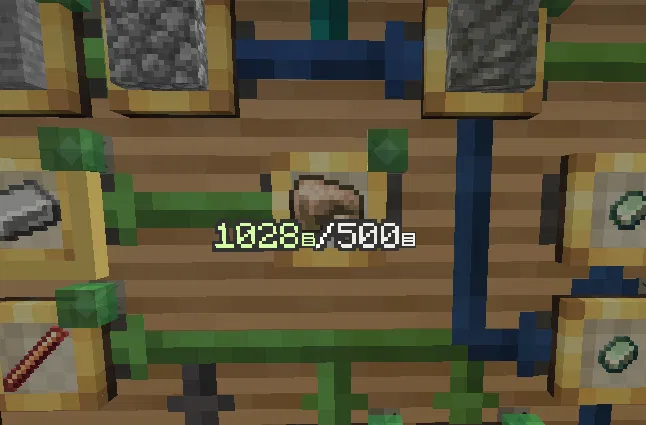
Right-click hold + Middle-click a Factory Gauge to type an exact target amount — no more capping out at 100 stacks.
⬇ Download on Modrinth
What This Does
Adds a middle-click "type an exact amount" popup to Create's Factory Gauge. Aim past the vanilla 100-stack drag-bar limit and just type the number instead.
Features
- Middle-click a Factory Gauge's target-amount picker to open a text entry popup instead of dragging
- Prefilled with the gauge's current value, so you can nudge an existing number instead of retyping from scratch
- Toggle between Items and Stacks units, clearly labeled, so it's obvious what your typed number will mean before you confirm
- Submits through Create's own existing network packet -- no new serverside behavior, just a faster way to set the same data
- Invalid input (empty, non-numeric) flashes a message instead of silently doing nothing
- Scoped specifically to Factory Gauges -- funnels, the motor speed controller, the crank, and anything else reusing Create's generic Value Settings board are left untouched
Compatibility
Built and tested against Create 6.0.10 for NeoForge 1.21.1. Client-side only -- Create is already required server-side regardless, and this mod adds no server logic of its own. Hooks into Create's ValueSettingsScreen via Mixin, so it's tied fairly closely to Create's internal UI code and may need updates if that changes significantly in a future Create release.
Known limitations
- Selecting "Stacks" multiplies your typed number by the filtered item's max stack size, matching the vanilla drag-bar's own behavior in Stacks mode -- typing
5on Stacks for a 64-stack item sets a threshold of 320 items, not 5. Easy to get bitten by if you're not expecting it. - Confirming or cancelling the popup closes straight back to gameplay rather than reopening the gauge's normal picker screen.
Credits
Built collaboratively with Claude -- see the GitHub repo for the AI disclosure and full changelog.
- Edition: Minecraft Java
- File type: .jar
- Minecraft version listed: 1.21.1
- How to install: Install the matching mod loader (Forge, Fabric or NeoForge) for your Minecraft version. → Download the .jar. → Put it in the .minecraft/mods folder and launch that loader profile.
- Where to get it: Opens on Modrinth — not every file is mirrored on our own servers.
Install steps are the general flow for this file type — How to install Minecraft Java mods & modpacks walks through it step by step.
- Ships as createcustomgauges-1.1.0.jar — drop this file into the mods folder
- Download size: 43 KB
- Download link checked 19 Oct 2026 — working
These come from our own check of the pack file, not from the source page.