Theosis Gems
Official companion resource pack for Theosis. Requires the Theosis plugin to display custom gems, crystals, and relics correctly
I don't know my version or loader
English
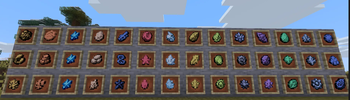
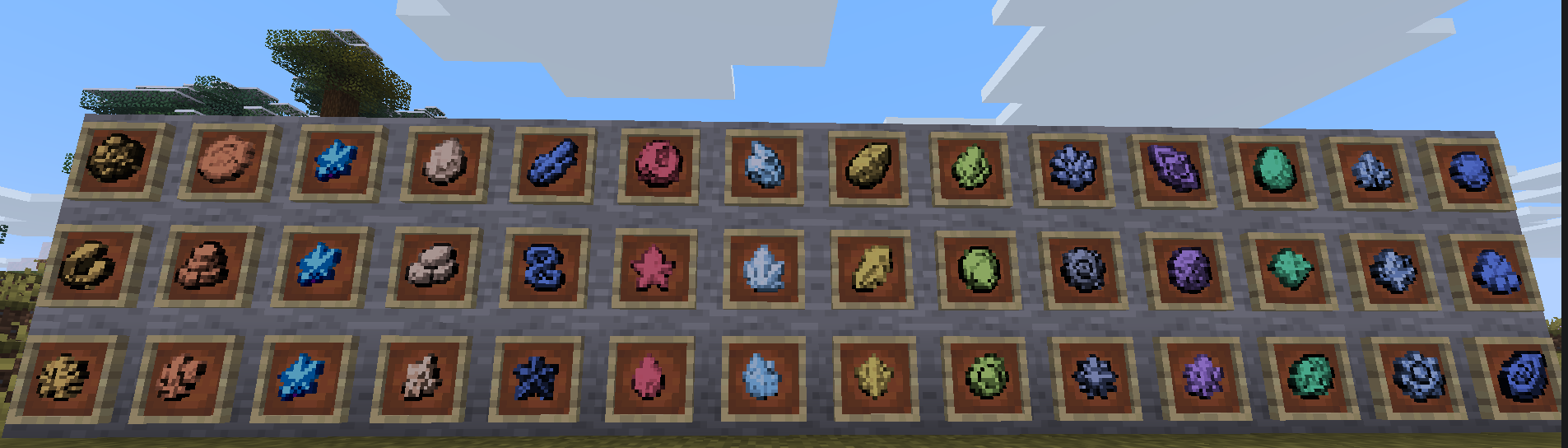
Theosis Resources is the official companion resource pack for the Theosis plugin, bringing unique visual designs to all custom gems.
⚙️ Setup & Requirements
- Requires Plugin: This pack is strictly designed for Java Edition servers running the Theosis plugin.
- Plug & Play: Just place the resource pack in your client or server options.
🛠️ Recommended gems.yml Configuration
For maximum immersion and the best visual results, we recommend making the following adjustments in your gems.yml file:
1 Enable Item Stacking:
Under cosmetics:, change default_materials to:
default_materials: SNORT_POTTERY_SHERD
(By default it is set to ALL_POTTERY_SHERDS. Changing it to SNORT_POTTERY_SHERD allows gems to stack properly).
2 Enhance Texture Clarity:
Change glint from true to false:
glint: false
(This removes the enchantment glow effect, making the custom gem textures pop much better).
Versión en Español
Theosis Resources es el paquete de recursos oficial y complementario para el plugin Theosis, añadiendo diseños visuales únicos para todas las gemas.
⚙️ Configuración y Requisitos
- Requiere Plugin: Este pack solo es compatible si estás utilizando el plugin Theosis en Java Edition.
- Instalación Sencilla: No tienes que hacer nada complejo, solo colocarlo en tu cliente o servidor.
🛠️ Configuración recomendada en gems.yml
Para una mejor inmersión y aprovechar al máximo las texturas, se recomienda realizar los siguientes cambios en el archivo gems.yml:
1 Permitir que las gemas se apilen:
Dentro de cosmetics:, cambia la opción default_materials a:
default_materials: SNORT_POTTERY_SHERD
(Viene por defecto en ALL_POTTERY_SHERDS; al cambiarlo a SNORT_POTTERY_SHERD las gemas se podrán apilar).
2 Mejorar el resaltado de la textura:
Cambia glint de true a false:
glint: false
(Esto remueve el brillo de encantamiento para que el diseño y los detalles de cada gema resalten mucho más).
- Downloads as Theosis-Gems-26.x.zip
- Download size: 102 KB
- Download link checked 19 Aug 2026 — working
These come from our own check of the pack file, not from the source page.